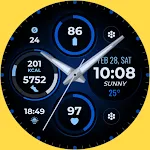
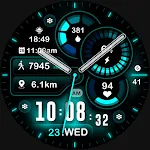
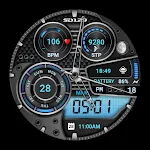
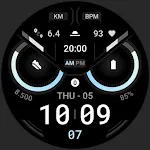
 Owly Watch Face
4.5

![[KNA013] ROBOT icon](https://static.amplo.cc/st_icon_file/06965e8b6c55a155302f77469a09006f.webp)
Art & Design
Ratings
Downloads
Age
Advertisement
![[KNA013] ROBOT screenshot 1](https://static.amplo.cc/st_screenshot_file/f60260b22b85aa11055f1c69faffb525.webp)
![[KNA013] ROBOT screenshot 2](https://static.amplo.cc/st_screenshot_file/7ad45b1c230f812645f1c21e6efae9e7.webp)
![[KNA013] ROBOT screenshot 3](https://static.amplo.cc/st_screenshot_file/abd871b6c04d23c1e95e6b2296882d0d.webp)
![[KNA013] ROBOT screenshot 4](https://static.amplo.cc/st_screenshot_file/6a31834e948a96ab5826dc2a6d68d4e8.webp)
![[KNA013] ROBOT screenshot 5](https://static.amplo.cc/st_screenshot_file/4038d4e24e40f378e009dbb21ee16c71.webp)
![[KNA013] ROBOT screenshot 6](https://static.amplo.cc/st_screenshot_file/c7361aef23bd2d0b69c8b4ac4592d168.webp)
![[KNA013] ROBOT screenshot 7](https://static.amplo.cc/st_screenshot_file/de6d1273bacef3386481e49f912d716a.webp)
![[KNA013] ROBOT screenshot 8](https://static.amplo.cc/st_screenshot_file/e9aa09a3946853b19e418e7a6e454e2c.webp)
![[KNA013] ROBOT screenshot 33](https://static.amplo.cc/st_screenshot_file/0d09902ef538bff5359104c42082b8f2.webp)
![[KNA013] ROBOT screenshot 34](https://static.amplo.cc/st_screenshot_file/d16bed4da86af78f38defa246550ac73.webp)
![[KNA013] ROBOT screenshot 35](https://static.amplo.cc/st_screenshot_file/06435608f03bb60322c0ecf8e56a4a01.webp)
![[KNA013] ROBOT screenshot 36](https://static.amplo.cc/st_screenshot_file/29c6048b83fa1a47399a3a20dd9160a2.webp)
![[KNA013] ROBOT screenshot 37](https://static.amplo.cc/st_screenshot_file/1a06e9947bf7353a8ceddaeb32ef4c22.webp)
![[KNA013] ROBOT screenshot 38](https://static.amplo.cc/st_screenshot_file/f6ae69129c5ab2df5645b4625b6fdd6c.webp)
![[KNA013] ROBOT screenshot 39](https://static.amplo.cc/st_screenshot_file/b7aa3e5dd6fecc027fa312581464b654.webp)
Advertisement
Name
Category
Price
Safety
Developer
Version
Wear Os Watch Face With Customizable Complications
WATCH FACE INSTALLATION NOTES:
How to install Watch Face To Wear OS Watch follow the link below:
https://www.youtube.com/watch?v=AhS7D7YA0ps
Check your watch’s compatibility with WEAR OS before proceeding with the installation. (Note: Galaxy Watch 3 and Galaxy Active are not WEAR OS devices.)
✅ Compatible devices include API level 30+ Google Pixel, Galaxy Watch 4, 5, 6, and other Wear OS models.
🚨 Watch faces don’t automatically apply on your watch screen after the installation. That’s why you MUST set it on your watch’s screen.
Features:
- Digital/Analog Styles (12/24 Hour Time format)
- Customize Hand clock & without Hand clock
- Date , Day of week , Month
- 2 Complication Editable
- 2 Custom shortcuts
- 4 Apps shortcuts
- 5 Colors 5 Styles
- Steps Count , Heart Rate , Battery Level , Next Event , Count message unread , Sunrise & Sunset time , Calories Calculate , Distance (km) Calculate
Customization:
1. Touch and Hold Display
2. Tap on Customize Option
Complications:
You can customize with the any data you want.
For example , you can select weather , world clock , sunset/sunrise , barometer etc.
**Some features may not be available on some watches.
For further support, please contact: [email protected]
Thank you for Your support.
Advertisement