

Thumbs on Fire: Apps That Can Actually Make You Faster on Your Phone
For something we do hundreds—sometimes thousands—of times a day, most of us are surprisingly bad at typing on our phones.
Think about it. We carry these things everywhere. We answer work messages while walking, text friends during dinner, reply to emails in line at coffee shops, and somehow still end up battling autocorrect like it's a personal enemy.
Desktop keyboards? Different story. Studies on typing behavior have consistently shown that people average around 52 words per minute on traditional keyboards. Move those same hands to a phone screen and that number drops—often into the high 30s.
Not exactly shocking.
Physical keys disappear. Your thumbs take over. Space gets tight. Suddenly punctuation marks hide in strange places and one mistimed tap turns meeting into melting.
The good news? Faster mobile typing isn’t really about buying a bigger phone or finding some secret keyboard setting. It’s muscle memory. Repetition. Tiny adjustments repeated enough times that your thumbs stop thinking and start reacting.
That’s why good typing apps matter.
Not the flashy arcade-style games overloaded with ads and exploding animations. Actual training tools. The kind that help you understand where mistakes happen and gradually smooth them out.
We looked at the strongest options through a practical lens: Do they work with your real keyboard setup? Can they identify mistakes beyond raw speed? And do they give useful metrics instead of meaningless scores?
Here’s what stood out.
TapTyping — typing trainer
Availability: iPhone and iPad
Pricing: Free lessons / One-time unlock for full access ($4.99)
What It Feels Like to Use
Most typing apps tell you that you made mistakes.
TapTyping tries to show you why.
Its most interesting feature is an Instant Replay Heatmap, which sounds far more technical than it feels in practice. Finish a typing session and the app replays your taps across a keyboard overlay, showing where your thumbs actually landed compared with where they were supposed to land.
And sometimes the results are oddly revealing.
Maybe you keep missing the edge of a key. Maybe your right thumb drifts slightly upward during fast bursts. Maybe you're hitting the gap between letters over and over without realizing it.
Once you see the pattern, the typo suddenly makes sense.
Pros
· Structured lessons move from basic typing into punctuation, capitalization, and more advanced drills.
· Includes global rankings if you're curious how your mobile speed stacks up.
Cons
· The interface feels stuck in another era.
· The default error sound deserves a special award for irritation.
· Most people will probably mute it within five minutes.
Fast Typing Test (by cubeorcoding)
Availability: Android
Pricing: Free with ads / Pro version available
What It Feels Like to Use
This app gets one thing right that many typing apps completely miss.
It lets you practice on your keyboard.
That sounds obvious until you realize how many apps replace your actual setup with some custom in-app keyboard. Different spacing. Different key sizes. Different behavior.
Which creates a weird problem: you're getting better at their keyboard instead of yours.
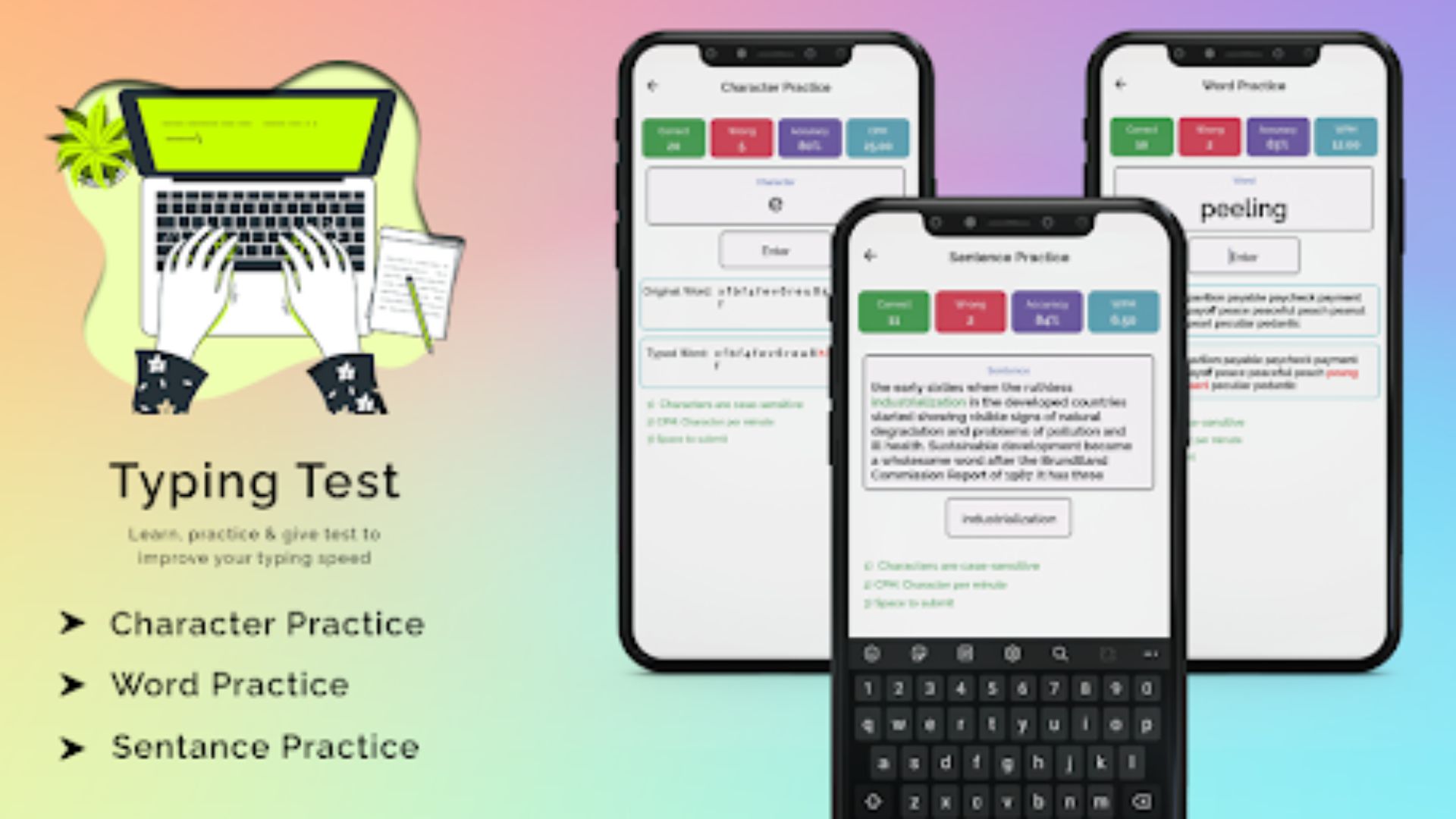
Fast Typing Test avoids that entirely. Whether you normally use Gboard, SwiftKey, Typewise, or something else, the app pulls up your real system keyboard during tests.
That means every practice session transfers directly into real life.
Tiny detail. Big impact.
Pros
· Supports multiple languages across typing tests and drills.
· Detailed performance tracking shows recurring problem words and long-term progress.
Cons
· Accuracy scoring can be surprisingly forgiving.
· Video ads interrupt practice sessions often enough to become noticeable.
· Momentum matters during typing drills. Ads don’t help.
Typing Test — The Typing Game
Availability: Android
Pricing: Free / Optional premium purchases
What It Feels Like to Use
Some people thrive under pressure.
Others don't realize they do until a countdown clock appears and someone else is racing beside them.
This app leans hard into competition.
Its standout feature is real-time multiplayer races, where you're matched against another person's cursor in a typing sprint. Suddenly the experience changes. You stop carefully thinking through every word and start relying on instinct.
Which, oddly enough, is the point.
Fast typing rarely happens because you're consciously processing every letter. It happens when your hands already know what comes next.
Pros
· Huge text library prevents repetition and memorization.
· Includes quieter solo testing modes for measuring progress without multiplayer pressure.
Cons
· Cosmetic unlocks can clutter the experience.
· Matchmaking occasionally feels brutal.
· Nothing humbles you quite like discovering someone across the world types twice as fast as you.
Type Fast — Typing Practice
Availability: iPhone and iPad
Pricing: Free basic access / Additional challenges available through in-app purchases
What It Feels Like to Use
Some apps try very hard to entertain you.
Type Fast does the opposite.
Open it and you're dropped into a simple typing challenge with almost no distractions. No unnecessary effects. No digital rewards showering across the screen.
Just text.
Its strongest feature is a 60-Second Classic Sprint, and it quietly teaches a lesson most people ignore:
Raw speed means very little if accuracy falls apart.
The app tracks Correct Words Per Minute rather than simply rewarding frantic tapping. Slow down slightly, maintain cleaner input, and your actual performance often improves.
Feels backward at first.
Then it clicks.
Pros
· Clean design with a strong dark mode experience.
· Works well on tablets thanks to flexible orientation support.
Cons
· Challenge progression eventually becomes repetitive.
· Historical performance tracking feels fairly limited.
· You can see your high scores.
· You just won't get much insight into how you got there.
Final Thoughts
For iPhone users, TapTyping still feels like the strongest option if your goal is genuine technical improvement. Android users will probably get the most practical value from Fast Typing Test.
Because the biggest weakness in many typing apps isn't speed tracking.
It's realism.
Too many create isolated little environments that disappear the moment you close the app. Different keyboards. Different spacing. Different habits.
Fast Typing Test avoids that trap.
By training directly on the keyboard you already use every day, the progress actually sticks. Your thumbs learn the same layouts, the same key distances, even the same autocorrect quirks.
So when you type faster later—whether it's texts, work messages, or a chaotic group chat—you actually keep the gains.
And that's the whole point.