

The AI Meeting Assistants That Actually Save Time on Zoom Calls
Anyone who has tried to lead a Zoom meeting while simultaneously taking notes knows how quickly things fall apart.
You are answering questions in chat, sharing screens, watching participant reactions, and trying to stay engaged in the conversation — all while scrambling to write down action items before they disappear. By the end of the call, half the important details are missing, nobody remembers exact deadlines, and someone inevitably asks, “Wait, what did we decide again?”
That is exactly why AI meeting assistants have exploded in popularity over the last two years.
Modern meeting transcription apps do far more than simply record audio. The best tools automatically join meetings, generate searchable transcripts, summarize discussions, identify action items, and organize everything into clean notes within minutes after a call ends.
To see which apps actually help in real workflows — not just in marketing demos — several popular AI meeting assistants were tested during back-to-back Zoom calls, client meetings, and internal team discussions. The evaluation focused on transcription accuracy, summary quality, ease of use, speaker identification, and whether the apps genuinely reduced administrative work.
These are the four meeting note apps that stood out the most in 2026.
1. Otter.ai(iOS/Android)
Ottar.ai remains one of the most recognizable names in AI transcription, and there is a reason it still dominates so many workplaces.
The app integrates directly with Google Calendar and Microsoft Outlook, allowing its AI assistant — called OtterPilot — to automatically join scheduled Zoom meetings and begin transcribing without requiring manual setup every time.
During testing, the live transcription feature was what immediately separated Otter from many competitors. Instead of waiting until the meeting ends, Otter generates transcripts in real time while people are speaking. That becomes surprisingly useful during long meetings when someone joins late and needs to catch up quickly.

Searchability is another major strength. Users can search across previous conversations, which makes it much easier to find specific deadlines, project updates, or client comments weeks later.
Otter also handles speaker labeling fairly well compared to many mobile-focused transcription apps, although accuracy still depends heavily on microphone quality and how much participants interrupt each other.
One important correction: Otter.ai does support additional languages for transcription and translation features in some workflows, but its strongest and most accurate support remains centered around English compared to more multilingual-focused competitors.
What Actually Works
Otter.ai is excellent for teams that need searchable meeting archives and real-time collaboration during calls.
Pros
Strong live transcription
Easy calendar integrations
Searchable meeting history
Good speaker recognition
Helpful AI summaries and action items
Cons
Visible meeting bot may bother some clients
Best performance is still primarily in English
Free plan has monthly transcription limits
Pricing: Free plan available; paid plans generally start around $10/month billed annually.
2. Notta(iOS/Android)
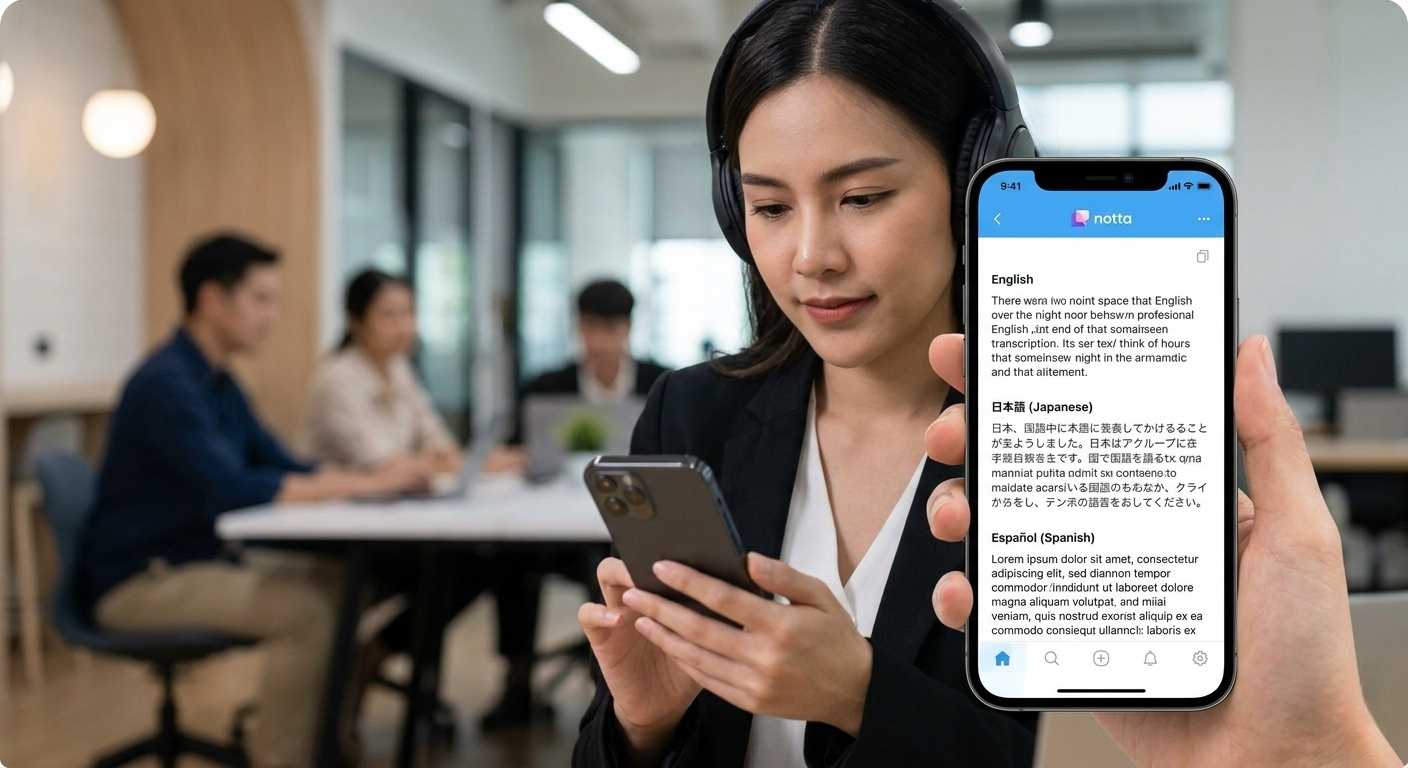
For professionals who frequently join meetings from their phones, tablets, or hybrid work setups, Notta has quietly become one of the strongest mobile-first AI transcription platforms available right now. Unlike some competitors that still feel heavily desktop-oriented, Notta’s Android and iOS apps are genuinely polished and practical for people who work on the move.
The app is particularly popular among remote teams, freelancers, consultants, and multilingual users who need fast meeting transcripts without sitting at a traditional desk all day.
What Actually Works
Notta works especially well for mobile-first professionals who need flexible recording options and strong multilingual transcription support.
Pros
Excellent mobile experience on Android and iOS
Flexible recording methods beyond simple bot-based meetings
Strong multilingual transcription support
Helpful AI summaries and action-item generation
Works well for remote and hybrid workflows
Cons
Free plan is fairly restrictive for heavy users
Some advanced recording and collaboration tools require higher-tier subscriptions
Transcription accuracy can still drop during noisy group conversations
Pricing:Notta offers a free plan with limited monthly transcription minutes. Paid plans generally start around $8–$14 per month depending on billing structure and feature access.
One important correction worth noting: pricing, language support counts, and AI feature names occasionally change between app versions and subscription updates, so users should verify the latest details directly through the Google Play Store or Notta’s official website before subscribing.
3. Fireflies.ai(iOS/Android)
Fireflies.ai positions itself less as a simple note-taking tool and more as a conversation intelligence platform.
That difference becomes obvious immediately after meetings end.
In addition to transcription, Fireflies analyzes speaking patterns, tracks talk-time distribution, identifies recurring topics, and flags important keywords automatically. During testing, this made the platform particularly useful for managers, recruiters, sales teams, and customer success departments.
For example, users can create keyword alerts for pricing discussions, competitor mentions, or objections during client calls. Fireflies then automatically bookmarks those sections for review.
The platform also supports a wider range of integrations than many competitors, including Slack, Notion, Asana, HubSpot, Salesforce, and various project-management tools.
Transcription quality was consistently strong during testing, especially on clean audio. However, the interface can feel overwhelming for casual users who simply want lightweight meeting notes rather than analytics dashboards.
One additional clarification: while Fireflies supports many languages, transcription accuracy can still vary depending on accents, overlapping dialogue, and meeting audio quality.
What Actually Works
Fireflies.ai is best for teams that want deeper meeting analytics beyond simple transcripts.
Pros
Strong meeting analytics
Excellent integrations
Helpful keyword tracking
Good transcription accuracy
Useful for sales and management teams
Cons
More complicated interface
Advanced features require higher-tier plans
Can feel excessive for casual users
Pricing: Free limited plan available; paid plans generally start around $10/user/month.
4. PLAUD(iOS/Android)
PLAUD has become increasingly popular among professionals who want AI-generated meeting notes without adding another visible participant bot to their Zoom calls.
Instead of relying entirely on cloud-based meeting assistants that join calls automatically, PLAUD takes a more hardware-connected, mobile-first approach. The company is best known for its PLAUD NOTE device and companion mobile app, which work together to record conversations, transcribe audio, and generate AI summaries.
For users who care about privacy, cleaner meeting rooms, or less intrusive workflows, that setup feels noticeably different from traditional AI notetaker apps.
What Actually Works
PLAUD works best for users who want discreet AI meeting notes without visible meeting bots or overly corporate software workflows.
Pros
No visible AI bot joining meetings
Excellent mobile app experience
Useful AI summary templates
Strong portability for remote and in-person meetings
Clean transcript editing workflow
Cons
Best experience depends heavily on PLAUD’s dedicated hardware ecosystem
Smartphone-only recording quality can vary significantly
Advanced AI features require paid plans
Less collaborative than cloud-first meeting platforms
Pricing:The PLAUD app is free to download on Android and iOS, but the broader experience is closely tied to PLAUD’s hardware products and subscription services.
The company offers limited free AI transcription usage, while expanded transcription hours, advanced summaries, and premium AI features require a paid membership plan.
One important correction worth noting: pricing structures, AI usage limits, and transcription allowances change fairly frequently across PLAUD subscription tiers, so users should verify current details directly through the official app listings or PLAUD’s website before purchasing hardware or subscriptions.

The Final Verdict
All four apps performed well during testing, but the best choice ultimately depends on how you actually work day to day.
Some people need fast, reliable meeting summaries directly from their phone. Others care more about live collaboration, deep analytics, or avoiding the awkwardness of visible AI bots joining client calls.
One important detail worth clarifying: every app recommended here currently offers a real mobile app available through the Google Play Store and/or Apple App Store, which matters because many newer AI meeting tools still rely heavily on desktop-only workflows.
For most users, though, Notta feels like the most balanced option overall.
During testing, it consistently delivered fast transcription speeds, reliable summaries, strong multilingual support, and one of the cleanest mobile interfaces in the category. The ability to manage recordings, transcripts, and AI-generated action items directly from a phone also makes it particularly practical for remote workers and hybrid teams who spend large portions of the day away from a traditional desk setup.
That said, there is no perfect AI meeting app yet.
Otter.ai still offers the strongest real-time collaboration experience. Fireflies.ai delivers deeper business analytics than almost anyone else in the space. PLAUD feels noticeably more private and less disruptive during sensitive meetings.
The good news is that modern AI transcription tools have improved dramatically over the past two years. Even the free tiers available today are far more accurate and usable than the clunky voice-to-text software many professionals struggled with only a few years ago.
The bigger challenge now is no longer transcription accuracy — it is choosing the workflow that best matches how your team actually communicates.