

No More Menu Roulette: The 5 Best Apps to Instantly Translate Menus Abroad (2026)
Few travel experiences are more exciting — or more intimidating — than sitting down at a local restaurant where you can’t read a single word on the menu. Whether you're in a quiet Tuscan trattoria or a crowded Tokyo izakaya, language barriers can quickly turn ordering dinner into a guessing game.
Fortunately, modern translation apps have become surprisingly good at solving this problem. Using smartphone cameras, OCR (optical character recognition), and AI-powered translation, these apps can now scan and translate printed menus in seconds — even offline in some cases.
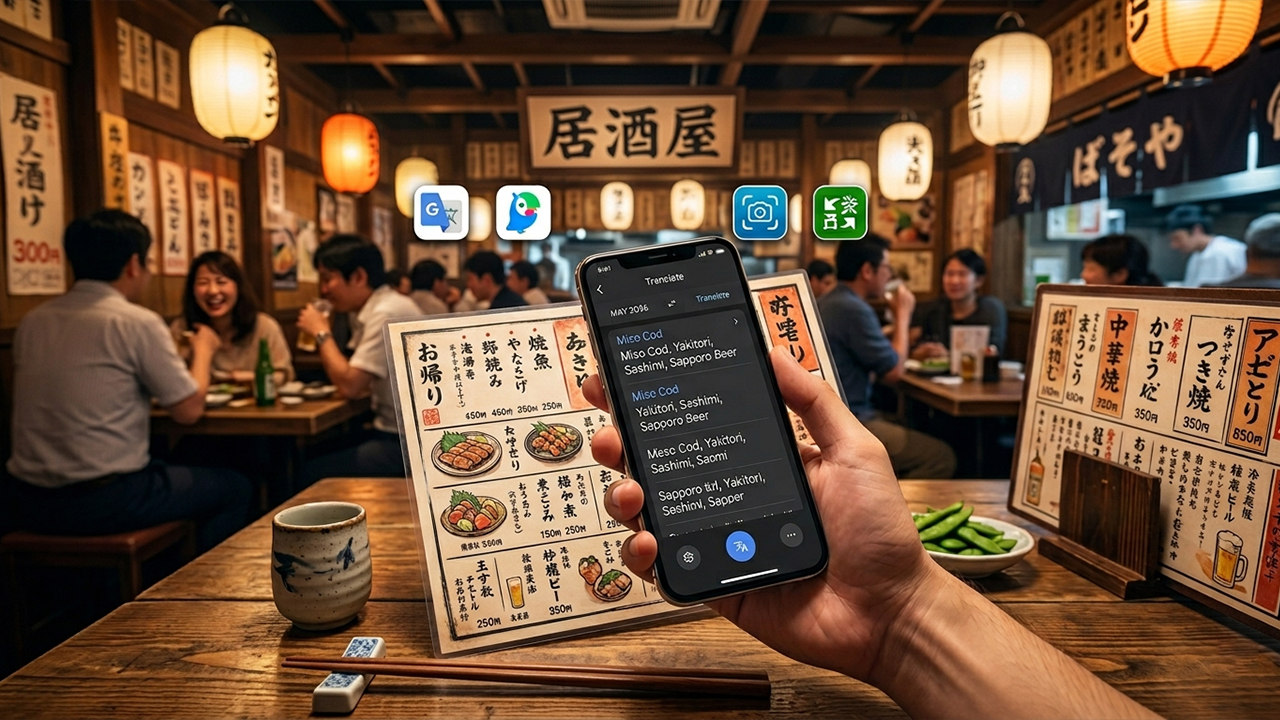
To find the most reliable options for travelers, we tested popular menu translation apps in real restaurant environments, focusing on translation speed, low-light performance, stylized fonts, and offline usability. Here are the five best apps currently available on the U.S. App Store and Google Play Store for translating physical menus while traveling abroad.
1. Google Translate
Best Overall for Global Travel
Google Translate remains the easiest and most versatile option for most travelers. Its camera translation feature, powered by Google Lens, can instantly overlay translated text directly onto a live view of the menu.
In testing, the app handled everything from simple café menus to crowded multi-column restaurant layouts reasonably well. The live translation updates quickly as you move the camera, making it especially useful in busy dining environments.
Its biggest advantage is language support. With more than 100 languages available, it works almost anywhere in the world.
Pros
Completely free with no ads or hidden paywalls.
Huge language library.
Offline language packs work reliably after download.
Cons
Live translations can flicker slightly in dim lighting.
Complex fonts or handwritten menus occasionally confuse the camera overlay.
2. Naver Papago
Best for Japanese, Korean, and Chinese Menus
If you're traveling through East Asia, Papago is one of the strongest translation tools available. Developed by Naver, the app performs especially well with Japanese, Korean, and Chinese text.
During testing, Papago consistently produced more natural food translations than larger competitors. Instead of translating dishes word-for-word into awkward phrases, it often recognized culinary context and generated clearer descriptions.
The app also handled vertical Japanese menu layouts better than most alternatives.
Pros
Excellent contextual translations for Asian languages.
Clean and fast interface.
Strong recognition of vertical text layouts.
Cons
Smaller language library compared to Google Translate.
Less useful outside Asia-focused travel.
3. Waygo
Platforms: iOS
Pricing: Free for limited use / Paid upgrades available
Best Fully Offline Option
Waygo was built specifically for offline translation of Chinese, Japanese, and Korean text. Unlike many competitors, it does not rely heavily on cloud processing once installed.
In areas with weak or nonexistent mobile service, Waygo remained fast and dependable throughout testing. Simply pointing the camera at menu items produced nearly instant translations without requiring a connection.
Rather than translating entire pages at once, the app focuses on short text snippets and menu items — which actually works well in restaurant settings.
Pros
Excellent offline performance.
Fast camera-based translations.
Efficient battery usage.
Cons
Supports only Chinese, Japanese, and Korean.
Free version limits daily translations.
4. Camera Translator - AI OCR +
Platforms: iOS
Pricing: Free with ads / Subscription available
Best for Difficult Fonts and Large Menus
Camera Translator - AI OCR + works better as a dedicated document-style scanner than a live translation overlay. Instead of translating text in real time, it captures a high-resolution image and converts the menu into readable digital text.
This approach proved especially useful for cursive fonts, decorative restaurant branding, and fine-dining menus that confused live camera translators.
The built-in editing tools also make it easier to isolate specific menu sections and reduce clutter during translation.
Pros
Strong OCR accuracy for stylized fonts.
Useful image editing and text selection tools.
Easier to read long menus.
Cons
Aggressive ads in the free version.
Subscription pricing becomes expensive over time.
5. Microsoft Translator
Best Ad-Free Alternative
Microsoft Translator offers one of the cleanest user experiences among free translation apps. The interface is simple, fast, and completely free of intrusive ads or subscription pop-ups.
In testing, the app performed particularly well with European languages and standard printed menus. Offline language packs were compact, easy to download, and stable during use.
While it lacks some of Google Translate’s advanced camera polish, it remains a dependable option for travelers who want a straightforward experience.
Pros
Completely free and ad-free.
Reliable offline translation support.
Simple, lightweight interface.
Cons
Smaller language selection than Google Translate.
Slightly weaker performance with vertical Asian text layouts.
Final Verdict
Each app excels in different travel situations:
Google Translate is still the best all-around choice for most international travelers.
Naver Papago performs best for Japanese, Korean, and Chinese menus.
Waygo is ideal when reliable internet access is unavailable.
Camera Translator - AI OCR + works well for difficult fonts and large printed menus.
Microsoft Translator offers the cleanest completely free experience.
For most travelers, Google Translate remains the safest recommendation because of its broad language support, reliable offline mode, and fast live camera translations. But for trips focused on East Asia, Papago often delivers more natural and accurate food translations.
Tips for Better Menu Translations Abroad
Download language packs before leaving the hotel. Offline support can make a huge difference in areas with weak roaming coverage.
Use photo mode in dim restaurants. Static image translation is often more accurate than live camera mode under poor lighting.
Avoid glare on glossy menus. Tilting the menu slightly or adjusting the camera angle improves OCR accuracy significantly.
Double-check allergy-related ingredients. Translation apps are helpful, but they can still misunderstand regional dish names or cooking terminology.
Keep expectations realistic. AI translation works remarkably well today, but local slang, handwritten specials, and regional food references can still confuse even the best apps.