

Full Review: Top Apps to Fully Erase Data Beyond Factory Reset
Why a Basic Factory Reset Isn’t Always Secure Enough
Selling or trading in an old phone always comes with a quiet privacy fear. What personal data might linger on that device long after you hit reset?
Your phone holds years of sensitive material: private photos, stored login credentials, banking app data, two-factor authentication tokens, cached app data, active cloud sign-ins, and seemingly deleted files that can still be recovered. Most people assume a standard factory reset erases everything for good. That’s not always the case.
Modern iPhones buck this trend. Apple’s built-in hardware encryption destroys encryption keys during a full wipe, rendering residual data completely unreadable. This makes its official erase process extremely secure. Android devices are far less consistent. Final wipe security varies widely based on device age, default encryption status, manufacturer software implementation, and whether empty storage space gets fully overwritten post-reset.
This inconsistency is why dedicated secure wipe tools still matter in 2026. The best options deliver targeted protection: permanent data deletion, free-storage overwriting, deep cache cleaning, forensic file shredding, full data recovery prevention, and pre-resale privacy validation.
This guide features active, reputable tools from the Apple App Store and Google Play Store, built specifically to lock down privacy before you sell, trade, or recycle a device. We judged every option on real security credibility, overwrite functionality, everyday usability, cross-device compatibility, transparent operation, clear pricing, and practical real-world performance.
A critical reality to note upfront: no mobile tool can overcome modern hardware storage limitations. Flash memory works differently than old hard drives, so many “military-grade wipe” marketing claims are overblown. Even so, these tools add tangible privacy safeguards that basic resets simply cannot match.
iShredder Data Eraser (Android)
Availability: Android
Pricing: Free base version; full features unlocked via in-app purchases or subscription upgrades
Real-World Performance Breakdown
iShredder stands as Android’s most credible consumer-focused secure erase utility. It solves a critical flaw in standard Android resets: basic deletion and factory resets often leave recoverable data fragments lingering in unused storage space.
Unlike generic cleaner apps, iShredder follows established global data deletion standards, including DoD 5220.22-M, NIST SP 800-88, and BSI TL-03423 protocols, per its official Google Play listing. Its biggest strength is dedicated free-space overwriting, which eliminates residual file fragments that would otherwise remain retrievable until new data fills the empty storage.
It packs a full suite of targeted privacy tools: precise file shredding, system cache deep cleaning, bulk folder erasure, external SD card wiping, and detailed post-erase verification reports. No flashy gimmicks, just transparent, purpose-built data protection for resale scenarios.
Pros
Verified secure overwrite functionality for residual storage data
Built exclusively for pre-resale privacy protection and data erasure
Adheres to recognized international data destruction standards
Free-space overwriting delivers meaningful security improvements
Granular control over Android internal and external storage
Cons
Full professional erase features require a paid upgrade
Technical interface feels intimidating for casual users
Over-the-top “military-grade” marketing dilutes its genuine value
Cannot guarantee 100% forensic data destruction on all Android hardware
Best For
Android users selling, trading, or recycling devices who want stronger privacy protection than a standard factory reset provides.
Google Files (Android)
Availability: Android
Pricing: Completely free
Real-World Performance Breakdown
Google Files never markets itself as a security tool, yet it’s one of the most practical pre-resale utilities available. Most users overlook how much sensitive data hides in overlooked storage corners long before a reset.
Download folders, duplicate personal photos, cached offline documents, temporary system files, offline app storage, and hidden media directories all hold private data that can survive basic resets. Google Files excels at surfacing this buried clutter with zero effort.
It lets users manually audit full device storage, delete large hidden files, wipe leftover app data, and clear sensitive downloaded content ahead of a factory reset. It doesn’t perform certified forensic overwrites like iShredder, but it eliminates the human error of forgetting high-risk hidden data — a common privacy oversight for casual sellers.
Pros
No cost, no subscriptions, no hidden fees
Exceptional detection of hidden, easily missed residual data
Extremely intuitive for first-time users
Instant, automated cleanup recommendations
Trusted, official Google ecosystem tool
Cons
Lacks true secure overwrite or forensic wiping capabilities
Cannot eliminate deeply embedded storage residuals
No advanced privacy-focused security controls
Best For
Any Android user prepping a device for resale who wants to eliminate hidden junk files before performing a factory reset.
Samsung Smart Switch + Factory Reset (Samsung Android)
Availability: All Samsung Galaxy devices
Pricing: Free native system tools
Real-World Performance Breakdown
Samsung Galaxy users don’t need third-party wipe apps for reliable pre-resale security. Modern Samsung devices ship with full default device encryption, paired with official system tools that outperform generic cleaners.
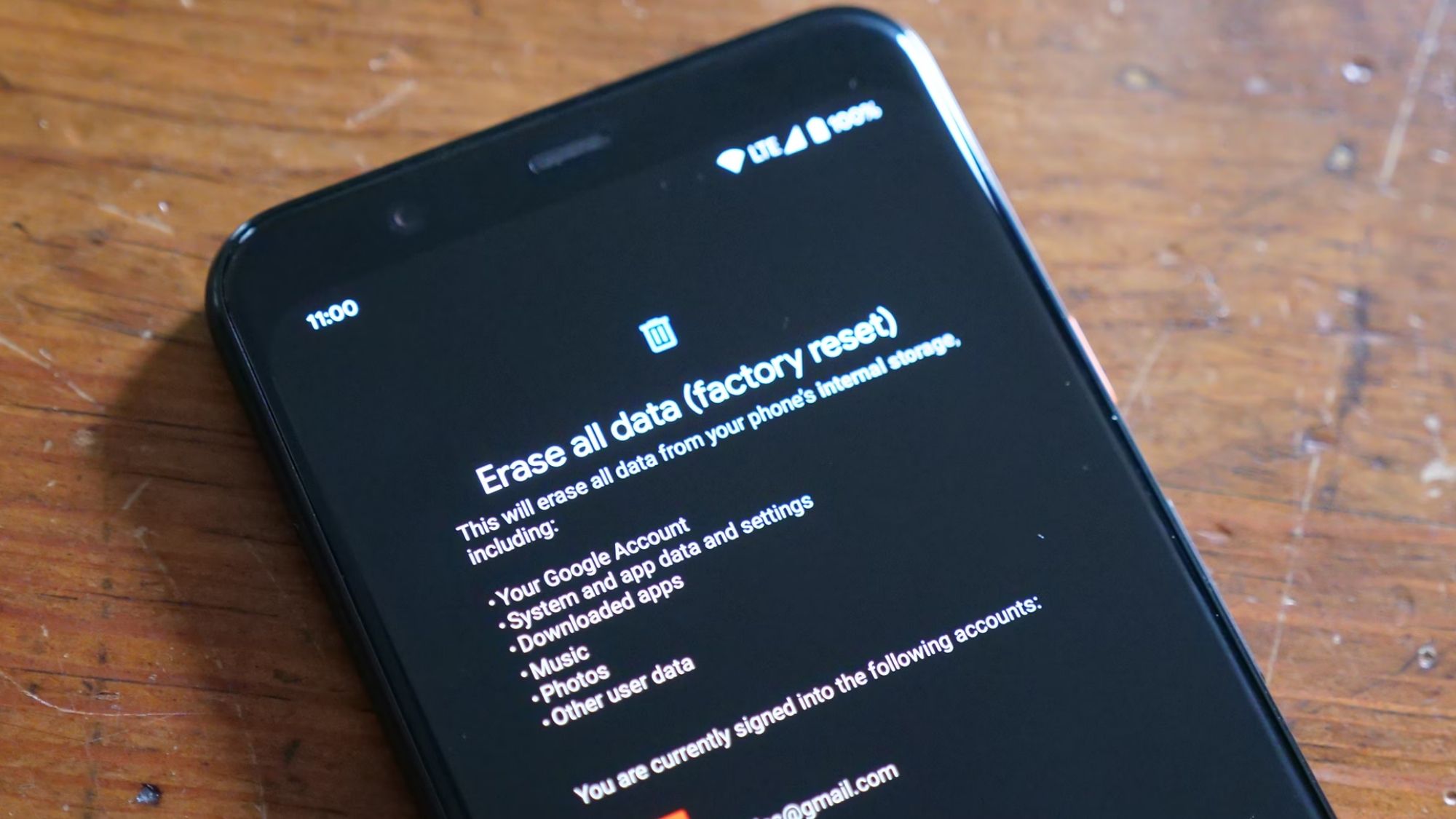
The workflow is simple: back up all personal data via Smart Switch, then run a full factory reset through device settings. This process fully removes Samsung account bindings, Google activation locks, eSIM profiles, biometric security data, and saved payment wallet credentials.
Account and lock removal matters far more than residual file fragments for resale success. Buyers cannot activate a device tied to a previous owner’s account, making this native workflow far more critical than minor storage overwrites. Samsung’s native tools integrate directly with its hardware and software, delivering more consistent results than any third-party alternative.
Pros
100% free, built directly into Samsung’s native ecosystem
Backed by robust default full-device encryption
Reliable, foolproof account and activation lock removal
Optimized specifically for Samsung hardware and software
Ideal for official trade-ins and verified resale
Cons
Exclusive to Samsung Galaxy devices
Less granular control than dedicated third-party wipe apps
No formal certified overwrite reporting for security validation
Best For
Samsung Galaxy owners prepping devices for trade-in, resale, or recycling.
Apple Erase All Content and Settings (iPhone)
Availability: All modern iPhones
Pricing: Free native system feature
Real-World Performance Breakdown
iPhone users rarely need third-party secure wipe apps. Apple’s official erase workflow is more secure than nearly every mobile third-party tool on the market.
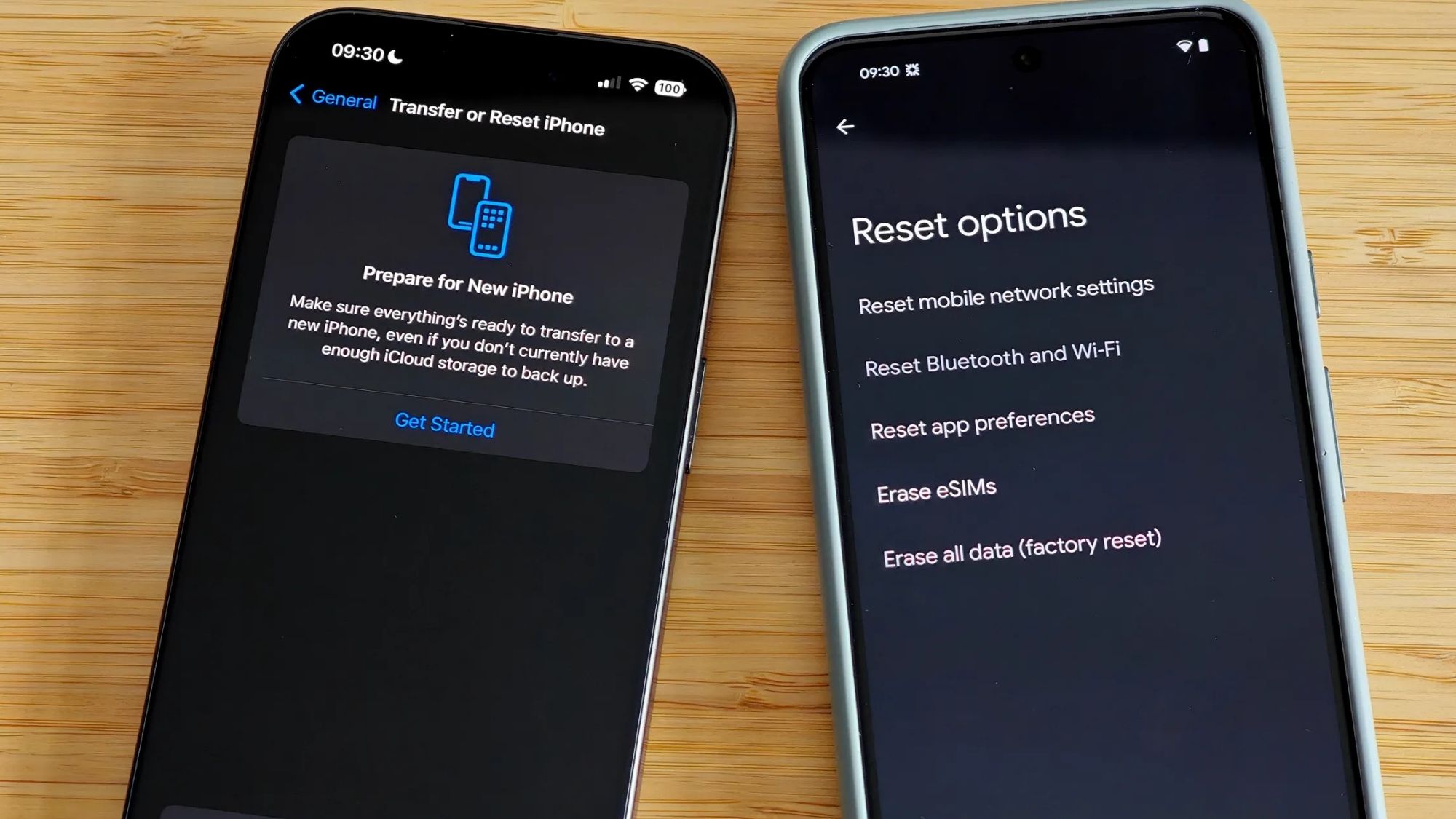
Every modern iPhone uses hardware-level encryption by default. When users run Settings → General → Transfer or Reset iPhone → Erase All Content and Settings, the device permanently deletes the unique encryption keys protecting all stored data. Without those keys, residual data fragments become completely unreadable to any recovery tool.
Security success hinges on a few critical pre-wipe steps. Users must sign out of iCloud, disable Find My iPhone, remove eSIM hardware profiles, and confirm full activation lock removal. Skipping these steps creates far bigger resale issues than leftover data fragments ever could.
Pros
Free, native, no third-party software required
Industry-leading hardware encryption-based data destruction
Extremely simple, one-click full-device reset workflow
Officially maintained and updated by Apple
Far more secure than most third-party mobile wipe tools
Cons
Limited technical transparency for advanced users
No formal overwrite or security verification reports
Older iPhone models deliver less consistent security results
Easy to forget critical activation lock removal steps
Best For
All owners of modern iPhones preparing devices for sale, trade-in, or recycling.
CCleaner (Android)
Availability: Android
Pricing: Free base version; subscription unlocks premium features
Real-World Performance Breakdown
CCleaner functions best as a pre-resale cleanup companion, not a standalone secure wipe solution. It targets the messy, overlooked digital clutter that lingers on most Android devices.
The app quickly scans and clears cached system files, duplicate media files, forgotten large downloads, leftover app residuals, and temporary junk data. This cleanup step reduces the volume of sensitive material left on your device before a factory reset, minimizing potential exposure from recoverable storage blocks.
It never claims to deliver forensic-grade data destruction. For casual users, though, its simple clutter elimination adds a valuable layer of basic privacy protection without any technical complexity.
Pros
Beginner-friendly, straightforward interface
Thorough detection of hidden residual junk files
Detailed storage analysis to spot high-risk data
Fast, one-tap cleanup workflows
Cons
No certified or forensic-level secure overwrite features
Frequent premium subscription upgrade prompts
Cannot fully eliminate deep storage data residuals
Best For
Casual Android users who want a quick, simple pre-resale device cleanup before factory resetting.
Final Verdict
Android users seeking maximum pre-resale security should rely on iShredder Data Eraser. Its verified free-space overwriting and adherence to official data destruction standards deliver tangible security upgrades over basic factory resets.
For every modern iPhone user, Apple’s native Erase All Content and Settings feature remains the safest, most reliable option available.
Best Overall Android Secure Wipe App: iShredder Data Eraser
Best Built-In iPhone Secure Wipe Solution: Apple Erase All Content and Settings
Best Pre-Reset Cleanup Tool: Google Files
Best Samsung Native Resale Workflow: Samsung Smart Switch + Factory Reset
Best Beginner-Friendly Cleanup App: CCleaner
The Most Common Pre-Sale Phone Privacy Mistake
Most privacy leaks don’t stem from imperfect resets. They stem from skipped manual steps. Users regularly forget to remove SIM and eSIM profiles, disable device activation locks, log out of cloud accounts, delete authenticator apps, clear saved banking credentials, revoke third-party access permissions, and unsync paired wearable devices.
Activation locks cause far more resale headaches than recoverable file fragments. A locked device is useless to buyers, while minor residual data rarely poses active risk for average users.
It’s also critical to dismiss misleading marketing. “Military-grade multi-pass wiping” rarely works on modern smartphone flash storage the way it did on old hard drives. Overwriting endless storage sectors delivers diminishing returns on mobile hardware.
This is why encryption is the true backbone of secure phone resets. Wiping encryption keys on encrypted devices neutralizes data far more effectively than post-reset overwriting.
The 2026 gold-standard phone wipe workflow balances simplicity and security: manual clutter cleanup, full account and lock removal, encrypted factory reset, and optional free-space overwriting for Android devices. Follow this process, and your old phone will be completely safe to sell, trade, or recycle.