

5 ADHD-Friendly Apps That Actually Prevent Office Burnout and Distraction
Most office productivity advice sounds simple: make a to-do list, block distractions, and manage your time better.
For many adults with ADHD, though, the problem is not understanding what needs to be done. The real challenge is starting tasks, staying focused long enough to finish them, and managing constant interruptions in a modern office environment.
Slack notifications, open tabs, endless meetings, and administrative clutter can quickly overwhelm working memory. And ironically, many productivity apps make things worse by requiring too much setup, organization, and maintenance.
The best ADHD productivity tools usually share one thing in common: low friction. They reduce mental overhead instead of adding more of it.
To figure out which apps actually help in real office situations, several popular productivity tools were tested specifically through the lens of ADHD work challenges, including task paralysis, time blindness, procrastination, and phone distraction.
Here are the five apps that stood out the most in 2026.
1. Goblin Tools(iOS/Android)
Goblin Tools feels less like a traditional productivity app and more like an emergency kit for executive dysfunction.
Its most useful feature is Magic ToDo, an AI-powered tool that breaks large tasks into smaller, manageable steps. During testing, this immediately helped reduce task paralysis — one of the biggest ADHD workplace struggles.
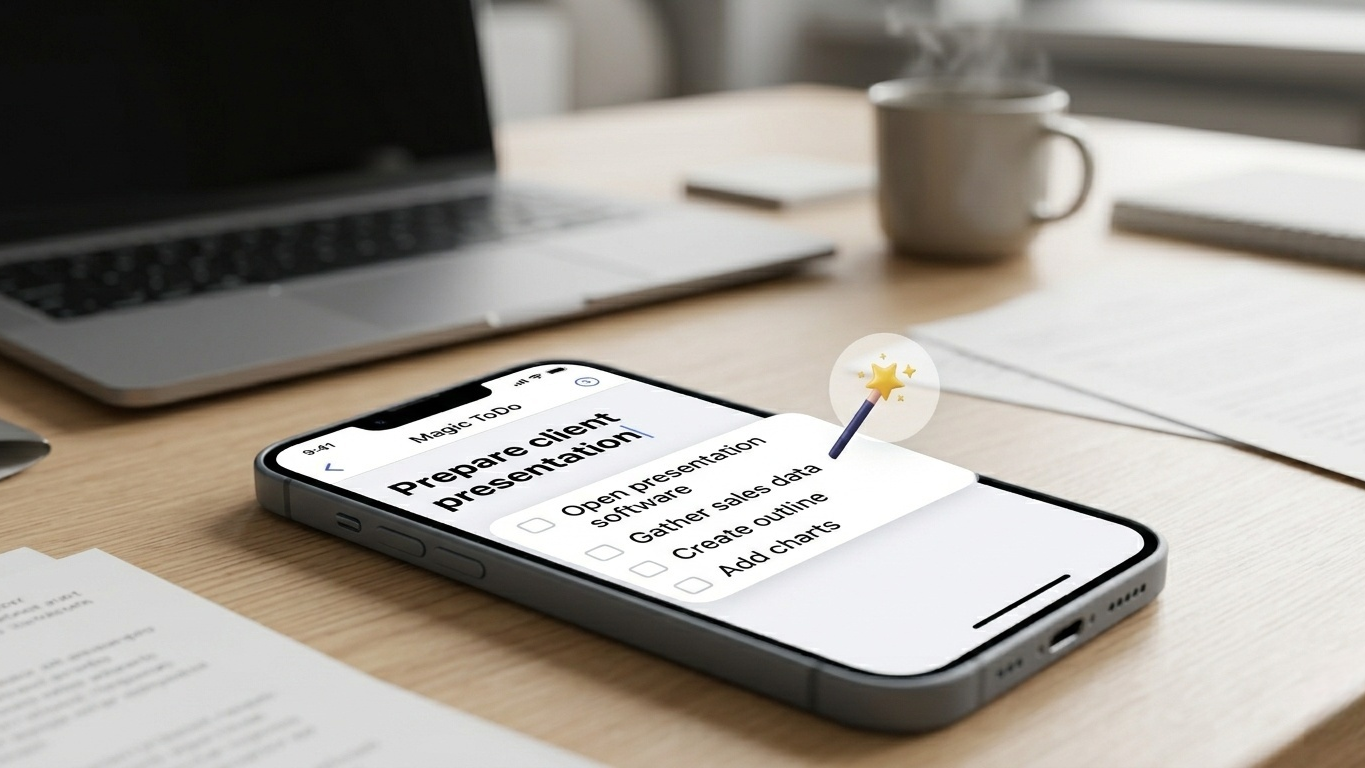
Instead of staring at a huge assignment like “prepare client presentation,” the app automatically creates smaller steps such as:
Open presentation software
Gather sales data
Create outline
Add charts
That sounds simple, but making the first step feel smaller dramatically lowers the mental barrier to starting work.
The app also includes helpful bonus tools like a tone rewriter for professional emails, a time estimator for planning tasks more realistically, and a “Formalizer” feature that rewrites blunt thoughts into workplace-friendly language.
One unexpected advantage during testing was how quickly Goblin Tools could calm mental overload during chaotic workdays. Instead of trying to mentally organize five overlapping responsibilities at once, breaking tasks into smaller pieces created immediate clarity.
What Actually Works
Goblin Tools is excellent for turning overwhelming projects into actionable steps that feel easier to begin.
Pros
Extremely easy to use
Helpful AI task breakdowns
Useful workplace communication tools
Affordable one-time mobile purchase
Cons
Limited long-term project organization
No deep calendar integration
Pricing: Free on web; small one-time purchase on mobile.
2. Focusmate(iOS/Android)
Focusmate is built around a surprisingly effective ADHD strategy called body doubling.
Users join short virtual coworking sessions with another person. At the start, both briefly state what they plan to work on, then silently work together with cameras on.
During testing, this created immediate accountability. It became much harder to drift toward distractions, check social media, or abandon tasks halfway through.
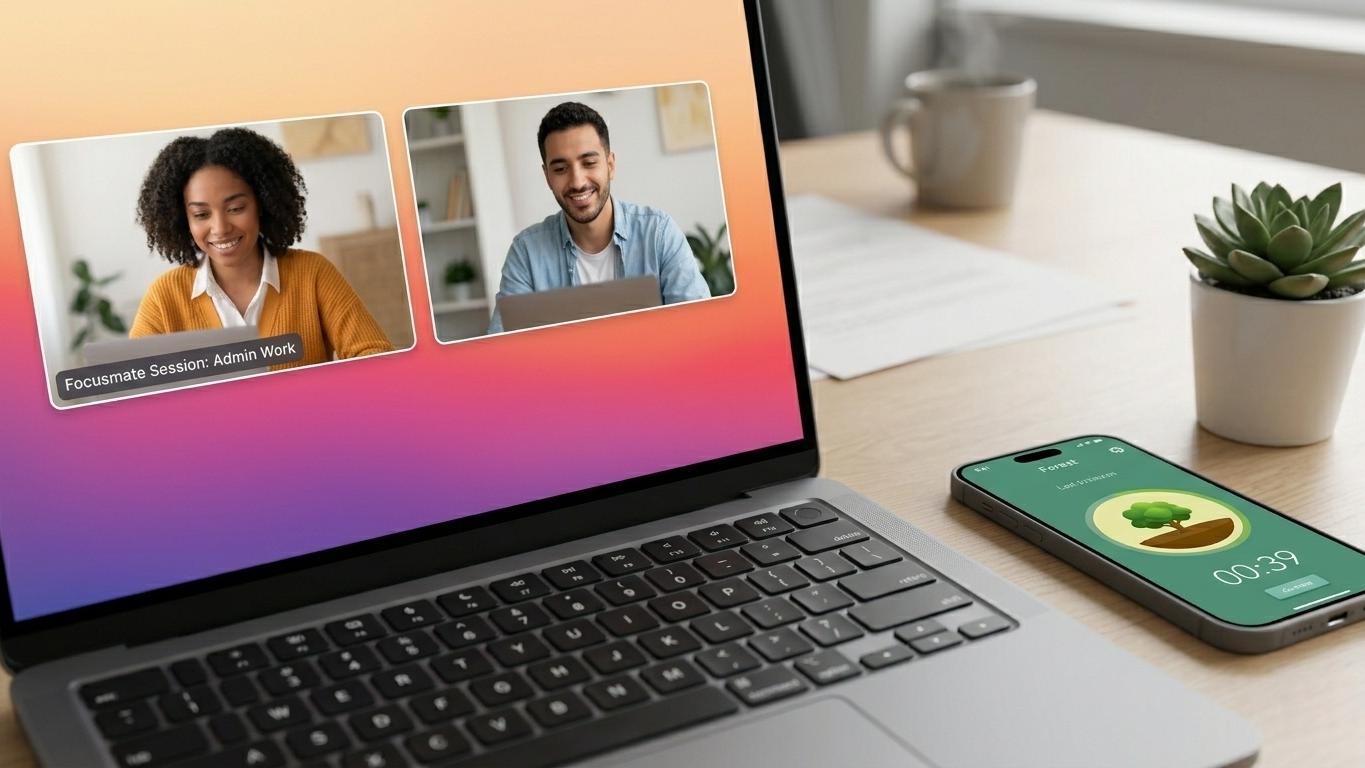
The concept sounds strange at first, but it works because many ADHD brains focus better when another person is present, even virtually.
Focusmate was especially effective for boring or repetitive tasks that are easy to procrastinate indefinitely. Administrative work, inbox cleanup, expense reports, and spreadsheet updates all became noticeably easier once another person was quietly working on screen.
Another reason the app works well is that it creates structure without feeling overly rigid. Sessions are short enough to feel approachable, which helps reduce the mental resistance that often comes with starting large work blocks.
What Actually Works
The app creates external accountability, which can dramatically improve focus and follow-through.
Pros
Excellent for reducing procrastination
Simple setup process
Strong accountability system
Helpful for remote workers
Cons
Requires comfort with webcam sessions
Less practical in open offices
Pricing: Free limited plan; unlimited sessions start around $7/month billed annually.
3. Morgen(iOS/Android)
Morgen focuses heavily on time management and scheduling, which makes it especially useful for ADHD professionals dealing with time blindness.
Instead of separating tasks from calendars, Morgen combines them into one visual system. Tasks can be dragged directly into calendar slots, making workloads feel more concrete and realistic.
During testing, this helped prevent overbooking and unrealistic scheduling — a common ADHD problem. Seeing tasks physically occupy time on a calendar made it much easier to understand whether a day was actually manageable or already overloaded.
The app also integrates well with Google Calendar, Outlook, and Exchange accounts, which is useful for balancing personal and work schedules.
Another advantage is the clean interface. Unlike some productivity apps that feel visually overwhelming, Morgen keeps things relatively minimal. That matters more than many people realize. ADHD users often abandon systems that create too much visual noise or require constant manual organization.
What Actually Works
Morgen helps make time feel visible, which improves planning and reduces overcommitment.
Pros
Excellent visual scheduling
Strong calendar integrations
Clean interface
Helpful for time awareness
Cons
Advanced features require subscription
Desktop version is stronger than mobile
Pricing: Free basic version; Pro plans start around $15/month.
4. Todoist(iOS/Android)
Todoist remains one of the best ADHD-friendly task managers because it is fast, lightweight, and easy to maintain.
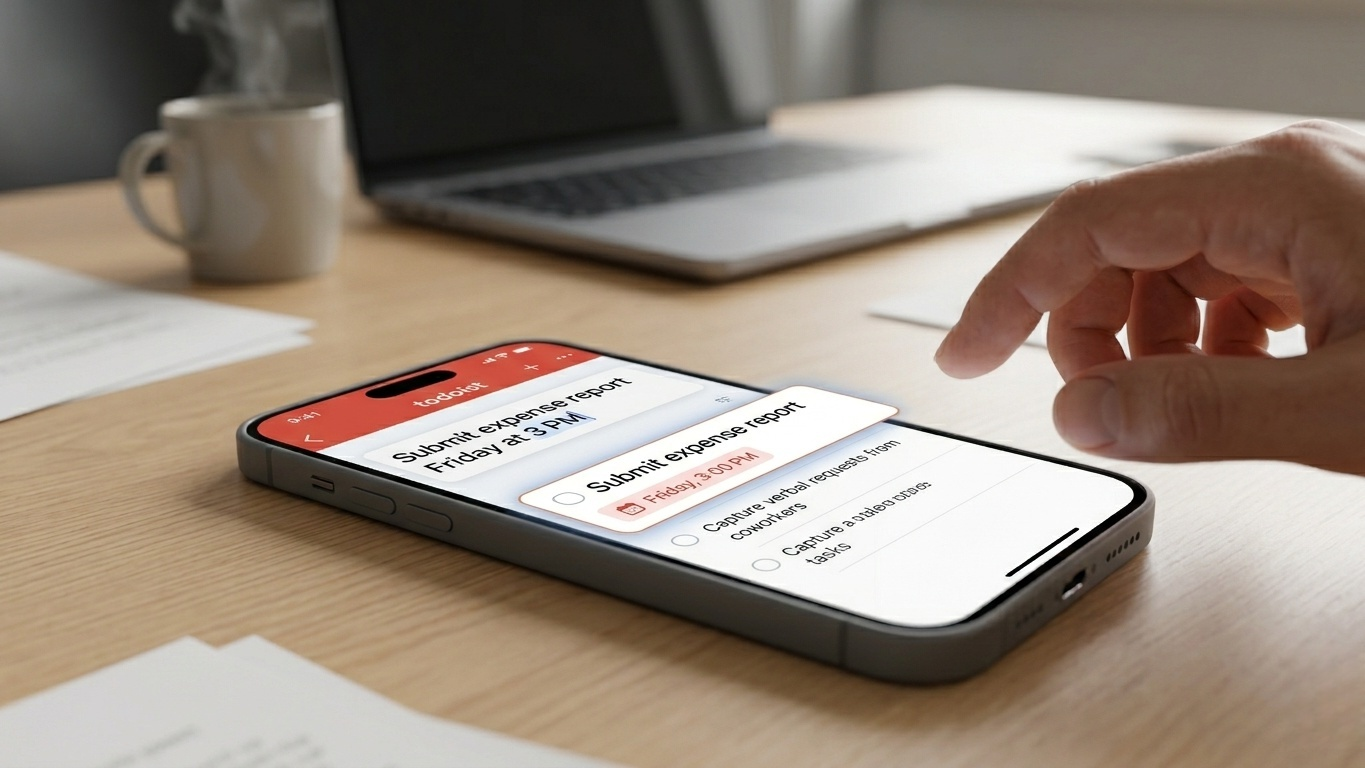
Its biggest strength is quick task capture. Users can type something simple like:
“Submit expense report Friday at 3 PM”
and the app automatically interprets dates and deadlines without extra setup.
That low-friction workflow matters a lot for ADHD users. If entering a task feels complicated, there is a good chance the task never gets recorded at all.
Todoist also works well as an external brain for random requests, reminders, and unfinished ideas throughout the workday. During testing, it became especially useful for capturing quick verbal requests from coworkers before they disappeared from working memory.
The app’s minimalist design also deserves credit. Many productivity systems become cluttered and stressful over time, but Todoist generally stays clean and approachable even after months of daily use.
Its filtering system can also be surprisingly useful for ADHD energy management. Creating separate lists for “quick tasks,” “low-energy work,” or “deep focus” tasks made decision-making easier during mentally exhausted afternoons.
What Actually Works
Todoist excels at capturing tasks quickly before they disappear from working memory.
Pros
Extremely fast task entry
Clean and simple interface
Excellent cross-platform syncing
Strong natural language support
Cons
Overdue tasks can pile up quickly
Some useful features require paid plans
Pricing: Free version available; Pro plans start around $5/month.
5. Forest(iOS/Android)
Forest turns focus into a simple visual game.
Users plant a virtual tree and set a timer. If they leave the app to scroll social media or browse distractions, the tree dies.
During testing, this surprisingly small mechanic worked better than expected for reducing compulsive phone checking.
The app creates immediate visual feedback, which many ADHD users respond to more strongly than abstract productivity metrics. Watching a digital forest slowly grow throughout the workweek created a satisfying sense of progress that standard timers rarely provide.
Forest also includes a whitelist feature, allowing important work apps like Slack, Teams, or authentication tools to stay accessible during focus sessions.
Unlike more complicated productivity apps, Forest intentionally avoids excessive analytics or settings. That simplicity is part of the appeal. It takes only a few seconds to start a focus session, which lowers the chance of procrastinating before work even begins.
What Actually Works
Forest works well for reducing impulsive phone distraction during focused work periods.
Pros
Simple and motivating
Effective against phone distraction
Lightweight and easy to use
Affordable one-time purchase
Cons
Easy to bypass intentionally
Limited productivity analytics
Pricing: Low-cost one-time purchase.
The Final Verdict
No productivity app completely fixes ADHD. Most adults with ADHD already know what they need to do — the difficult part is consistently turning intention into action in distracting environments.
That is why the best ADHD apps focus less on “optimization” and more on reducing friction.
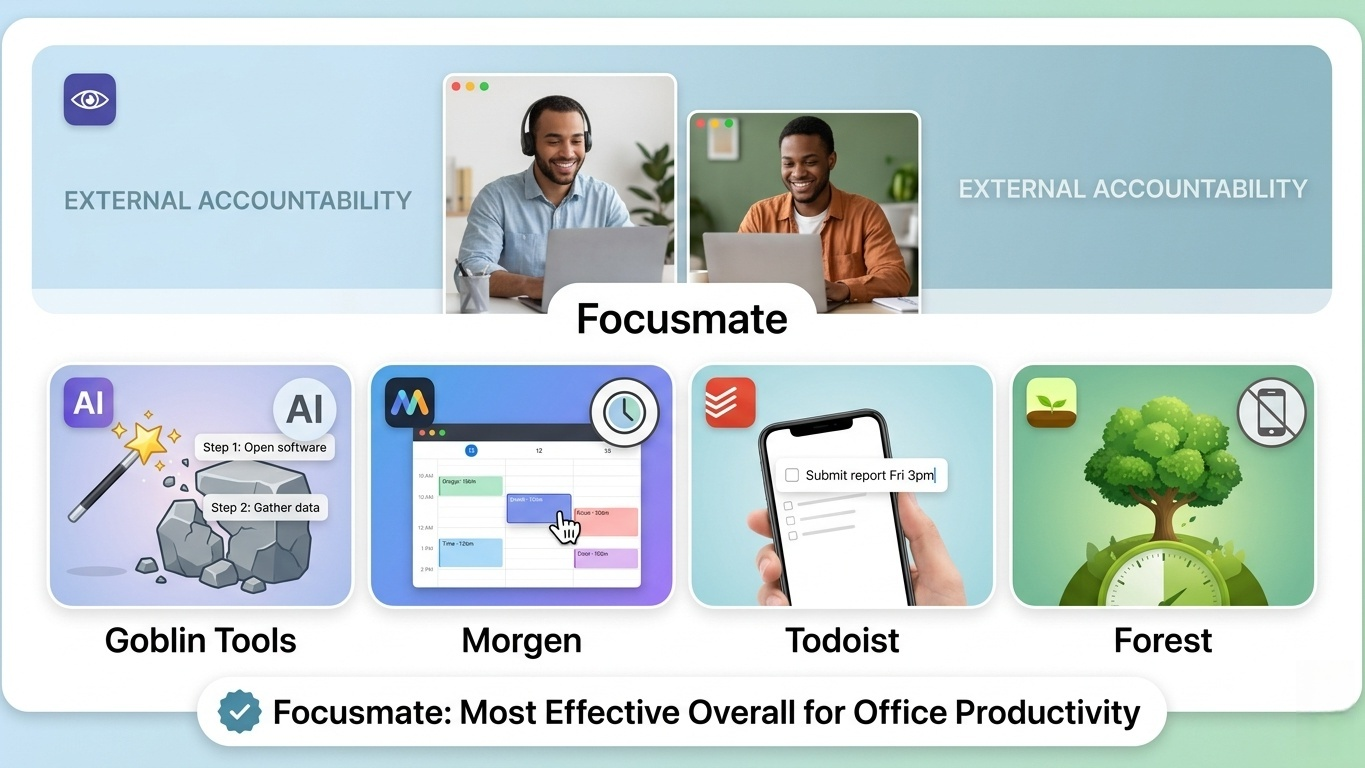
For overall office productivity, Focusmate stood out the most during testing because external accountability often works better for ADHD brains than traditional productivity systems alone. Simply knowing another person is quietly working alongside you can dramatically reduce procrastination and improve task completion.
Goblin Tools is excellent for overcoming task paralysis, Morgen helps make time easier to manage, Todoist remains one of the best lightweight task managers available, and Forest works surprisingly well for controlling phone distractions.
In practice, though, the most effective setup is often a combination of several lightweight tools working together rather than one complicated all-in-one productivity system.