 Radio Garden
4.4

Tools
Ratings
Downloads
Age
Advertisement
Advertisement
Finding a TV satellite or an antenna, in azimuth, can be pretty difficult. Before you can find it with a compass you have to do some calculations using your GPS location, magnetic variation, compass azimuth and satellite position.
Satellite Director replaces all of that. See tips to success below.
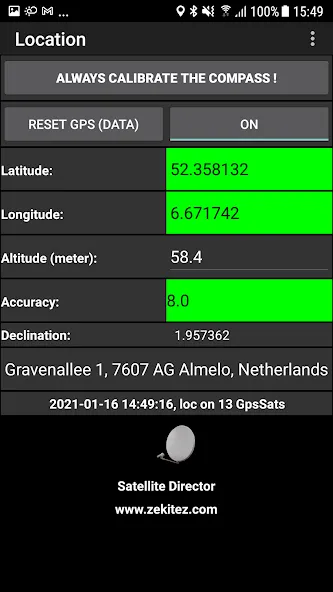
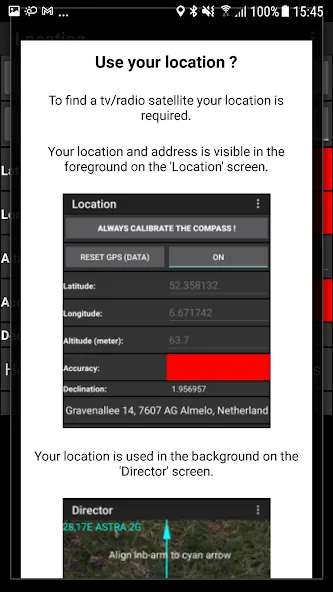
Access to sensor data (GPS location and compass) is required to calculate the position of the satellite in the sky.
Access to internal/external storage is required to store a screenshot or to store a changed list of satellites (you can delete/add/change satellites).
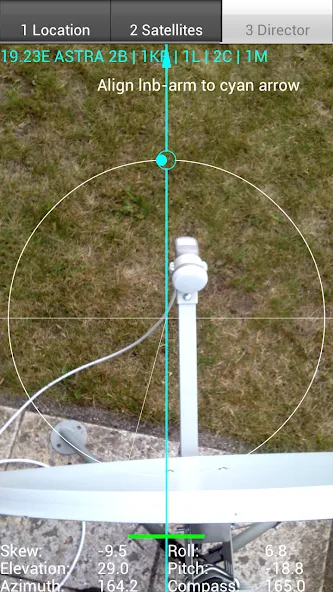
Access to a camera is required to imitate a ‘look through view’ or ‘mirror effect’ which allows to align the satellite dish (lnb arm) with the displayed arrow.
Satellite Director does not collect or share any personal or non-personal data. Satellite Director does not use any form of advertising.
Português: Telefones sem bússola não pode baixar este aplicativo.
WARNING: YOUR PHONE or TABLET MUST HAVE A COMPASS !!!
WITHOUT COMPASS YOU CANNOT DOWNLOAD THIS APP.
Check “Satellite Locator” which uses GPS locations to find a satellite.
Some phone/tablet compass are really bad so compare your phone/tablet compass with a real compass !!
Unfortunately you have to calibrate the compass before using it.
Metal covers/cases or covers/cases with metal/magnetic closure will influence/disrupt the compass of your phone or tablet. Do not use these covers !! The compass of your phone can also get inaccurate because it is affected by other electro - magnetic fields, iron or because it is weakened by age. Calibrating the compass may not help anymore.
PRECISION DEPENDS ON THE QUALITY OF YOUR PHONES HARDWARE.
Warning: If you use Cyanogenmod / Cymod then you may run into Android compatibility issues and the app may not work. You should then complain to Cyanogenmod / Cymod and not to me.
This app is add-free !
Help me to continue the work on this app and watch some of my videos on Youtube. The advertising in the videos provides some required money (houres of work, phones to test on, satellite equipment, etc.).
How does it work ?
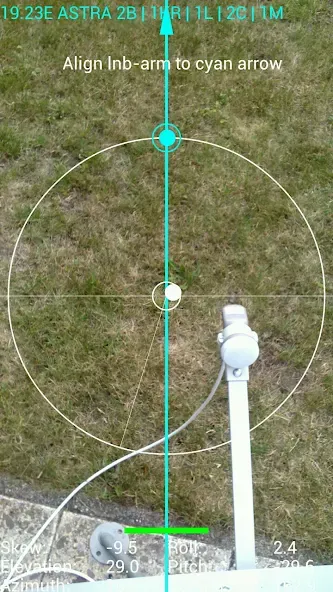
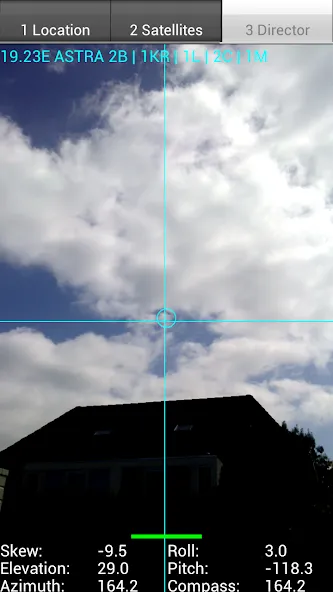
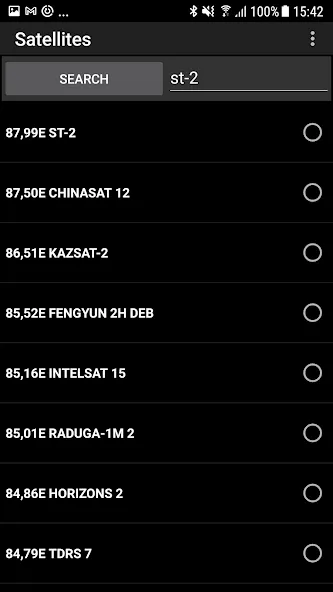
Just enable the GPS in your phone or enter your GPS location, select the desired TV satellite or antenna location and point your phone to the sky to target (find) the TV satellite. You have found the satellite when the white ball is in the white circle and the cyan ball is in the cyan circle. Align, in azimuth, the offset arm of the satellite dish to the cyan arrow on the phones display and the satellite dish is aligned in azimuth with the satellite.
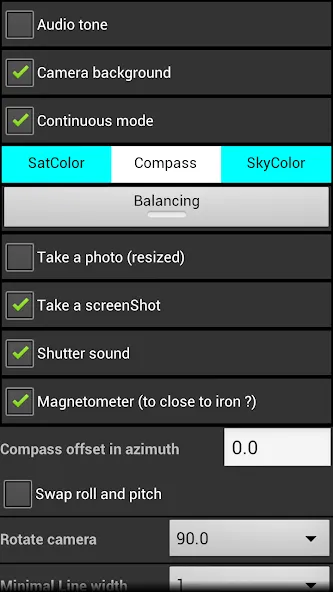
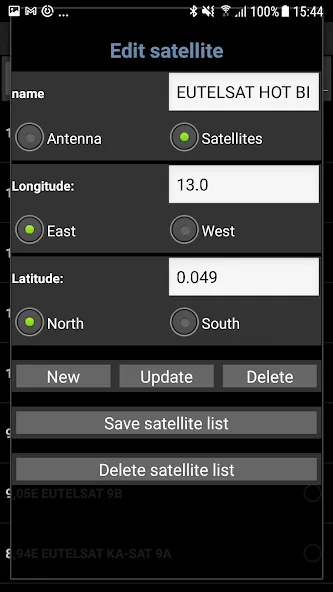
Selectable audio tone, camera preview, continuous mode (no pause), color pickers or a user defined satellite position may make it easier for you to find the desired TV satellite. The satellite list contains 280 satellites.
Optional you can take a photo (resized)/screenshot by touching on the director tab. The photo/screenshot is ONLY stored on the phones memory card.
Optional: you can get an indication when you are to close to iron (dish/pole) in the form of an green/yellow/red bar.
Satellite positions are derived from Agi’s database. Some positions may seem not accurate (example: Hispasat 30°w is at 29.96°w in the satellite list) but they are very accurate.
New phones with Android 4: in case of a wrong compass reading the “Settings” screen has options to correct the compass readings !!!
Previous versions are available from my website.
If you have any questions, requests or problems PLEASE write an email.
All language translations by Google Translator.
3 tips to success:
1- do NOT go to close to the iron dish, iron lnb arm or iron pole (keep at least 30 cm distance)
2- calibrate the compass of the phone by waving it in a figure 8 before you start
3- optional: calibrate the compass of the phone by rolling your phone along its length axis about 2-3 turns (works on some phones)
Google Play
APP STORE
Advertisement
Taptostore.com is an independent app discovery and editorial review platform. We publish reviews, comparisons, and recommendations designed to help users explore apps and make informed choices.
Download links on Taptostore.com direct users to the relevant official app store or another distribution channel designated by the developer or publisher. App downloads and installations take place through those external platforms.
Our content is developed through product research, editorial analysis, publicly available information, and, where appropriate, an assessment of the app’s features and user experience. Reviews and recommendations represent our editorial judgment at the time of publication.
The security and privacy practices of each app are determined by its developer. Before installing an app, users should review its official store listing, developer information, requested permissions, privacy policy, update history, and recent user feedback.
Taptostore.com does not control or independently certify third-party apps and cannot guarantee their security, reliability, performance, or privacy practices.
Not necessarily. Apps may be free, paid, advertising-supported, or include in-app purchases and recurring subscriptions. Pricing and availability may vary by region, device, platform, and time. Please refer to the relevant official store listing for current terms.
Availability may be affected by geographic restrictions, device compatibility, operating-system requirements, age limitations, store policies, or decisions made by the developer or publisher. These factors are outside the control of Taptostore.com.
Taptostore.com does not operate the apps featured on the website and cannot access their accounts or internal systems. Questions about login credentials, account recovery, technical issues, data deletion, or app functionality should be directed to the relevant developer through its official support channels.
Please do not send passwords, verification codes, recovery credentials, or payment information to Taptostore.com.
App-related payments, subscriptions, cancellations, and refunds are administered by the app store, developer, or payment provider responsible for the transaction. Taptostore.com does not process these transactions and cannot manage subscriptions or issue refunds.
Uninstalling an app may not cancel an active subscription. Users should manage subscriptions through the platform on which the purchase was made.
We make reasonable efforts to publish accurate and useful information. However, app features, pricing, compatibility, availability, and policies may change without notice. For the most current details, users should consult the relevant official store listing or developer documentation.
Unless expressly stated, Taptostore.com is not affiliated with, sponsored by, endorsed by, or officially connected with the developers, publishers, brands, or platforms featured on the website.
Product names, logos, brands, and trademarks belong to their respective owners and are referenced solely for identification and informational purposes.
Advertisement