 King James Bible - Verse+Audio
4.8


Books & Reference
Ratings
Downloads
Age
Advertisement
Advertisement
Name
Category
Price
Safety
Developer
Version
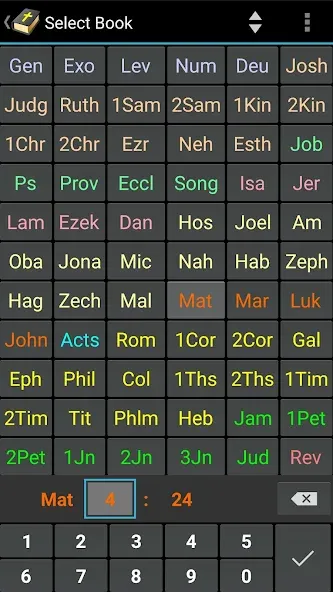
MyBible will help you study the Bible carefully and deeply. It will make the Bible more convenient to read, as you will always have it with you without the need of an Internet connection. Bible translations in more than three hundred languages are available, including the original texts and early translations in ancient Greek, ancient Hebrew, and Aramaic. In MyBible you also have commentaries, biblical dictionaries, thesauruses, daily devotions, and powerful tools to help them all work conveniently together.
Project description and additional information, including the modules format description, as well as the most recent and previous versions of the application, are available at http://mybible.zone.
APPLICATION FEATURES
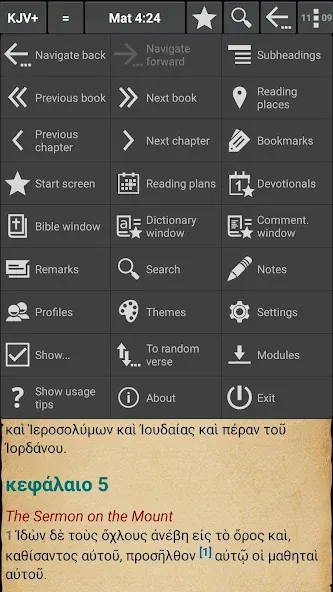
- Adjustable display of the Bible text, all chapters of a book (not just one chapter at a time); grouping of verses into paragraphs, subheadings, with or without verse numbering; highlighting of Jesus’ words, night mode.
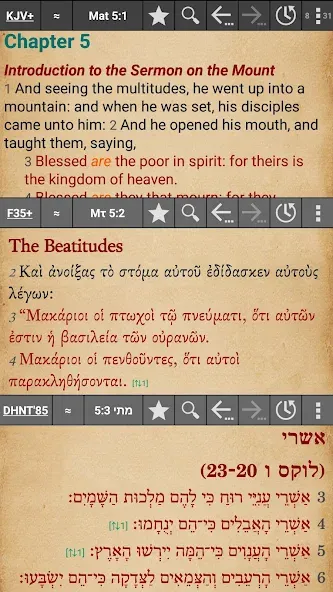
- Two or three Bible windows with different translations; windows that automatically synchronize for the current position, but can also be used independently.
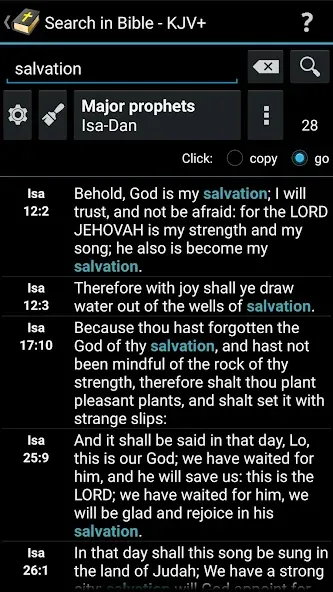
- Fast and powerful search of the Bible text.
- Bible text: convenient paging and scrolling, categorized bookmarks, color-highlighting and underlining of fragments, remarks for the text, reading places, user-defined cross references, comparing of selected verses in different translations.
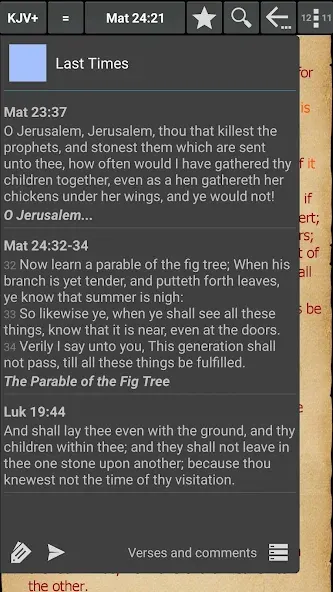
- Ancillary means that can be shown in the Bible text: cross references, hyperlinks to commentaries, footnotes, Strong’s numbers.
- Built-in information on the correspondence of the “Russian” and “standard” numbering of verses in the book of Psalms, Job, and Song of Solomon (this provides for parallel reading of these books in Russian and in other languages).
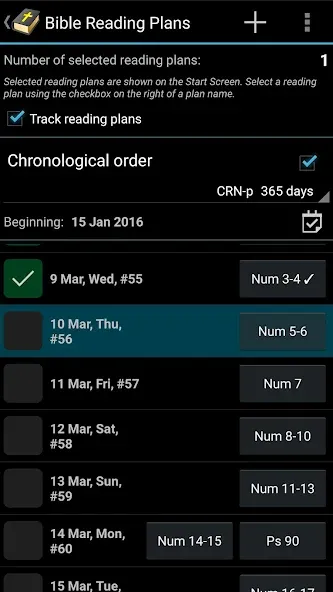
- Bible reading plans: a large selection of pre-defined downloadable reading plans, option to quickly create a simple reading plan of your own, option to activate several reading plans simultaneously, convenient and friendly tracking of your progress on active reading plans.
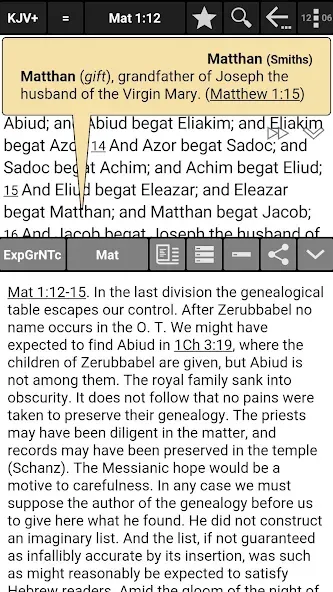
- Bible commentaries, comparison of different commentaries for a selected verse.
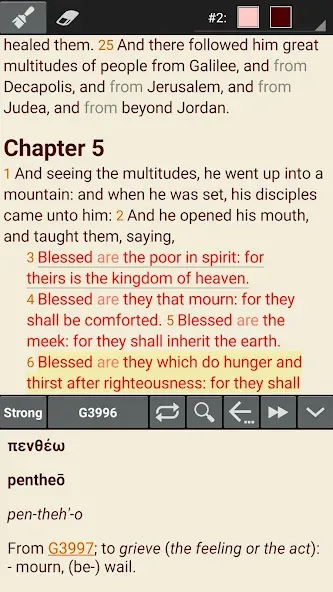
- Showing of dictionary articles on a double-touch of a word in the Bible text, option to search for a word of interest in dictionaries, Strong’s lexicon that is activated by a double-touch on a word or on a Strong’s number, Strong’s number usage searching - capable of replacing a printed “Symphony”, option to look up references to a selected verse from dictionary articles - gives input for a deep understanding of integrity of the Scripture.
- Text-to-Speech (TTS): Bible text, commentaries, dictionary articles, daily devotions, and automatic combining of TTS for the Bible text with TTS for commentaries that are shown as hyperlinks in the Bible text (this could be handy while you are driving a long distance).
- Copying of selected verses, copying of verses found as a result of search.
- Working with favorites: daily devotions, commentary articles, dictionary articles.
- Notes entry window with hyperlinks to Bible places that can be created automatically for entered references to Scriptures (e.g., John 3:16).
- Profiles which completely store an environment, settings, a navigation history, etc.
- Extensive set of settings; optional Simplified Mode, for beginners.
- Usage tips for the entire main functionality: available from the menu, grouped, allow searching from a word fragment.
- Support of data back-up and synchronization between different devices of the same user, this includes settings and downloaded modules and assumes usage of external means, (Dropsync is recommended), see the “Synchronization” section in the “About” text available from the menu.
Google Play
APP STORE
Advertisement
Taptostore.com is an independent app discovery and editorial review platform. We publish reviews, comparisons, and recommendations designed to help users explore apps and make informed choices.
Download links on Taptostore.com direct users to the relevant official app store or another distribution channel designated by the developer or publisher. App downloads and installations take place through those external platforms.
Our content is developed through product research, editorial analysis, publicly available information, and, where appropriate, an assessment of the app’s features and user experience. Reviews and recommendations represent our editorial judgment at the time of publication.
The security and privacy practices of each app are determined by its developer. Before installing an app, users should review its official store listing, developer information, requested permissions, privacy policy, update history, and recent user feedback.
Taptostore.com does not control or independently certify third-party apps and cannot guarantee their security, reliability, performance, or privacy practices.
Not necessarily. Apps may be free, paid, advertising-supported, or include in-app purchases and recurring subscriptions. Pricing and availability may vary by region, device, platform, and time. Please refer to the relevant official store listing for current terms.
Availability may be affected by geographic restrictions, device compatibility, operating-system requirements, age limitations, store policies, or decisions made by the developer or publisher. These factors are outside the control of Taptostore.com.
Taptostore.com does not operate the apps featured on the website and cannot access their accounts or internal systems. Questions about login credentials, account recovery, technical issues, data deletion, or app functionality should be directed to the relevant developer through its official support channels.
Please do not send passwords, verification codes, recovery credentials, or payment information to Taptostore.com.
App-related payments, subscriptions, cancellations, and refunds are administered by the app store, developer, or payment provider responsible for the transaction. Taptostore.com does not process these transactions and cannot manage subscriptions or issue refunds.
Uninstalling an app may not cancel an active subscription. Users should manage subscriptions through the platform on which the purchase was made.
We make reasonable efforts to publish accurate and useful information. However, app features, pricing, compatibility, availability, and policies may change without notice. For the most current details, users should consult the relevant official store listing or developer documentation.
Unless expressly stated, Taptostore.com is not affiliated with, sponsored by, endorsed by, or officially connected with the developers, publishers, brands, or platforms featured on the website.
Product names, logos, brands, and trademarks belong to their respective owners and are referenced solely for identification and informational purposes.
Advertisement