 Weekly Planner - Diary, Notes
4.7

Productivity
Ratings
Downloads
Age
Advertisement
Advertisement
Name
Category
Price
Safety
Developer
Version
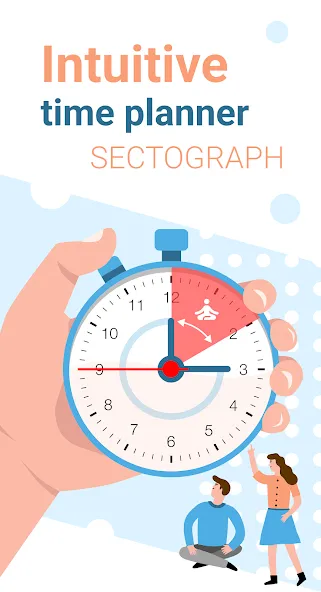
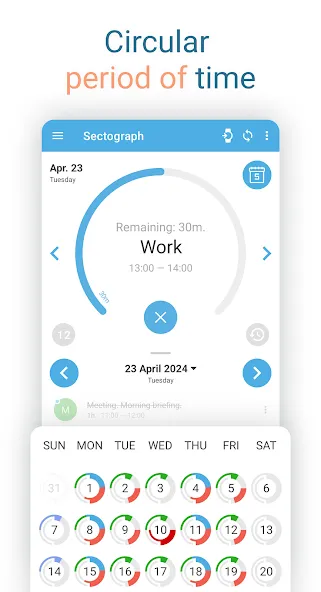
🎯 Sectograph is a new, intuitive way to view your calendar and daily schedule.
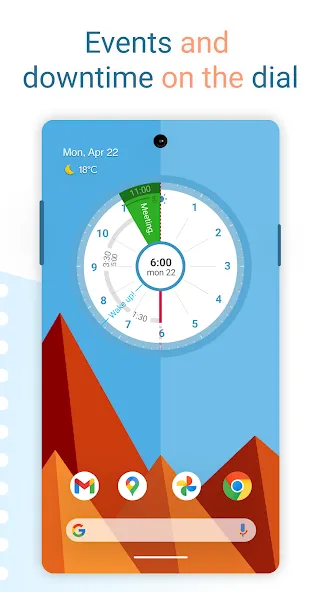
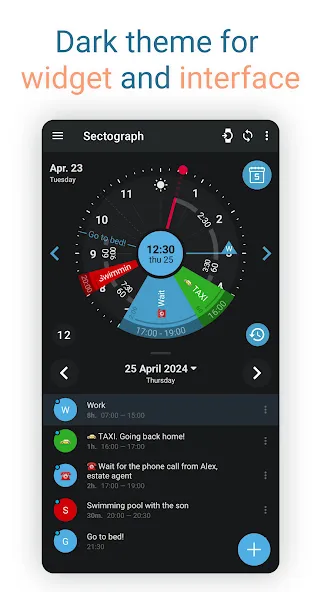
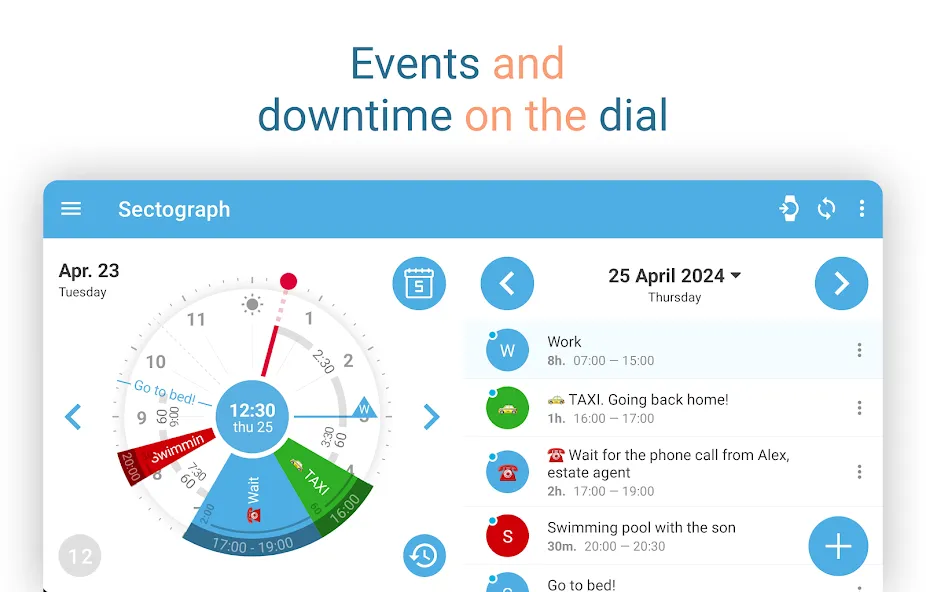
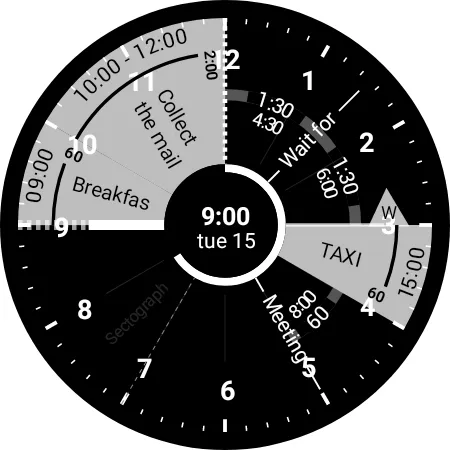
It shows your day as a circular planner — a 12-hour clock face — with events and free time between them.
A visual time planner for time blocking, time management, and a clearer sense of time.
⚙️ HOW IT WORKS
Sectograph is lightweight, privacy-friendly, and works with your existing calendars on the device.
It overlays your day planner (routine, local calendar, Google Calendar) onto a clock-face timeline and automatically calculates:
• upcoming events
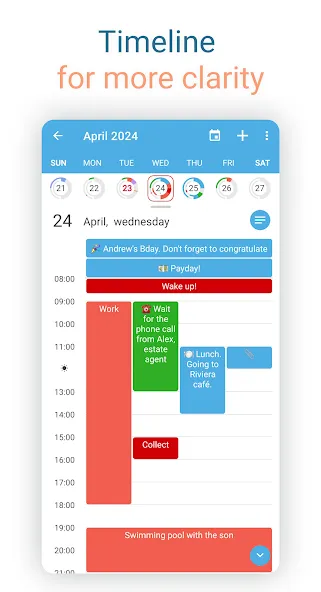
• time blocks and durations
• gaps between events and your real free time
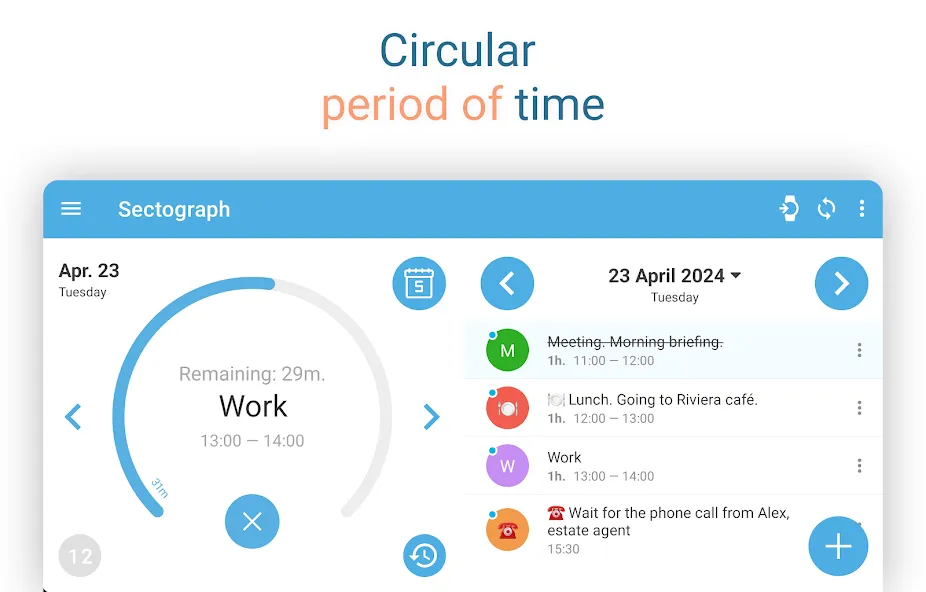
Everything updates as time passes, keeping your schedule always current.
Not a to-do list — it’s a calendar-based schedule planner that visualizes what’s already on your calendar.
👀 HOW IT LOOKS
Like an analog clock your brain already understands — but with your day mapped onto it as sectors.
• Events appear exactly in the hours they happen (a radial / circular calendar view)
• Each sector width matches the event duration (a true pie-chart schedule)
• See gaps and the time from “now” to the next event at a glance
A clock planner / visual planner that helps you read your day instantly.
🎯 USE CASES & IDEAS
Use Sectograph as a day planner, daily planner, time planner, or routine planner for time management and daily schedule planning.
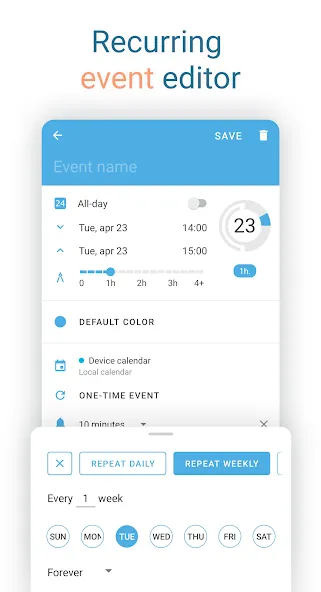
Great for time blocking (deep work, meetings, breaks), work/shift schedules, class schedules, travel itineraries, and Pomodoro planning (place focus sessions as time blocks).
If you like Chronodex, you’ll feel right at home.
🔄 SYNC & CALENDARS
Reads events from Google Calendar and your local device calendar; Microsoft Outlook calendar: beta.
📱 HOME SCREEN CALENDAR WIDGET
Keep your schedule always visible with a calendar widget / home screen widget.
• Automatic updates (including a clock refresh once a minute)
• Tap a sector to open details and quick actions
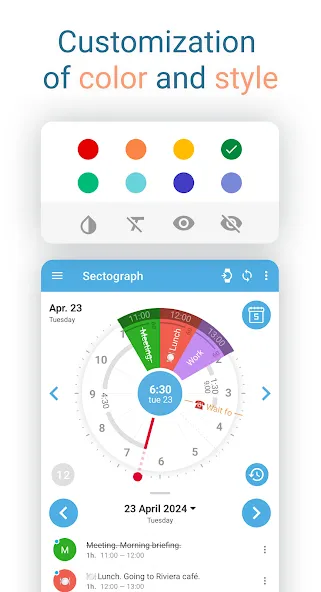
• Flexible visual settings + free widget themes: Dark / White / Gray
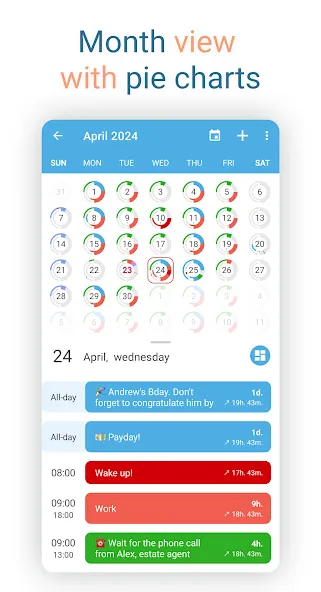
• Optional: light/dark app theme, 24-hour mode & extra zoom (1–12h), month/day grid views
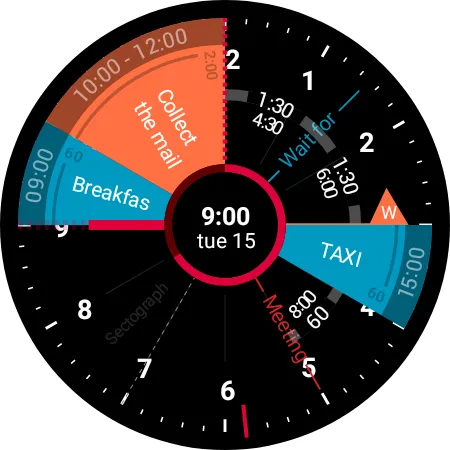
⌚ WEAR OS (SMARTWATCH SUPPORT)
A true Wear OS calendar / smartwatch calendar at a glance:
• Watch app with an interactive widget
• Tile for quick access to the circular planner
• Watch face for continuous schedule awareness (installed separately)
• Large complication to enhance some third-party watch faces
🧠 HELPFUL FOR ADHD & “TIME BLINDNESS”
Designed to make time easier to grasp — especially if you struggle with time blindness, which is common for people with ADHD.
(Sectograph is not a medical app.)
✅ Install Sectograph and get a calm, visual overview of your day.
Google Play
APP STORE
Advertisement
Taptostore.com is an independent app discovery and editorial review platform. We publish reviews, comparisons, and recommendations designed to help users explore apps and make informed choices.
Download links on Taptostore.com direct users to the relevant official app store or another distribution channel designated by the developer or publisher. App downloads and installations take place through those external platforms.
Our content is developed through product research, editorial analysis, publicly available information, and, where appropriate, an assessment of the app’s features and user experience. Reviews and recommendations represent our editorial judgment at the time of publication.
The security and privacy practices of each app are determined by its developer. Before installing an app, users should review its official store listing, developer information, requested permissions, privacy policy, update history, and recent user feedback.
Taptostore.com does not control or independently certify third-party apps and cannot guarantee their security, reliability, performance, or privacy practices.
Not necessarily. Apps may be free, paid, advertising-supported, or include in-app purchases and recurring subscriptions. Pricing and availability may vary by region, device, platform, and time. Please refer to the relevant official store listing for current terms.
Availability may be affected by geographic restrictions, device compatibility, operating-system requirements, age limitations, store policies, or decisions made by the developer or publisher. These factors are outside the control of Taptostore.com.
Taptostore.com does not operate the apps featured on the website and cannot access their accounts or internal systems. Questions about login credentials, account recovery, technical issues, data deletion, or app functionality should be directed to the relevant developer through its official support channels.
Please do not send passwords, verification codes, recovery credentials, or payment information to Taptostore.com.
App-related payments, subscriptions, cancellations, and refunds are administered by the app store, developer, or payment provider responsible for the transaction. Taptostore.com does not process these transactions and cannot manage subscriptions or issue refunds.
Uninstalling an app may not cancel an active subscription. Users should manage subscriptions through the platform on which the purchase was made.
We make reasonable efforts to publish accurate and useful information. However, app features, pricing, compatibility, availability, and policies may change without notice. For the most current details, users should consult the relevant official store listing or developer documentation.
Unless expressly stated, Taptostore.com is not affiliated with, sponsored by, endorsed by, or officially connected with the developers, publishers, brands, or platforms featured on the website.
Product names, logos, brands, and trademarks belong to their respective owners and are referenced solely for identification and informational purposes.
Advertisement