 Nautide: Tides, Wind, Waves +
4.4

Maps & Navigation
Ratings
Downloads
Age
Advertisement
Advertisement
Name
Category
Price
Safety
Developer
Version
Easy to use app to support and control bait boats, with very powerful features under the hood.
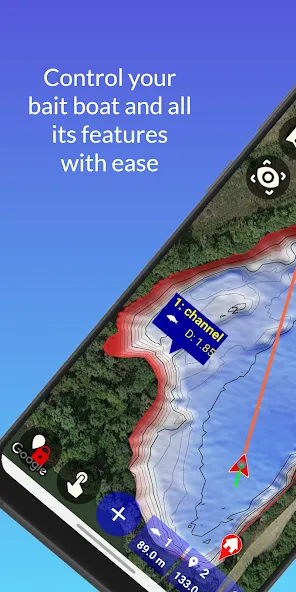
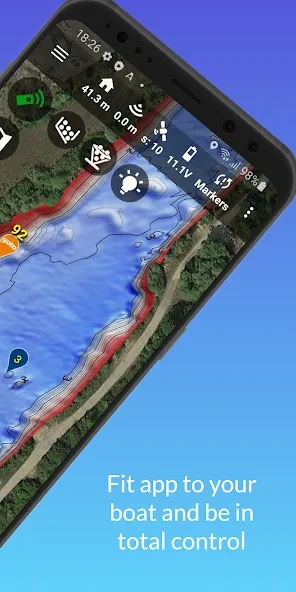
Use Carp Pilot Pro with bait boats that have built in NMEA echo sounder, Wifi GPS or Autopilot. State of the art features for controlling your bait boat. Including integration with multiple echo sounder models, live bathymetric mapping and bathymetric editor.
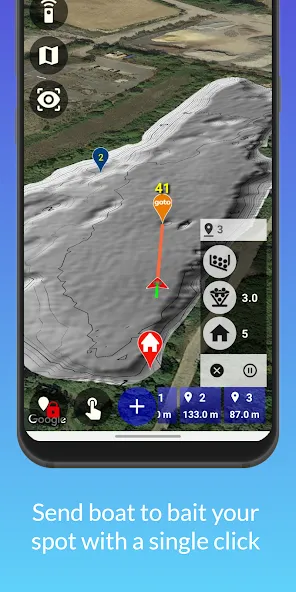
Carp Pilot Pro is easy to use! No nonsense single click sends boat to desired spot, saves a new spot where the boat is or a new spot where you are (when using in a dinghy).
You can start to use the app as it is, then exploit the rich set of abilities when you get experience. Also have a look at the description of the really powerful Premium features below, and note that these require a subscription. Only purchase a subsription if you are able to utilize these additional abilities with your boat.
General features available for all users:
- Supports larger phones and tablets in all sizes, portrait and landscape
- Connects to GPS for boats with no autopilot
- Uses Google maps, supports several offline maps alternatives
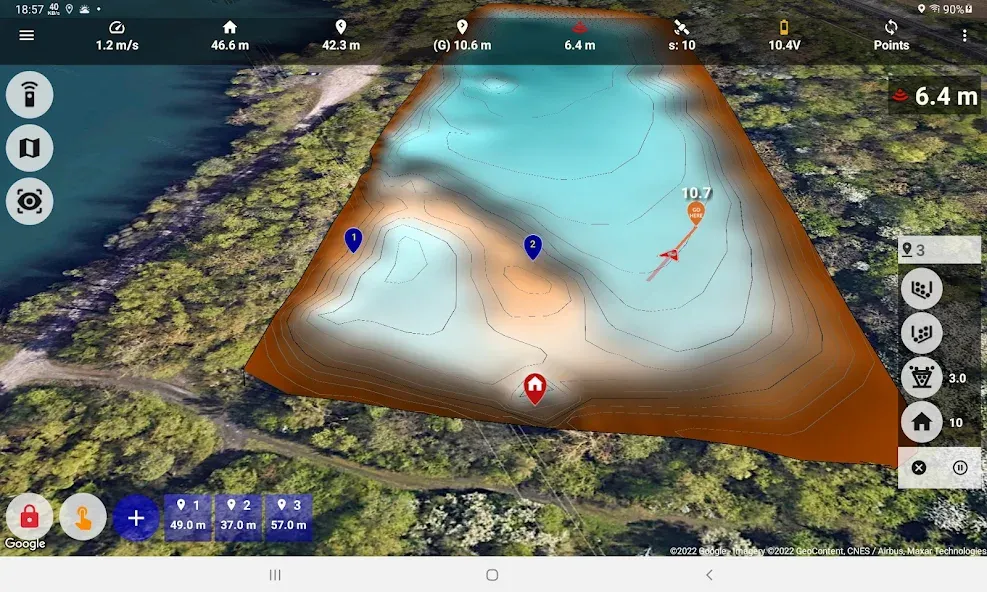
- Maps can be tilted for 3D like views, even with automated 3D driving view
- Map search ability included
- Google Earth KMZ and KML files can be overlaid the map (depth maps)
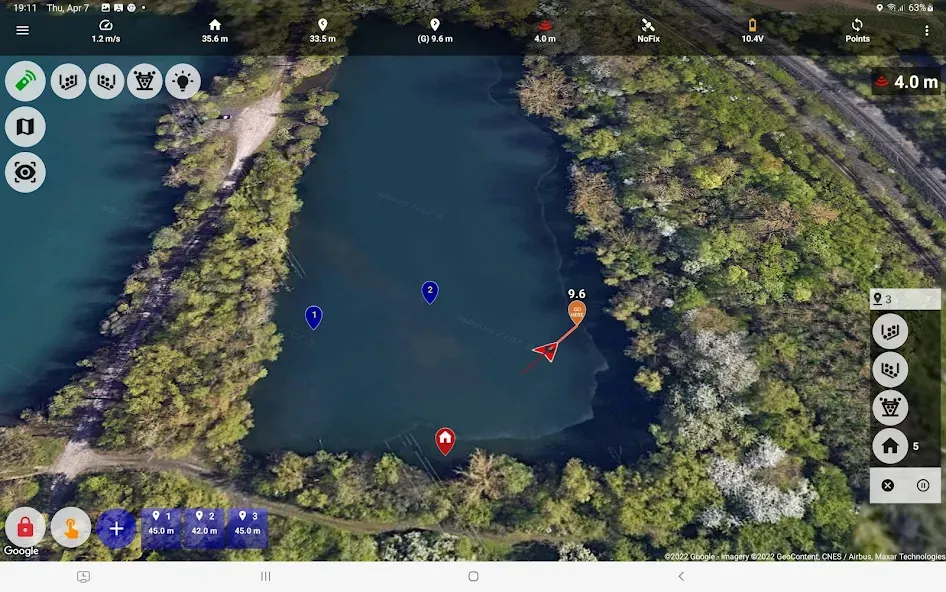
- Add spot markers by tapping the map, drag to move and swipe to delete
- Add marker where the boat is
- Add marker where you are (like when you are out on the water in a boat)
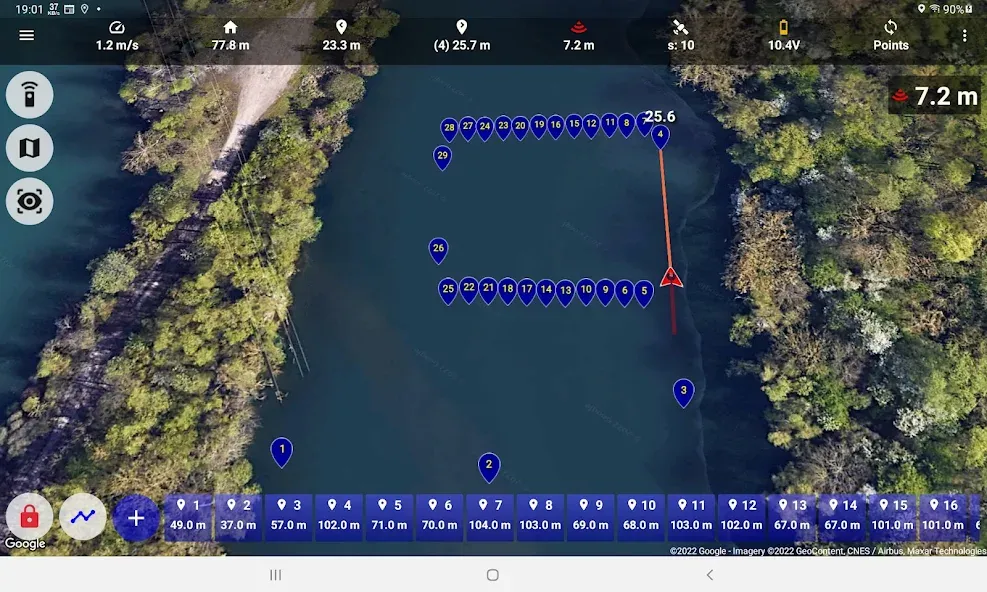
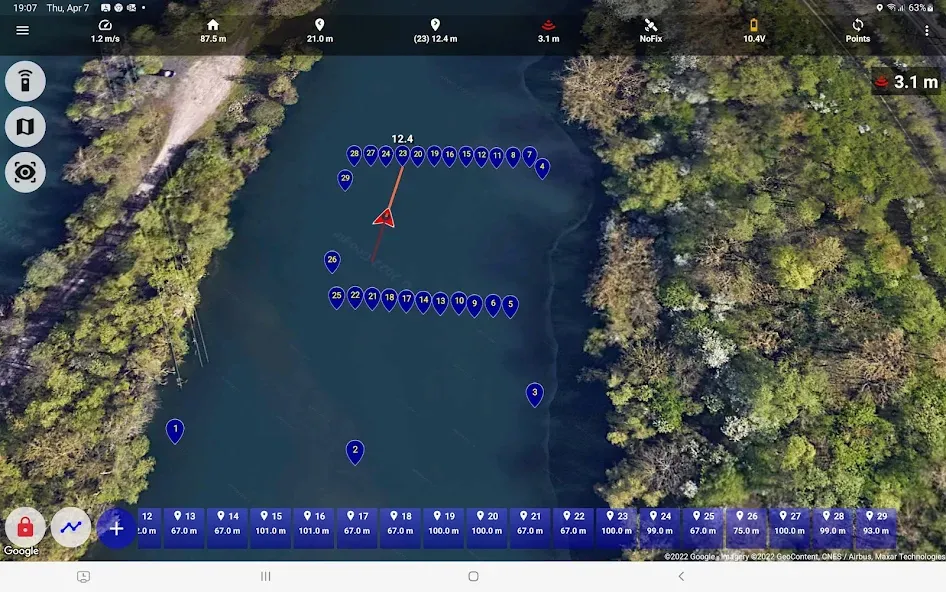
- Fully selectable range of telemetry metrics for the boat
- Ability to show UVC video and MJPEG video within the app
- Built-in file manager to manage files for spots, depth maps, depth logs and on
- And a lot more…
General features for all users, but requires a built-in autopilot (Ardupilot):
- Connects to autopilot by Bluetooth, USB, TCP and UDP
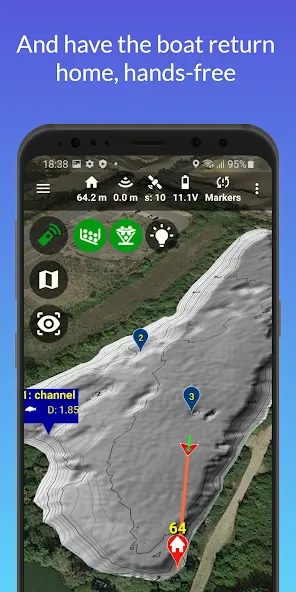
- Drag and drop homepoint, even while actively doing “return to launch”
- On-screen joystick for manual driving (remote transmitter not needed)
- Efficient single-click to send the boat to any spot
- Ability to slow down boat before target to increase baiting precision
- Control how mode is changed once the target is reached
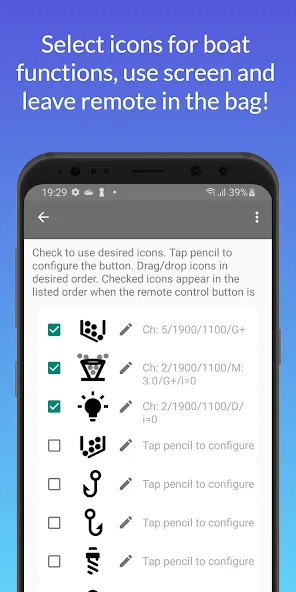
- Control boat servos as switch, momentary switch and even as a dimmer
- Ability to adjust the ardupilot parameters
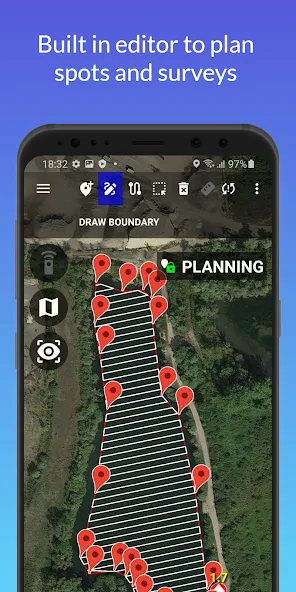
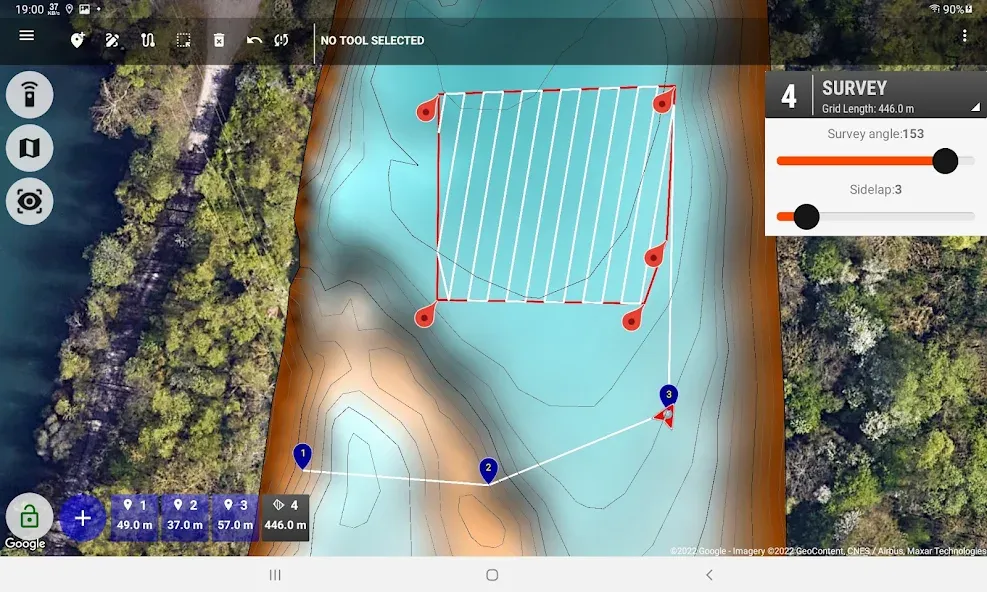
- Editor to aid planning of spots, routes and surveys
- On-screen and audible messages to easily understand what the boat is doing
Special note on GPS-only connection option:
- Wifi GPS required if boat does not have a built-in NMEA0183 echo sounder
- Please visit the Carp Pilot YouTube page for instructions
- Use of WiFi echo sounders requires a premium subscription
Special notes on Autopilot:
- Please user Ardupilot with firmware of type ROVER
- Old autopilots (APM) have limitation in firmware and cannot utilize all app abilities
PREMIUM CUSTOMER features, general:
- Display measured depth from wifi echo sounders
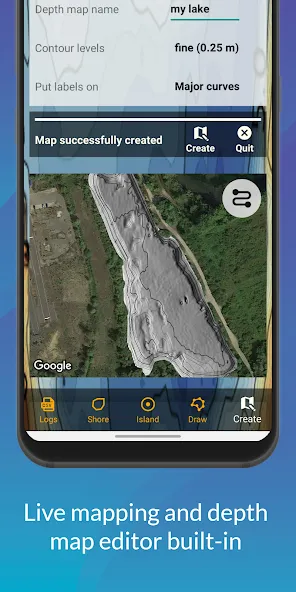
- Create bathymetric maps live mapping while driving
- Create bathymetric maps using a built in editor with shoreline support
- Editor also able to use CSV logs from other sources than Carp Pilot Pro
- Created KMZ map file compatible with Google Earth
- Created CSV log file compatible with Reefmaster
PREMIUM CUSTOMER features, autopilot required:
- broadcast boat position as device position for third party apps
- Goto+ with hands free baiting
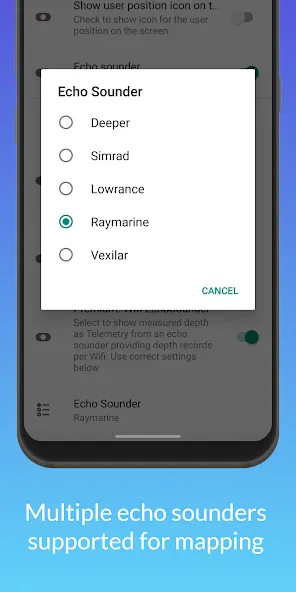
Echo Sounders supported:
- Deeper: Pro+2.0, Chirp+ (and +2.0, +3.0)
- Simrad: GoXSE verified, any model with NMEA0183 support
- Lowrance: Elite Ti, HDS verified, any model with NMEA0183 support
- Raymarine: Dragonfly Pro 4/5/7, Wi-Fish
- Vexilar: SP200
Note on Deeper:
- Please set the Deeper in mapping from shore mode using the Deeper app
- If the Deeper looses its GPS fix, all Deeper models currently shut off NMEA
Note on Vexilar:
- Vexilar app hinders split screen, use Godio app instead
Note on Wifi Echo Sounders, general:
- In Carp Pilot Pro app settings, activate wifi echo sounder and select model
- Remember to connect your device to the echo sounder’s Wifi access point
Google Play
APP STORE
Advertisement
Taptostore.com is an independent app discovery and editorial review platform. We publish reviews, comparisons, and recommendations designed to help users explore apps and make informed choices.
Download links on Taptostore.com direct users to the relevant official app store or another distribution channel designated by the developer or publisher. App downloads and installations take place through those external platforms.
Our content is developed through product research, editorial analysis, publicly available information, and, where appropriate, an assessment of the app’s features and user experience. Reviews and recommendations represent our editorial judgment at the time of publication.
The security and privacy practices of each app are determined by its developer. Before installing an app, users should review its official store listing, developer information, requested permissions, privacy policy, update history, and recent user feedback.
Taptostore.com does not control or independently certify third-party apps and cannot guarantee their security, reliability, performance, or privacy practices.
Not necessarily. Apps may be free, paid, advertising-supported, or include in-app purchases and recurring subscriptions. Pricing and availability may vary by region, device, platform, and time. Please refer to the relevant official store listing for current terms.
Availability may be affected by geographic restrictions, device compatibility, operating-system requirements, age limitations, store policies, or decisions made by the developer or publisher. These factors are outside the control of Taptostore.com.
Taptostore.com does not operate the apps featured on the website and cannot access their accounts or internal systems. Questions about login credentials, account recovery, technical issues, data deletion, or app functionality should be directed to the relevant developer through its official support channels.
Please do not send passwords, verification codes, recovery credentials, or payment information to Taptostore.com.
App-related payments, subscriptions, cancellations, and refunds are administered by the app store, developer, or payment provider responsible for the transaction. Taptostore.com does not process these transactions and cannot manage subscriptions or issue refunds.
Uninstalling an app may not cancel an active subscription. Users should manage subscriptions through the platform on which the purchase was made.
We make reasonable efforts to publish accurate and useful information. However, app features, pricing, compatibility, availability, and policies may change without notice. For the most current details, users should consult the relevant official store listing or developer documentation.
Unless expressly stated, Taptostore.com is not affiliated with, sponsored by, endorsed by, or officially connected with the developers, publishers, brands, or platforms featured on the website.
Product names, logos, brands, and trademarks belong to their respective owners and are referenced solely for identification and informational purposes.
Advertisement