 Remote Mouse
4.2

Productivity
Ratings
Downloads
Age
Advertisement
Advertisement
Name
Category
Price
Safety
Developer
Version
TapSlide: Revolutionize your presentations with your smartphone as a professional remote.
In the digital age, the effectiveness of a presentation no longer depends solely on the quality of the content, but also on how it is delivered. The speaker’s role is to guide their audience through a captivating story. However, being hampered by the need to remain fixed behind a lectern, eyes glued to a keyboard or a wired clicker, breaks the momentum and interaction with the audience. Traditional presentation remotes are often bulky, unintuitive, rely on easily lost USB dongles, and sorely lack smart features.
TapSlide is the modern answer to this challenge. This innovative app was designed to transform the tool you know best—your iOS or Android smartphone—into the ultimate presentation remote. It’s the invisible bridge that frees you from hardware constraints, allowing you to move, interact, and captivate your audience with unprecedented ease and professionalism.
The TapSlide Promise:
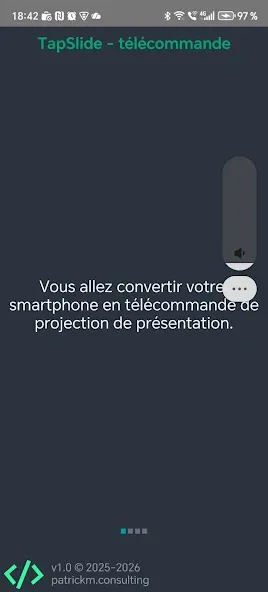
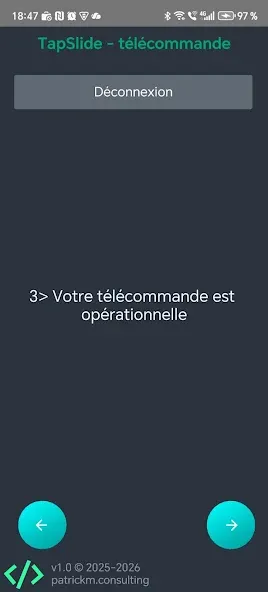
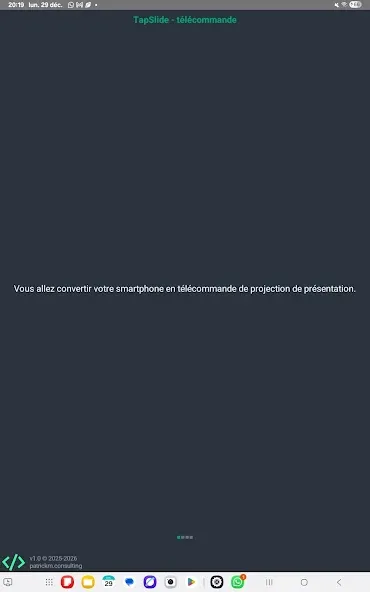
TapSlide turns your smartphone into a PPT & Slide remote control via the same Wi-Fi network.
Instant connectivity, zero complications
TapSlide’s true strength lies in its simple setup, which relies on the most ubiquitous and reliable technology in our environment: local Wi-Fi.
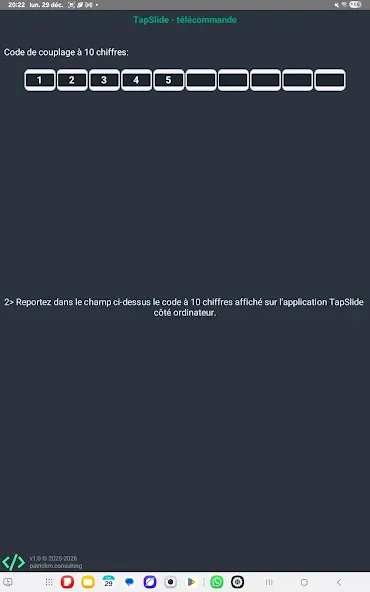
Unlike Bluetooth devices that require tedious pairing or solutions that require proprietary USB dongles, the TapSlide connection is virtually instantaneous. The only network requirement is that the projection computer (running the TapSlide desktop application for Mac or Windows) and your smartphone are connected to the same Wi-Fi network.
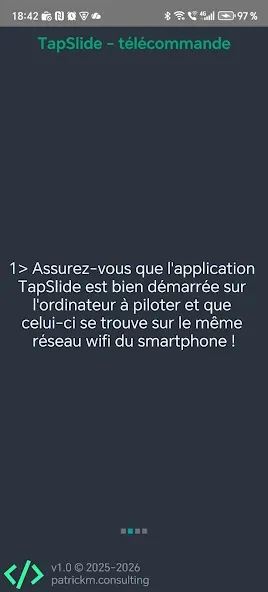
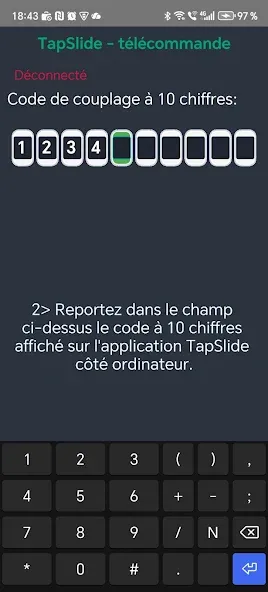
The setup process is reduced to three minimal steps:
1 – Installation: Download the mobile app from https://tapslide.app on your smartphone and the lightweight desktop client on the host computer.
2 – Connection: Ensure both devices are on the same Wi-Fi network.
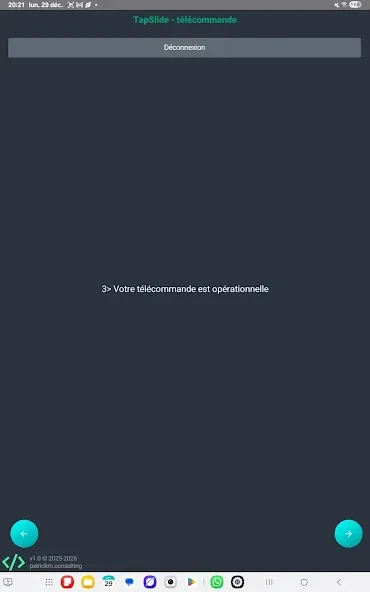
3 – Launch: Launch TapSlide on both devices. The mobile app automatically detects the presentation session open on the PC or Mac, establishing the connection in a fraction of a second.
This wireless communication guarantees near-zero latency. The simple gesture of swiping your phone’s screen is replicated on the projection screen with perfect fluidity, eliminating the frustrations and lags that can disrupt the speaker’s flow.
Universal Compatibility: PowerPoint and Google Slides
One of TapSlide’s greatest strengths is its commitment to universality. Whether you’re a dedicated Microsoft PowerPoint user on your desktop or prefer online collaboration with Google Slides via your browser, TapSlide works with both. The desktop application is designed to integrate natively with these platforms, ensuring your commands are recognized without the need to install complex extensions or drivers.
An economical and eco-friendly solution: by reusing your smartphone, you avoid buying and carrying an additional device, contributing to a lighter, more sustainable, and more responsible approach (CSR).
TapSlide is the essential companion for anyone who speaks in public and uses slides. Download TapSlide today from the App Store and Google Play, and transform your next presentation into a memorable performance.
Visit https://tapslide.app for download links and setup guides.
Google Play
APP STORE
Advertisement
Taptostore.com is an independent app discovery and editorial review platform. We publish reviews, comparisons, and recommendations designed to help users explore apps and make informed choices.
Download links on Taptostore.com direct users to the relevant official app store or another distribution channel designated by the developer or publisher. App downloads and installations take place through those external platforms.
Our content is developed through product research, editorial analysis, publicly available information, and, where appropriate, an assessment of the app’s features and user experience. Reviews and recommendations represent our editorial judgment at the time of publication.
The security and privacy practices of each app are determined by its developer. Before installing an app, users should review its official store listing, developer information, requested permissions, privacy policy, update history, and recent user feedback.
Taptostore.com does not control or independently certify third-party apps and cannot guarantee their security, reliability, performance, or privacy practices.
Not necessarily. Apps may be free, paid, advertising-supported, or include in-app purchases and recurring subscriptions. Pricing and availability may vary by region, device, platform, and time. Please refer to the relevant official store listing for current terms.
Availability may be affected by geographic restrictions, device compatibility, operating-system requirements, age limitations, store policies, or decisions made by the developer or publisher. These factors are outside the control of Taptostore.com.
Taptostore.com does not operate the apps featured on the website and cannot access their accounts or internal systems. Questions about login credentials, account recovery, technical issues, data deletion, or app functionality should be directed to the relevant developer through its official support channels.
Please do not send passwords, verification codes, recovery credentials, or payment information to Taptostore.com.
App-related payments, subscriptions, cancellations, and refunds are administered by the app store, developer, or payment provider responsible for the transaction. Taptostore.com does not process these transactions and cannot manage subscriptions or issue refunds.
Uninstalling an app may not cancel an active subscription. Users should manage subscriptions through the platform on which the purchase was made.
We make reasonable efforts to publish accurate and useful information. However, app features, pricing, compatibility, availability, and policies may change without notice. For the most current details, users should consult the relevant official store listing or developer documentation.
Unless expressly stated, Taptostore.com is not affiliated with, sponsored by, endorsed by, or officially connected with the developers, publishers, brands, or platforms featured on the website.
Product names, logos, brands, and trademarks belong to their respective owners and are referenced solely for identification and informational purposes.
Advertisement