 Dash Digital: Watch face
4.5

Personalization
Ratings
Downloads
Age
Advertisement
Advertisement
Name
Category
Price
Safety
Developer
Version
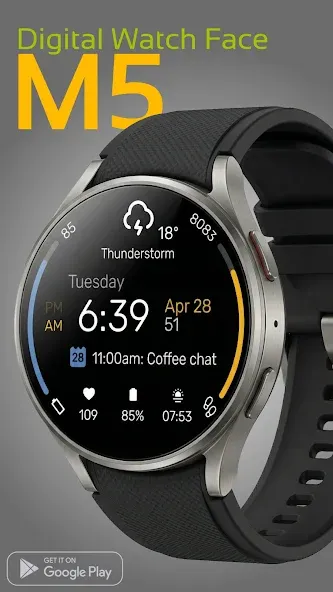
M5: Modern Digital Watch Face
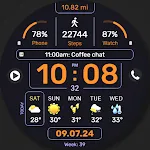
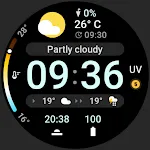
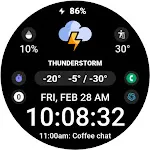
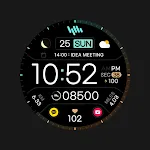
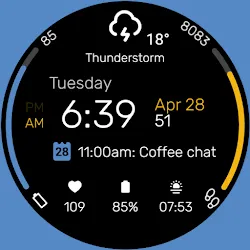
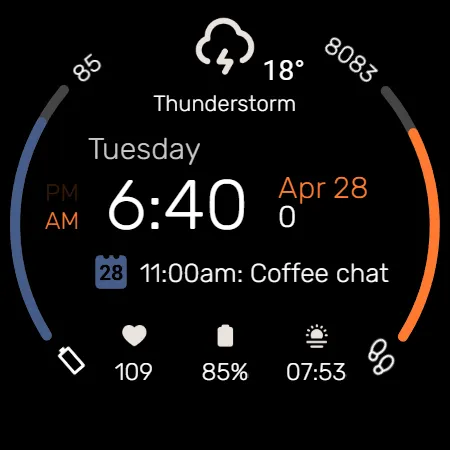
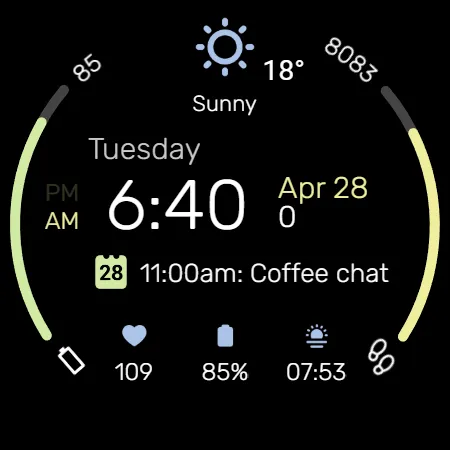
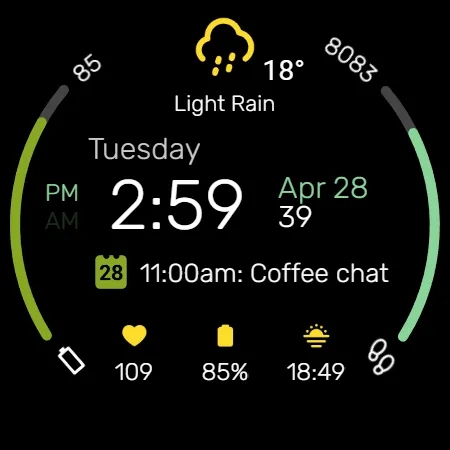
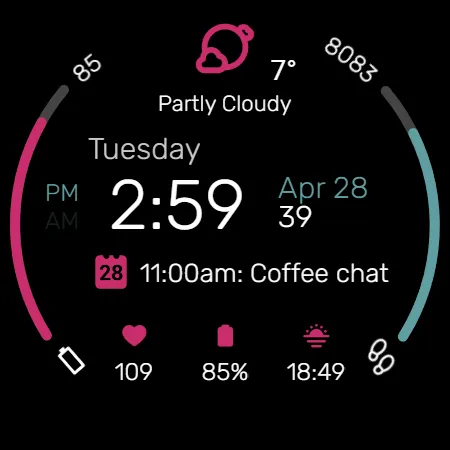
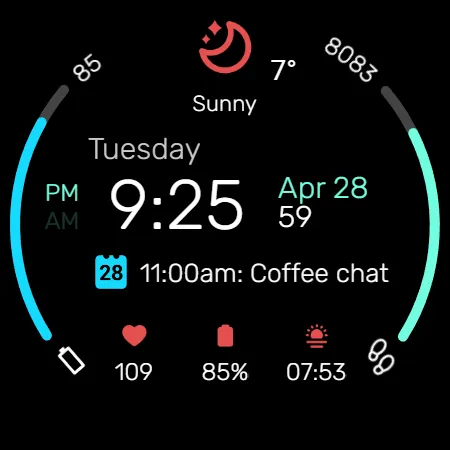
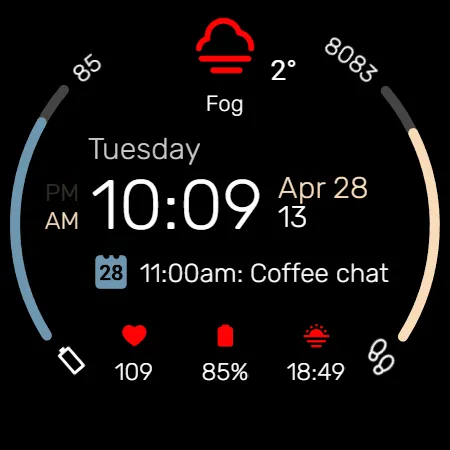
Elevate your Wear OS experience with the M5 Digital Watch Face. Blending sleek aesthetics with powerful functionality, it features dynamic progress bars and a highly customizable information panel to keep your daily essentials perfectly organized on your wrist.
Key Features:
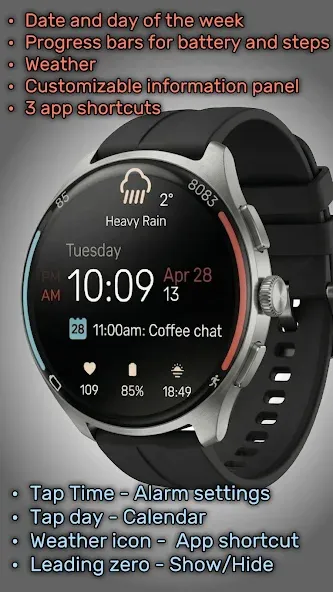
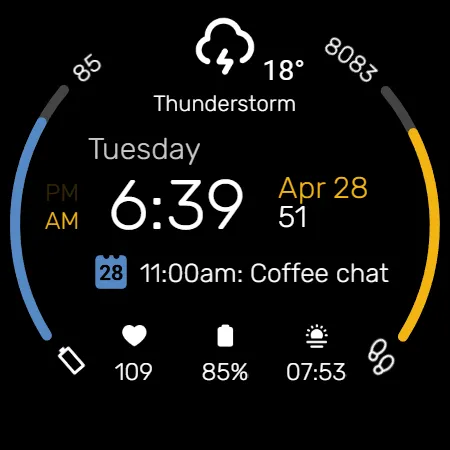
• Dynamic Progress Bars: Quickly monitor your daily goals with stylish, colored edge arcs dedicated to your Battery status and Step count.
• Comprehensive Weather: Stay updated with a prominent weather section displaying current conditions and temperature.
• Customizable Information Panel: Tailor the central data area to show your most important updates, such as your next calendar event.
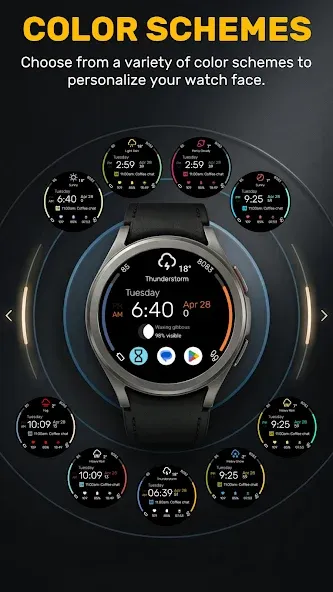
• Extensive Color Schemes: Choose from a wide variety of vibrant color combinations to personalize the progress bars and accents to match your exact style.
• Leading Zero Control: Customize your time format by choosing to show or hide the leading zero on the digital hour.
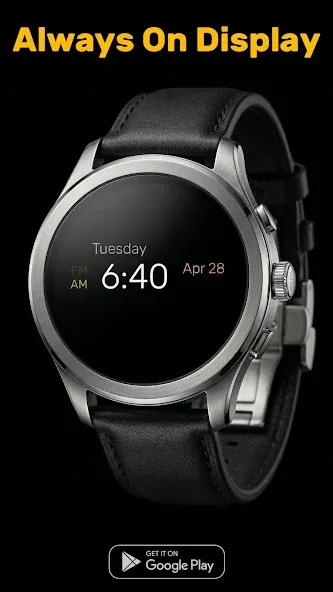
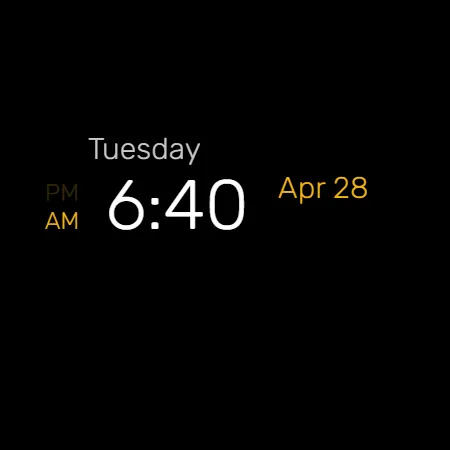
• Minimalist AOD: Save battery with a clean Always-On Display that keeps just the essential digital time, date, and day of the week visible.
Smart Shortcut System:
Navigate instantly with predefined and custom tap zones:
• Tap Time: Opens Alarm settings
• Tap Day: Opens Calendar
• Tap Weather Icon: Customizable App Shortcut
• 3 App Shortcuts: additional customizable zones at the bottom for quick access to your favorite apps or settings
Installation:
1. Ensure your watch is connected via Bluetooth.
2. Download M5 from the Google Play Store.
3. Long-press your watch screen, scroll to the end, and select "M5" to apply.
Compatibility:
Designed exclusively for Wear OS 5+ devices, including:
• Samsung Galaxy Watch
• Google Pixel Watch
• And other newer devices running Wear OS 5 or higher.
Google Play
APP STORE
Advertisement
Taptostore.com is an independent app discovery and editorial review platform. We publish reviews, comparisons, and recommendations designed to help users explore apps and make informed choices.
Download links on Taptostore.com direct users to the relevant official app store or another distribution channel designated by the developer or publisher. App downloads and installations take place through those external platforms.
Our content is developed through product research, editorial analysis, publicly available information, and, where appropriate, an assessment of the app’s features and user experience. Reviews and recommendations represent our editorial judgment at the time of publication.
The security and privacy practices of each app are determined by its developer. Before installing an app, users should review its official store listing, developer information, requested permissions, privacy policy, update history, and recent user feedback.
Taptostore.com does not control or independently certify third-party apps and cannot guarantee their security, reliability, performance, or privacy practices.
Not necessarily. Apps may be free, paid, advertising-supported, or include in-app purchases and recurring subscriptions. Pricing and availability may vary by region, device, platform, and time. Please refer to the relevant official store listing for current terms.
Availability may be affected by geographic restrictions, device compatibility, operating-system requirements, age limitations, store policies, or decisions made by the developer or publisher. These factors are outside the control of Taptostore.com.
Taptostore.com does not operate the apps featured on the website and cannot access their accounts or internal systems. Questions about login credentials, account recovery, technical issues, data deletion, or app functionality should be directed to the relevant developer through its official support channels.
Please do not send passwords, verification codes, recovery credentials, or payment information to Taptostore.com.
App-related payments, subscriptions, cancellations, and refunds are administered by the app store, developer, or payment provider responsible for the transaction. Taptostore.com does not process these transactions and cannot manage subscriptions or issue refunds.
Uninstalling an app may not cancel an active subscription. Users should manage subscriptions through the platform on which the purchase was made.
We make reasonable efforts to publish accurate and useful information. However, app features, pricing, compatibility, availability, and policies may change without notice. For the most current details, users should consult the relevant official store listing or developer documentation.
Unless expressly stated, Taptostore.com is not affiliated with, sponsored by, endorsed by, or officially connected with the developers, publishers, brands, or platforms featured on the website.
Product names, logos, brands, and trademarks belong to their respective owners and are referenced solely for identification and informational purposes.
Advertisement