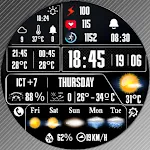
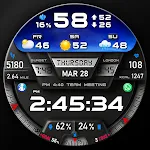
 PER27 Digital Watch Face
4.3

![[KNA015] CRESCENT icon](https://static.amplo.cc/st_icon_file/93d9b9d6cddfba58eefe368da14122d4.webp)
Art & Design
Ratings
Downloads
Age
Advertisement
![[KNA015] CRESCENT screenshot 1](https://static.amplo.cc/st_screenshot_file/804d0ce5b474d9b00af753623e5e6ccf.webp)
![[KNA015] CRESCENT screenshot 2](https://static.amplo.cc/st_screenshot_file/6575866dbc80aa4b5921690449edb78a.webp)
![[KNA015] CRESCENT screenshot 3](https://static.amplo.cc/st_screenshot_file/d9c3c07ecd8da535bce095b9b01b0d25.webp)
![[KNA015] CRESCENT screenshot 4](https://static.amplo.cc/st_screenshot_file/a1cf48bf38721bf2d8e7b5d588aa5f59.webp)
![[KNA015] CRESCENT screenshot 5](https://static.amplo.cc/st_screenshot_file/ef88dd094baf7f47e3537c59c906dbec.webp)
![[KNA015] CRESCENT screenshot 6](https://static.amplo.cc/st_screenshot_file/fc5ff99a93b883b2fce6c9f4a23361bc.webp)
![[KNA015] CRESCENT screenshot 7](https://static.amplo.cc/st_screenshot_file/48a5c6ce87d64aad443e9647640ceab9.webp)
![[KNA015] CRESCENT screenshot 23](https://static.amplo.cc/st_screenshot_file/ee938c6314d161af21dc084b05451940.webp)
![[KNA015] CRESCENT screenshot 29](https://static.amplo.cc/st_screenshot_file/6880b719777ff5df59bfe24a6cd67fee.webp)
![[KNA015] CRESCENT screenshot 30](https://static.amplo.cc/st_screenshot_file/5836898d16e4511908109c87dde049f2.webp)
![[KNA015] CRESCENT screenshot 31](https://static.amplo.cc/st_screenshot_file/0ea7ad548c53a759233d3cbcd40d61aa.webp)
![[KNA015] CRESCENT screenshot 32](https://static.amplo.cc/st_screenshot_file/a225ca270a79b9cc98760a1875c1724a.webp)
![[KNA015] CRESCENT screenshot 33](https://static.amplo.cc/st_screenshot_file/7971dd572a267b62f594ce0d08cbe16f.webp)
![[KNA015] CRESCENT screenshot 34](https://static.amplo.cc/st_screenshot_file/cac929041280e6db51a1f79d8b3c8839.webp)
Advertisement
Name
Category
Price
Safety
Developer
Version
Wear OS Watch Face With Customizable Complications (for Wear OS 5+ devices)
WATCH FACE INSTALLATION NOTES:
(Please update your android to lastest version)
Note : install Watch face via Wear OS Watch
(If you cannot install via your smartphone)
https://drive.google.com/file/d/1Ks0k68vwTua4eLPvMryORga0ZwViglWk/view?usp=drivesdk
Check your watch’s compatibility with WEAR OS before proceeding with the installation. (Note: Galaxy Watch 3 and Galaxy Active are not WEAR OS devices.)
✅ Compatible devices include API level 34+ for Wear OS 5+ devices
🚨 Watch faces don’t automatically apply on your watch screen after the installation. That’s why you MUST set it on your watch’s screen.
Features:
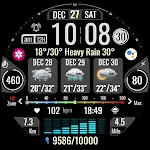
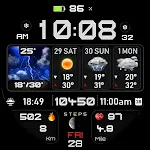
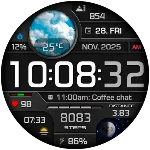
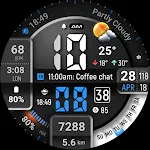
- Digital Styles (12/24 Hour Time format)
- Date , Day of week , Month
- Realistic Weather
- Weather forecast 4 Hours / 4 Days
- Chance Of Precipitation
- UV Index
- Moon Phase
- 6 Complications editable Widgets
- AOD 2 stlyes (Analog/Digital)
- Distance calculate editable (KM/MI)
- Steps Count , Heart Rate , Battery Level , Message unread , Calories calculate and more Widgets
Customization:
1. Touch and Hold Display
2. Tap on Customize Option
Complications:
You can customize with the any data you want.
For example, you can select weather, world clock, sunset/sunrise, barometer etc.
**Some features may not be available on some watches.
For further support, please contact: [email protected]
Thank you for Your support.
Advertisement