 To Do List with Reminder
4.5

Shopping
Ratings
Downloads
Age
Advertisement
Advertisement
Smart shopping list app with barcode scanner, AI voice input, photo scanning, and a built-in price calculator. Create grocery lists in seconds, track total price while you shop, stay on budget, and manage expenses with an easy workflow. Organize store-specific lists with folders and use purchase history to build your next grocery list faster.
Key Features:
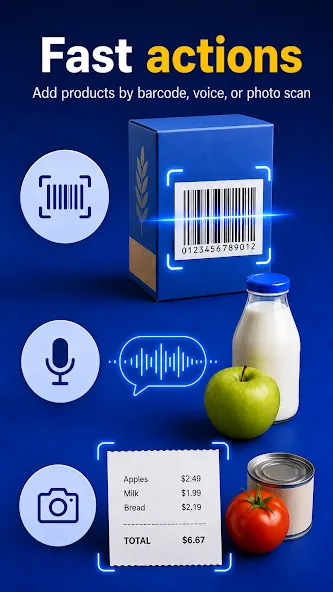
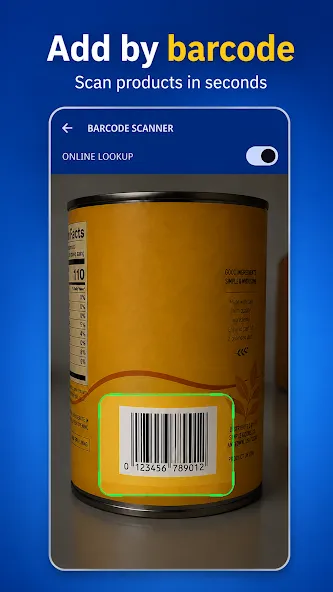
• Barcode scanner with fast online product lookup for quick product entry
• Fast shopping list creation with smart entry tools
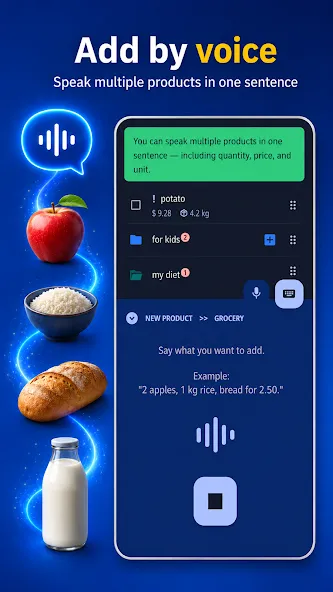
• Create a grocery list quickly with AI voice dictation (quantities, units, prices supported)
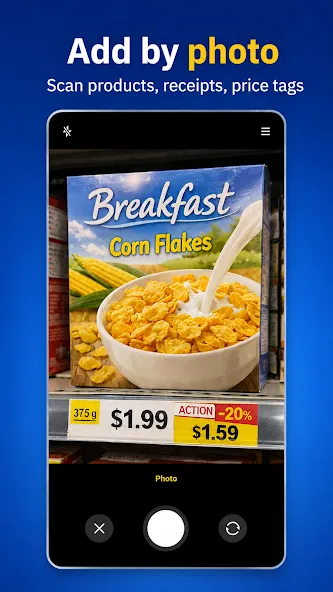
• Photo scanning: add products from grocery photos, price tags, and receipts
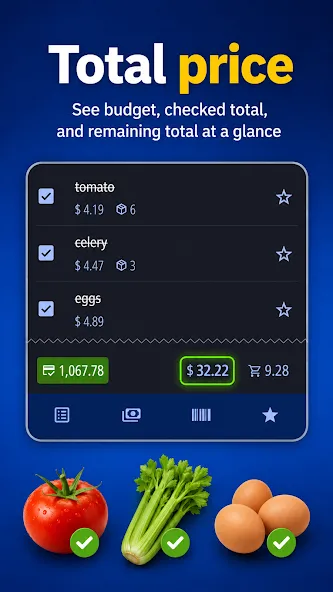
• Price calculator that updates total price while you shop
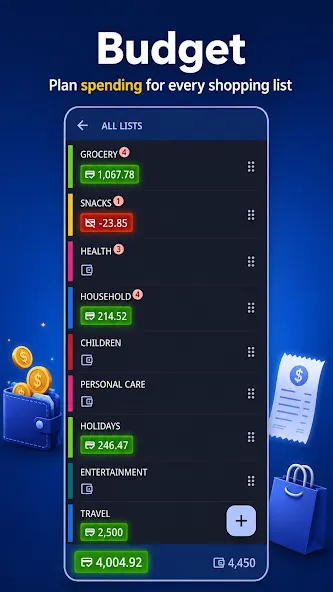
• Budgets per list + remaining balance for each shopping trip
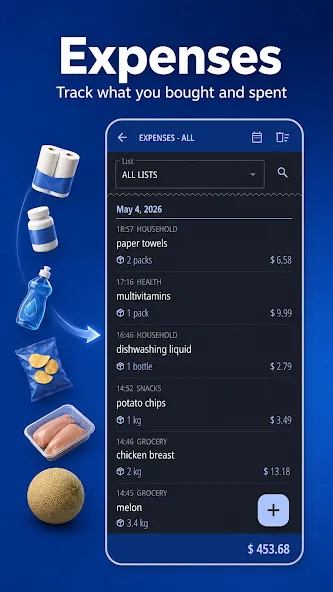
• Expense tracking with purchase history and spending insights
• Share a shopping list by link (no account required)
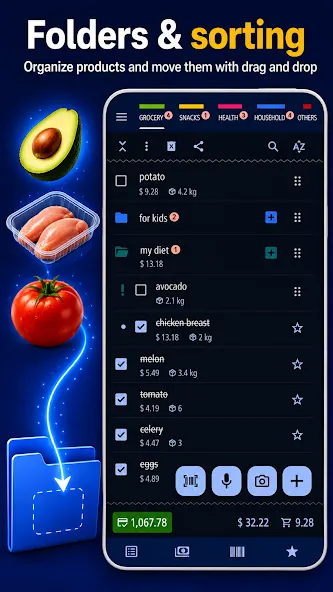
• Folders to organize lists by store, event, or purpose
• Sorting, priority products, and custom order for faster shopping
• Home screen widget for instant access
• Export data to CSV for backup and analysis
• Dark/light themes + a learning dictionary that speeds up entry
🤝 Share a shopping list by link (no account needed)
Create a shared shopping list for your family or roommates and edit it together. Send a link in seconds so everyone can add products before you go to the store and check items off while shopping.
🏷️ Barcode scanner & fast online product lookup
Scan packages to add products in seconds. Use fast online product lookup to identify products quickly, then save them to your personal library for instant reuse later. Build your next shopping list faster, reduce manual typing, and keep products ready for future pantry and inventory features.
🎤 AI Voice Dictation & Bulk Add
Speak your grocery list naturally. The AI voice understands quantities, measure units, and prices, then converts them into a ready-to-shop list:
“3 bottles of milk, 2 kg of bananas for $3, 500g coffee.”
📷 Photo scanning: products, price tags, and receipts
Take a photo to add products fast. Scan a shelf price tag or a receipt to capture product names and prices, then review and add them to your grocery list in seconds. It’s an easy way to rebuild a grocery list from a receipt or a quick shelf photo.
💰 Budget & Price Calculator
Set a budget for each trip and watch the total price update while you shop. The built-in calculator helps you see how much your grocery list costs before you pay, so you can stay on budget and avoid surprises at checkout.
📂 Folders & organization
Keep lists separated and easy to navigate. Make one shopping list per store, keep a weekly grocery list for food, and create extra lists for pharmacy, hardware, travel, or errands.
⭐ Favorites & reusable lists
Save common products and reuse them anytime. Duplicate last week’s shopping list with one tap, or start a new grocery list from favorites to keep recurring supermarket trips consistent.
📃 Expense tracking
View purchase history across all lists and analyze spending habits over time. Compare totals, spot patterns, and plan a smarter grocery list next month.
📝 Fully customizable
Personalize your shopping list with custom sorting, priority products, and a learning dictionary that improves suggestions the more you use it. Choose dark mode or light mode for a comfortable experience day or night.
Download the smart shopping list app to shop faster, stay on budget, and stay organized.
Enchan Shopping List is now Enchlist.
Same grocery list app, cleaner name, ad-free experience, and faster shopping tools like shared lists, barcode scan, voice input, photo scan, and budget tracking.
Google Play
APP STORE
Advertisement
Taptostore.com is an independent app discovery and editorial review platform. We publish reviews, comparisons, and recommendations designed to help users explore apps and make informed choices.
Download links on Taptostore.com direct users to the relevant official app store or another distribution channel designated by the developer or publisher. App downloads and installations take place through those external platforms.
Our content is developed through product research, editorial analysis, publicly available information, and, where appropriate, an assessment of the app’s features and user experience. Reviews and recommendations represent our editorial judgment at the time of publication.
The security and privacy practices of each app are determined by its developer. Before installing an app, users should review its official store listing, developer information, requested permissions, privacy policy, update history, and recent user feedback.
Taptostore.com does not control or independently certify third-party apps and cannot guarantee their security, reliability, performance, or privacy practices.
Not necessarily. Apps may be free, paid, advertising-supported, or include in-app purchases and recurring subscriptions. Pricing and availability may vary by region, device, platform, and time. Please refer to the relevant official store listing for current terms.
Availability may be affected by geographic restrictions, device compatibility, operating-system requirements, age limitations, store policies, or decisions made by the developer or publisher. These factors are outside the control of Taptostore.com.
Taptostore.com does not operate the apps featured on the website and cannot access their accounts or internal systems. Questions about login credentials, account recovery, technical issues, data deletion, or app functionality should be directed to the relevant developer through its official support channels.
Please do not send passwords, verification codes, recovery credentials, or payment information to Taptostore.com.
App-related payments, subscriptions, cancellations, and refunds are administered by the app store, developer, or payment provider responsible for the transaction. Taptostore.com does not process these transactions and cannot manage subscriptions or issue refunds.
Uninstalling an app may not cancel an active subscription. Users should manage subscriptions through the platform on which the purchase was made.
We make reasonable efforts to publish accurate and useful information. However, app features, pricing, compatibility, availability, and policies may change without notice. For the most current details, users should consult the relevant official store listing or developer documentation.
Unless expressly stated, Taptostore.com is not affiliated with, sponsored by, endorsed by, or officially connected with the developers, publishers, brands, or platforms featured on the website.
Product names, logos, brands, and trademarks belong to their respective owners and are referenced solely for identification and informational purposes.
Advertisement