 invideo AI: AI Video Generator
4.0


Video Players & Editors
Ratings
Downloads
Age
Advertisement
Advertisement
Name
Category
Price
Safety
Developer
Version
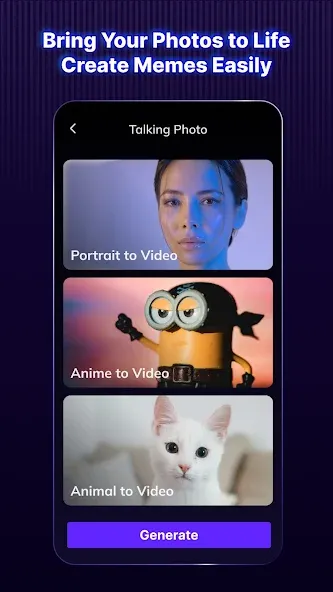
Leveraging the power of AI, Vozo AI Video Creator (formerly Blink Captions) combines AI video generator, AI photo generator, and AI avatar video generator features — enabling you to generate, edit, and translate talking videos with 200+ auto-caption styles, AI script writing, teleprompter, and translation tools. Create stunning videos 10× easier!
Vozo AI is perfect for YouTube creators, TikTok creators, educators, and content teams who want to reach global audiences.
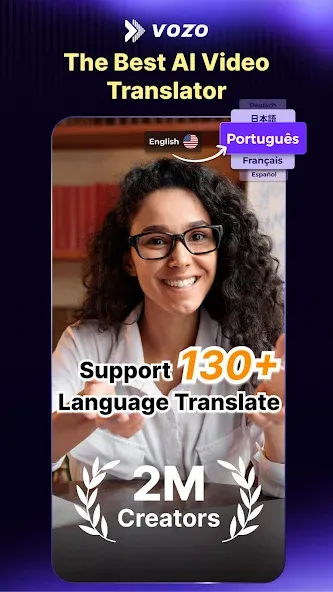
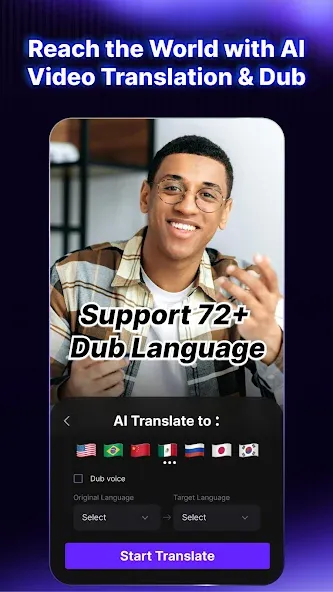
AI Video Translator & Dub
Translate and dub videos into multiple languages instantly.
With Vozo AI you can:
- Translate video subtitles automatically
- Dub videos into other languages
- Translate YouTube videos for global audiences
- Export videos with translated captions
Vozo AI supports 118 languages and dialects, helping creators localize their content for international viewers.
If you’re looking for:
- video translator
- translate video subtitles
- AI video dubbing
- translate YouTube videos
Vozo AI provides a fast and powerful solution.
AI Caption Generator
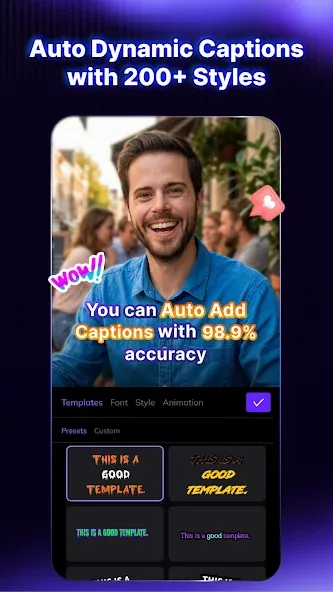
Automatically add captions to videos with high-accuracy speech recognition.
Features include:
- AI subtitle generator
- Auto captions for YouTube, TikTok and Reels
- 200+ customizable caption styles
- Batch caption editing and highlighting
Captions help improve engagement and make videos accessible to global audiences.
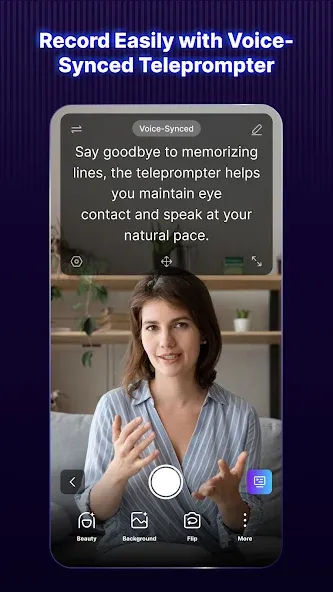
Teleprompter for Video Recording
Record videos confidently using the Voice-Synced Mode.
Features include:
- Teleprompter that auto-scrolls in sync with your speaking pace
- Perfect for tutorials, presentations, and talking videos
- Maintain eye contact while recording
Great for:
- YouTube creators
- educators
- presenters
- content creators
AI Avatar Video Generation
Create talking avatar videos with AI.
With Vozo AI you can:
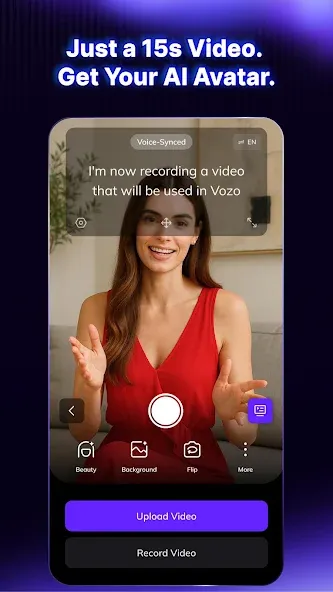
- Generate AI avatar videos from scripts
- Create digital presenters for marketing
- Produce talking videos without recording yourself
Choose from a rich avatar library or create custom avatars.
AI Video Editing Tools
Vozo AI provides powerful editing tools to help you create professional videos quickly:
- AI Trim to remove silence and filler words
- AI Zoom to highlight key moments
- AI Highlight for captions
- AI Title generator for talking videos
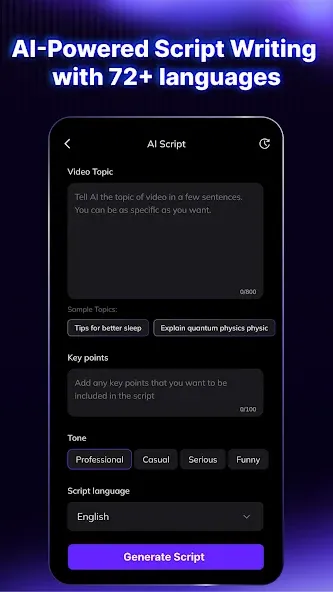
- AI Script Writing for content creation
Create professional videos up to 10× faster with AI.
Built for Creators
Vozo AI helps creators produce and localize videos for social media.
Perfect for:
✔ YouTube creators
✔ TikTok creators
✔ Instagram Reels creators
✔ educators and course creators
✔ marketing teams
Use Vozo AI to:
- translate videos
- dub videos
- add captions automatically
- create talking videos
- produce multilingual content
Start Creating Today
Download Vozo AI today and start translating videos, adding captions, and reaching global audiences with AI-powered video tools.
We can’t wait to see what you’ll create.
For feedback or suggestions:
[email protected]
Terms of Service
https://www.vozo.ai/blinkcaptions/terms
Privacy Policy
https://www.vozo.ai/blinkcaptions/privacy_policy
Google Play
APP STORE
Advertisement
Taptostore.com is an independent app discovery and editorial review platform. We publish reviews, comparisons, and recommendations designed to help users explore apps and make informed choices.
Download links on Taptostore.com direct users to the relevant official app store or another distribution channel designated by the developer or publisher. App downloads and installations take place through those external platforms.
Our content is developed through product research, editorial analysis, publicly available information, and, where appropriate, an assessment of the app’s features and user experience. Reviews and recommendations represent our editorial judgment at the time of publication.
The security and privacy practices of each app are determined by its developer. Before installing an app, users should review its official store listing, developer information, requested permissions, privacy policy, update history, and recent user feedback.
Taptostore.com does not control or independently certify third-party apps and cannot guarantee their security, reliability, performance, or privacy practices.
Not necessarily. Apps may be free, paid, advertising-supported, or include in-app purchases and recurring subscriptions. Pricing and availability may vary by region, device, platform, and time. Please refer to the relevant official store listing for current terms.
Availability may be affected by geographic restrictions, device compatibility, operating-system requirements, age limitations, store policies, or decisions made by the developer or publisher. These factors are outside the control of Taptostore.com.
Taptostore.com does not operate the apps featured on the website and cannot access their accounts or internal systems. Questions about login credentials, account recovery, technical issues, data deletion, or app functionality should be directed to the relevant developer through its official support channels.
Please do not send passwords, verification codes, recovery credentials, or payment information to Taptostore.com.
App-related payments, subscriptions, cancellations, and refunds are administered by the app store, developer, or payment provider responsible for the transaction. Taptostore.com does not process these transactions and cannot manage subscriptions or issue refunds.
Uninstalling an app may not cancel an active subscription. Users should manage subscriptions through the platform on which the purchase was made.
We make reasonable efforts to publish accurate and useful information. However, app features, pricing, compatibility, availability, and policies may change without notice. For the most current details, users should consult the relevant official store listing or developer documentation.
Unless expressly stated, Taptostore.com is not affiliated with, sponsored by, endorsed by, or officially connected with the developers, publishers, brands, or platforms featured on the website.
Product names, logos, brands, and trademarks belong to their respective owners and are referenced solely for identification and informational purposes.
Advertisement