 TimeTree - Shared Calendar
4.7


Productivity
Ratings
Downloads
Age
Advertisement
Advertisement
Name
Category
Price
Safety
Developer
Version
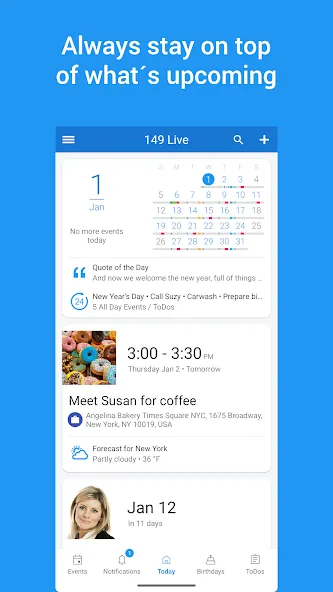
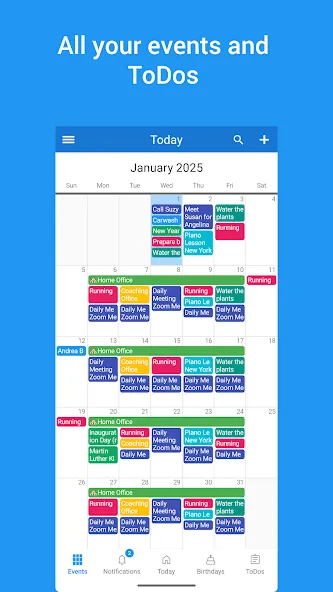
149 Live Calendar is an all-in-one calendar app, planner, task manager, family calendar, and shared calendar designed for individuals, families, and teams. Sync Google Calendar, Outlook, Office 365, Exchange, and other calendars into one beautiful, ad-free calendar app and manage your schedule, appointments, reminders, events, and tasks from a single place.
Whether you need a personal planner, a family calendar to coordinate family schedules, a shared calendar for collaboration, or a business calendar for appointment scheduling, 149 Live Calendar helps you stay organized and productive every day.
CALENDAR APP & PLANNER
• Sync Google Calendar, Outlook, Office 365, Exchange, and more
• View all your calendars in one place
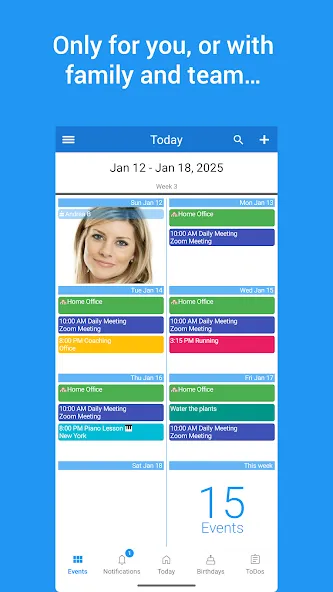
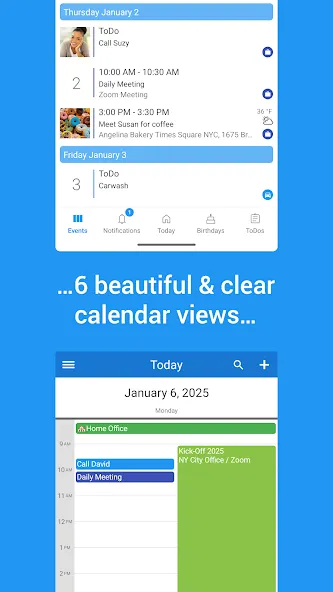
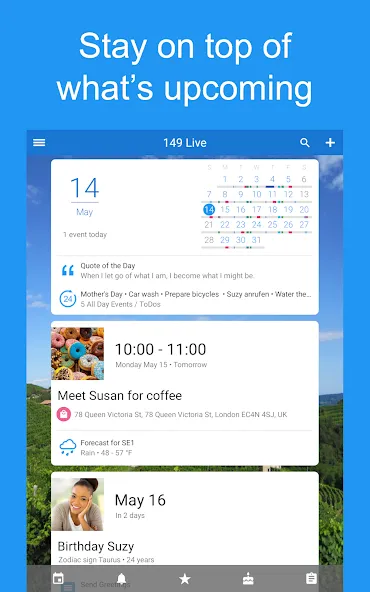
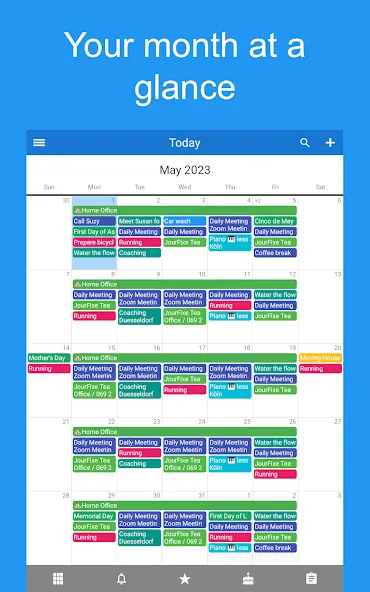
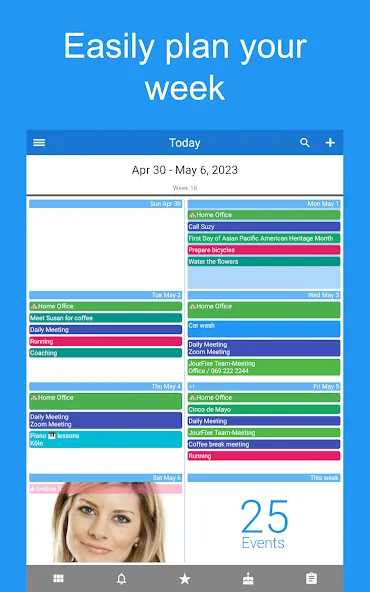
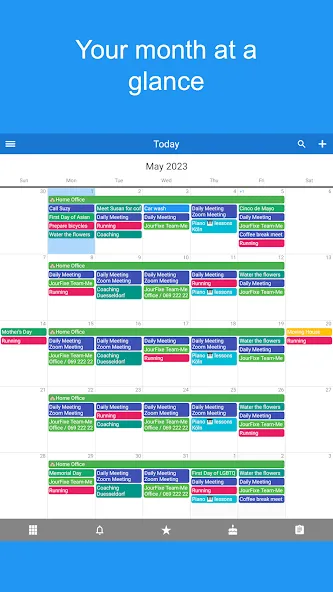
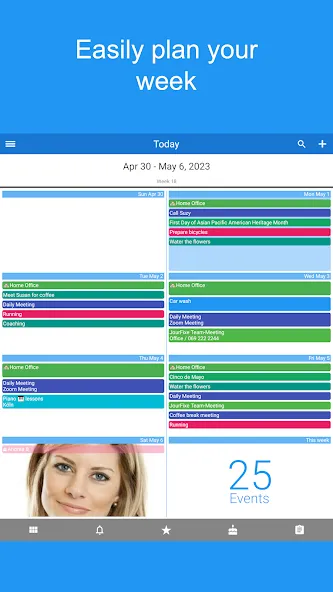
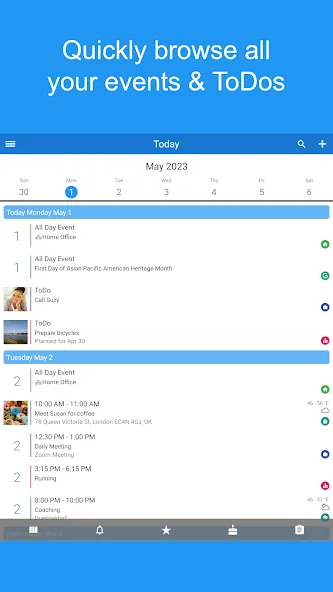
• Day, week, month, year, agenda, and map views
• Color-code events and appointments with more than 40 colors
• Add photos, notes, locations, and categories to events
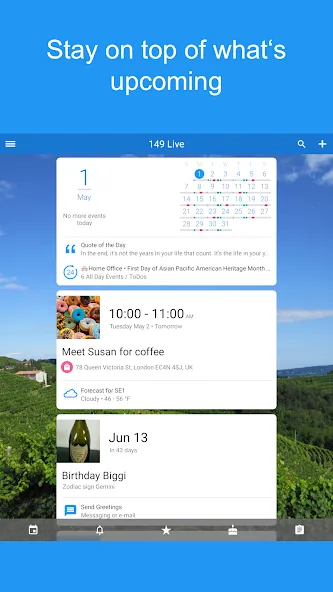
• Reliable reminders and notifications
• Automatic birthday reminders for your contacts
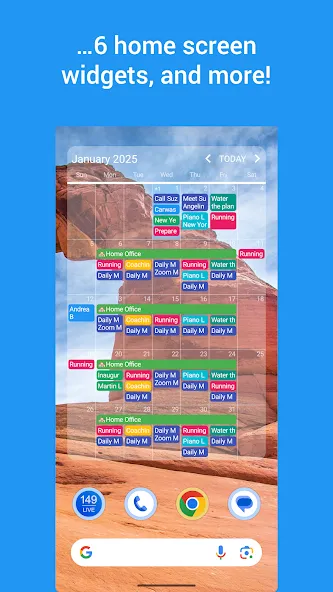
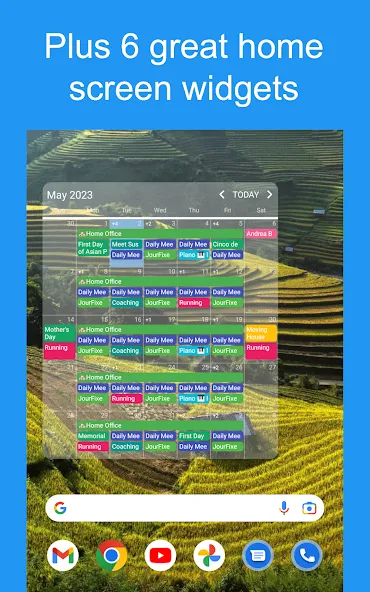
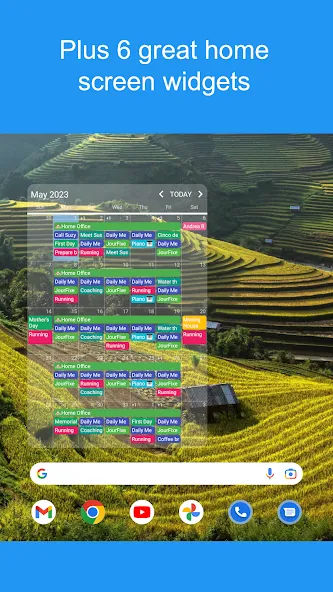
• Beautiful home screen widgets
FAMILY CALENDAR & SHARED CALENDAR
Coordinate busy schedules effortlessly with a family calendar and shared calendar designed for modern families.
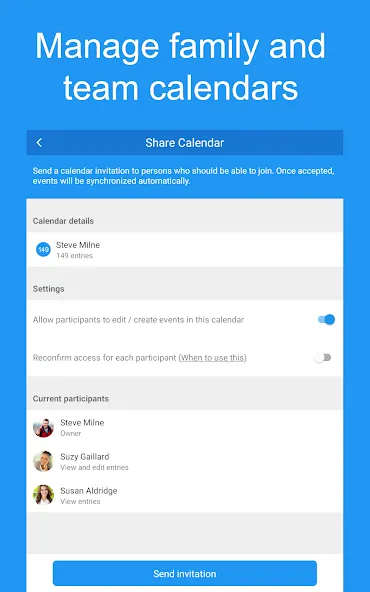
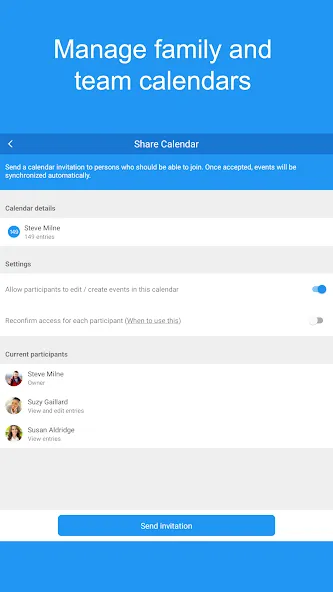
• Share calendars with your partner, children, relatives, or friends
• Create a dedicated family calendar for appointments, birthdays, school events, vacations, and activities
• Share shopping lists and to-do lists
• Keep private and family events separate
• Stay always up-to-date with change notifications
• Track any modifications with change history
TASKS, TO-DO LISTS & REMINDERS
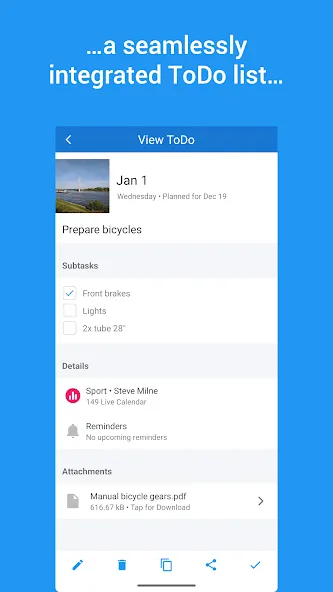
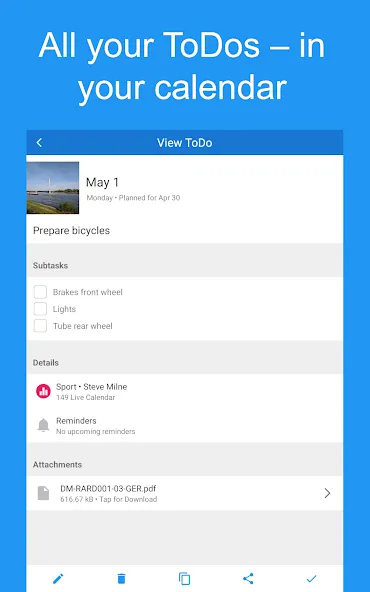
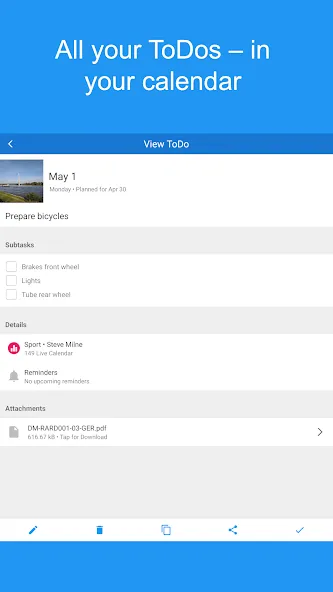
• Manage to-do lists, shopping lists, and reminders
• Sync with Google Tasks
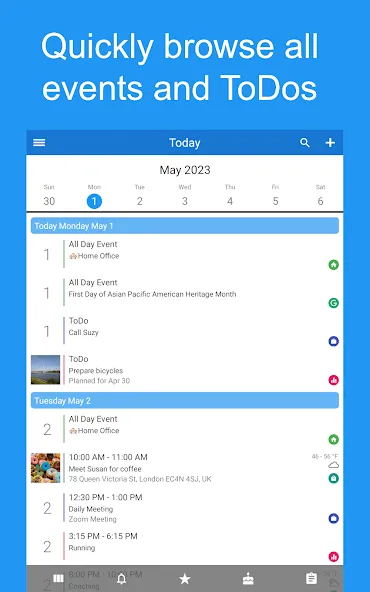
• View tasks directly in your calendar
• Organize tasks with categories, priorities, and colors
• Stay on top of recurring tasks and important deadlines
• Access tasks and reminders through widgets and calendar views
TEAM CALENDAR & COLLABORATION
Use 149 Live Calendar as a team calendar for projects, departments, clubs, organizations, and businesses.
• Share calendars and task lists with colleagues
• Create calendars for individual teams or projects
• Track changes with detailed history
• Manage permissions and access rights
• Receive updates when events or tasks change
BUSINESS CALENDAR & APPOINTMENT SCHEDULING
Whether you are a freelancer, consultant, service provider, or growing business, 149 Live Calendar helps streamline appointment scheduling and team coordination.
• Create booking pages that allow clients to book appointments directly
• Manage calendars and task lists for multiple teams
• Invite colleagues, customers, and partners to meetings
• Communicate easily with event participants and guests
• Export calendar data to CSV for use in other applications
SMART LOCATION & TRAVEL FEATURES
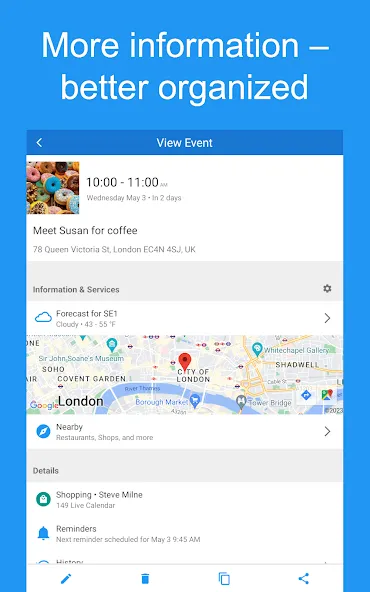
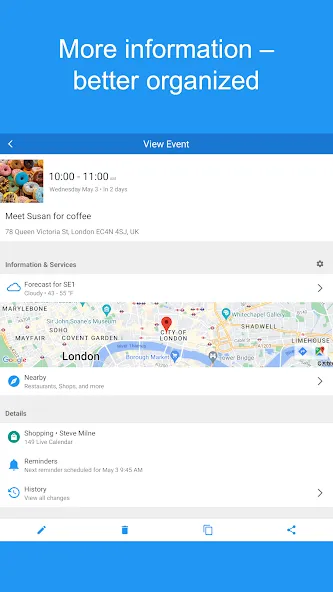
• View all destinations of day or week directly on one map
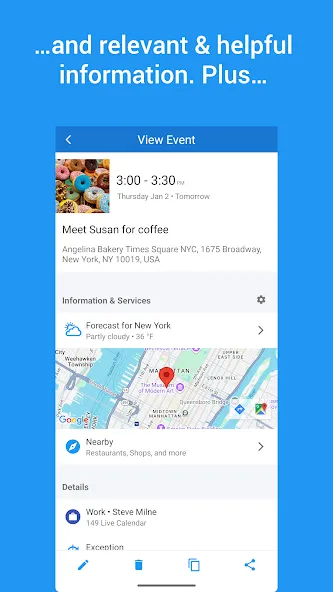
• Get local weather forecasts for event locations
• Discover nearby places around your destinations
SYNC, BACKUP & DATA MANAGEMENT
• Synchronize data across multiple devices
• Transfer calendars and tasks to a new device
• Create backups of important information
• Export calendar data whenever needed
UPGRADE TO PRO
Unlock more than 50 additional features designed for even more productivity.
• Add events using voice input and the AI-powered 149 Live Assistant
• Customize colors, fonts, layouts, and calendar views
• Instantly filter calendars with quick filters
• Print calendars in day, week, month, or list format
• Generate PDF versions of your calendar
• Add attachments to events and tasks
149 Live Calendar combines calendar management, family scheduling, shared calendars, team calendars, task management, reminders, appointment scheduling, and collaboration tools in a single powerful app. Whether you are organizing your personal schedule, coordinating family activities, managing projects, or running a business, 149 Live Calendar helps you stay organized and productive.
Google Play
APP STORE
Advertisement
Taptostore.com is an independent app discovery and editorial review platform. We publish reviews, comparisons, and recommendations designed to help users explore apps and make informed choices.
Download links on Taptostore.com direct users to the relevant official app store or another distribution channel designated by the developer or publisher. App downloads and installations take place through those external platforms.
Our content is developed through product research, editorial analysis, publicly available information, and, where appropriate, an assessment of the app’s features and user experience. Reviews and recommendations represent our editorial judgment at the time of publication.
The security and privacy practices of each app are determined by its developer. Before installing an app, users should review its official store listing, developer information, requested permissions, privacy policy, update history, and recent user feedback.
Taptostore.com does not control or independently certify third-party apps and cannot guarantee their security, reliability, performance, or privacy practices.
Not necessarily. Apps may be free, paid, advertising-supported, or include in-app purchases and recurring subscriptions. Pricing and availability may vary by region, device, platform, and time. Please refer to the relevant official store listing for current terms.
Availability may be affected by geographic restrictions, device compatibility, operating-system requirements, age limitations, store policies, or decisions made by the developer or publisher. These factors are outside the control of Taptostore.com.
Taptostore.com does not operate the apps featured on the website and cannot access their accounts or internal systems. Questions about login credentials, account recovery, technical issues, data deletion, or app functionality should be directed to the relevant developer through its official support channels.
Please do not send passwords, verification codes, recovery credentials, or payment information to Taptostore.com.
App-related payments, subscriptions, cancellations, and refunds are administered by the app store, developer, or payment provider responsible for the transaction. Taptostore.com does not process these transactions and cannot manage subscriptions or issue refunds.
Uninstalling an app may not cancel an active subscription. Users should manage subscriptions through the platform on which the purchase was made.
We make reasonable efforts to publish accurate and useful information. However, app features, pricing, compatibility, availability, and policies may change without notice. For the most current details, users should consult the relevant official store listing or developer documentation.
Unless expressly stated, Taptostore.com is not affiliated with, sponsored by, endorsed by, or officially connected with the developers, publishers, brands, or platforms featured on the website.
Product names, logos, brands, and trademarks belong to their respective owners and are referenced solely for identification and informational purposes.
Advertisement