 Netspend
4.6


Finance
Ratings
Downloads
Age
Advertisement
Advertisement
Name
Category
Price
Safety
Developer
Version
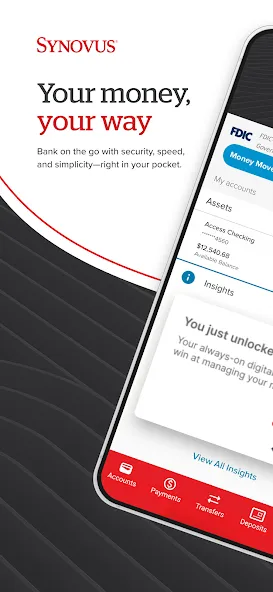
Convenient, secure banking from wherever you are with the My Synovus mobile app.
Deposit checks on the go, transfer money between accounts, pay bills, send or receive money instantly, and get deeper insights into where your money is going.
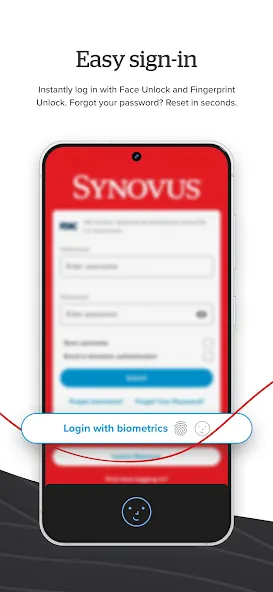
– Easy Sign-In –
- Use Touch ID or Face ID to log into My Synovus quickly and securely
- Multi-factor authentication allows you to use a one-time passcode along with your username and password to log in
- Add security questions for enhanced login protection
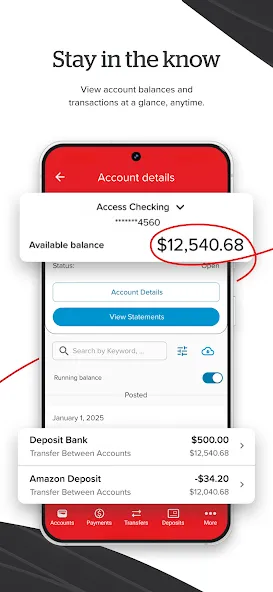
– Stay in The Know –
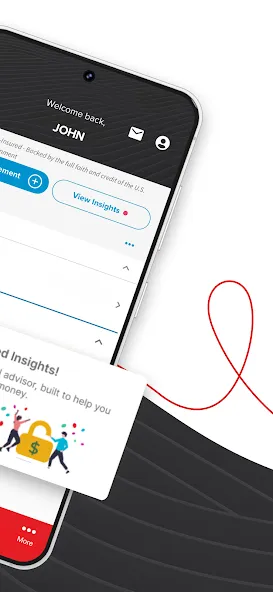
- Every time you log in, get personalized insights into where your money is coming from and how it’s being spent
- Tap an insight to see recommendations and take action
- See all your Synovus account activity in one place – checking, savings, loans, and credit card accounts
- See your balances without logging in
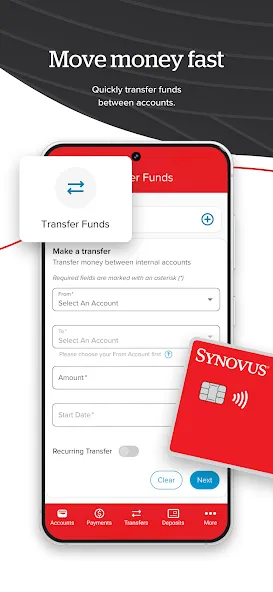
– Move Money Fast –
- Transfer money between accounts quickly and easily
- With Zelle®, send and receive money securely from friends, family – even the babysitter – using your email address or mobile phone number
- Set up alerts for deposits, withdrawals, balance thresholds, or any account activity you think is important
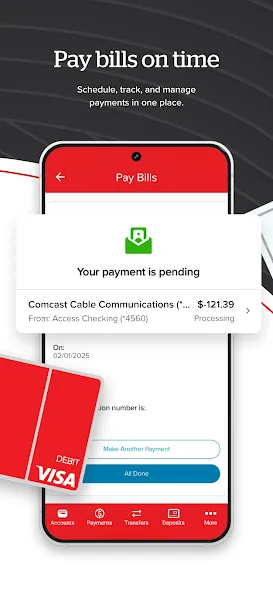
– Pay Bills on Time –
- Schedule, edit, or cancel payments to companies
- Use for recurring or one-time payments
- View and pay upcoming ebills
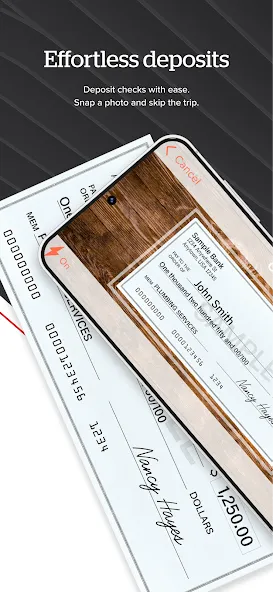
– Effortless Deposits –
- Use your phone’s camera to take photos of your checks and deposit them into your checking or savings accounts
- Make a mobile deposit by noon and your money will be credited to your account the same day
– Find Synovus Branches and ATMs –
- Use your phone’s geolocation to find any Synovus branch near you
- Get driving directions and hours of operation
- Locate a Synovus ATM near you or within a specific ZIP code
– Permissions Needed to Use My Synovus –
- Location permissions are necessary to determine your current location to display nearby Synovus locations/ATMs and provide mapping directions
- Camera permissions are necessary for you to use the mobile deposit feature
- Internet access permissions are necessary for the app to connect with My Synovus
- Minimum system requirement: Apple iOS 11 or higher
- Access to your device’s contacts is required for Zelle®
About My Synovus
- The My Synovus App is free to download. Use of the My Synovus app requires your mobile service provider’s data and/or text plan for which charges may apply.
- You can sign in on the app using your existing My Synovus username and password or enroll via the link from the app’s login page.
- You may also be asked to answer security questions and/or receive a one-time passcode to login.
- The My Synovus App is suited for ages 13 and up. Minors ages 13 and older have limited access to services within the app.
Disclaimers:
Please refer to the My Synovus agreement at http://www.synovus.com/personal/my-synovus/agreement/ for complete details.
Account Transaction Limitations for Savings and Money Market Accounts – Savings and Money Market accounts may have no more than six (6) debit transactions per month or monthly statement cycle. A debit transaction is a check, debit/check card transaction, transfer, or pre-authorized transfer, including those made by phone or modem. Unlimited transactions are permitted if made by the customer in person, by mail, through an ATM or by phone if the check is mailed to the customer. If an account continually exceeds the allowed debit transactions, we may convert it to a checking account.
** Pay bills or companies requires enrollment in Bill Pay service through My Synovus.
**** Deposit limits and other restrictions apply. Deposits are subject to verification. Funds are available within 3 business days. Camera must have at least two megapixels in resolution.
The service marks and trademarks used herein belong to their respective owners.
Pinnacle Bank, a Tennessee bank, dba Synovus Bank.
Member FDIC and Equal Housing Lender
Google Play
APP STORE
Advertisement
Taptostore.com is an independent app discovery and editorial review platform. We publish reviews, comparisons, and recommendations designed to help users explore apps and make informed choices.
Download links on Taptostore.com direct users to the relevant official app store or another distribution channel designated by the developer or publisher. App downloads and installations take place through those external platforms.
Our content is developed through product research, editorial analysis, publicly available information, and, where appropriate, an assessment of the app’s features and user experience. Reviews and recommendations represent our editorial judgment at the time of publication.
The security and privacy practices of each app are determined by its developer. Before installing an app, users should review its official store listing, developer information, requested permissions, privacy policy, update history, and recent user feedback.
Taptostore.com does not control or independently certify third-party apps and cannot guarantee their security, reliability, performance, or privacy practices.
Not necessarily. Apps may be free, paid, advertising-supported, or include in-app purchases and recurring subscriptions. Pricing and availability may vary by region, device, platform, and time. Please refer to the relevant official store listing for current terms.
Availability may be affected by geographic restrictions, device compatibility, operating-system requirements, age limitations, store policies, or decisions made by the developer or publisher. These factors are outside the control of Taptostore.com.
Taptostore.com does not operate the apps featured on the website and cannot access their accounts or internal systems. Questions about login credentials, account recovery, technical issues, data deletion, or app functionality should be directed to the relevant developer through its official support channels.
Please do not send passwords, verification codes, recovery credentials, or payment information to Taptostore.com.
App-related payments, subscriptions, cancellations, and refunds are administered by the app store, developer, or payment provider responsible for the transaction. Taptostore.com does not process these transactions and cannot manage subscriptions or issue refunds.
Uninstalling an app may not cancel an active subscription. Users should manage subscriptions through the platform on which the purchase was made.
We make reasonable efforts to publish accurate and useful information. However, app features, pricing, compatibility, availability, and policies may change without notice. For the most current details, users should consult the relevant official store listing or developer documentation.
Unless expressly stated, Taptostore.com is not affiliated with, sponsored by, endorsed by, or officially connected with the developers, publishers, brands, or platforms featured on the website.
Product names, logos, brands, and trademarks belong to their respective owners and are referenced solely for identification and informational purposes.
Advertisement