 Cookpad recipes, homemade food
4.6


Food & Drink
Ratings
Downloads
Age
Advertisement
Advertisement
Name
Category
Price
Safety
Developer
Version
How many times have you found yourself looking for that perfect recipe – only to find that you’re missing one or more ingredients?
How many times have you opened the fridge and thought to yourself – what can I make ?
How many times have you thrown away an ingredient, because you couldn’t figure out how to use it before it expired ?
SuperCook to the rescue!
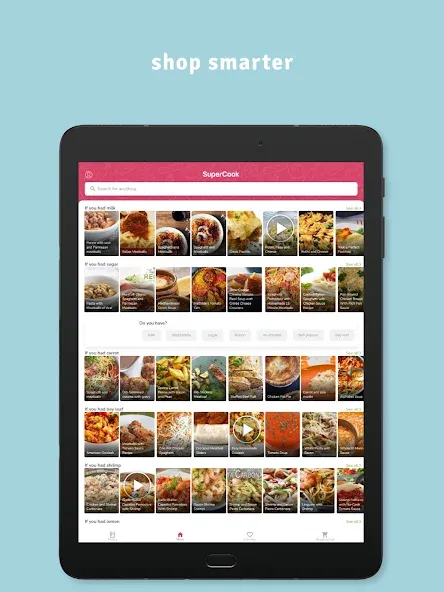
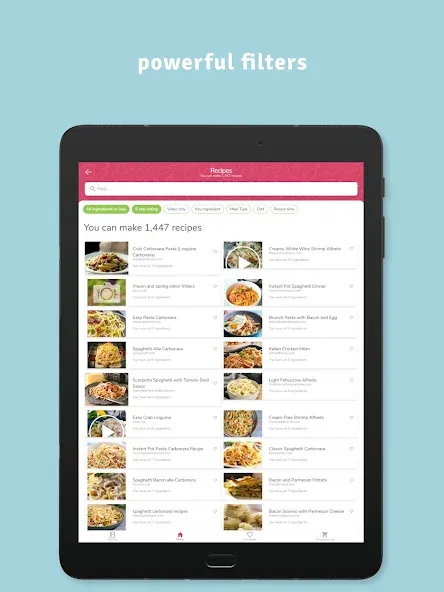
Unlike other recipe apps, SuperCook only shows you recipes that require the ingredients you already have.
All the recipes you see on SuperCook are recipes you can make right now. No more inconvenient grocery runs for a missing ingredient, at a time when you should be home, with your family and friends
Why purchase new ingredients when you can focus on what you already have?
Here’s how it works:
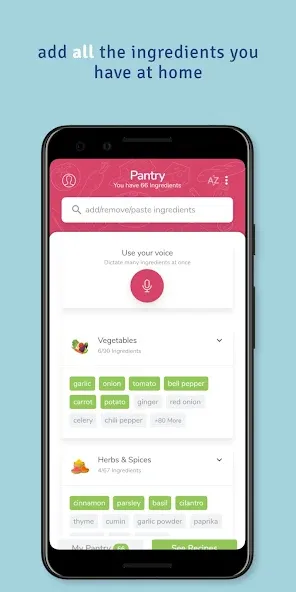
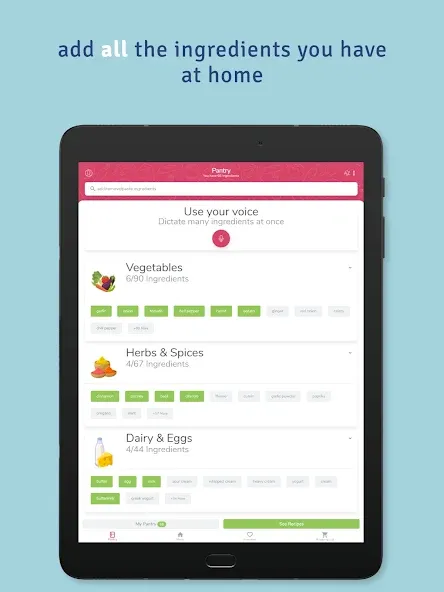
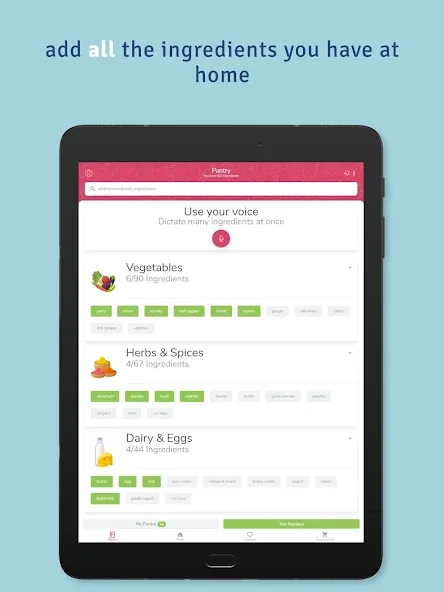
• For Supercook to do its magic, it needs to know all the ingredients you have at home.
• Visit the pantry page in the SuperCook app and choose from a list of 2000+ ingredients broken down into categories like fruits, vegetables, meats, and many more.
• Start adding ALL the ingredients you have at home to your SuperCook pantry – including oils, spices, and yes - even that old bottle of Worcestershire sauce in the back of the fridge!
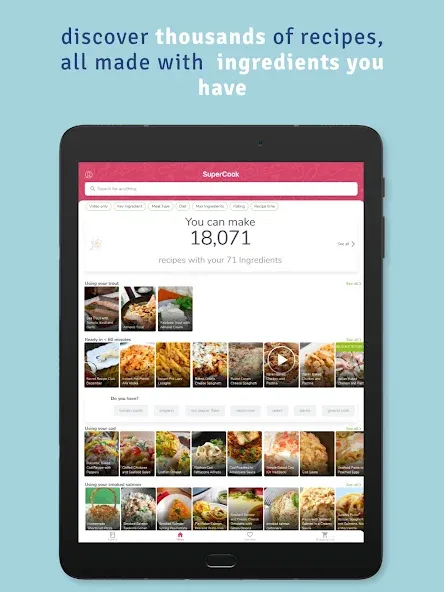
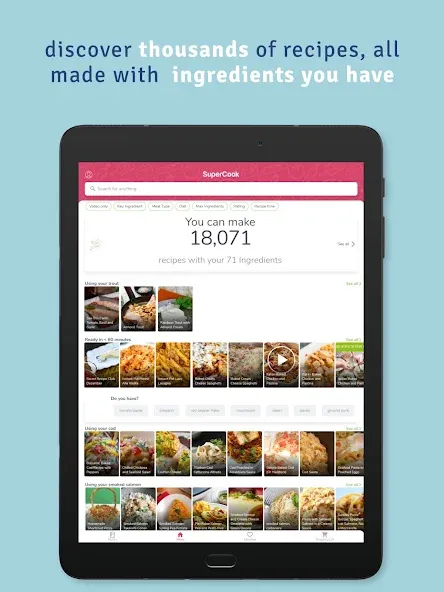
• Sit back and watch SuperCook work its magic by finding recipes that match your ingredients.
SuperCook’s Unique App Features:
–Customized Recipe Ideas–
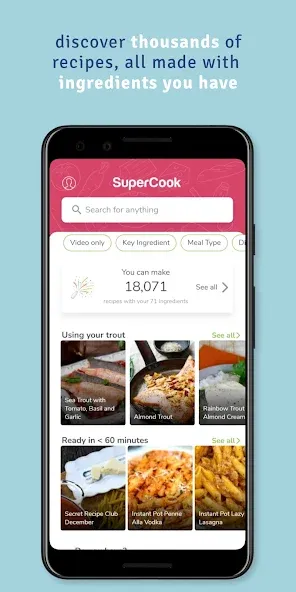
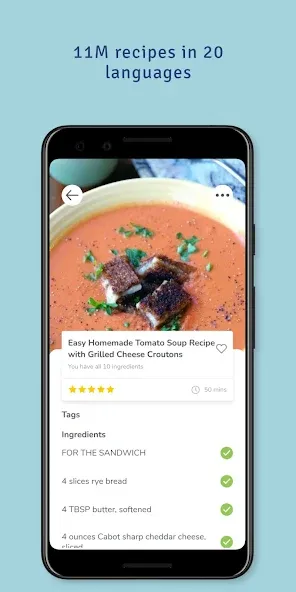
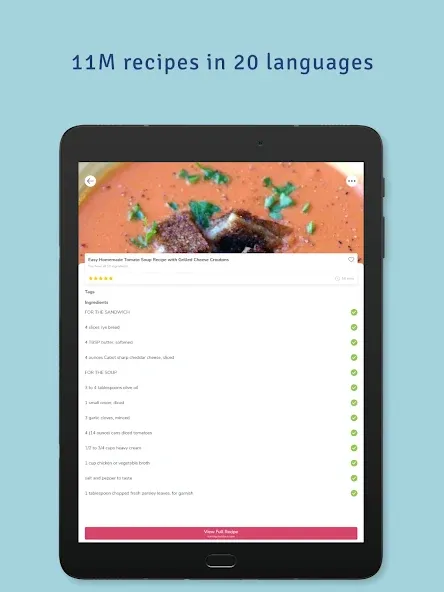
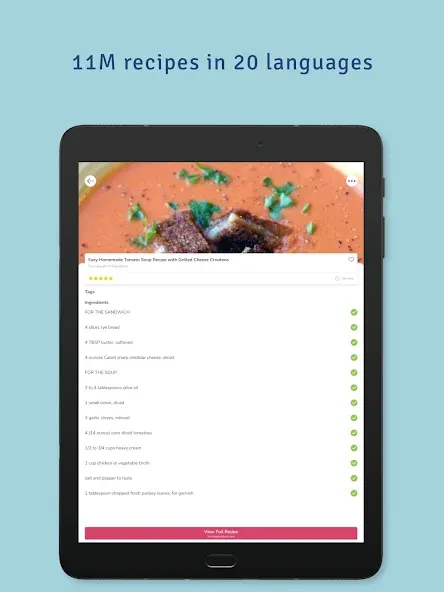
We’ve consolidated over 11 million recipes from 18,000 recipe websites, in 20 languages to create the largest recipe collection ever. This knowledge was fed into an AI system that learnt the intricacies of all ingredients and how they can be mixed together.
All you have to do is build your pantry on the app – and you’re ready to make delicious meals without ever leaving your house!
SuperCook will find you any recipe you need, whether it’s for breakfast, lunch, dinner, or even a midnight snack.
–Easily Add Your Ingredients–
Save time and money with an intelligent pantry. SuperCook’s voice dictation mode allows you to quickly add ingredients to your in-app pantry by simply saying them out loud.
Just open your fridge, click the microphone button, and start listing everything inside. The app will automatically add the ingredients to your pantry for a quick and easy way to find recipes!
–Automatic Recipe Recommendations–
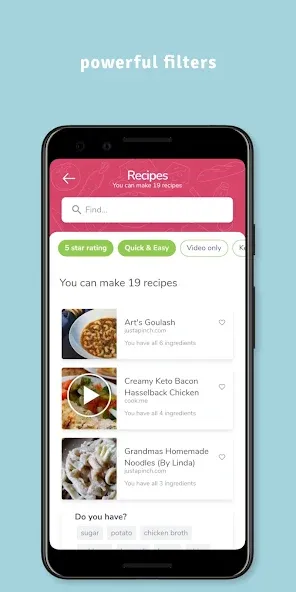
The app will automatically find you recipes to make with what’s in your fridge – so all those lost ingredients in the back of your cupboard now have a place on your table. It’s that simple!
When you run out of an ingredient, simply open the SuperCook app and remove it from your pantry - and all the recipe ideas will adjust accordingly.
–Get Creative in the Kitchen–
SuperCook inspires new ideas and activities in the kitchen for new cooks, busy parents, foodies, and pro chefs alike.
With over 11 million recipes available in 20 different languages, SuperCook promises that you’ll never cook the same thing twice (unless you want to, of course!).
–What’s on the menu ?–
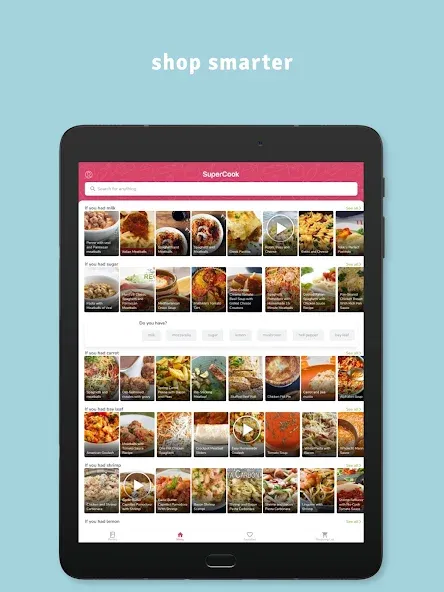
The menu page is where you’ll find all your recipe ideas. Why is it called menu? Because just like the menu in a restaurant, everything on the menu page is available to you now. SuperCook instantly analyzes 11 million recipes and finds the ones that match your unique ingredients.
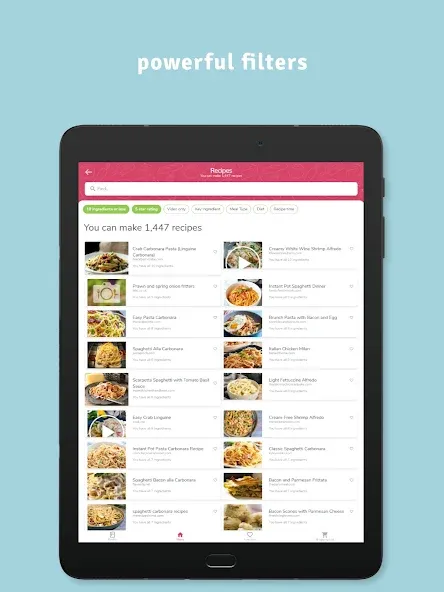
Most likely your menu page will contain thousands of recipes, but don’t worry, we’ve broken them down into helpful categories like soups and stews, appetizers and snacks, salads, entrees, desserts and more.
–Reduce food waste–
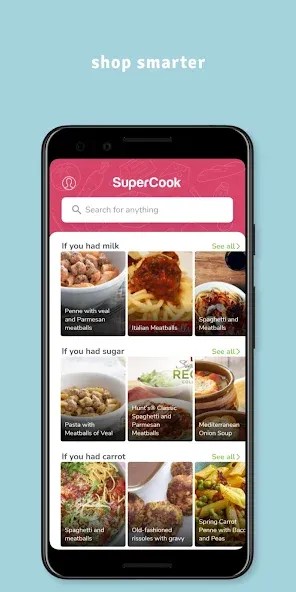
Most people don’t realize how much food they throw away every day — from uneaten leftovers to spoiled produce. SuperCook is one of the best ways to reduce food waste in the home. It finds recipes that use as many of your ingredients as possible, so nothing goes to waste. SuperCook makes food waste prevention fun and easy, just open the menu page on the app and choose a recipe. We help you use what you have, so nothing goes to waste!
Google Play
APP STORE
Advertisement
Taptostore.com is an independent app discovery and editorial review platform. We publish reviews, comparisons, and recommendations designed to help users explore apps and make informed choices.
Download links on Taptostore.com direct users to the relevant official app store or another distribution channel designated by the developer or publisher. App downloads and installations take place through those external platforms.
Our content is developed through product research, editorial analysis, publicly available information, and, where appropriate, an assessment of the app’s features and user experience. Reviews and recommendations represent our editorial judgment at the time of publication.
The security and privacy practices of each app are determined by its developer. Before installing an app, users should review its official store listing, developer information, requested permissions, privacy policy, update history, and recent user feedback.
Taptostore.com does not control or independently certify third-party apps and cannot guarantee their security, reliability, performance, or privacy practices.
Not necessarily. Apps may be free, paid, advertising-supported, or include in-app purchases and recurring subscriptions. Pricing and availability may vary by region, device, platform, and time. Please refer to the relevant official store listing for current terms.
Availability may be affected by geographic restrictions, device compatibility, operating-system requirements, age limitations, store policies, or decisions made by the developer or publisher. These factors are outside the control of Taptostore.com.
Taptostore.com does not operate the apps featured on the website and cannot access their accounts or internal systems. Questions about login credentials, account recovery, technical issues, data deletion, or app functionality should be directed to the relevant developer through its official support channels.
Please do not send passwords, verification codes, recovery credentials, or payment information to Taptostore.com.
App-related payments, subscriptions, cancellations, and refunds are administered by the app store, developer, or payment provider responsible for the transaction. Taptostore.com does not process these transactions and cannot manage subscriptions or issue refunds.
Uninstalling an app may not cancel an active subscription. Users should manage subscriptions through the platform on which the purchase was made.
We make reasonable efforts to publish accurate and useful information. However, app features, pricing, compatibility, availability, and policies may change without notice. For the most current details, users should consult the relevant official store listing or developer documentation.
Unless expressly stated, Taptostore.com is not affiliated with, sponsored by, endorsed by, or officially connected with the developers, publishers, brands, or platforms featured on the website.
Product names, logos, brands, and trademarks belong to their respective owners and are referenced solely for identification and informational purposes.
Advertisement