 TimeTree - Shared Calendar
4.7

Productivity
Ratings
Downloads
Age
Advertisement
Advertisement
Name
Category
Price
Safety
Developer
Version
★Time Management Secret of Successful People★
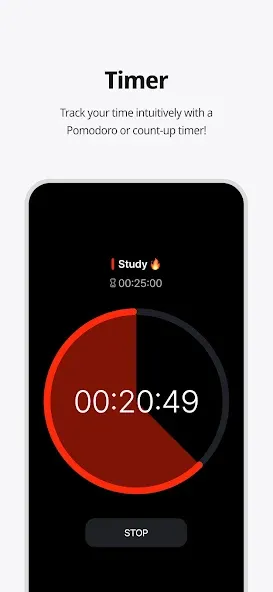
Try Dote Timer now, the king of time management!
Are you having trouble managing your time? Need to concentrate, but your smartphone is distracting you? Organizing your work or even recording your study time, everything can be done with Dote Timer!
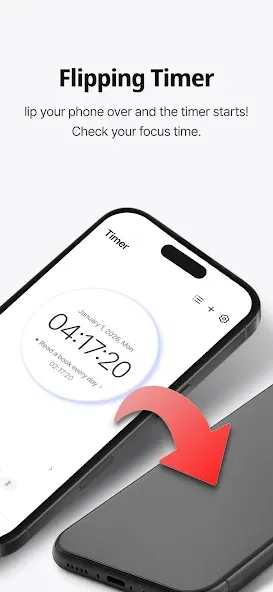
⏱Flip Timer
UP your concentration with a timer that runs when your flip your smartphone!
Let’s get away from smartphone addiction!
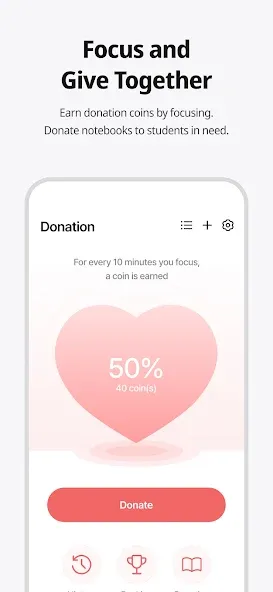
Get donation coins every 10 minutes of concentration
You can even use a countdown timer that works like a pomodoro timer!
📅Time Table
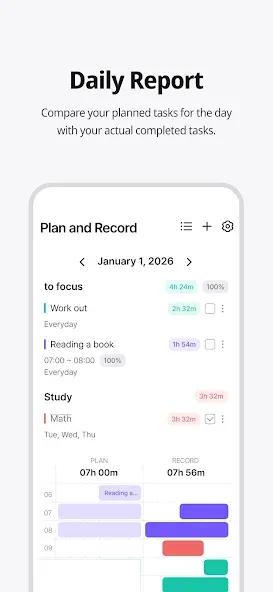
Unique time table that allows you to compare your plans with the actual records at a glance!
Maximize time utilization with a 10-minute dot-separated planner
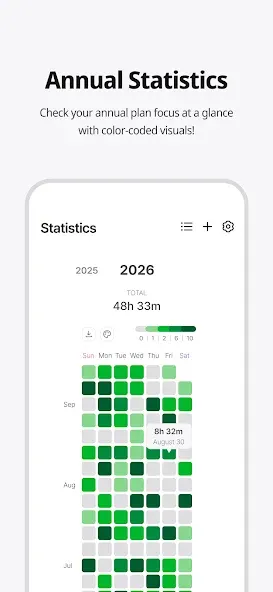
📊Various statistical charts
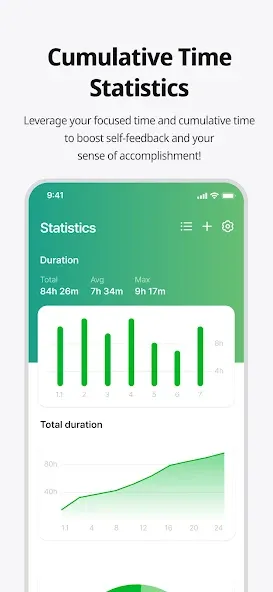
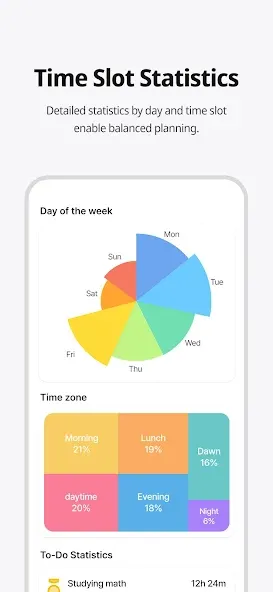
It’s not end with record! Analyze your concentration time in detail with various graphs and charts!
Identify your improvement with daily statistics, annual statistics, cumulative statistics, weekly statistics, hourly statistics and plan leaderboards at a glance
💝Donation Program
You can donate the collected coins to gift notes for underprivileged students!
Donation ranking are changing in real time basis
📜Three Lines a Day
How are you today?
Share your diary in three lines. Motivate each other with friends around the world
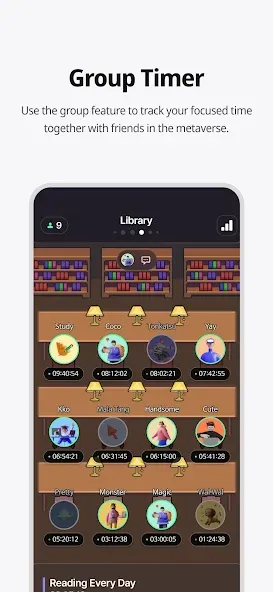
👨👨👧👦Study Group ‘Study With’
Try taking notes with your friends in real time!
There are various themes such as classrooms, libraries, offices, fitness places and others. Group member statistics.
⭐ Premium Features
Try premium features that are constantly being updated.
More efficient time management developed by time management experts
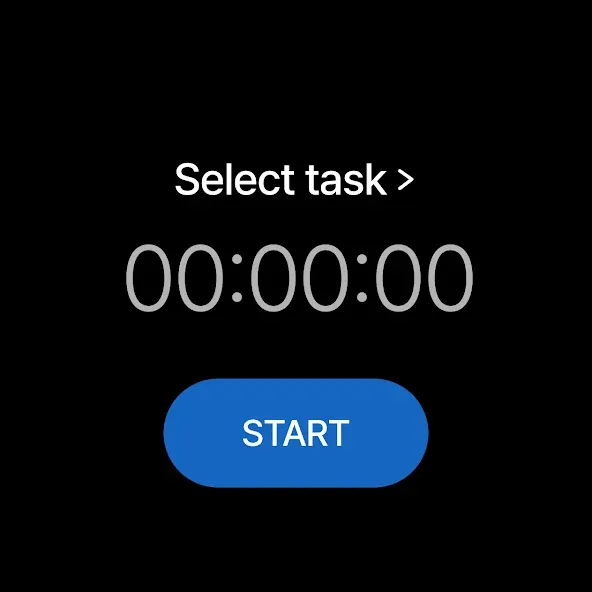
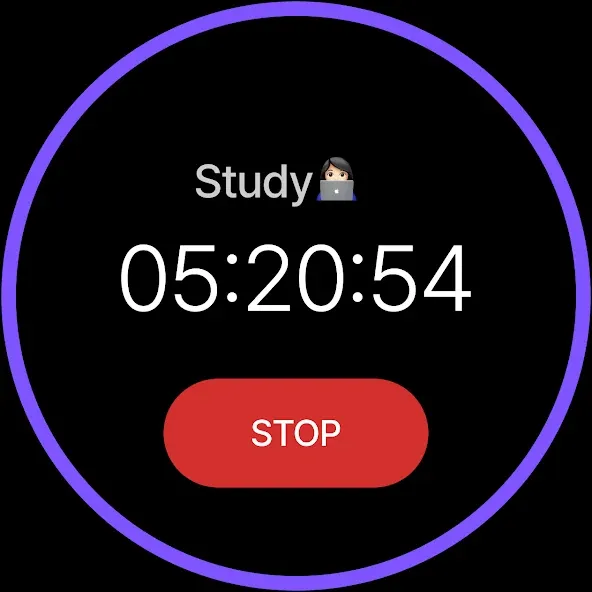
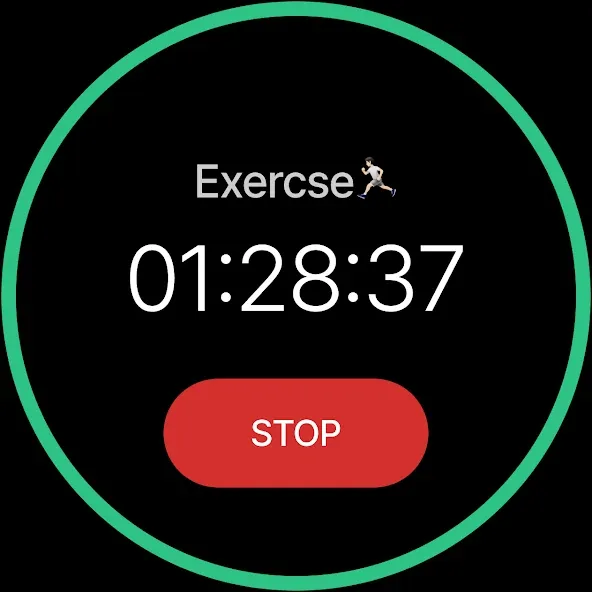
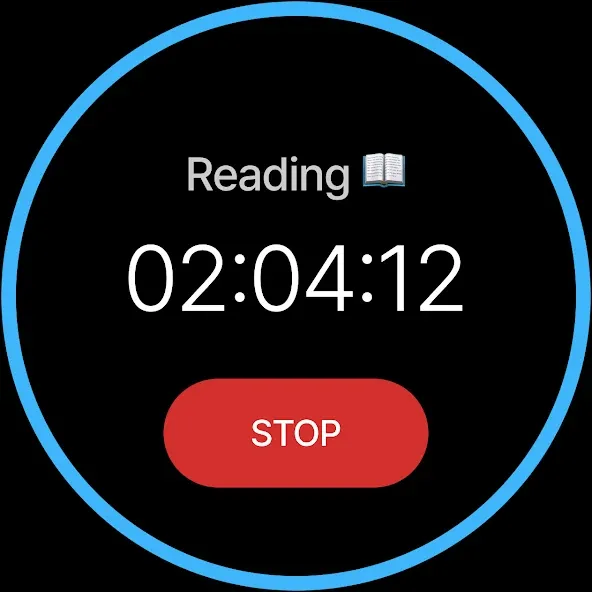
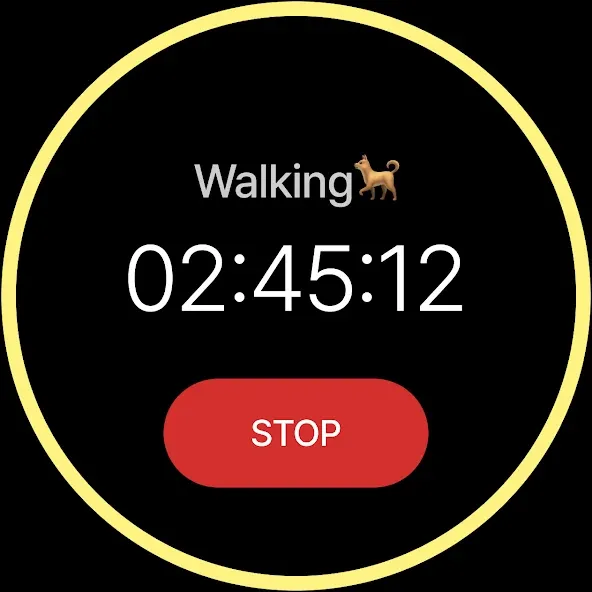
⌚ Dote Timer Wear OS Support!!!
- How to use
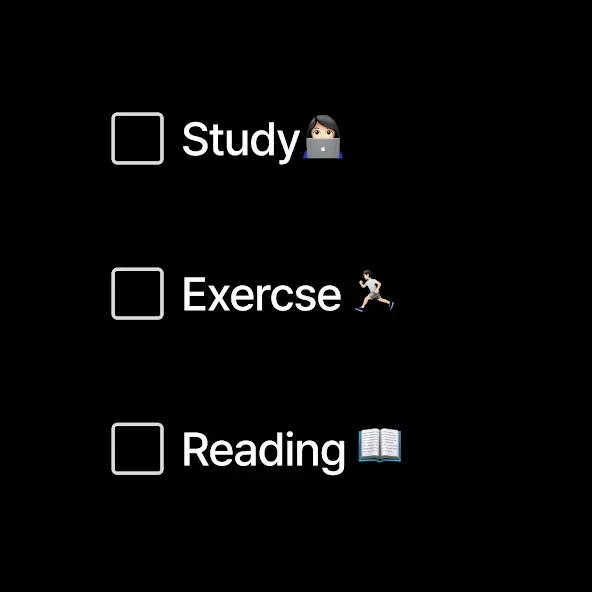
1. Add a task in Dote Timer(mobile phone App).
2. Open the Dote Timer(Watch App) and select a task by pressing the ‘Choose a task’ button.
3. Press the START button to start recording.
4. When the recording is finished, press the STOP button to save the recording and end it.
caution :
1. Watch must be connected to the mobile phone.
2. Dote Timer must be installed on the mobile phone.
* Notice *
First, You need to click To Do List and create category to use this app.
reporting translation errors -> [email protected]
When we try to concentrate on something,
there are so many distractions.
One of the biggest distractions is the smartphone.
You need to focus on the book.
But I find myself looking at the phone.
The plan was to study for 5 hours
But you actually spent only 1 hour on the book?
Dote Timer is the answer!
Let’s start with the special proprietary features of Dote Timer.
First, Dote Timer starts only when you flip the device (screen facing down).
It will automatically stop when you use or move the phone after activating the timer.
Thus, you can concentrate on study or work.
Second, you can compare the plan with
your actual concentration record.
Set up the D-Day of your task.
And categorize it into A, B, or C depending on the importance
to set up a precise plan.
Third, the thickness of color denotes how much you concentrated.
Thus, you can easily find out the days
when you concentrated on your tasks.
Especially the app shows in different colors
the days of concentration and the days you failed to concentrate throughout the year.
So you can compare how you fared yesterday and today
to make your day more productive.
In addition, collect coins by using the timer
and donate them for underserved people.
My accumulated time of concentration is converted into coins.
When they reach a certain threshold,
Dote Planner and Dote Book will be donated to underserved students.
There are also the standings of donation,
Which motivates the users to compete in the donation of coins.
Dote Timer can be set up as desired.
Just focus on what you have to do to contribute to society.
The most efficient time management app for the perfect time allocation.
Download Dote Timer now!
Home Page
https://dotetimer.com/?page_id=5910
Google Play
APP STORE
Advertisement
Taptostore.com is an independent app discovery and editorial review platform. We publish reviews, comparisons, and recommendations designed to help users explore apps and make informed choices.
Download links on Taptostore.com direct users to the relevant official app store or another distribution channel designated by the developer or publisher. App downloads and installations take place through those external platforms.
Our content is developed through product research, editorial analysis, publicly available information, and, where appropriate, an assessment of the app’s features and user experience. Reviews and recommendations represent our editorial judgment at the time of publication.
The security and privacy practices of each app are determined by its developer. Before installing an app, users should review its official store listing, developer information, requested permissions, privacy policy, update history, and recent user feedback.
Taptostore.com does not control or independently certify third-party apps and cannot guarantee their security, reliability, performance, or privacy practices.
Not necessarily. Apps may be free, paid, advertising-supported, or include in-app purchases and recurring subscriptions. Pricing and availability may vary by region, device, platform, and time. Please refer to the relevant official store listing for current terms.
Availability may be affected by geographic restrictions, device compatibility, operating-system requirements, age limitations, store policies, or decisions made by the developer or publisher. These factors are outside the control of Taptostore.com.
Taptostore.com does not operate the apps featured on the website and cannot access their accounts or internal systems. Questions about login credentials, account recovery, technical issues, data deletion, or app functionality should be directed to the relevant developer through its official support channels.
Please do not send passwords, verification codes, recovery credentials, or payment information to Taptostore.com.
App-related payments, subscriptions, cancellations, and refunds are administered by the app store, developer, or payment provider responsible for the transaction. Taptostore.com does not process these transactions and cannot manage subscriptions or issue refunds.
Uninstalling an app may not cancel an active subscription. Users should manage subscriptions through the platform on which the purchase was made.
We make reasonable efforts to publish accurate and useful information. However, app features, pricing, compatibility, availability, and policies may change without notice. For the most current details, users should consult the relevant official store listing or developer documentation.
Unless expressly stated, Taptostore.com is not affiliated with, sponsored by, endorsed by, or officially connected with the developers, publishers, brands, or platforms featured on the website.
Product names, logos, brands, and trademarks belong to their respective owners and are referenced solely for identification and informational purposes.
Advertisement