 Stellarium - Star Map
4.8


Education
Ratings
Downloads
Age
Advertisement
Advertisement
Name
Category
Price
Safety
Developer
Version
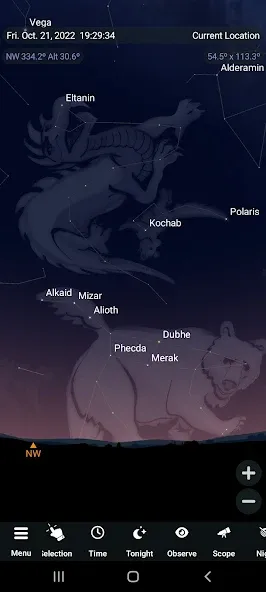
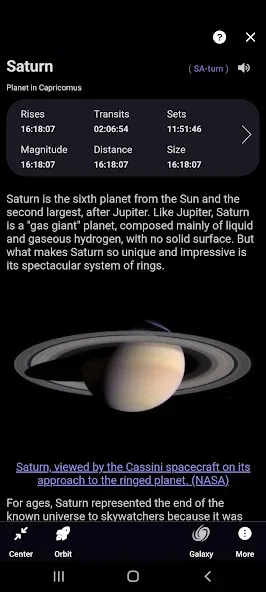
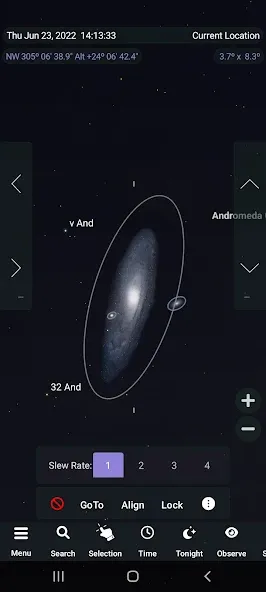
SkySafari makes stargazing a simple pleasure. It has the largest database of any astronomy app, includes every solar system object ever discovered, offers unparalleled accuracy, advanced planning and logging tools, flawless telescope control, and provides the very best experience under the stars when you depend on it. Don’t postpone joy. Discover why SkySafari is the #1 recommended astronomy app for serious amateur astronomers since 2009.
Here’s what’s new in version 7:
+ Complete support for Android 10 and up. Version 7 brings a new and immersive stargazing experience.
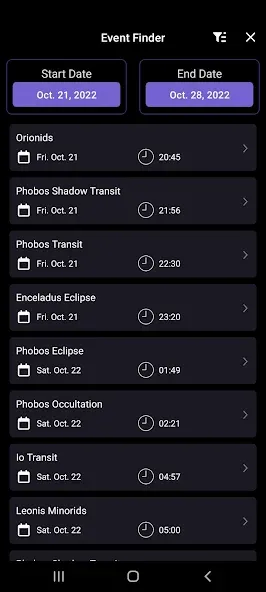
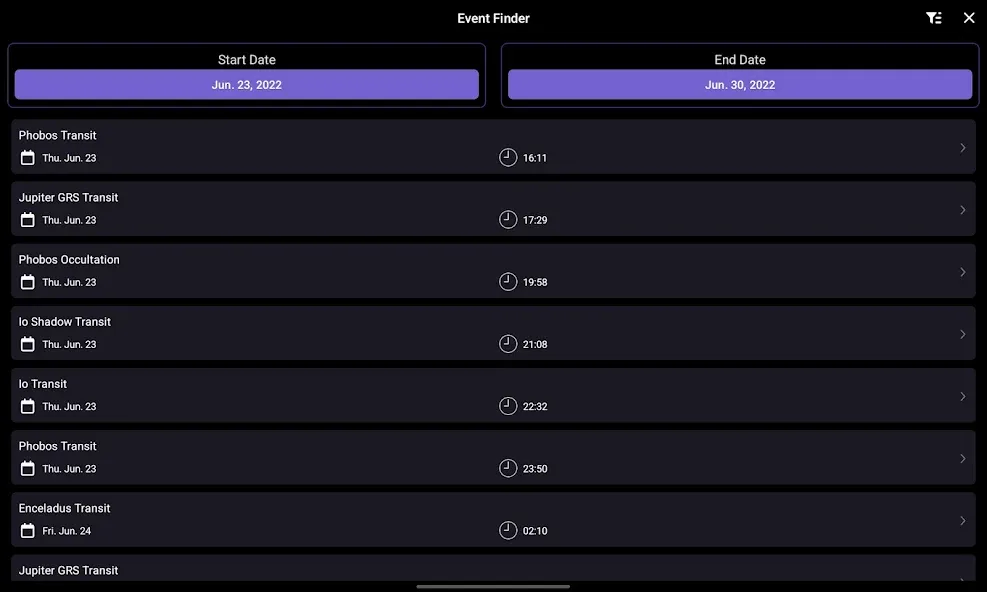
+ Events Finder - go to the new Events section to unlock a powerful search engine that finds astronomical events visible tonight and far into the future. The finder dynamically generates a listing of moon phases, eclipses, planetary moon events, meteor showers and planetary phenomenon such as conjunctions, elongations and oppositions.
+ Notifications - the notifications section has been completely revamped to allow you to customize and manage which events trigger an alert notification on your device.
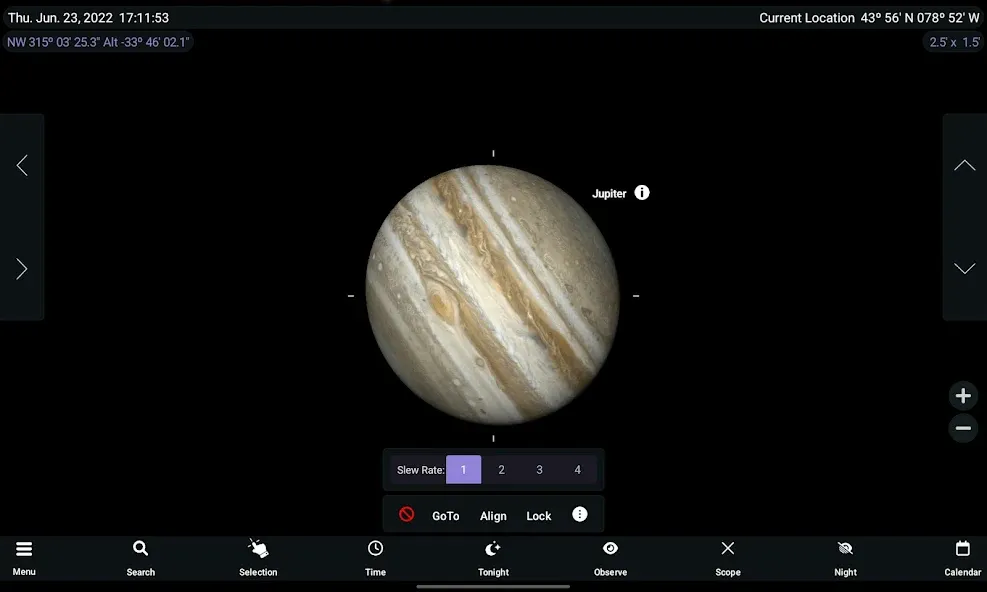
+ Telescope Support - telescope control is at the heart of SkySafari. Version 7 takes a giant leap forward by supporting ASCOM Alpaca and INDI. These next generation control protocols allow you to effortlessly connect to hundreds of compatible astronomical devices.
Stargazing is often done on your own but looking up at the stars reminds us that we are all part of a larger interconnected universe. SkySafari 7 brings social stargazing to mobile devices with two new features to help you connect with other like minded people.
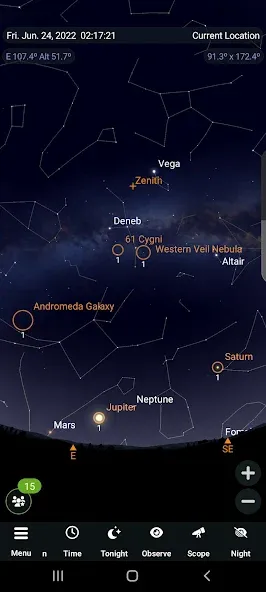
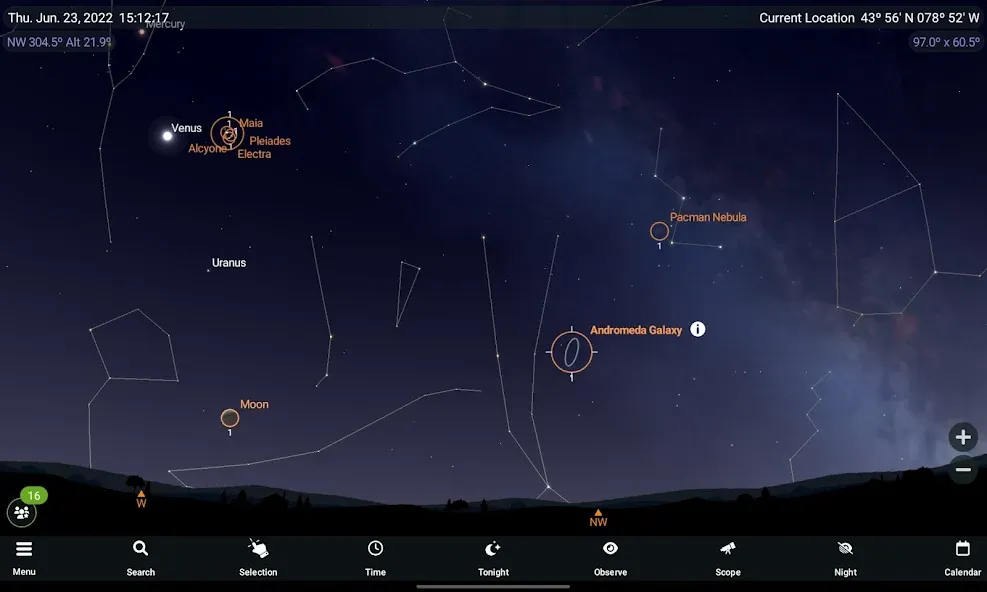
OneSky - allows you to see what other users are observing, in real time. This feature highlights objects in the sky chart and indicates with a number how many users are observing a particular object.
SkyCast - allows you to guide a friend or group around the night sky through their own copy of SkySafari. After initiating SkyCast, you can generate a link and conveniently share it with other SkySafari users via text message, apps or social media accounts.
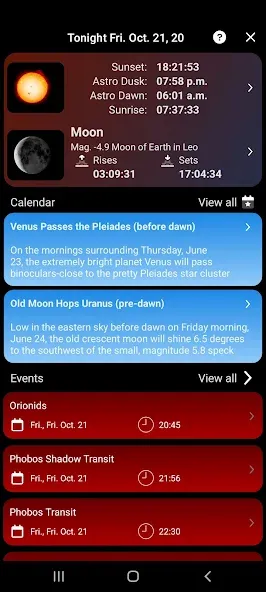
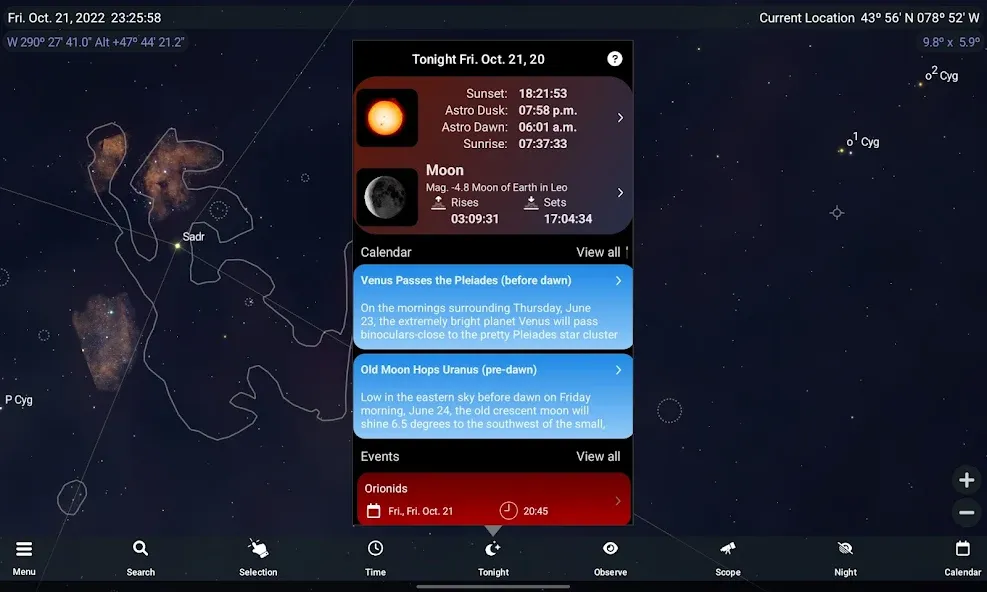
+ Sky Tonight - jump to the new Tonight section to see what’s visible in your sky tonight. Expanded information has been designed to help plan your night and includes Moon & Sun info, calendar curations, events and the best positioned deep sky and solar system objects.
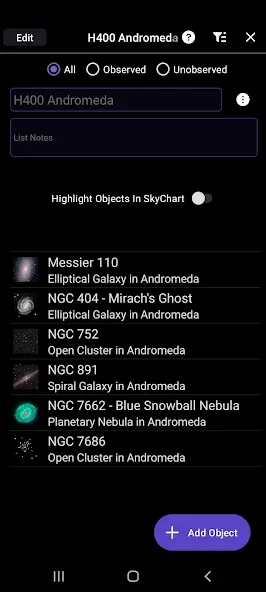
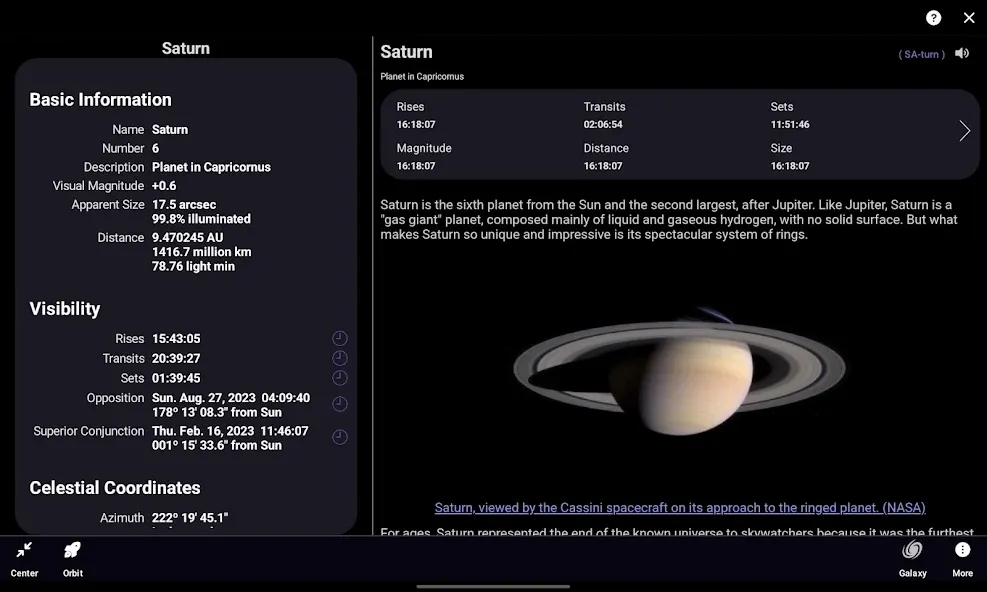
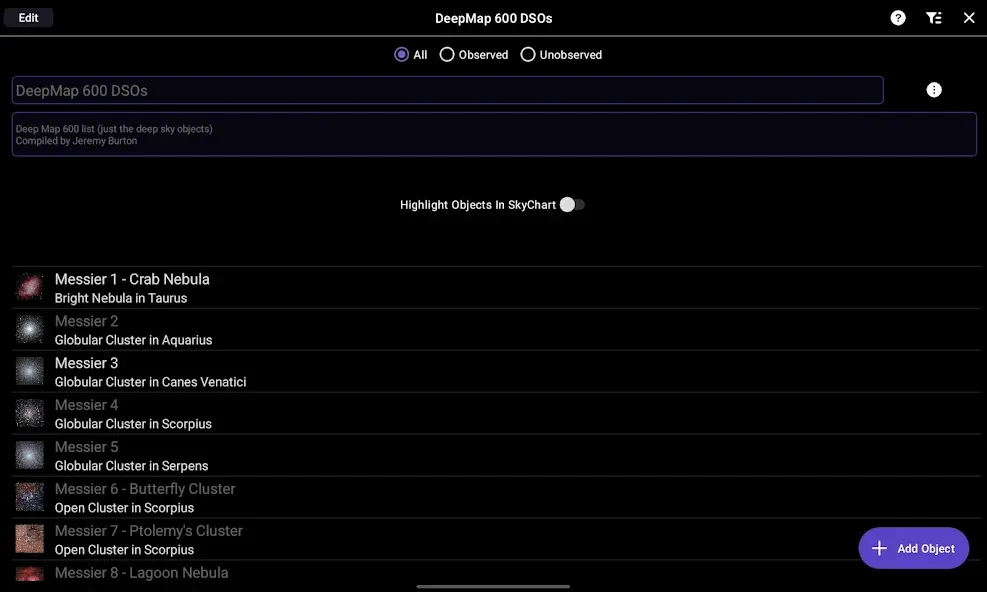
+ Improved Observation Tools - SkySafari is the perfect tool to help you plan, record and organize your observations. New workflows make it easier to add, search, filter and sort data.
The Small Touches:
+ You can now edit the Jupiter GRS Longitude Value in the Settings.
+ Better Moon Age calculation.
+ New grid & reference options allow you to display Solstice and Equinox markers, Orbit + Node markers for all solar system objects, and tick marks and labels for the Ecliptic, Meridian, and Equator reference lines.
+ Previous In-app Purchases are Now Free - this includes the H-R diagram, 3D Galaxy view, and the PGC galaxy and GAIA star catalogs. Enjoy.
+ Many more.
If you haven’t used SkySafari 7 Pro before, here’s what you can do with it:
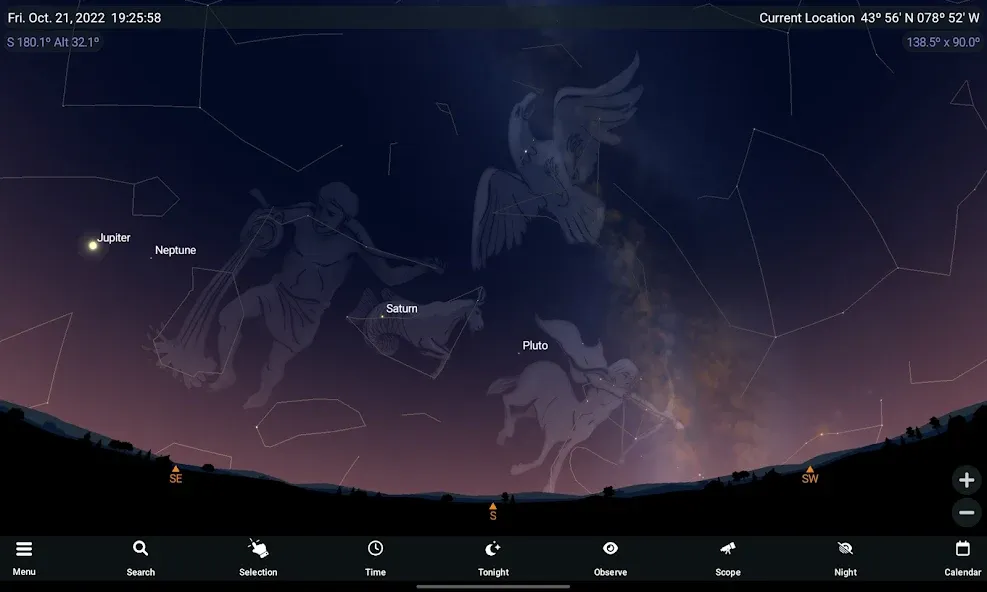
+ Hold your device up, and SkySafari 7 Pro will find stars, constellations, planets, and more! The star chart updates automatically with your movements for the ultimate stargazing experience.
+ Simulate the night sky up to 100,000 years in the past or future! Animate meteor showers, conjunctions, eclipses, and other celestial events.
+ Control your telescope, log and plan your observations.
+ Optionally backup all of your observing data in our secure cloud storage and make it easily accessible to multiple devices as well as from our new web interface, LiveSky.com.
+ Night Mode turns the screen red to preserve your eye’s ability to see faint objects.
+ Orbit Mode. Leave the Earth’s surface behind, and fly through our solar system.
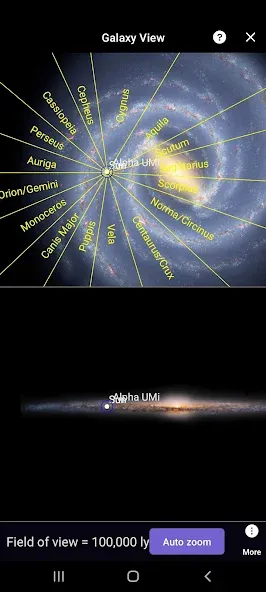
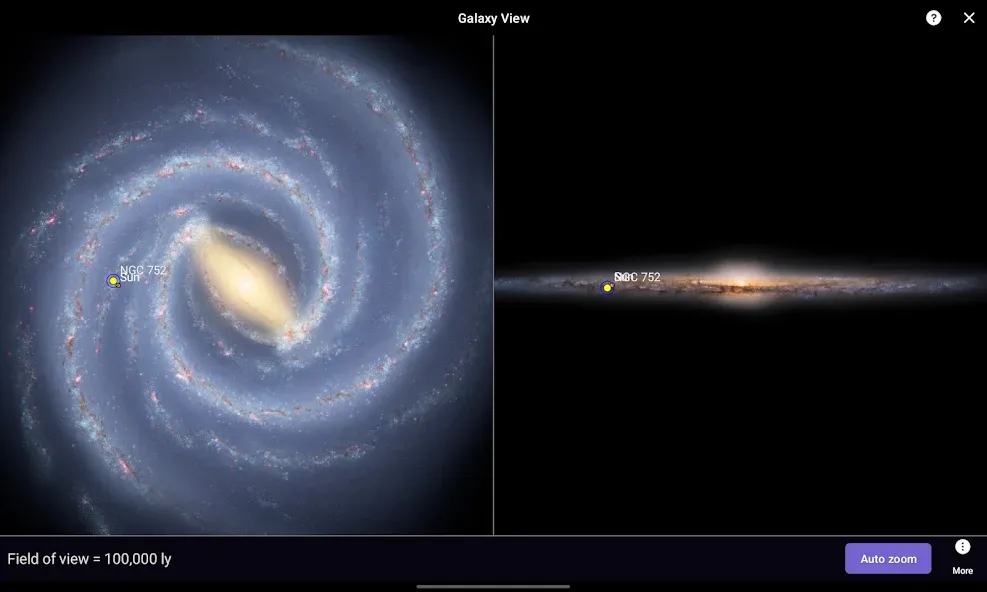
+ Galaxy View shows the position of deep sky objects in our Milky Way!
+ Much more!
Google Play
APP STORE
Advertisement
Taptostore.com is an independent app discovery and editorial review platform. We publish reviews, comparisons, and recommendations designed to help users explore apps and make informed choices.
Download links on Taptostore.com direct users to the relevant official app store or another distribution channel designated by the developer or publisher. App downloads and installations take place through those external platforms.
Our content is developed through product research, editorial analysis, publicly available information, and, where appropriate, an assessment of the app’s features and user experience. Reviews and recommendations represent our editorial judgment at the time of publication.
The security and privacy practices of each app are determined by its developer. Before installing an app, users should review its official store listing, developer information, requested permissions, privacy policy, update history, and recent user feedback.
Taptostore.com does not control or independently certify third-party apps and cannot guarantee their security, reliability, performance, or privacy practices.
Not necessarily. Apps may be free, paid, advertising-supported, or include in-app purchases and recurring subscriptions. Pricing and availability may vary by region, device, platform, and time. Please refer to the relevant official store listing for current terms.
Availability may be affected by geographic restrictions, device compatibility, operating-system requirements, age limitations, store policies, or decisions made by the developer or publisher. These factors are outside the control of Taptostore.com.
Taptostore.com does not operate the apps featured on the website and cannot access their accounts or internal systems. Questions about login credentials, account recovery, technical issues, data deletion, or app functionality should be directed to the relevant developer through its official support channels.
Please do not send passwords, verification codes, recovery credentials, or payment information to Taptostore.com.
App-related payments, subscriptions, cancellations, and refunds are administered by the app store, developer, or payment provider responsible for the transaction. Taptostore.com does not process these transactions and cannot manage subscriptions or issue refunds.
Uninstalling an app may not cancel an active subscription. Users should manage subscriptions through the platform on which the purchase was made.
We make reasonable efforts to publish accurate and useful information. However, app features, pricing, compatibility, availability, and policies may change without notice. For the most current details, users should consult the relevant official store listing or developer documentation.
Unless expressly stated, Taptostore.com is not affiliated with, sponsored by, endorsed by, or officially connected with the developers, publishers, brands, or platforms featured on the website.
Product names, logos, brands, and trademarks belong to their respective owners and are referenced solely for identification and informational purposes.
Advertisement