 Screen Recorder: Facecam Audio
4.4

Tools
Ratings
Downloads
Age
Advertisement
Advertisement
⬛ Came here to get rid of that annoying black screen?
🚫 Bad news: we’re powerless, and you’ll be keeping it.
We capture the very same screenshot your phone does — so wherever you already get a black screen, our outcome will be exactly the same.
Screenshot protection can’t be bypassed. Not by us, not by any app out there. No magic tricks, no exceptions.
So no, we can’t rescue your screenshot from:
❌ Streaming and video subscription apps
❌ Banking and payment apps
❌ Secret or disappearing chats that block screenshots
❌ Anything that already turns black when you try to capture it
✅ WHAT IT’S PERFECT FOR
👉 Photo-messaging and social apps
👉 Save snaps, stories and chat photos privately
👉 Keep moments that would otherwise disappear
❓ HOW IT KEEPS THINGS PRIVATE
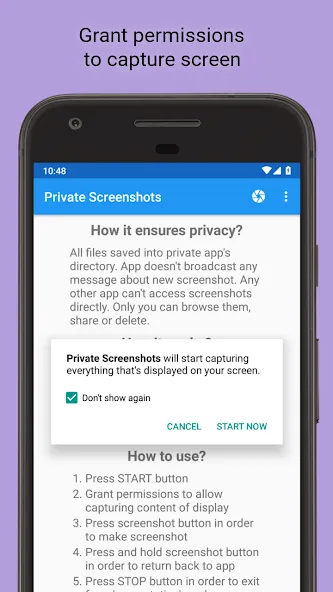
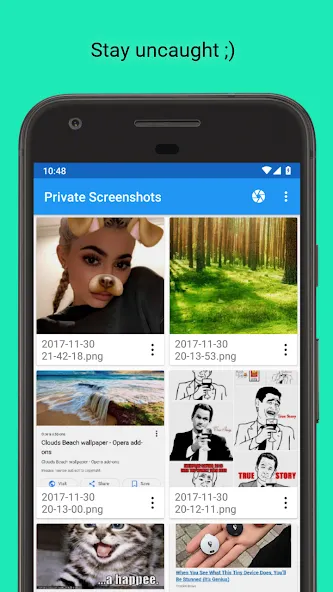
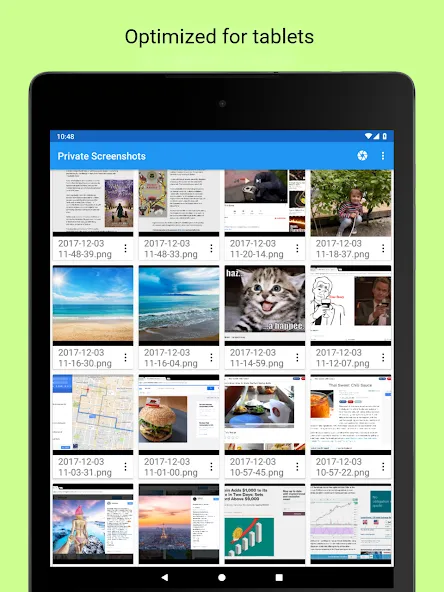
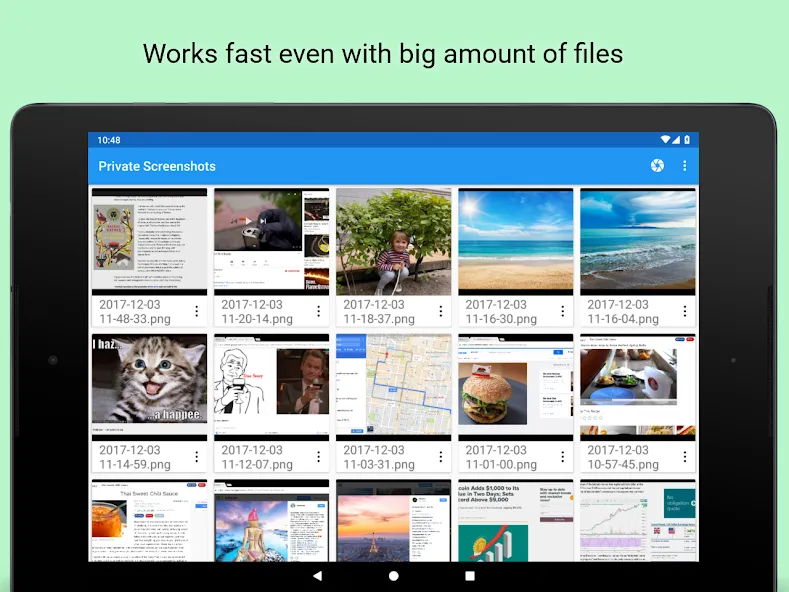
🔒 Screenshots are stored in a hidden folder inside the app
👻 Your gallery and other apps can’t see them
🗄️ Nothing is uploaded, files never leave your device
☺️ Only you can view, share or delete them
❓ HOW IT WORKS
The app captures the current screen and saves it into a private file.
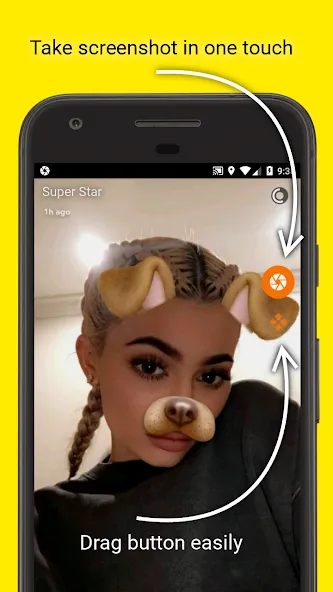
A small floating shutter button lets you capture any screen with a single tap.
1️⃣ Press START and grant all the permissions needed
2️⃣ Tap the floating shutter button to take a screenshot
3️⃣ Press STOP when you’re done
🔐 PERMISSIONS
Required:
- Notifications — an ongoing notification shows that capture is active; tap it to stop.
- Display over other apps — draws the floating shutter button.
Optional:
- Screen recording — a common way to capture the screen; confirmed in a system dialog on every start.
- Accessibility service — an alternative way to take a screenshot: a longer one-time setup, but every start after that is faster; see details below.
- Camera — an extra feature: shoot photos and keep them inside the app.
- Storage — only when you export a file to your gallery.
ℹ️ HOW THIS APP USES THE ACCESSIBILITY SERVICE
The app can use the accessibility service as an optional alternative way to take a screenshot — and for nothing else.
Why: screen recording has to be confirmed on every start. The accessibility service is enabled once, so every start after that is faster.
What it does: it calls one system function that takes a screenshot, only when you ask for it. It does not request access to window content, does not read the screen or what you type, does not observe your actions and changes nothing on your device.
What is collected: nothing. Screenshots go to the app’s private folder and no data is sent anywhere.
Your choice: the app asks for your explicit consent; you can decline and keep using the app without it. You can turn it off at any time in the app settings or in Android Settings → Accessibility.
😎 MORE THAN JUST SCREENSHOTS
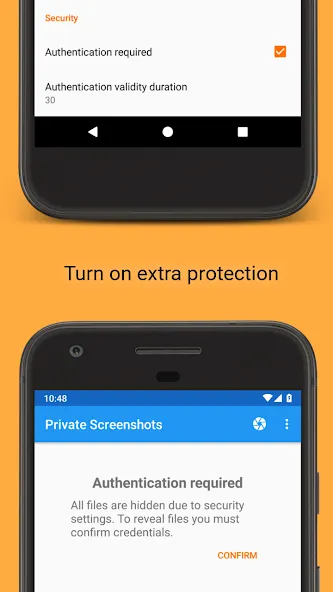
🔒 App lock — protect your screenshots with your fingerprint or device PIN
🫥 Blur previews — hide a thumbnail from a quick glance over your shoulder
📝 Notes — attach a text note to any screenshot
🔎 Search — find screenshots by note or by date
📳 Shake to capture — take a screenshot just by shaking your phone (handy when a finger is busy holding a story)
🖼️ Move to gallery anytime — “reveal” a screenshot into your normal gallery when you choose
💻 Transfer to PC over your local Wi-Fi (for advanced users)
Reminder: Private Screenshots keeps YOUR OWN screenshots private. It does not, and cannot, defeat other apps’ screenshot protection.
Google Play
APP STORE
Advertisement
Taptostore.com is an independent app discovery and editorial review platform. We publish reviews, comparisons, and recommendations designed to help users explore apps and make informed choices.
Download links on Taptostore.com direct users to the relevant official app store or another distribution channel designated by the developer or publisher. App downloads and installations take place through those external platforms.
Our content is developed through product research, editorial analysis, publicly available information, and, where appropriate, an assessment of the app’s features and user experience. Reviews and recommendations represent our editorial judgment at the time of publication.
The security and privacy practices of each app are determined by its developer. Before installing an app, users should review its official store listing, developer information, requested permissions, privacy policy, update history, and recent user feedback.
Taptostore.com does not control or independently certify third-party apps and cannot guarantee their security, reliability, performance, or privacy practices.
Not necessarily. Apps may be free, paid, advertising-supported, or include in-app purchases and recurring subscriptions. Pricing and availability may vary by region, device, platform, and time. Please refer to the relevant official store listing for current terms.
Availability may be affected by geographic restrictions, device compatibility, operating-system requirements, age limitations, store policies, or decisions made by the developer or publisher. These factors are outside the control of Taptostore.com.
Taptostore.com does not operate the apps featured on the website and cannot access their accounts or internal systems. Questions about login credentials, account recovery, technical issues, data deletion, or app functionality should be directed to the relevant developer through its official support channels.
Please do not send passwords, verification codes, recovery credentials, or payment information to Taptostore.com.
App-related payments, subscriptions, cancellations, and refunds are administered by the app store, developer, or payment provider responsible for the transaction. Taptostore.com does not process these transactions and cannot manage subscriptions or issue refunds.
Uninstalling an app may not cancel an active subscription. Users should manage subscriptions through the platform on which the purchase was made.
We make reasonable efforts to publish accurate and useful information. However, app features, pricing, compatibility, availability, and policies may change without notice. For the most current details, users should consult the relevant official store listing or developer documentation.
Unless expressly stated, Taptostore.com is not affiliated with, sponsored by, endorsed by, or officially connected with the developers, publishers, brands, or platforms featured on the website.
Product names, logos, brands, and trademarks belong to their respective owners and are referenced solely for identification and informational purposes.
Advertisement