 FAX App: Send Faxes from Phone
4.5

Productivity
Ratings
Downloads
Age
Advertisement
Advertisement
Name
Category
Price
Safety
Developer
Version
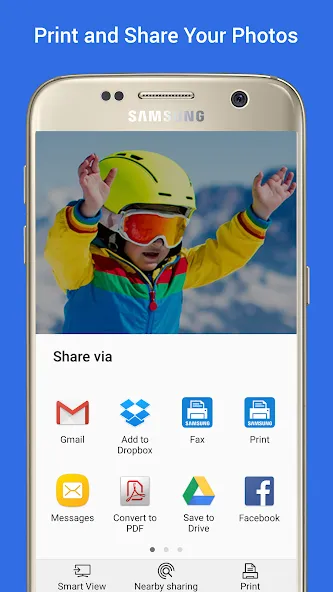
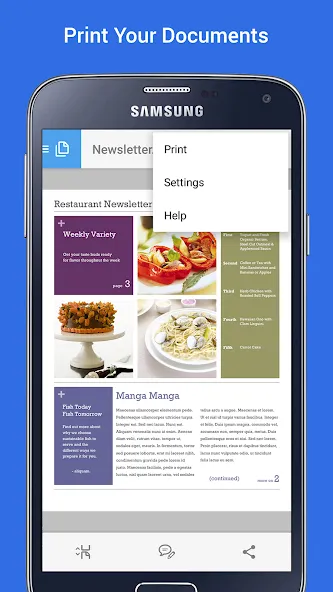
Easily print photos, web pages and documents without downloading any additional apps or printing tools.
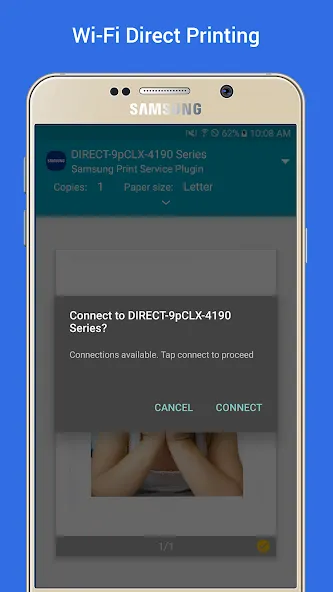
Allows you to share your life’s printable moments and stay productive at home, at work or while on the go.
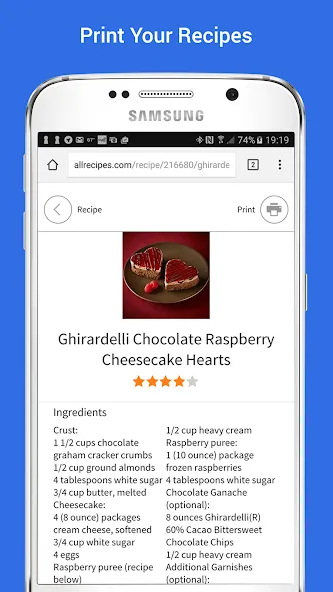
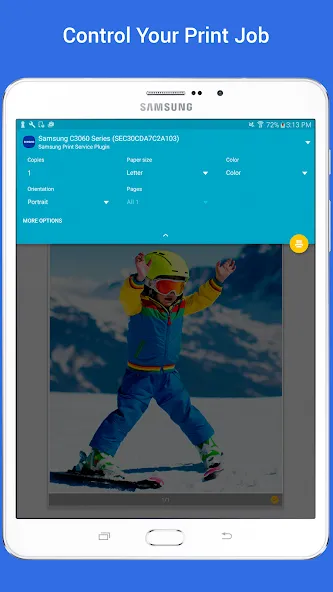
The Samsung Print Service is a system tool that enables wireless printing to Samsung printers and many other printer brands by integrating Mopria technology. Nearly all new printers sold today by Brother, Canon, Dell, Epson, Fuji Xerox, HP, Konica Minolta, Kyocera, Lexmark, Pantum, Ricoh, Samsung, Sharp, Toshiba and Xerox are Mopria-certified to make it easy to print your photos, web pages, documents, coupons, recipes and files from your favorite apps. You can even control print settings including color, number of copies, paper orientation and double-sided printing.
If you own a Samsung Galaxy phone, this system tool is already pre-installed. For any Android phone or tablet running KitKat (4.4) or higher, installing this plug-in will enable easy mobile printing from your device.
PHONE AND TABLET COMPATIBILITY
Samsung Galaxy Phones/Tablets – The Samsung Print Service plug-in is pre-installed on S4, S5, S6, S7 and many other Samsung phones & tablets. This plug-in cannot be uninstalled or moved to a SD card. When plug-in updates are available your device will notify you. Please adjust your settings to automatically update this plug‐in, or accept updates manually. For any other Galaxy phone or tablet where this Plug-in is not pre-installed, it can be downloaded and installed as long as the Samsung device is running Android KitKat (4.4) or later.
Other Android Phones/Tablets – The Samsung Print Service will work with any device with Android KitKat (4.4) or later. KitKat was the first version of Android that included the “Android Print Framework” which allows an Android App to access a built-in printing system. When updates are available for the Samsung Print Service, your device will notify you.
APPS SUPPORTING PRINT
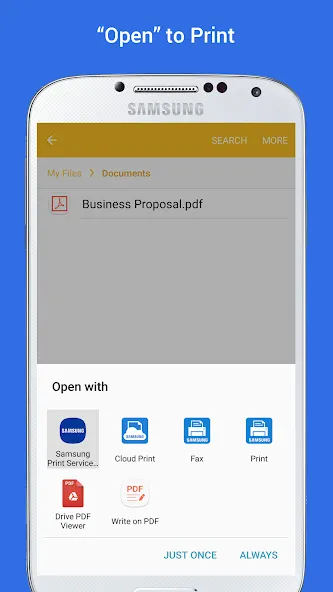
Check to see if your Android App supports printing by looking for a print icon, checking the App’s menu option (three dots, three lines or “More” menu) or using the “Share” function.
Some everyday apps that support printing include Gallery, Photos, Chrome, Gmail, Box, Dropbox, Google Drive, Adobe Reader, Microsoft Excel, Word and PowerPoint.
Many more apps have enabled print or allow you to share to the Samsung Print Service.
TURNING ON THE SAMSUNG PRINT SERVICE
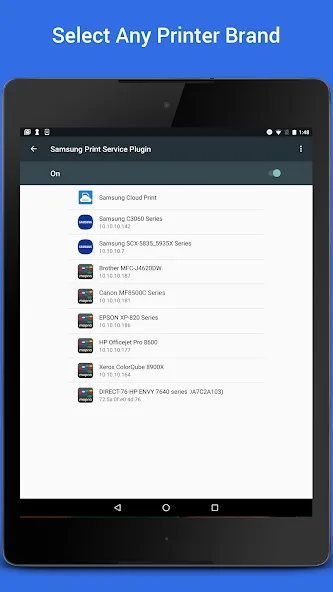
If you are unable to locate any printers, you may need to enable the Samsung Print Service.
Go to your device “Settings” and search for “Printing” to locate the Samsung Print Service. Then toggle the switch from “Off” to “On”.
SUPPORTED PRINTERS
Brother, Canon, Dell, Epson, Fuji Xerox, HP, Konica Minolta, Kyocera, Lexmark, Pantum, Ricoh, Sharp, Toshiba and Xerox branded printers are supported. However not all models are Mopria-certified.
See http://mopria.org/certified-products to check whether your printer model is supported.
Samsung Printers
M2020/2070/283x/288x/262x/282x/267x/287x/4370/5370/4580/5270/4530/403x/408x/
301x/306x/5360 Series
C410/460/420/470/430/480/1810/1860/2620/2670/268x/140x/145x/4820/3010/3060/3
51x/401x/406x Series
CLP-300/31x/32x/350/360/610/620/660/670/680/770/775 Series
CLX-216x/316x/317x/318x/838x/854x/9252/9352/92x1/93x1 Series
ML-1865W/2150/2160/2165/2250/2525/257x/2580/285x/2950/305x/3300/347x/331x/37
1x/405x/455x/551x/651x Series
SCX-1490/2000/320x/340x/4623/4x21/4x24/4x26/4x28/470x/472x/4x33/5x35/5x37/65
45/6555/8030/8040/8123/8128 Series
SF-650, SF-760 Series
SL-J1760/2920/2960/3520/3560/5520/5560 Series
Google Play
APP STORE
Advertisement
Taptostore.com is an independent app discovery and editorial review platform. We publish reviews, comparisons, and recommendations designed to help users explore apps and make informed choices.
Download links on Taptostore.com direct users to the relevant official app store or another distribution channel designated by the developer or publisher. App downloads and installations take place through those external platforms.
Our content is developed through product research, editorial analysis, publicly available information, and, where appropriate, an assessment of the app’s features and user experience. Reviews and recommendations represent our editorial judgment at the time of publication.
The security and privacy practices of each app are determined by its developer. Before installing an app, users should review its official store listing, developer information, requested permissions, privacy policy, update history, and recent user feedback.
Taptostore.com does not control or independently certify third-party apps and cannot guarantee their security, reliability, performance, or privacy practices.
Not necessarily. Apps may be free, paid, advertising-supported, or include in-app purchases and recurring subscriptions. Pricing and availability may vary by region, device, platform, and time. Please refer to the relevant official store listing for current terms.
Availability may be affected by geographic restrictions, device compatibility, operating-system requirements, age limitations, store policies, or decisions made by the developer or publisher. These factors are outside the control of Taptostore.com.
Taptostore.com does not operate the apps featured on the website and cannot access their accounts or internal systems. Questions about login credentials, account recovery, technical issues, data deletion, or app functionality should be directed to the relevant developer through its official support channels.
Please do not send passwords, verification codes, recovery credentials, or payment information to Taptostore.com.
App-related payments, subscriptions, cancellations, and refunds are administered by the app store, developer, or payment provider responsible for the transaction. Taptostore.com does not process these transactions and cannot manage subscriptions or issue refunds.
Uninstalling an app may not cancel an active subscription. Users should manage subscriptions through the platform on which the purchase was made.
We make reasonable efforts to publish accurate and useful information. However, app features, pricing, compatibility, availability, and policies may change without notice. For the most current details, users should consult the relevant official store listing or developer documentation.
Unless expressly stated, Taptostore.com is not affiliated with, sponsored by, endorsed by, or officially connected with the developers, publishers, brands, or platforms featured on the website.
Product names, logos, brands, and trademarks belong to their respective owners and are referenced solely for identification and informational purposes.
Advertisement