 Pi Music Player: Offline Music
4.7


Music & Audio
Ratings
Downloads
Age
Advertisement
Advertisement
Name
Category
Price
Safety
Developer
Version
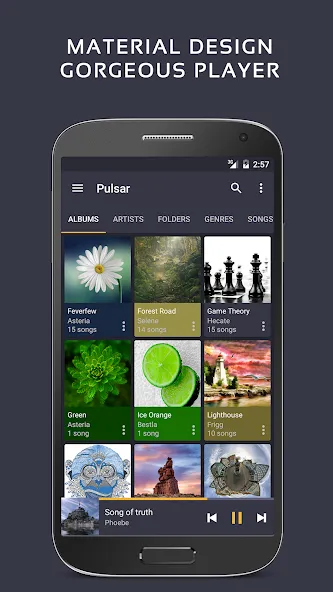
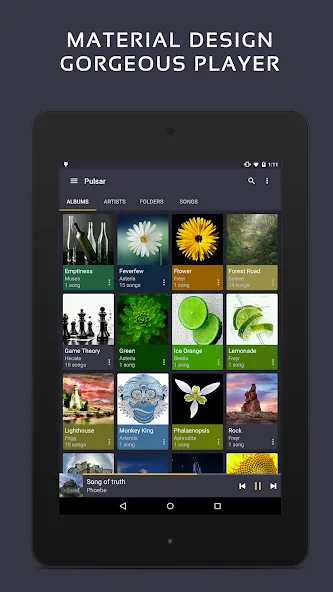
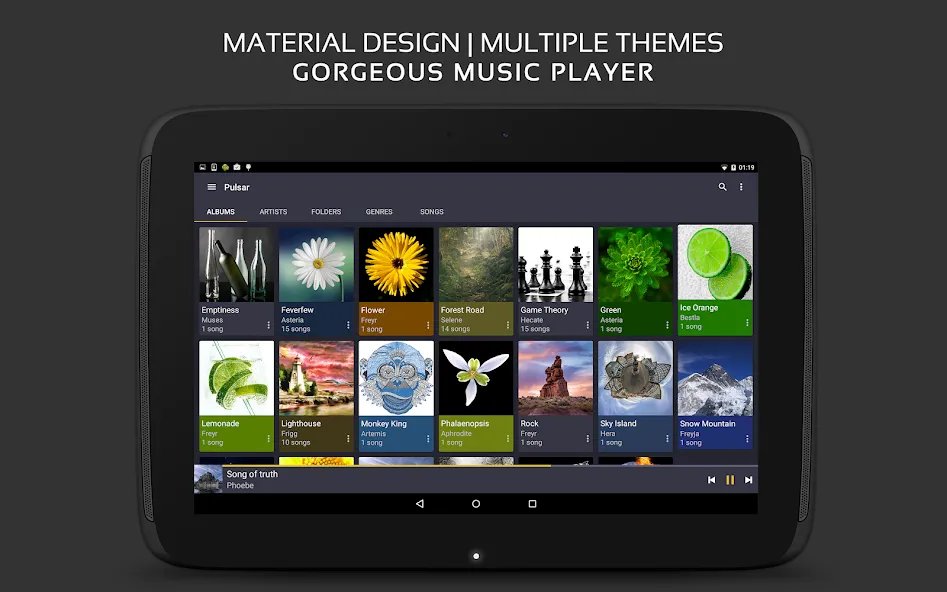
Pulsar Music Player has long been one of the best music players on Android. It is an offline audio player without advertisements. Its gorgeous user interface matches every single detail of the material design guidelines.
Pulsar contains almost every necessary feature to fulfill all of your musical needs including: gapless playback, lyrics display, crossfade, play speed adjustment, tag editing, last.fm scrobbling, Chromecast, voice command, Android Auto, equalizer, music visualizer, audio balance, ReplayGain, sleep timer, etc.
Pulsar is the ultimate music player on Android, with millions of downloads.
Key Features:
✓ Gorgeous user interface and animation with material design.
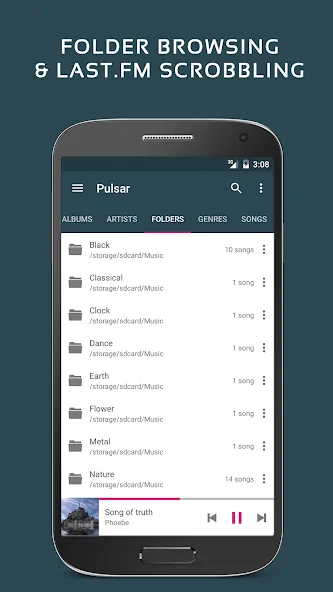
✓ Manage and play music by album, artist, folder, and genre.
✓ Smart playlists with most played, recently played, and newly added tracks.
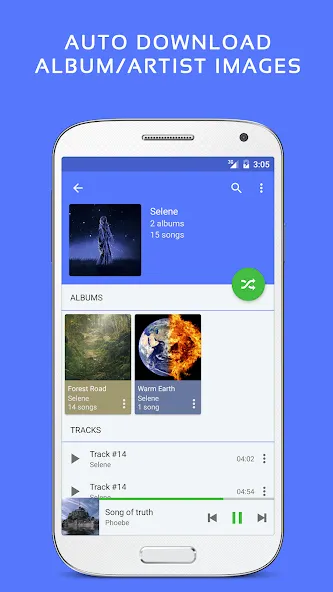
✓ Automatic sync missing album/artist images.
✓ Fast search across albums, artists, and songs.
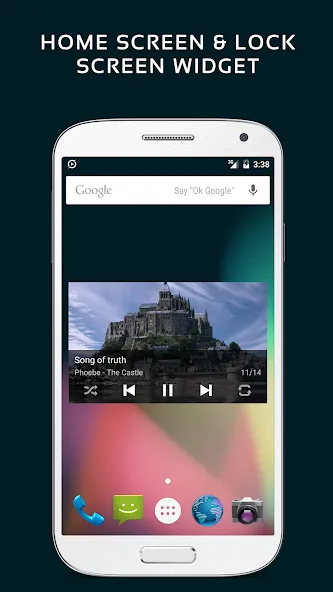
✓ Resizable home screen widget.
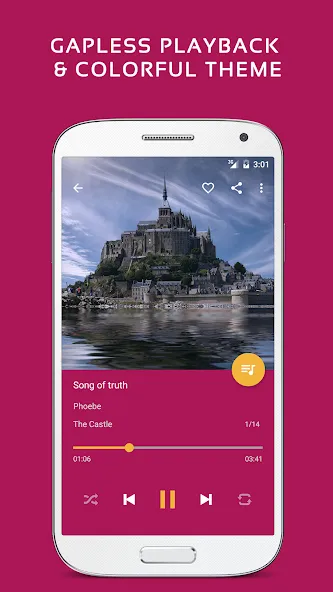
✓ Gapless playback support.
✓ Play speed adjustment.
✓ Crossfade support.
✓ Replay gain volume normalization.
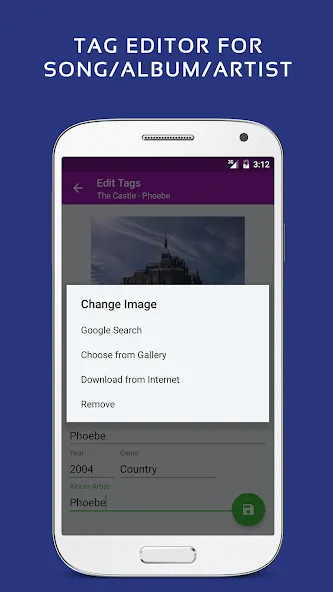
✓ Built-in metadata tag editor (mp3 and more).
✓ Display lyrics (embedded and lrc file).
✓ Music visualizer rendering.
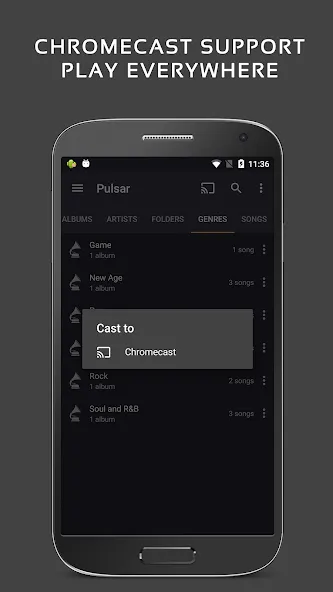
✓ Chromecast (Google Cast) support.
✓ Google voice commands support.
✓ Android Auto support.
✓ Disable car auto play on Bluetooth.
✓ Sound balance adjustment.
✓ Last.fm scrobbling.
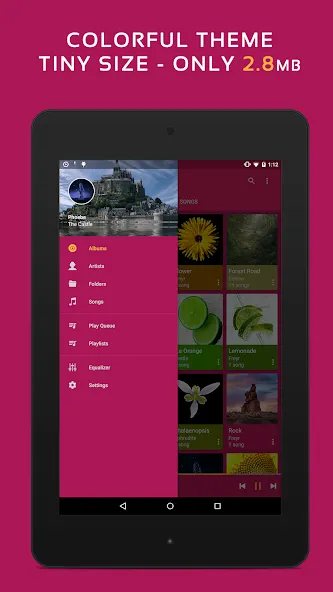
✓ Various colorful themes.
✓ Free of advertisements.
✓ Sleep timer.
Pulsar Paid Version Vs. Free Version:
Pulsar Music Player Pro is the premium version of Pulsar, which contains the following additional features:
✓ 16 extra themes.
✓ Theme customization.
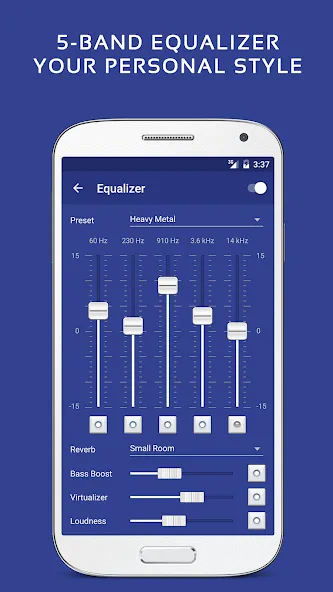
✓ 5-band equalizer controller.
✓ 9 pre-built equalizer presets.
✓ Bass booster, reverb and more.
Pulsar supports standard music file types including mp3, aac, flac, ogg, wav and etc.
If you cannot find your music in Pulsar, please click the “rescan library” menu item from the action bar to rescan your device.
The Pulsar music app has a complete online user manual, click here:
https://rhmsoft.com/pulsar/help/help.html
If you can help to translate this mp3 music player to your native language, or there is any mistake in current translation, please contact our email: [email protected].
If you run into any issues or have any suggestions while using this mp3 music player, please feel free to contact us: [email protected].
You can also share your comments to the Pulsar thread on xda-developers:
http://forum.xda-developers.com/android/apps-games/app-pulsar-music-player-t3197336
Thanks for using Pulsar Music Player!
Album and artist images used in the screenshots are licensed under Public Domain License:
https://creativecommons.org/publicdomain/zero/1.0/
Google Play
APP STORE
Advertisement
Taptostore.com is an independent app discovery and editorial review platform. We publish reviews, comparisons, and recommendations designed to help users explore apps and make informed choices.
Download links on Taptostore.com direct users to the relevant official app store or another distribution channel designated by the developer or publisher. App downloads and installations take place through those external platforms.
Our content is developed through product research, editorial analysis, publicly available information, and, where appropriate, an assessment of the app’s features and user experience. Reviews and recommendations represent our editorial judgment at the time of publication.
The security and privacy practices of each app are determined by its developer. Before installing an app, users should review its official store listing, developer information, requested permissions, privacy policy, update history, and recent user feedback.
Taptostore.com does not control or independently certify third-party apps and cannot guarantee their security, reliability, performance, or privacy practices.
Not necessarily. Apps may be free, paid, advertising-supported, or include in-app purchases and recurring subscriptions. Pricing and availability may vary by region, device, platform, and time. Please refer to the relevant official store listing for current terms.
Availability may be affected by geographic restrictions, device compatibility, operating-system requirements, age limitations, store policies, or decisions made by the developer or publisher. These factors are outside the control of Taptostore.com.
Taptostore.com does not operate the apps featured on the website and cannot access their accounts or internal systems. Questions about login credentials, account recovery, technical issues, data deletion, or app functionality should be directed to the relevant developer through its official support channels.
Please do not send passwords, verification codes, recovery credentials, or payment information to Taptostore.com.
App-related payments, subscriptions, cancellations, and refunds are administered by the app store, developer, or payment provider responsible for the transaction. Taptostore.com does not process these transactions and cannot manage subscriptions or issue refunds.
Uninstalling an app may not cancel an active subscription. Users should manage subscriptions through the platform on which the purchase was made.
We make reasonable efforts to publish accurate and useful information. However, app features, pricing, compatibility, availability, and policies may change without notice. For the most current details, users should consult the relevant official store listing or developer documentation.
Unless expressly stated, Taptostore.com is not affiliated with, sponsored by, endorsed by, or officially connected with the developers, publishers, brands, or platforms featured on the website.
Product names, logos, brands, and trademarks belong to their respective owners and are referenced solely for identification and informational purposes.
Advertisement