 Screen Recorder - XRecorder
4.7


Video Players & Editors
Ratings
Downloads
Age
Advertisement
Advertisement
Name
Category
Price
Safety
Developer
Version
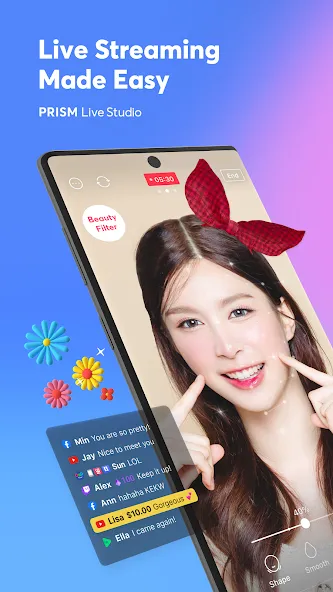
PRISM Live Studio is a live streaming tool app that supports camera live, game casting, and VTubing broadcasts. Enhance your streams with various effects, videos, images, and music to deliver a unique and engaging experience for your viewers.
[Main features]
• Choose Your Live Mode
Start your live broadcast with Camera, Screen, or VTuber modes. Stream using your smartphone camera, share your gameplay, or dive into VTubing.
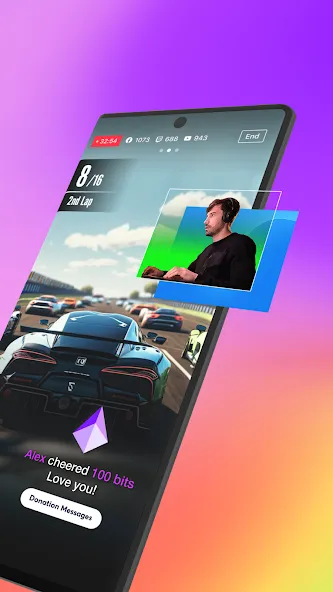
• Screencast Broadcasts
Share your mobile screen or gameplay with your viewers in real-time. We offer various options tailored for screen broadcasting.
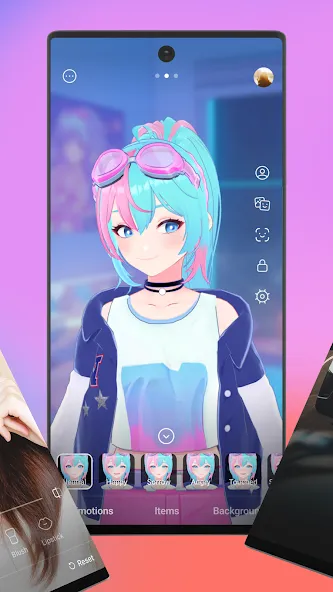
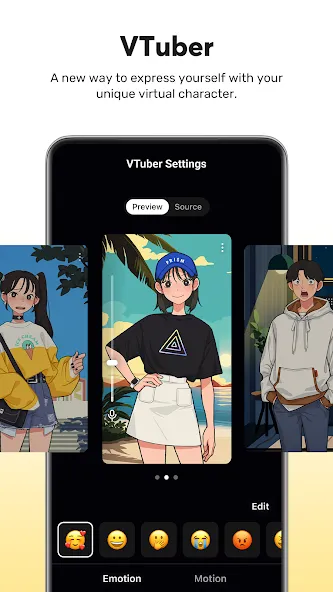
• VTuber Broadcasts
Begin your VTubing journey with just your smartphone! Use custom avatars or the 2D and 3D VRM avatars provided by the PRISM app.
• Login-Based Account Integration
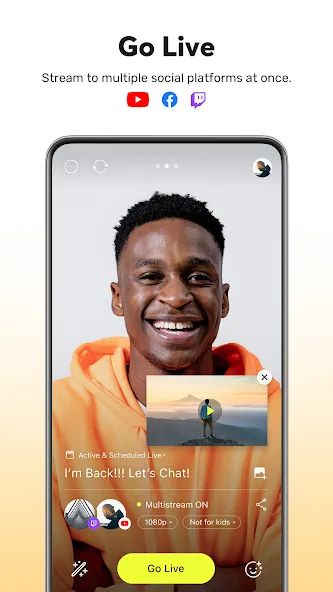
Easily link your accounts to YouTube, Facebook, Twitch, and BAND with just a login.
• Real-Time Interaction with Viewers
Use the PRISM chat widget to seamlessly view and share viewer chats on your streaming screen. Highlight key messages to display them prominently.
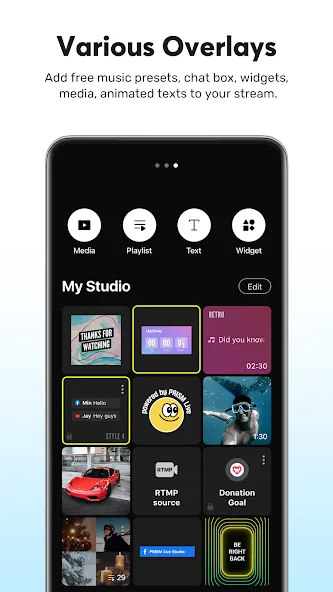
• Media Overlay
Enhance your broadcast with photos, videos, music, and playlists via My Studio, and share them with your audience.
• Web Widgets
Overlay web pages onto your live stream simply by entering a URL. Perfect for integrating support widgets.
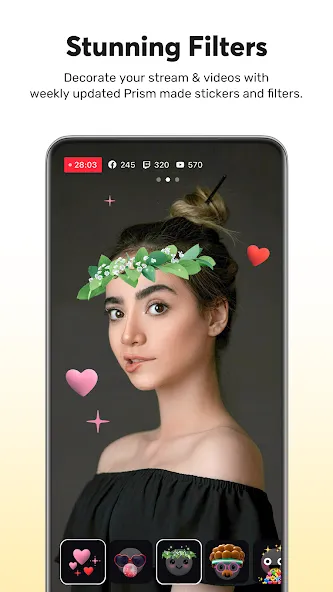
• Beauty Effects
Our advanced beauty features automatically enhance your appearance for a natural, polished look.
• Animated Text Effects
Elevate your live streams with animated text themes including Title, Social, Caption, and Element for dynamic overlays.
• Camera Effects
Add personality to your stream with fun masks, background filters, touch reactions, and emotion filters for more engaging broadcasts.
• Background Music
Choose from five unique music themes—Playful, Sentimental, Action, Beatdrop, and Retro—provided by the PRISM app.
• High-Quality Live Streaming in 1080p 60fps
Stream in high resolution with 1080p at 60fps. (Availability depends on your device and environment.)
• Multi-Channel Simulcasting
Stream your broadcast to multiple platforms simultaneously without extra network usage.
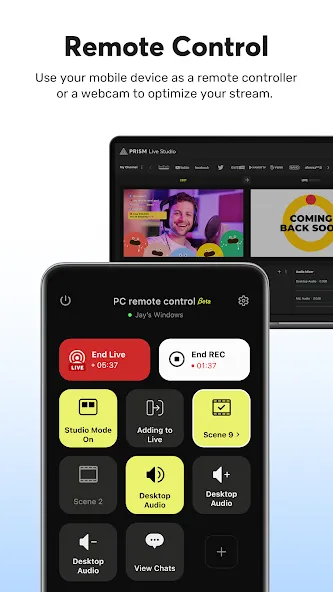
• CONNECT Mode with PRISM PC App
Seamlessly integrate PRISM mobile as a video and audio source for the PRISM PC app using a QR code scan.
• Camera Pro Features
Fine-tune your live stream with advanced camera settings like focus, exposure, ISO, white balance, and shutter speed.
• Camera Chroma Key
Unleash your creativity with the exclusive chroma key feature for more dynamic mobile broadcasts.
• AI Scripts
Leverage on-device AI to extract live broadcast scripts in various file formats.
• Background Streaming
Keep your live broadcast running smoothly, even during incoming calls or messages.
• Edit and Share Live Info in Real-Time
Update your live title and share your live link even while broadcasting.
• My Page
Review and share the history and video links of your past broadcasts directly from the PRISM app.
[Required permissions]
• Camera: Shoot a live stream or record for VOD.
• Mic: Record audio while shooting a video.
• Storage: Device storage may be used to save recorded videos and live streams, or to load stored videos.
• Notification: Permission required for the indication of information related to Live Streaming.
• Nearby devices (Bluetooth): Required to connect a Bluetooth microphone and ensure stable external audio recording during live streaming.
[Support]
• Website: https://prismlive.com
• Contact: [email protected]
• Medium: https://medium.com/prismlivestudio
• Discord: https://discord.com/invite/e2HsWnf48R
• Terms of Use: http://prismlive.com/en_us/policy/terms_content.html
• Privacy Policy: http://prismlive.com/en_us/policy/privacy_content.html
Google Play
APP STORE
Advertisement
Taptostore.com is an independent app discovery and editorial review platform. We publish reviews, comparisons, and recommendations designed to help users explore apps and make informed choices.
Download links on Taptostore.com direct users to the relevant official app store or another distribution channel designated by the developer or publisher. App downloads and installations take place through those external platforms.
Our content is developed through product research, editorial analysis, publicly available information, and, where appropriate, an assessment of the app’s features and user experience. Reviews and recommendations represent our editorial judgment at the time of publication.
The security and privacy practices of each app are determined by its developer. Before installing an app, users should review its official store listing, developer information, requested permissions, privacy policy, update history, and recent user feedback.
Taptostore.com does not control or independently certify third-party apps and cannot guarantee their security, reliability, performance, or privacy practices.
Not necessarily. Apps may be free, paid, advertising-supported, or include in-app purchases and recurring subscriptions. Pricing and availability may vary by region, device, platform, and time. Please refer to the relevant official store listing for current terms.
Availability may be affected by geographic restrictions, device compatibility, operating-system requirements, age limitations, store policies, or decisions made by the developer or publisher. These factors are outside the control of Taptostore.com.
Taptostore.com does not operate the apps featured on the website and cannot access their accounts or internal systems. Questions about login credentials, account recovery, technical issues, data deletion, or app functionality should be directed to the relevant developer through its official support channels.
Please do not send passwords, verification codes, recovery credentials, or payment information to Taptostore.com.
App-related payments, subscriptions, cancellations, and refunds are administered by the app store, developer, or payment provider responsible for the transaction. Taptostore.com does not process these transactions and cannot manage subscriptions or issue refunds.
Uninstalling an app may not cancel an active subscription. Users should manage subscriptions through the platform on which the purchase was made.
We make reasonable efforts to publish accurate and useful information. However, app features, pricing, compatibility, availability, and policies may change without notice. For the most current details, users should consult the relevant official store listing or developer documentation.
Unless expressly stated, Taptostore.com is not affiliated with, sponsored by, endorsed by, or officially connected with the developers, publishers, brands, or platforms featured on the website.
Product names, logos, brands, and trademarks belong to their respective owners and are referenced solely for identification and informational purposes.
Advertisement