 Marshall Bluetooth
4.7


Lifestyle
Ratings
Downloads
Age
Advertisement

Advertisement
Name
Category
Price
Safety
Developer
Version
The official Philips Hue app is the most comprehensive way to organize, control, and customize your Philips Hue smart lights and accessories.
Organize your smart lights
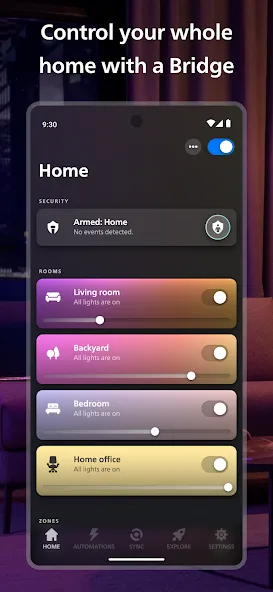
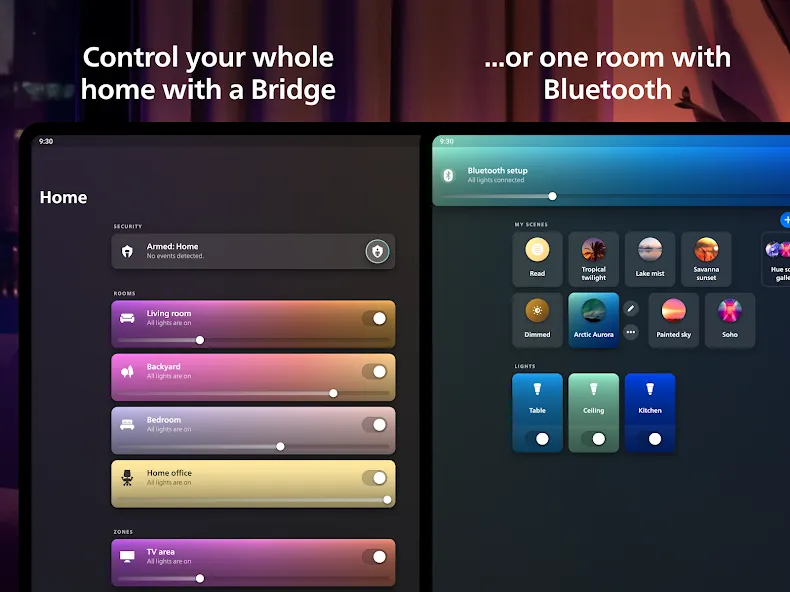
Group your lights into Rooms or Zones — your entire downstairs floor or all the lights in the living room, for example — that mirror the physical rooms in your home.
Easily control your lights — from anywhere
Use the app to control your lights anywhere you have an internet connection.
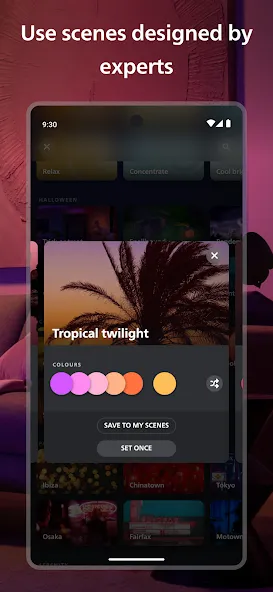
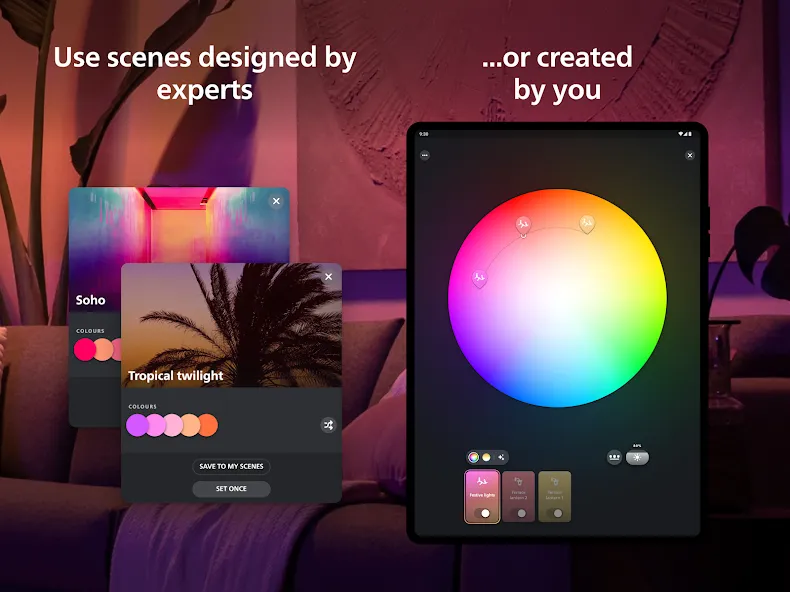
Explore the Hue scene gallery
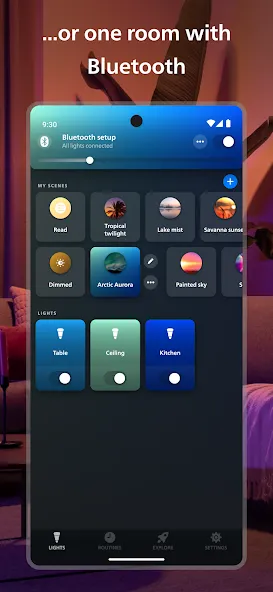
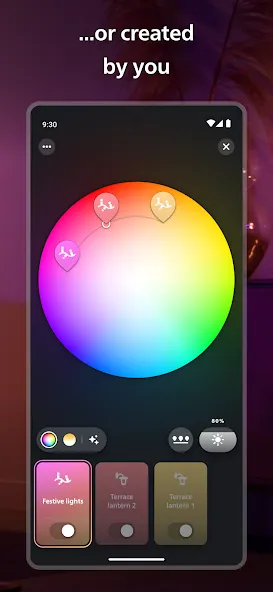
Created by professional lighting designers, the scenes in the scene gallery can help you set the mood for any occasion. You can even create your own scenes based on a photo or your favorite colors.
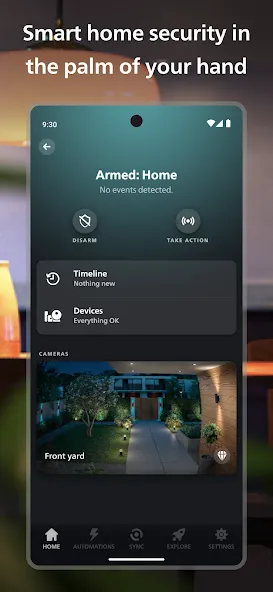
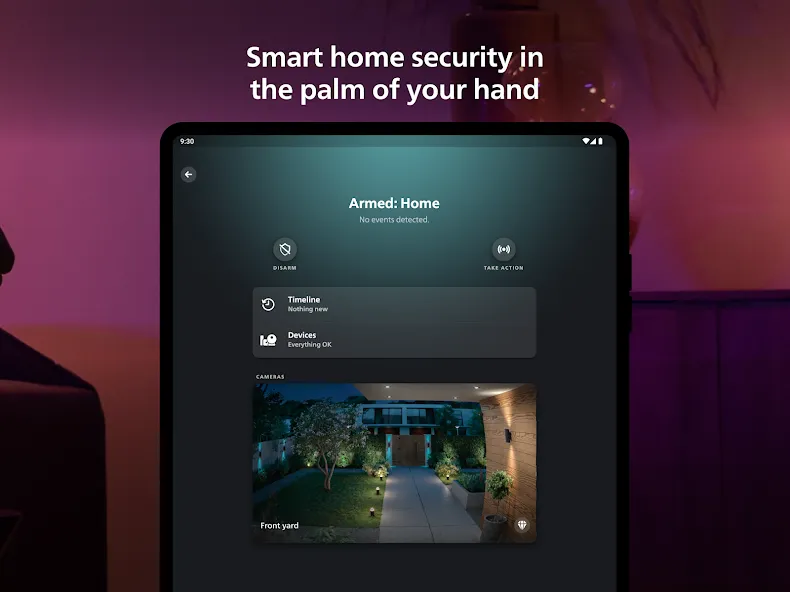
Set up bright home security
Make your home feel safer, no matter where you are. The Security Center lets you program your Secure cameras, Secure contact sensors, and indoor motion sensors to send you alerts when they detect activity. Trigger light and sound alarms, call the authorities or a trusted contact, and monitor your home in real-time.
Get the best light for any moment of the day
Let your lights change automatically throughout the day with the Natural light scene — so you feel more energized, focused, relaxed, or rested at the right times. Just set the scene to watch your lights change with the sun’s movement, transitioning from cool blue tones in the morning to warmer, relaxing hues for sunset.
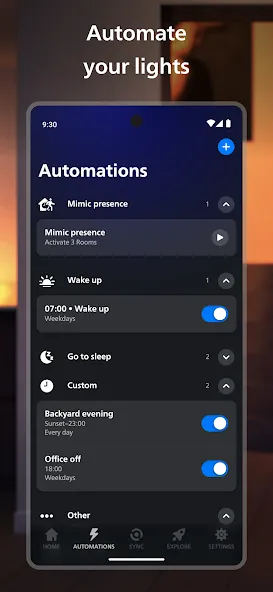
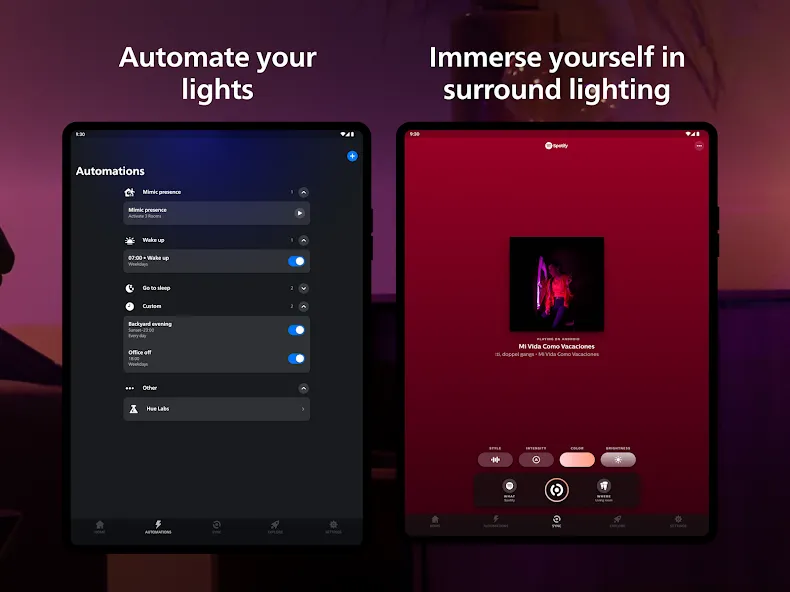
Automate your lights
Make your smart lights work around your daily routine. Whether you want your lights to gently wake you up in the morning or greet you when you get home, setting up customizable automations in the Philips Hue app is effortless.
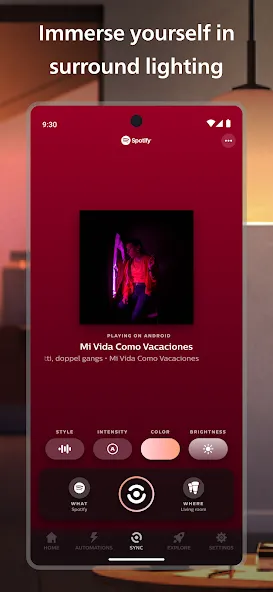
Sync your lights to TV, music, and games
Make your lights flash, dance, dim, brighten, and change color in sync with your screen or sound! With the Philips Hue Play HDMI sync box, the Philips Hue Sync for TV or desktop apps, or Spotify, you can create totally immersive experiences.
Set up voice control
Use Apple Home, Amazon Alexa, or Google Assistant to control your smart lights with voice commands. Turn lights on and off, dim and brighten, or even change colors — completely hands-free.
Create widgets for quick control
Control your smart lights even faster by creating widgets on your home screen. Turn lights on or off, adjust brightness and temperature, or set scenes – all without even opening the app.
Learn more about the official Philips Hue app: www.philips-hue.com/app.
Note: Some features in this app require a Philips Hue Bridge.
Google Play
APP STORE
Advertisement
Taptostore.com is an independent app discovery and editorial review platform. We publish reviews, comparisons, and recommendations designed to help users explore apps and make informed choices.
Download links on Taptostore.com direct users to the relevant official app store or another distribution channel designated by the developer or publisher. App downloads and installations take place through those external platforms.
Our content is developed through product research, editorial analysis, publicly available information, and, where appropriate, an assessment of the app’s features and user experience. Reviews and recommendations represent our editorial judgment at the time of publication.
The security and privacy practices of each app are determined by its developer. Before installing an app, users should review its official store listing, developer information, requested permissions, privacy policy, update history, and recent user feedback.
Taptostore.com does not control or independently certify third-party apps and cannot guarantee their security, reliability, performance, or privacy practices.
Not necessarily. Apps may be free, paid, advertising-supported, or include in-app purchases and recurring subscriptions. Pricing and availability may vary by region, device, platform, and time. Please refer to the relevant official store listing for current terms.
Availability may be affected by geographic restrictions, device compatibility, operating-system requirements, age limitations, store policies, or decisions made by the developer or publisher. These factors are outside the control of Taptostore.com.
Taptostore.com does not operate the apps featured on the website and cannot access their accounts or internal systems. Questions about login credentials, account recovery, technical issues, data deletion, or app functionality should be directed to the relevant developer through its official support channels.
Please do not send passwords, verification codes, recovery credentials, or payment information to Taptostore.com.
App-related payments, subscriptions, cancellations, and refunds are administered by the app store, developer, or payment provider responsible for the transaction. Taptostore.com does not process these transactions and cannot manage subscriptions or issue refunds.
Uninstalling an app may not cancel an active subscription. Users should manage subscriptions through the platform on which the purchase was made.
We make reasonable efforts to publish accurate and useful information. However, app features, pricing, compatibility, availability, and policies may change without notice. For the most current details, users should consult the relevant official store listing or developer documentation.
Unless expressly stated, Taptostore.com is not affiliated with, sponsored by, endorsed by, or officially connected with the developers, publishers, brands, or platforms featured on the website.
Product names, logos, brands, and trademarks belong to their respective owners and are referenced solely for identification and informational purposes.
Advertisement