


 AWD Big Weather C
0.0

Personalization
Ratings
Downloads
Age
Advertisement
Advertisement
Name
Category
Price
Safety
Developer
Version
[How to Install a Watch Face]
1. Install via the Companion App
Open the Companion App installed on your smartphone > Tap the Download button > Install the watch face on your watch.
2. Install via the Play Store app
Access the Play Store app > Tap the ‘▼’ button to the right of the price button > Select your watch > Purchase
Long-press the watch screen to check if the watch face has been installed. If the watch face isn’t installed after 10 minutes, install it directly from the Play Store website or from your watch.
3. Install via the Play Store web browser
Access the Play Store web browser > Tap the price button > Select your watch > Install and Purchase
4. Install directly from your watch
Access the Play Store > Search for “NW120” in Korean > Install and Purchase
-----------------------------------------------------------------------------------------------------------
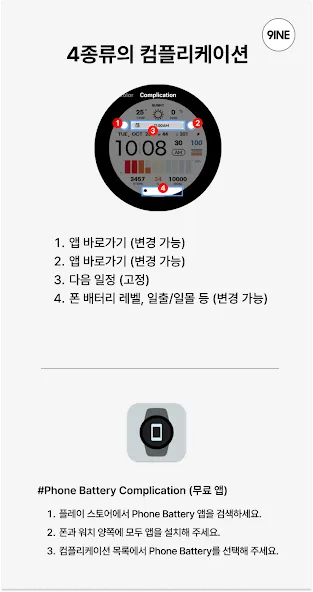
[How to Link Smartphone Battery]
1. Download the Smartphone Battery app on both your smartphone and your watch.
2. Select “Phone Battery Level” from the complications. https://play.google.com/store/apps/details?id=com.weartools.phonebattcomp
---------------------------------------------------------------------------------------------------------------------------
This watch face only supports Korean.
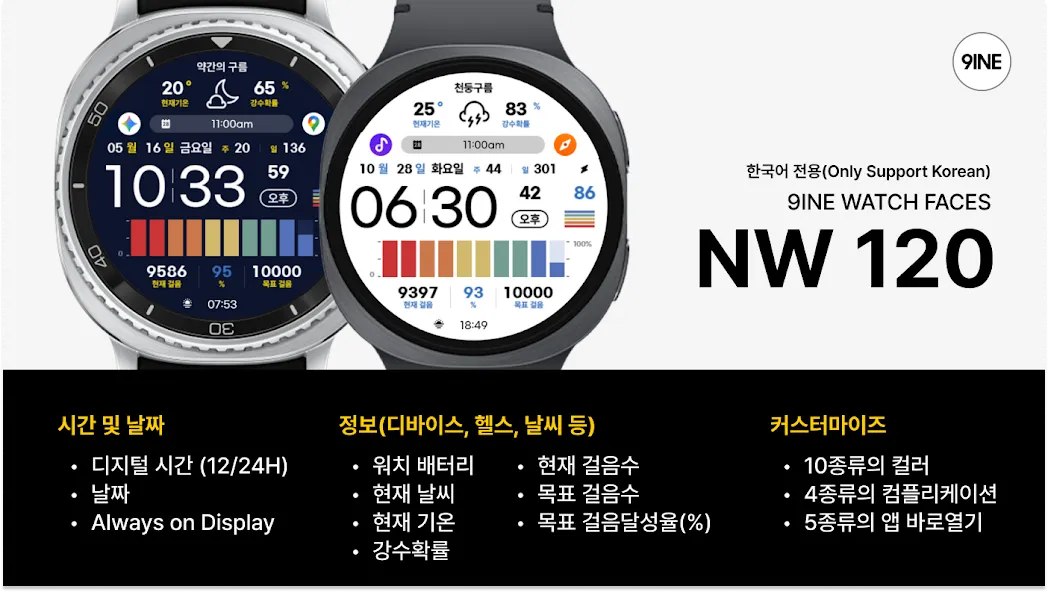
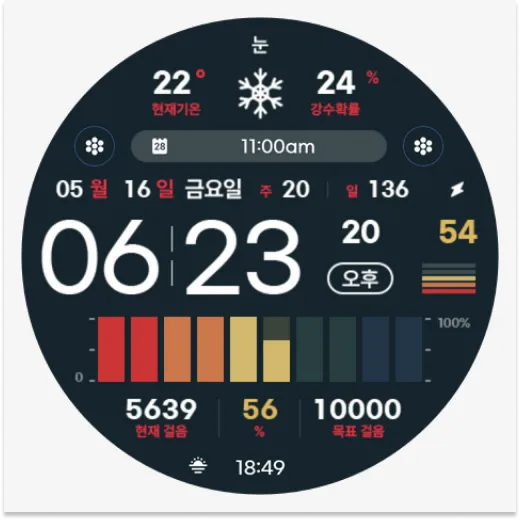
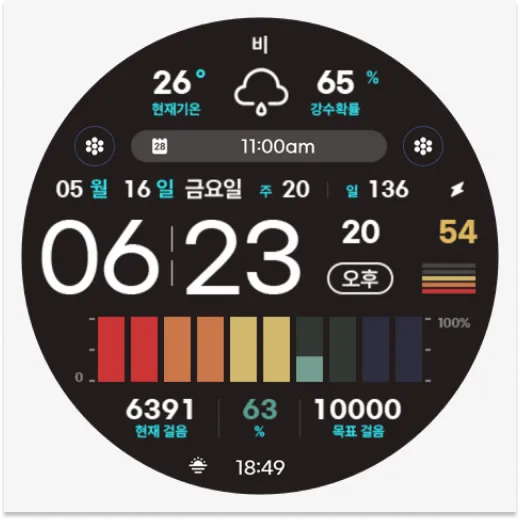
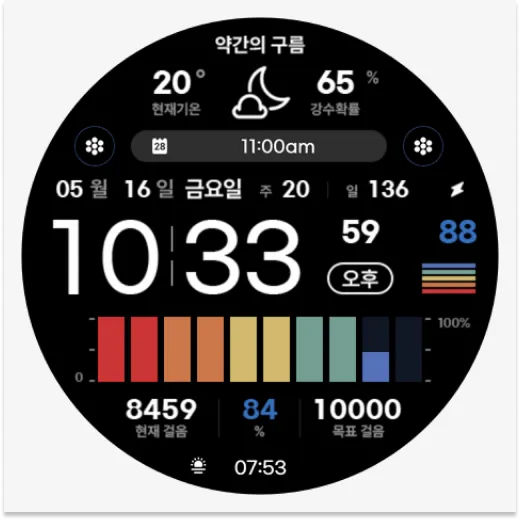
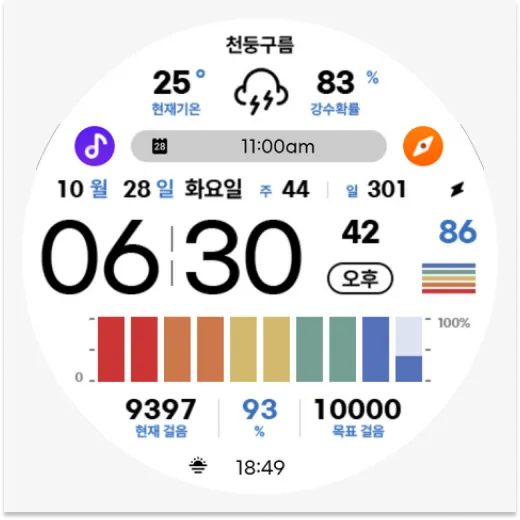
#Information and Features
[Time and Date]
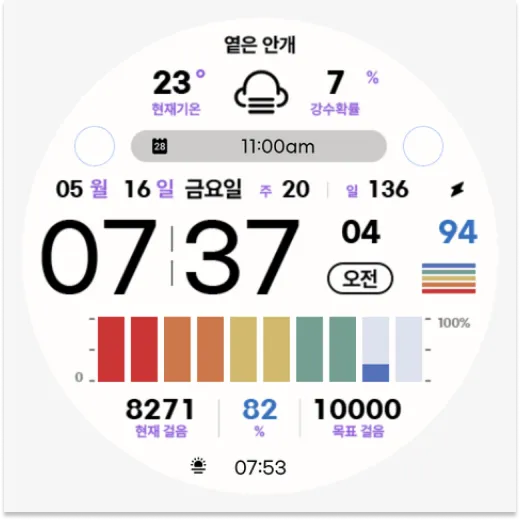
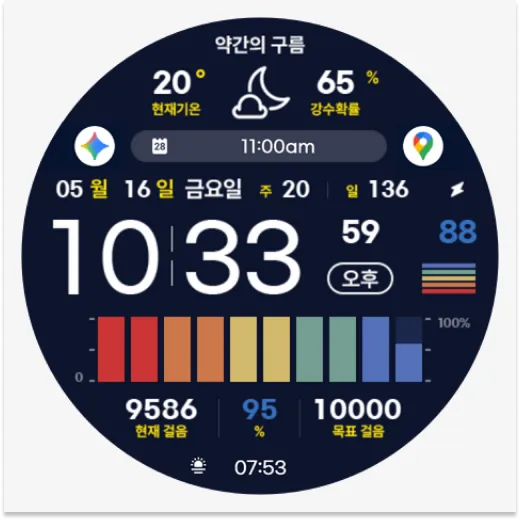
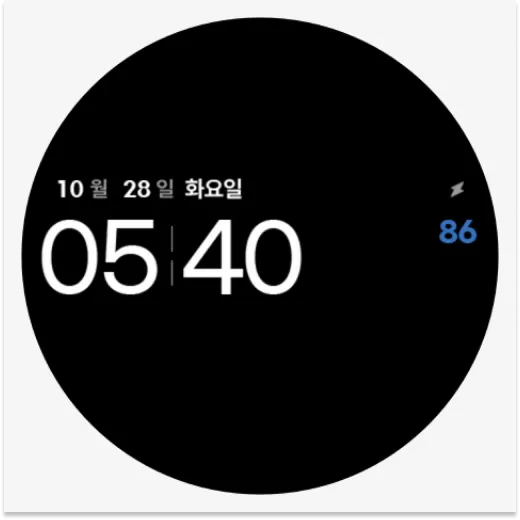
Digital Time (12/24H)
Date
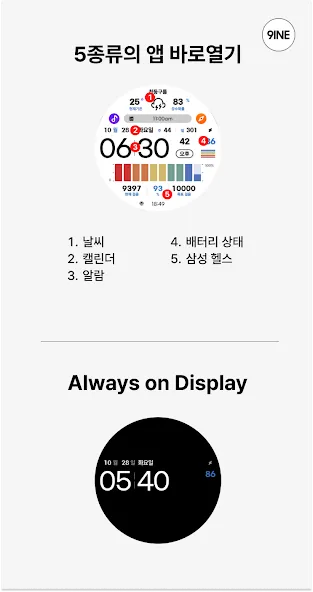
Always on Display
[Information (Device, Health, Weather, etc.)]
Watch Battery
Current Weather
Current Temperature
Chance of Precipitation
Current Step Count
Target Step Count
Target Step Achievement Rate (%)
[Customization]
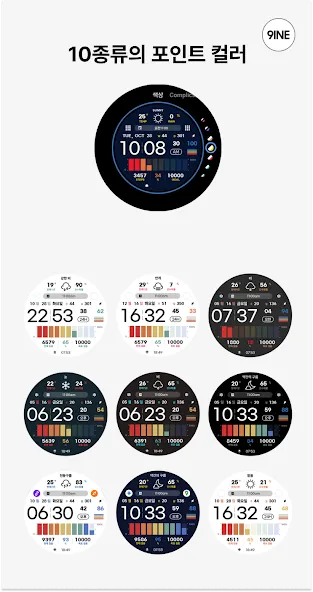
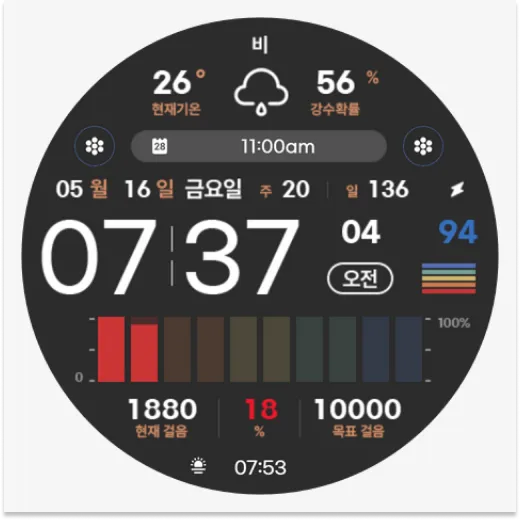
10 Color Options
1 Fixed Complication (Upcoming Schedule)
3 Non-Fixed Complications
5 App Shortcuts
*This watch face supports Wear OS devices.
Advertisement

















