 Simple Calendar - easy planner
4.7

Productivity
Ratings
Downloads
Age
Advertisement
Advertisement
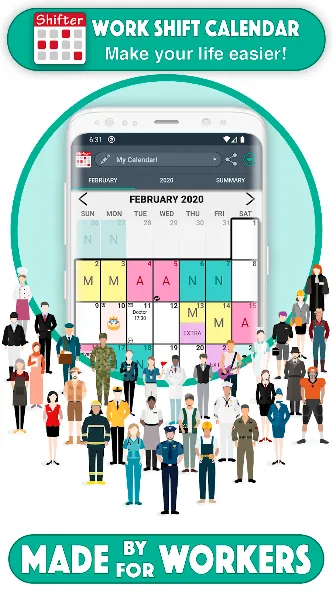
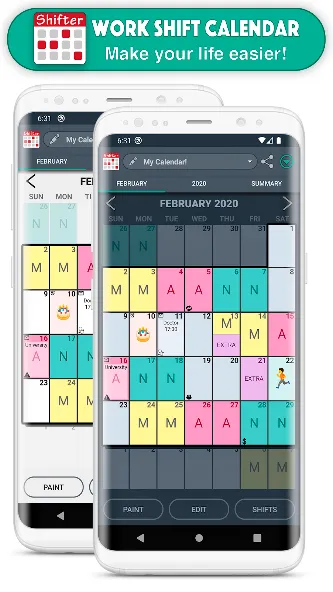
This app is designed for shift workers and people who need to organize their day to day basis and thus not to miss any appointments.
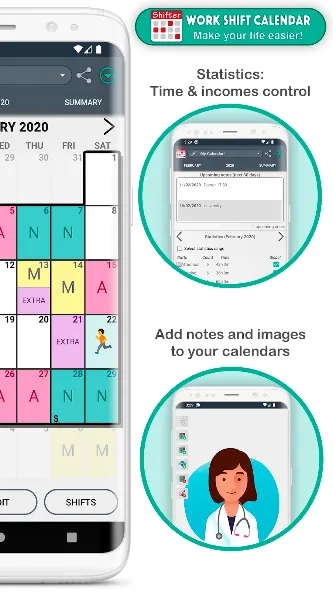
You can carry out an exhaustive control of your working day and your income quick and easily thanks to our statistics system.
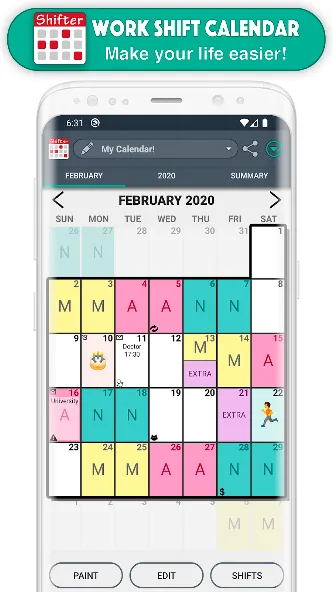
SHIFTS 📆
- Create fully configurable shifts ✏️
- Add your workday, with option to include split shift and rest time. Keep track of your schedules 📊
- Enter your income, overtime and early exit. Set up earnings and control working time easily 💰
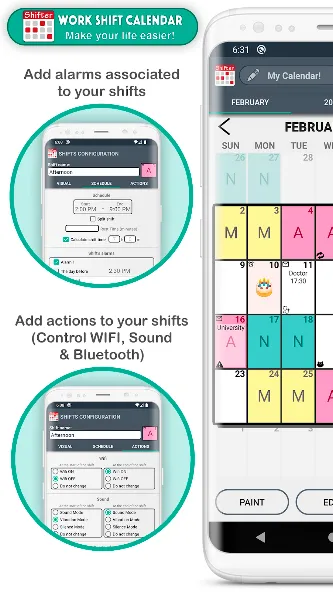
- Create alarms associated with that shift (for that day or for the previous day) and customize its sound 🔔
- Include actions at the beginning or end of the schedule of each shift (WIFI, sound mode, Bluetooth) 🔇
- Paint up to two shifts per day.
- Import your shifts from one calendar to another.
- Add customizable icons associated with a date 🐱
NOTES 📝
- Create notes on each day and add reminders with alarms. Don’t ever forget important appointments or notes 🔔
- Customize the sound of alarms.
- Include images and handmade drawings in your notes ️🖼️
WIDGETS 📲
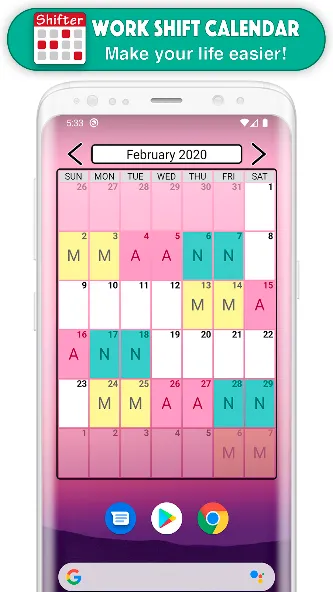
- Create a widget for your desktop and view your calendar even without opening the app.
- Choose between weekly and monthly Widget.
- Choose the size you like more.
TOP FUNCTIONS 🚀
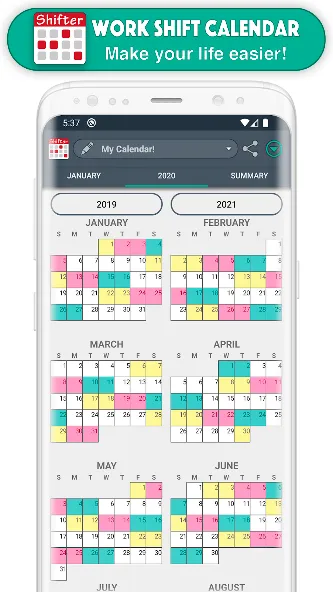
- Enjoy the Monthly and Annual View (which allows you to see all months of the year just by sliding the screen, as well as Annual Statistics).
- Export your calendar to Google calendar.
- Add national holidays directly from Google Calendar 🌴
- Control working time and earnings by selecting a range of dates in the Statistics section.
- View upcoming notes at a glance.
- Compare different calendars.
- Share your calendar (monthly, annual view or comparison of calendars) with your friends via WhatsApp, email, Telegram … 📧
- Create backups easily.
- Set up to ten different calendars.
- Import other calendars simply.
- Use the icon search to find them quickly 🔎
EASY TO USE
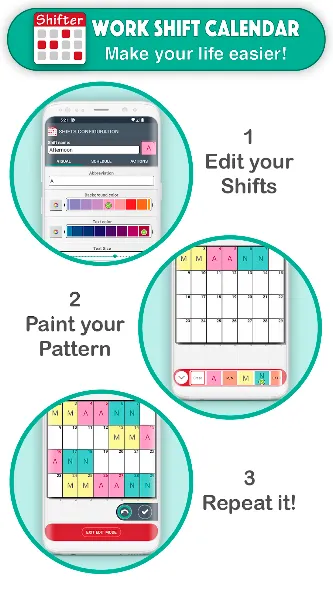
- Modify your calendar in two ways:
(1) Quick mode or Paint: Select an event from the drop-down list and click on the days to paint them with that event 🎨
(2) Edit Mode: Select one or more days and perform actions in the selected day range (repeat, copy, cut, paste, delete or assign shifts) ✂️
- Shifts menu: you can see all the shifts of that calendar, create new ones, edit, reorder or import them.
FEATURED FEATURES ⭐️
- Easy to use.
- Clear interface.
- Customizable.
- PRO version that unlocks great advantages.
- Tutorial with the basic functions of the app and help section (FAQs)
- Fast and personalized customer service ℹ️
- Social networks 👍 enjoy explanatory videos, information about new updates and more visual content by joining our Shifter community.
SUPPORT OUR WORK 💜
We are a very small team of people who make a great effort to develop Shifter. If you like this app, you can help us improving it and continue adding new features. Buying PRO version not only activates all its advantages, but also greatly support the continuous development of the app.
FACEBOOK & INSTAGRAM: @ShifterCalendar
Google Play
APP STORE
Advertisement
Taptostore.com is an independent app discovery and editorial review platform. We publish reviews, comparisons, and recommendations designed to help users explore apps and make informed choices.
Download links on Taptostore.com direct users to the relevant official app store or another distribution channel designated by the developer or publisher. App downloads and installations take place through those external platforms.
Our content is developed through product research, editorial analysis, publicly available information, and, where appropriate, an assessment of the app’s features and user experience. Reviews and recommendations represent our editorial judgment at the time of publication.
The security and privacy practices of each app are determined by its developer. Before installing an app, users should review its official store listing, developer information, requested permissions, privacy policy, update history, and recent user feedback.
Taptostore.com does not control or independently certify third-party apps and cannot guarantee their security, reliability, performance, or privacy practices.
Not necessarily. Apps may be free, paid, advertising-supported, or include in-app purchases and recurring subscriptions. Pricing and availability may vary by region, device, platform, and time. Please refer to the relevant official store listing for current terms.
Availability may be affected by geographic restrictions, device compatibility, operating-system requirements, age limitations, store policies, or decisions made by the developer or publisher. These factors are outside the control of Taptostore.com.
Taptostore.com does not operate the apps featured on the website and cannot access their accounts or internal systems. Questions about login credentials, account recovery, technical issues, data deletion, or app functionality should be directed to the relevant developer through its official support channels.
Please do not send passwords, verification codes, recovery credentials, or payment information to Taptostore.com.
App-related payments, subscriptions, cancellations, and refunds are administered by the app store, developer, or payment provider responsible for the transaction. Taptostore.com does not process these transactions and cannot manage subscriptions or issue refunds.
Uninstalling an app may not cancel an active subscription. Users should manage subscriptions through the platform on which the purchase was made.
We make reasonable efforts to publish accurate and useful information. However, app features, pricing, compatibility, availability, and policies may change without notice. For the most current details, users should consult the relevant official store listing or developer documentation.
Unless expressly stated, Taptostore.com is not affiliated with, sponsored by, endorsed by, or officially connected with the developers, publishers, brands, or platforms featured on the website.
Product names, logos, brands, and trademarks belong to their respective owners and are referenced solely for identification and informational purposes.
Advertisement