 MoneyNote: Expense Tracker
4.8


Finance
Ratings
Downloads
Age
Advertisement
Advertisement
Name
Category
Price
Safety
Developer
Version
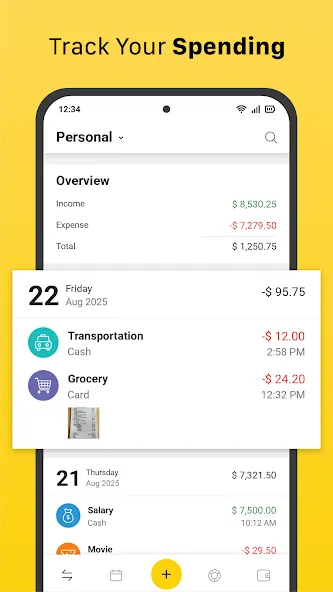
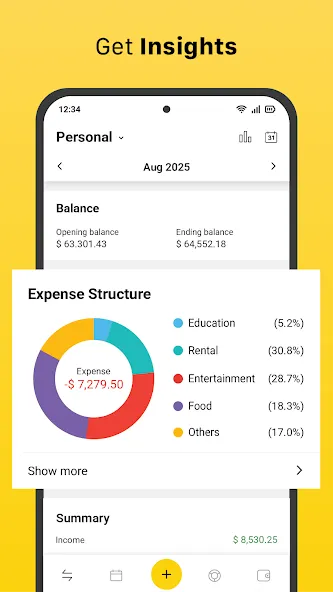
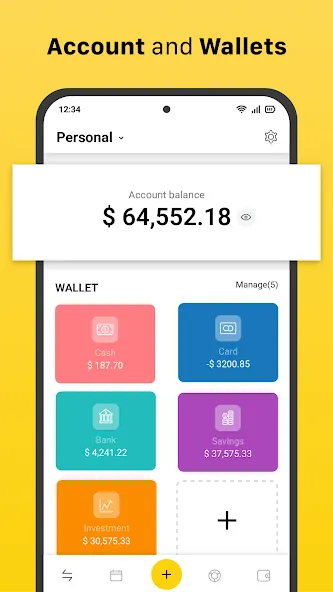
Do you often lose track of your spending or wonder where your money goes every month? Money Manager is a money management app designed to give you clarity and control. With this expense tracker and budget planner, you can record daily financial activities, separate personal and work accounts, and monitor multiple wallets such as cash, cards, and bank accounts. The app provides clear insights into your finances, making it easier to control spending, save money, and reach your financial goals.
💡 Why use a money management app?
Managing money can be challenging. Small spending add up, bills are easy to forget, without a clear record, it’s difficult to know how much you really spend. Spreadsheets and notebooks work for some, but they take time and discipline.
A spending tracker app like Money Manager makes the process simple. By recording your expenses and income as they happen, you always know your balance. You can see where your money goes, which categories take the most of your budget, and how much you can save.
👤 Who is Money Manager for?
This app is flexible enough for different kinds of users:
• Students who need a simple budget planner to avoid overspending.
• Families who want to organize household expenses.
• Freelancers and small businesses who want to separate work and personal accounts without complex software.
• Anyone who wants a reliable expense tracker to build better saving habits.
Whether it’s for personal, family, or work use, this finance app adapts to your needs.
📊 What can you do with Money Manager?
Money Manager is more than a basic spending tracker. It combines the features of an expense manager, budget tracker, savings planner, debt reminder and more into one tool. You can:
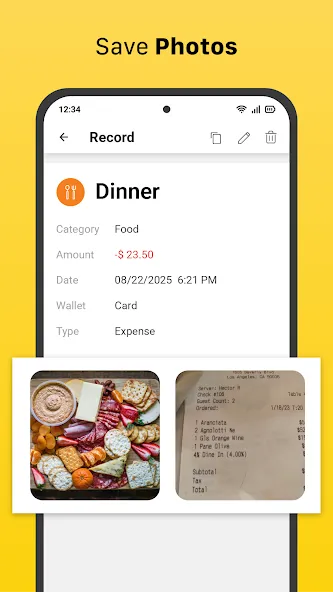
• Record every expense and income in seconds.
• Manage money in multiple wallets and accounts
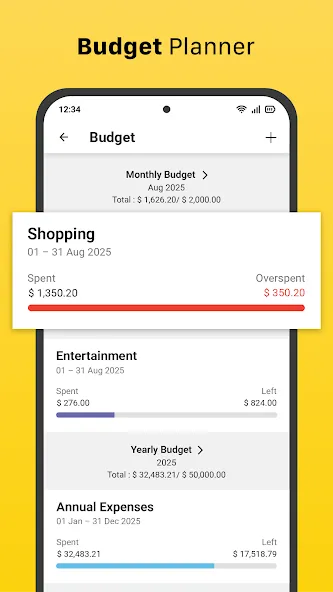
• Plan budgets and get alerts when you reach your limit.
• Set savings goals and monitor progress.
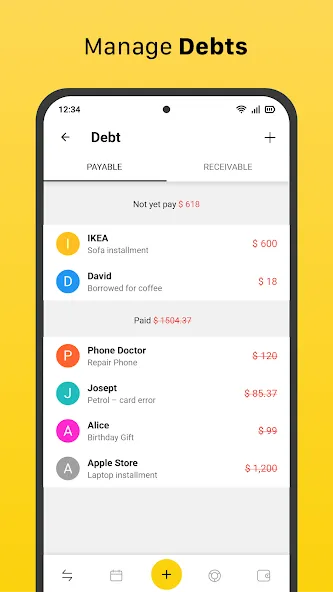
• Track debts and repayments.
🔑 Key Features
• Total balance – See the combined balance of all your wallets and accounts.
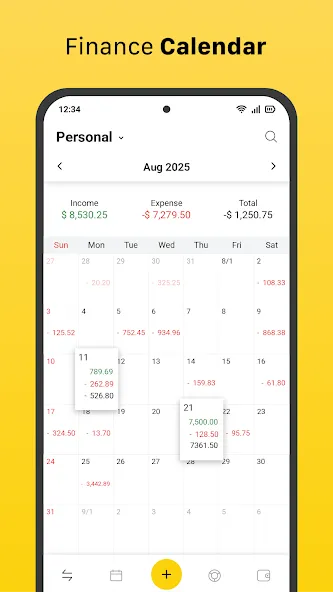
• View by date – Track expenses and income by day, week, month, year, or custom date range.
• Multiple accounts – Separate your personal, work, and family finances with unlimited accounts.
• Multiple wallets – Manage cash, credit cards, e-wallets, and bank accounts etc in one place.
• Flexible categories – Create, edit, or delete categories and subcategories to fit your lifestyle.
• Budgets – Create budgets to control spending and receive alerts when you reach the threshold.
• Savings goals – Set financial goals and track your progress toward them.
• Debt tracking – Record money you owe and money owed to you with reminders.
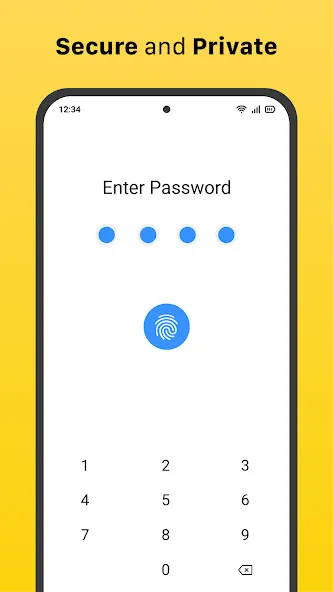
• Password protection – Secure your financial records with a passcode.
• Search – Quickly find records by keyword, amount, or date.
• Export to CSV/Excel – Export your data for analysis, backup, or printing.
📌 Why choose Money Manager?
Money Manager is built to be simple but complete. It avoids unnecessary complexity while including all essential tools: expense tracker, income tracker, budget planner, savings goal tracker, and debt manager.
If you want to improve your personal finance management, reduce overspending, and save more, download the Money Manager now. Record your expenses, budgets, debts, and savings goals in one app and take control of your money.
Be your own accountant and make bookkeeping easier with Money Manager — the expense tracker and budget planner designed for everyday financial management.
If you have any feedback, questions, or suggestions, we’d love to hear from you.
📧 Reach us at: [email protected]
Google Play
APP STORE
Advertisement
Taptostore.com is an independent app discovery and editorial review platform. We publish reviews, comparisons, and recommendations designed to help users explore apps and make informed choices.
Download links on Taptostore.com direct users to the relevant official app store or another distribution channel designated by the developer or publisher. App downloads and installations take place through those external platforms.
Our content is developed through product research, editorial analysis, publicly available information, and, where appropriate, an assessment of the app’s features and user experience. Reviews and recommendations represent our editorial judgment at the time of publication.
The security and privacy practices of each app are determined by its developer. Before installing an app, users should review its official store listing, developer information, requested permissions, privacy policy, update history, and recent user feedback.
Taptostore.com does not control or independently certify third-party apps and cannot guarantee their security, reliability, performance, or privacy practices.
Not necessarily. Apps may be free, paid, advertising-supported, or include in-app purchases and recurring subscriptions. Pricing and availability may vary by region, device, platform, and time. Please refer to the relevant official store listing for current terms.
Availability may be affected by geographic restrictions, device compatibility, operating-system requirements, age limitations, store policies, or decisions made by the developer or publisher. These factors are outside the control of Taptostore.com.
Taptostore.com does not operate the apps featured on the website and cannot access their accounts or internal systems. Questions about login credentials, account recovery, technical issues, data deletion, or app functionality should be directed to the relevant developer through its official support channels.
Please do not send passwords, verification codes, recovery credentials, or payment information to Taptostore.com.
App-related payments, subscriptions, cancellations, and refunds are administered by the app store, developer, or payment provider responsible for the transaction. Taptostore.com does not process these transactions and cannot manage subscriptions or issue refunds.
Uninstalling an app may not cancel an active subscription. Users should manage subscriptions through the platform on which the purchase was made.
We make reasonable efforts to publish accurate and useful information. However, app features, pricing, compatibility, availability, and policies may change without notice. For the most current details, users should consult the relevant official store listing or developer documentation.
Unless expressly stated, Taptostore.com is not affiliated with, sponsored by, endorsed by, or officially connected with the developers, publishers, brands, or platforms featured on the website.
Product names, logos, brands, and trademarks belong to their respective owners and are referenced solely for identification and informational purposes.
Advertisement