 FlipaClip: Draw 2D Animation
4.3

Art & Design
Ratings
Downloads
Age
Advertisement
Advertisement
Name
Category
Price
Safety
Developer
Version
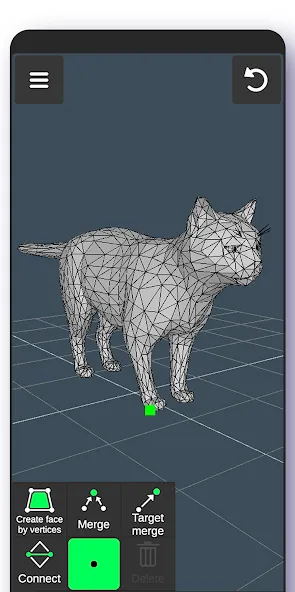
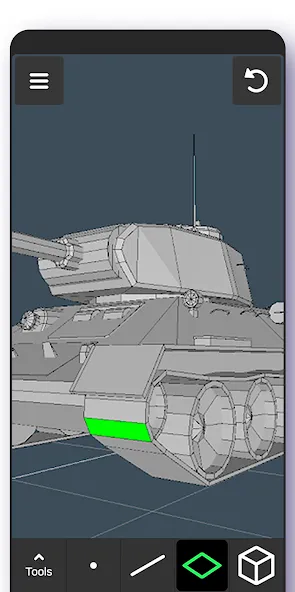
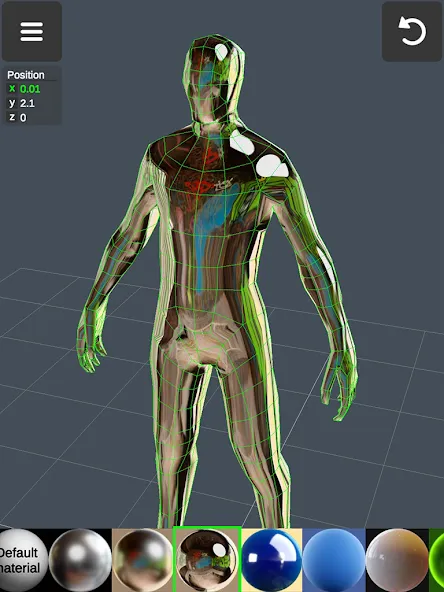
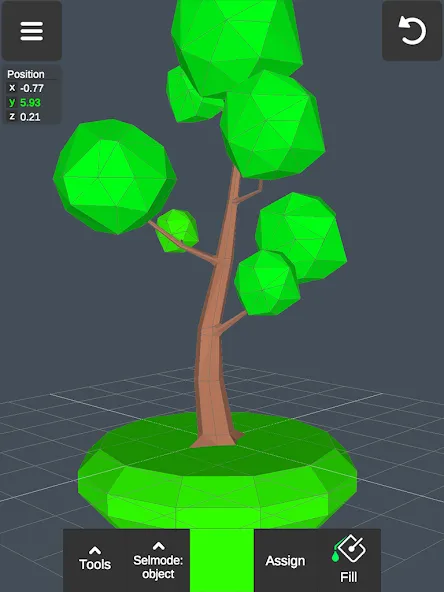
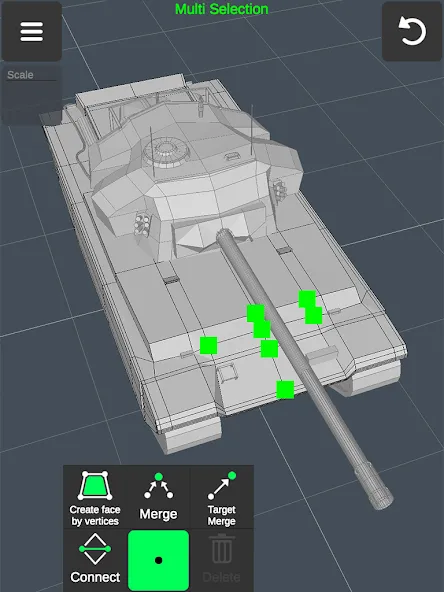
3D Modeling App allows you to easily make 3D models, objects, art and cgi graphics, paintings, create 3d characters and design 3d games on the go using gestures on your mobile phone or tablet. Our 3d editing app stands out from other drawing apps for adults.
Create a multitude of 3d objects for business. It is a useful addition to the toolkit of many professionals: use it as a 3d graphic design app, a 3d builder design app, a 3d drawing app for engineering, a landscape design drawing app, a 3d furniture design app, an industrial design app, and one of the best woodworking design apps. Automotive engineers can even use it for car design. For those looking for the best digital canvas for 3d pen work, painting, or sketching, 3D Modeling App is also a 3d painting app and 3d sketch maker. Find the right 3d brush for your task. Are you a crafter and maker who has long been looking for an all-around 3d art maker? Look no further. No stylus pen is required for 3d pencil drawing, but if you are an artist who relies on one, our drawing editor app supports it. Test your abilities as a digital sculptor, since 3D Modeling App is also a 3d sculpting app. For the model makers, it is also a 3d model maker and 3d object maker. This is the cgi creator for fast 3d.
And for game designers and developers, we provide a tool that lets you create 3d characters and design 3d games. It’s the 3d animator you need to create cut scenes. Also use it to make 3d models of your characters and to accurately model 3d physics. Or try out the app as a 3d map maker to flesh out an immersive world for your game and 3d character.
Tons of features:
1. Fast workflow:
- Move and rotate 3d images, and scale 3d objects and the camera using gestures. Quickly switch between tools.
- Easily multi-select vertices, edges, faces, and objects by long tapping or drawing frames.
2. Vertex tools for 3d geometry: merge (target merge, collapse edges, collapse faces), connect, and create faces using vertices.
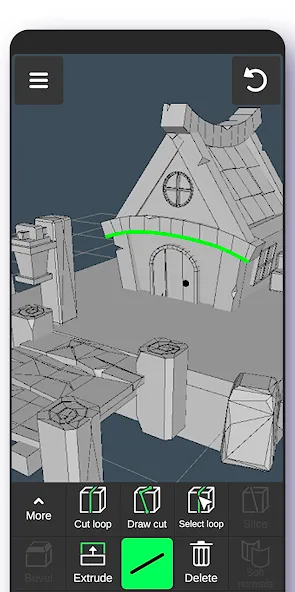
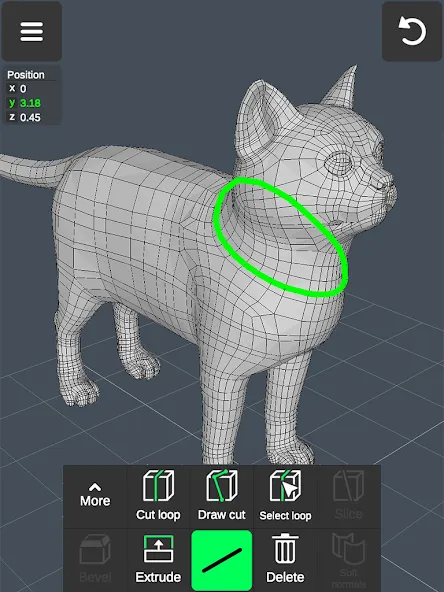
3. Edge tools: Draw a cut using a single swipe or by select one point by point, cut a loop (create new edge-loops), select a loop (also by double tapping), extrude, delete, select ring, create 3d faces using the border edge (fill in the hole).
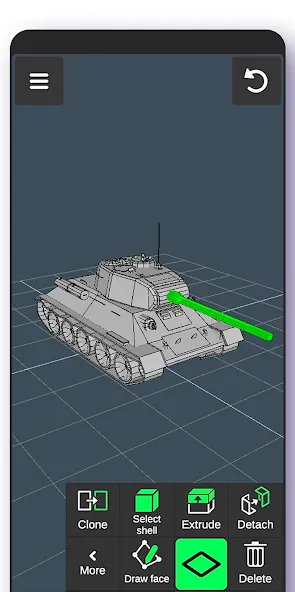
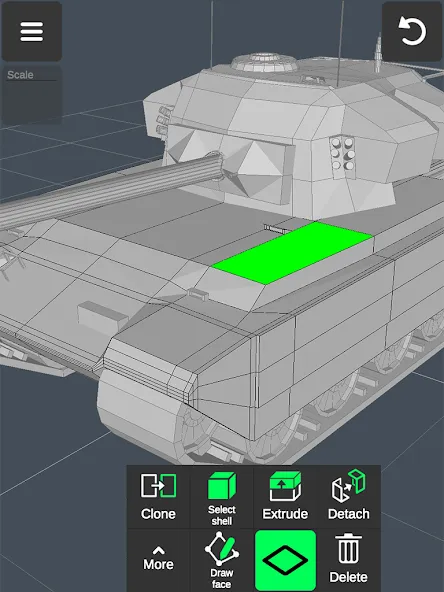
4. Face tools: Extrude, draw a face using set points, detach, clone, select shell (also by double tap), reverse, delete.
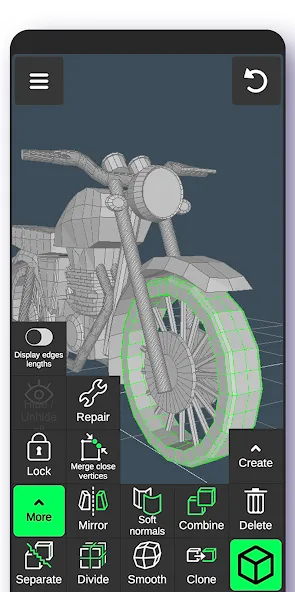
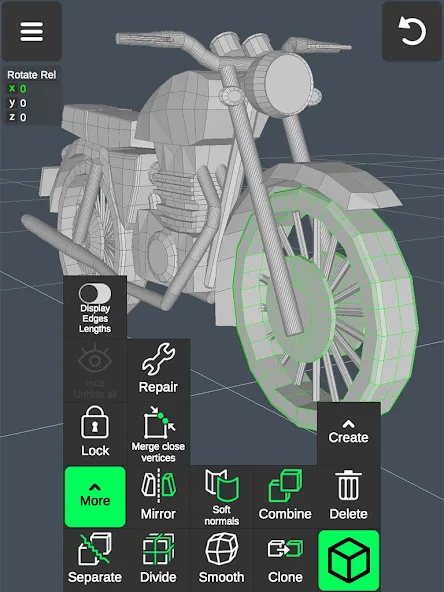
5. Object tools: Combine/separate, clone, mirror, smooth, divide, and soft/hard normals.
6. Sculpting tools: Move, screen, push, pull, and smooth. You can adjust brush size and strength.
7. Display tools:
- Grid with settable size and snapping values.
- Display info: Triangles count, distance between vertices, and edge length.
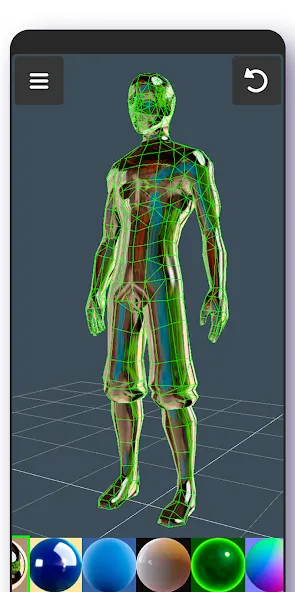
- Wireframe on/off, shaded on/off.
- Shadows on/off.
- Axis on/off.
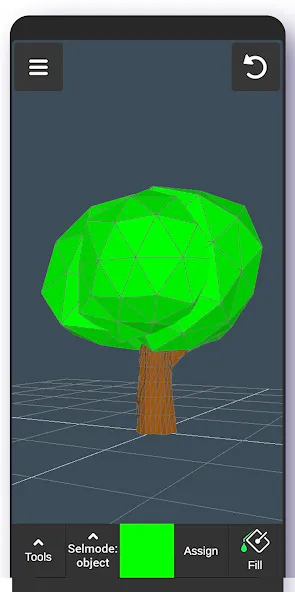
8. Coloring: Vertex color painting.
9. You can apply up to 20 materials to your objects.
10. Additional tools:
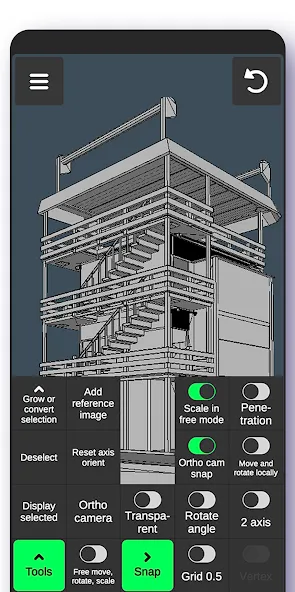
- Orthographic camera.
- Set move, rotate, and scale precise values.
- Display selected (isolate selection).
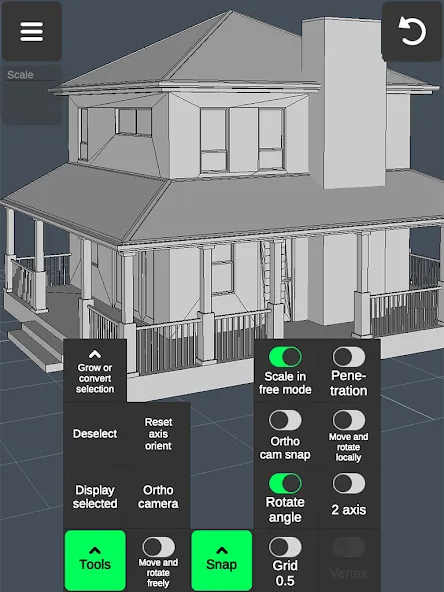
- Grow selection and convert selection.
- Move vertices, edges, 3d faces, and objects freely without grid snap.
- Snap: Grid, rotate angle, 2 axis plane, local space, physical penetration, ortho cam snap.
- Auto-save.
11. Export & import .obj files:
- Can be imported in 3D modeling software: 3ds Max \ Maya \ Blender \ Zbrush \ Modo \ Adobe Photoshop \ Adobe Illustrator \ MeshMixer \ Concepts \ Netfabb \ Forger - Can be imported in CAD software: Autodesk AutoCAD \ SolidWorks \ Tinkercad \ NX \ Catia \ Solid Edge \ Autodesk Fusion 360 \ Rhino \ Onshape \ Trimble Sketchup \ Maxon Cinema 4D (C4D) \ Autodesk Alias
- Can be converted to the following file formats using 3rd party converters: IGS \ IGES \ STP \ STEP \ JT \ SAT \ X_T \ X_B \ BREP \ WRL \ X3D \ 3DM STL \ DAE \ DXF \ GLTF \ FBX \ IFC \ 3DS to further import to Shapr3d (Shapr) or uMake 12.
Google Play
APP STORE
Advertisement
Taptostore.com is an independent app discovery and editorial review platform. We publish reviews, comparisons, and recommendations designed to help users explore apps and make informed choices.
Download links on Taptostore.com direct users to the relevant official app store or another distribution channel designated by the developer or publisher. App downloads and installations take place through those external platforms.
Our content is developed through product research, editorial analysis, publicly available information, and, where appropriate, an assessment of the app’s features and user experience. Reviews and recommendations represent our editorial judgment at the time of publication.
The security and privacy practices of each app are determined by its developer. Before installing an app, users should review its official store listing, developer information, requested permissions, privacy policy, update history, and recent user feedback.
Taptostore.com does not control or independently certify third-party apps and cannot guarantee their security, reliability, performance, or privacy practices.
Not necessarily. Apps may be free, paid, advertising-supported, or include in-app purchases and recurring subscriptions. Pricing and availability may vary by region, device, platform, and time. Please refer to the relevant official store listing for current terms.
Availability may be affected by geographic restrictions, device compatibility, operating-system requirements, age limitations, store policies, or decisions made by the developer or publisher. These factors are outside the control of Taptostore.com.
Taptostore.com does not operate the apps featured on the website and cannot access their accounts or internal systems. Questions about login credentials, account recovery, technical issues, data deletion, or app functionality should be directed to the relevant developer through its official support channels.
Please do not send passwords, verification codes, recovery credentials, or payment information to Taptostore.com.
App-related payments, subscriptions, cancellations, and refunds are administered by the app store, developer, or payment provider responsible for the transaction. Taptostore.com does not process these transactions and cannot manage subscriptions or issue refunds.
Uninstalling an app may not cancel an active subscription. Users should manage subscriptions through the platform on which the purchase was made.
We make reasonable efforts to publish accurate and useful information. However, app features, pricing, compatibility, availability, and policies may change without notice. For the most current details, users should consult the relevant official store listing or developer documentation.
Unless expressly stated, Taptostore.com is not affiliated with, sponsored by, endorsed by, or officially connected with the developers, publishers, brands, or platforms featured on the website.
Product names, logos, brands, and trademarks belong to their respective owners and are referenced solely for identification and informational purposes.
Advertisement