 Volume Booster - Sound Booster
4.8

Communication
Ratings
Downloads
Age
Advertisement
Advertisement
Name
Category
Price
Safety
Developer
Version
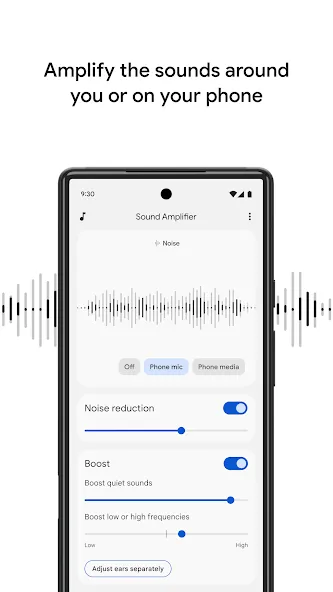
Sound Amplifier makes everyday conversations and surrounding sounds more accessible among people who are hard of hearing, using just your Android phone and a pair of headphones. Use Sound Amplifier to filter, augment, and amplify sounds around you and on your device.
Features
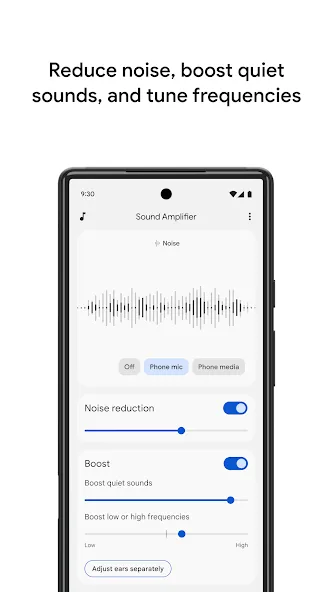
• Reduce unwanted noise to recognize speech better.
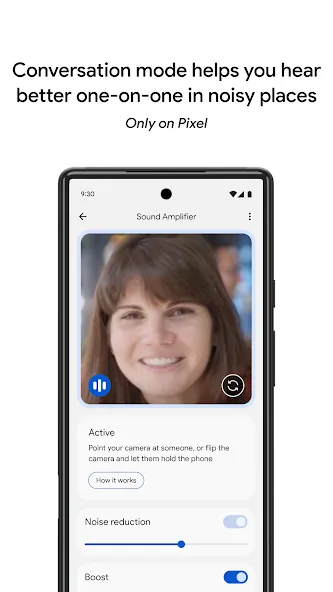
• Focus on a speaker’s voice in noisy environments with conversation mode. (Available for Pixel 3 and above.)
• Listen to conversations, TV, or lectures. For audio sources that are farther away, Bluetooth headphones are recommended. (Bluetooth headphones might have delayed sound transmission.)
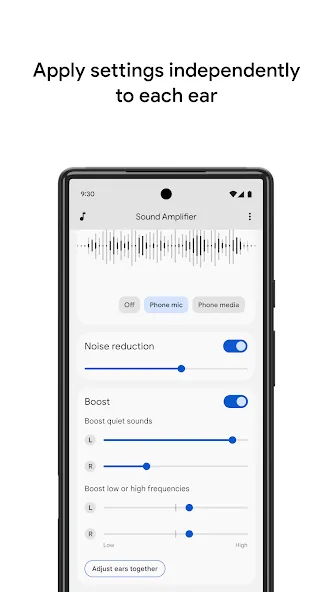
• Personalize your listening experience for surrounding conversation or media playing on your device. You can reduce noise or boost low frequency, high frequency, or quiet sounds. Set your preferences for both ears or separately for each ear.
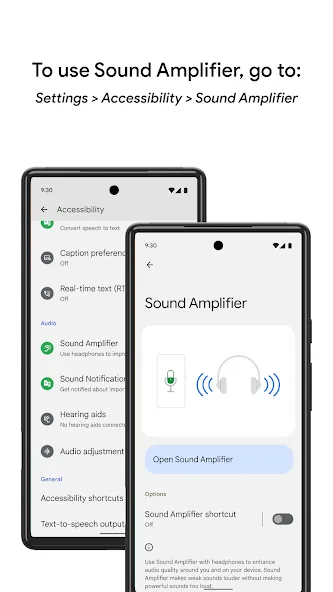
• Turn Sound Amplifier on and off using the accessibility button, a gesture, or Quick Settings. Learn more about the accessibility button, gesture and Quick Settings: https://support.google.com/accessibility/android/answer/7650693
Requirements
• Available for Android 8.1 and later.
• Pair your Android device with headphones.
• Conversation mode is currently available on Pixel 3 and above.
Send us your feedback on Sound Amplifier by emailing: [email protected]. For help using Sound Amplifier, connect with us at https://g.co/disabilitysupport.
Permissions Notice
• Microphone: Access to the microphone will allow Sound Amplifier to process the audio for amplification and filtering. No data is collected or stored.
• Accessibility Service: Since this app is an accessibility service, it can observe your actions, retrieve window content, and observe text that you type.
Advertisement