 United Airlines
4.7


Travel & Local
Ratings
Downloads
Age
Advertisement
Advertisement
Name
Category
Price
Safety
Developer
Version
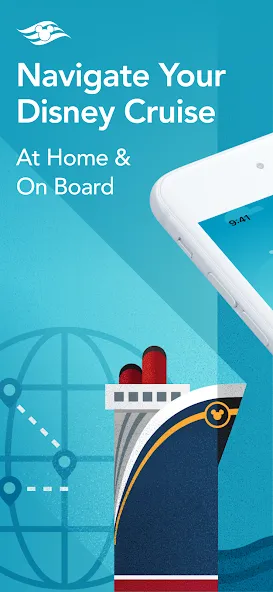
Use the Disney Cruise Line Navigator app before, during and after your voyage—to plan, explore and relive the fun.
AT HOME
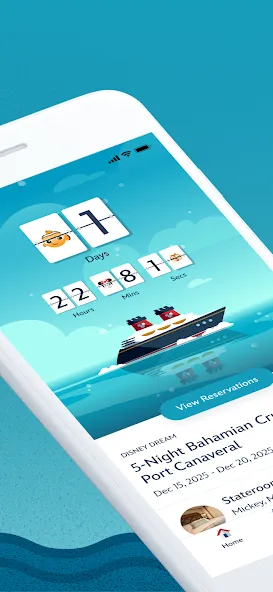
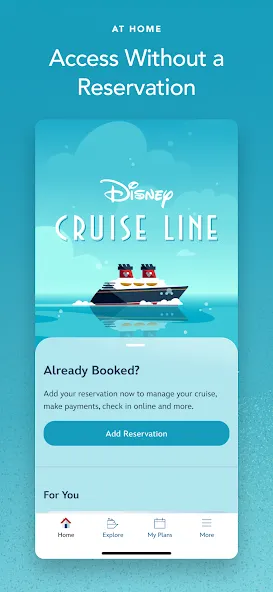
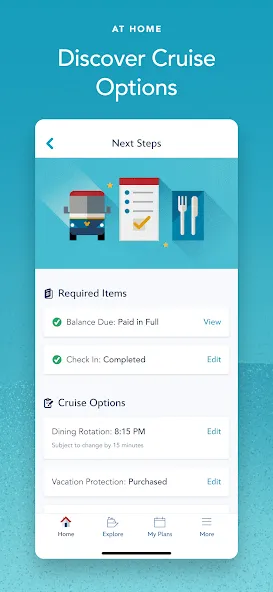
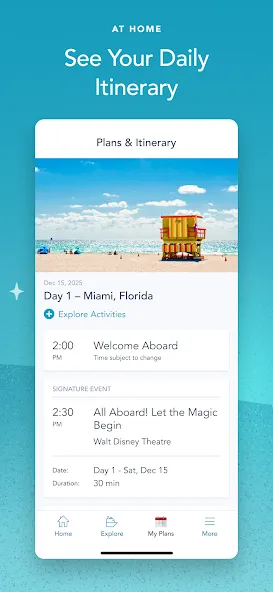
Plan your vacation, make payments, breeze through check-in, reserve onboard activities or make special requests—from dietary preferences to birthday surprises.
Get Ready to Cruise
• Retrieve your reservation to make payments, review required documents and more.
• Use My Online Check-In to fill out your cruise documents and register kids for youth clubs.
• Explore activities and entertainment.
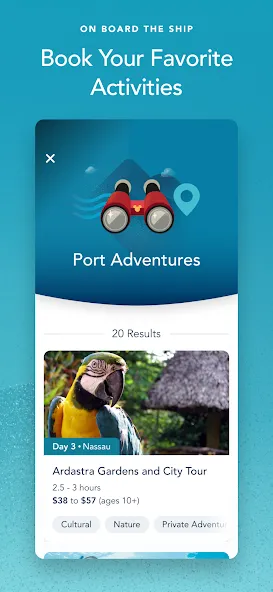
• Book activities, including Port Adventures, Premium Dining, Onboard Fun, Spa & Fitness and Nursery.
• Change your dinner seating assignment.
• Add or edit Vacation Protection Plan and Ground Transportation.
• View your Air Transportation.
• Make Special Requests, including special diets, accommodations for little ones, celebrations and more.
ON BOARD THE SHIP
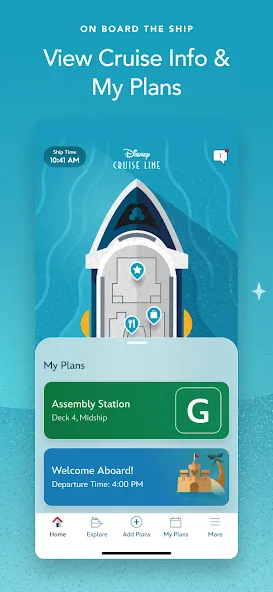
With your app in hand, you can explore your ship with Deck Plans, view favorite and booked activities, learn about the ports you’ll visit and use the onboard chat feature.
Enhance Your Experience
• View onboard activities across your entire voyage.
• Plan your day, from shows to shopping.
• Review your ports of call and at-sea days.
• Read details about activities that interest you.
• Check menus before dinner—kids’ menus too—and easily access your dining schedule.
• Check out the latest offers and specials.
• Save favorite activities in one convenient list.
• View booked activities, including Port Adventures, Premium Dining, Onboard Fun, Spa & Fitness and Nursery.
• Find Disney Characters throughout the ship.
• For assistance, visit our Help Center.
Know Where to Go
• Explore your ship deck by deck, from bow to stern.
• Find locations of the activities you want to do.
Stay in Touch
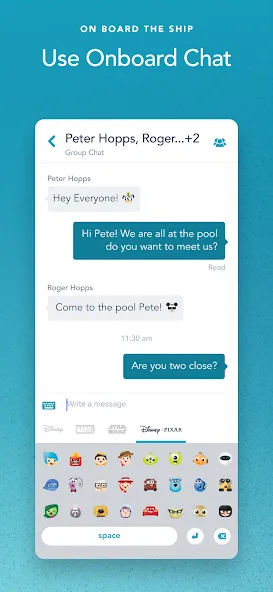
• Use onboard chat to stay connected to your family, friends and shipmates.
• While aboard your cruise, chat one-to-one or with multiple friends and family members at once.
• Use our wide array of Disney emoticons to express yourself as you chat.
AFTER YOUR CRUISE
View past reservations and more—and transport yourself back to the adventure when you download your purchased photos, available for a limited time.
Effortless Access All in One Place
• Easily view past reservations, including your stateroom number.
• Look back at onboard charges (within 90 days of your cruise).
• Explore and book your next cruise.
Download the Disney Cruise Line Navigator app today and enjoy it at home or on board. Simply connect to the ship’s Wi-Fi network—complimentary to app users only.
Note: To use onboard chat, you are required to provide your full name, stateroom number and birth date. Children should always ask their parent or guardian before using onboard chat. Control access for children with the permissions feature.
APP PERMISSIONS
Camera & Microphone Access: This app uses your device’s camera and microphone for the Disney Uncharted Adventure game experience.
Storage Access: This app saves data locally to your device, including chat messages and embarkation information, to ensure a seamless experience even when connectivity is limited.
Location Services: This app requires location permission to connect to Wi-Fi networks and enable Bluetooth (BLE) features, such as DisneyBand+ functionality. Your actual location is not tracked or stored.
Privacy Policy: https://disneyprivacycenter.com/
Children’s Online Privacy Policy: https://privacy.thewaltdisneycompany.com/en/for-parents/childrens-online-privacy-policy/
Your US State Privacy Rights: https://privacy.thewaltdisneycompany.com/en/current-privacy-policy/your-us-state-privacy-rights/
Terms of Use: https://disneytermsofuse.com
Do Not Sell or Share My Personal Information: https://privacy.thewaltdisneycompany.com/en/dnsmi
Google Play
APP STORE
Advertisement
Taptostore.com is an independent app discovery and editorial review platform. We publish reviews, comparisons, and recommendations designed to help users explore apps and make informed choices.
Download links on Taptostore.com direct users to the relevant official app store or another distribution channel designated by the developer or publisher. App downloads and installations take place through those external platforms.
Our content is developed through product research, editorial analysis, publicly available information, and, where appropriate, an assessment of the app’s features and user experience. Reviews and recommendations represent our editorial judgment at the time of publication.
The security and privacy practices of each app are determined by its developer. Before installing an app, users should review its official store listing, developer information, requested permissions, privacy policy, update history, and recent user feedback.
Taptostore.com does not control or independently certify third-party apps and cannot guarantee their security, reliability, performance, or privacy practices.
Not necessarily. Apps may be free, paid, advertising-supported, or include in-app purchases and recurring subscriptions. Pricing and availability may vary by region, device, platform, and time. Please refer to the relevant official store listing for current terms.
Availability may be affected by geographic restrictions, device compatibility, operating-system requirements, age limitations, store policies, or decisions made by the developer or publisher. These factors are outside the control of Taptostore.com.
Taptostore.com does not operate the apps featured on the website and cannot access their accounts or internal systems. Questions about login credentials, account recovery, technical issues, data deletion, or app functionality should be directed to the relevant developer through its official support channels.
Please do not send passwords, verification codes, recovery credentials, or payment information to Taptostore.com.
App-related payments, subscriptions, cancellations, and refunds are administered by the app store, developer, or payment provider responsible for the transaction. Taptostore.com does not process these transactions and cannot manage subscriptions or issue refunds.
Uninstalling an app may not cancel an active subscription. Users should manage subscriptions through the platform on which the purchase was made.
We make reasonable efforts to publish accurate and useful information. However, app features, pricing, compatibility, availability, and policies may change without notice. For the most current details, users should consult the relevant official store listing or developer documentation.
Unless expressly stated, Taptostore.com is not affiliated with, sponsored by, endorsed by, or officially connected with the developers, publishers, brands, or platforms featured on the website.
Product names, logos, brands, and trademarks belong to their respective owners and are referenced solely for identification and informational purposes.
Advertisement