 Facemoji AI Emoji Keyboard
4.7

Tools
Ratings
Downloads
Age
Advertisement
Advertisement
Name
Category
Price
Safety
Developer
Version
The Ultimate Custom Keyboard App!
Create your one-of-a-kind keyboard with 100,000+ photo, GIF, emoji, font, and color theme options.
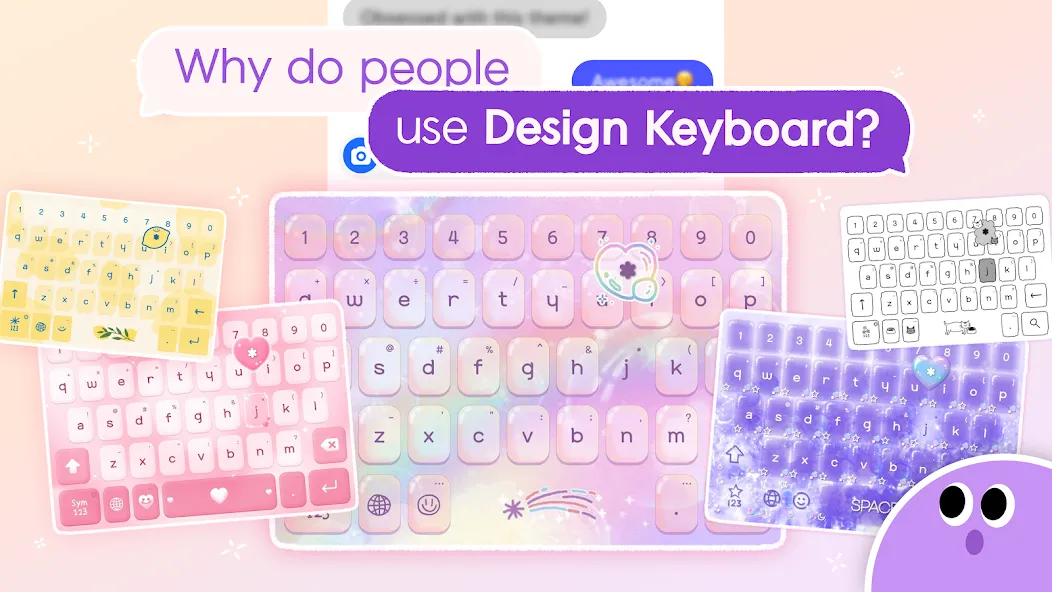
Design Keyboard lets you personalize everything—from the background photo to keyboard fonts, emoji style, and even typing sound effects!
🔥 Key Features
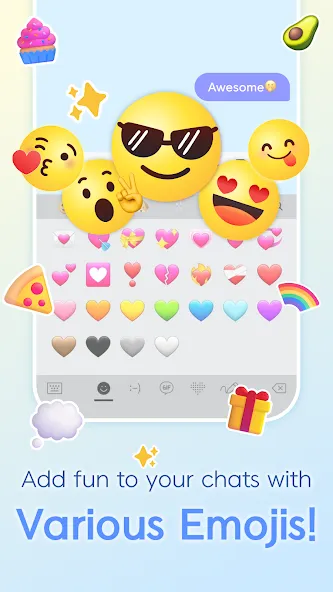
💡 1. All-in-One Emoji Keyboard
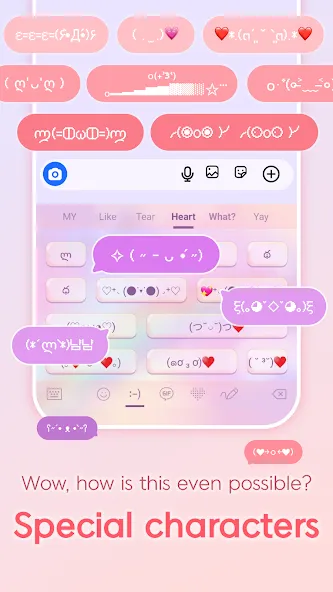
Use 1000+ cute emojis, text emoticons, multi emojis, and kaomoji
Emoji categories include: Heart, Expression, Food, Animal, People & more!
Supports fun emoji combinations only available in Design Keyboard
🖼️ 2. Photo Keyboard & GIF Keyboard
DIY keyboard using your own photos or trending GIFs
Instantly search and apply themes like: Puppies, Kittens, Aesthetic, Space, Characters, and more!
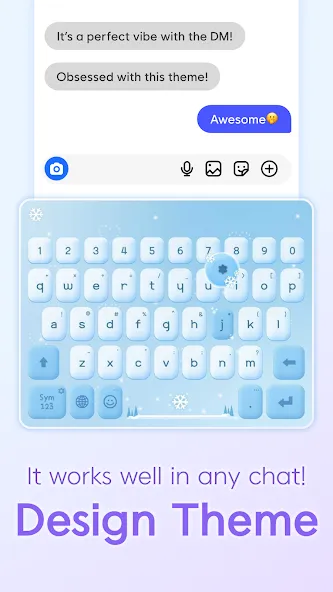
🎨 3. 1500+ Stylish Keyboard Themes
Curated designer themes: iPhone Theme, Mukbang Theme, Sparkle Theme
Weekly new theme updates covering anime, neon, K-pop, minimal, pastel & more
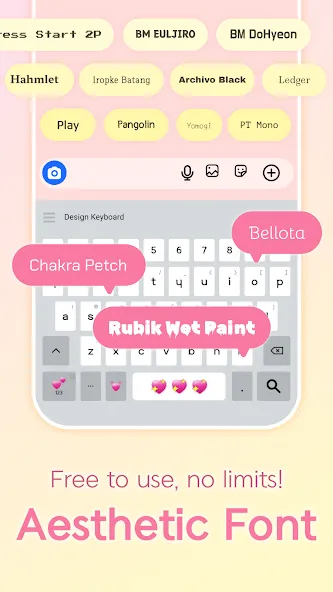
🔤 4. Cool Fonts Keyboard
Apply fancy fonts on your keyboard to upgrade Instagram bios, TikTok captions & Snapchat stories
Change keyboard font style instantly—anytime, anywhere
🔣 5. Unicode Symbol & Text Art Keyboard
Type special characters, nickname symbols, and trendy text decorations
Access hundreds of cute and creative text art designs
💬 Smart Typing Features
Gesture Typing: Smooth and fast swipe typing
AutoText & Clipboard: Save your favorite phrases and paste quickly
Multilingual Support: Supports 100+ languages and built-in translation
Voice & Handwriting Input also available
🧮 Extra Smart Tools
Built-in Calculator Keyboard: Instantly calculate and send the result in chat
Search directly from the keyboard using Google
Dictionary & Hanja support
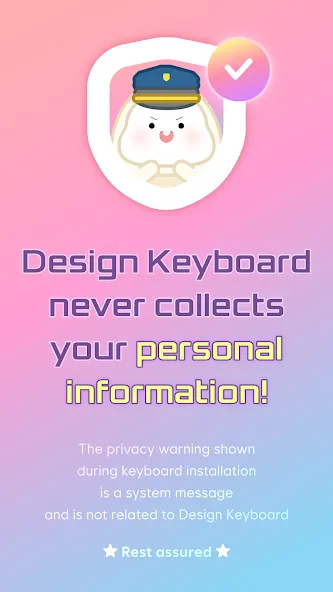
🔐 Privacy First
Design Keyboard does not require any mandatory access permissions.
Your data stays safe with us!
Upgrade your typing experience now with Design Keyboard – the most versatile and beautiful keyboard app for Android.
Start customizing your emoji keyboard today and stand out on TikTok, Instagram, WhatsApp, LINE, and more!
Google Play
APP STORE
Advertisement
Taptostore.com is an independent app discovery and editorial review platform. We publish reviews, comparisons, and recommendations designed to help users explore apps and make informed choices.
Download links on Taptostore.com direct users to the relevant official app store or another distribution channel designated by the developer or publisher. App downloads and installations take place through those external platforms.
Our content is developed through product research, editorial analysis, publicly available information, and, where appropriate, an assessment of the app’s features and user experience. Reviews and recommendations represent our editorial judgment at the time of publication.
The security and privacy practices of each app are determined by its developer. Before installing an app, users should review its official store listing, developer information, requested permissions, privacy policy, update history, and recent user feedback.
Taptostore.com does not control or independently certify third-party apps and cannot guarantee their security, reliability, performance, or privacy practices.
Not necessarily. Apps may be free, paid, advertising-supported, or include in-app purchases and recurring subscriptions. Pricing and availability may vary by region, device, platform, and time. Please refer to the relevant official store listing for current terms.
Availability may be affected by geographic restrictions, device compatibility, operating-system requirements, age limitations, store policies, or decisions made by the developer or publisher. These factors are outside the control of Taptostore.com.
Taptostore.com does not operate the apps featured on the website and cannot access their accounts or internal systems. Questions about login credentials, account recovery, technical issues, data deletion, or app functionality should be directed to the relevant developer through its official support channels.
Please do not send passwords, verification codes, recovery credentials, or payment information to Taptostore.com.
App-related payments, subscriptions, cancellations, and refunds are administered by the app store, developer, or payment provider responsible for the transaction. Taptostore.com does not process these transactions and cannot manage subscriptions or issue refunds.
Uninstalling an app may not cancel an active subscription. Users should manage subscriptions through the platform on which the purchase was made.
We make reasonable efforts to publish accurate and useful information. However, app features, pricing, compatibility, availability, and policies may change without notice. For the most current details, users should consult the relevant official store listing or developer documentation.
Unless expressly stated, Taptostore.com is not affiliated with, sponsored by, endorsed by, or officially connected with the developers, publishers, brands, or platforms featured on the website.
Product names, logos, brands, and trademarks belong to their respective owners and are referenced solely for identification and informational purposes.
Advertisement