


 Files by GoogleTools
4.5


Simulation
Ratings
Downloads
Age
Advertisement
Advertisement
Trade between star systems. Fight against pirates and alien invaders. Modification of the ship.
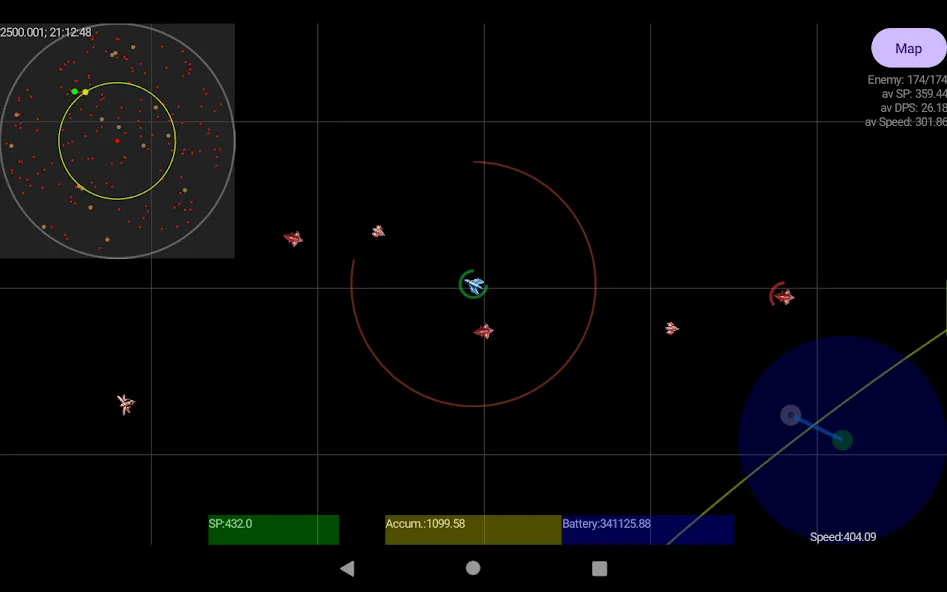
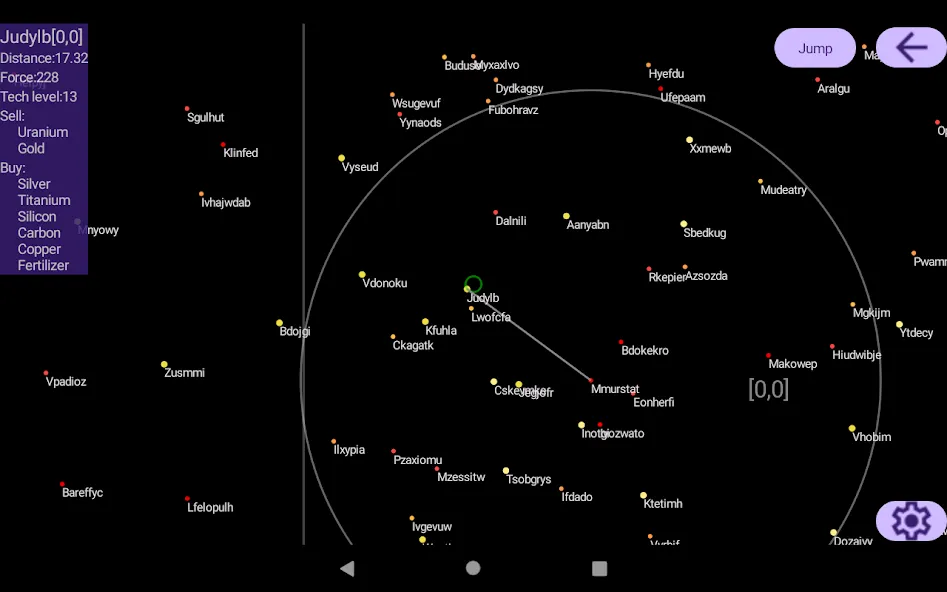
In order to jump into another system, you need to fly outside the system. Then select the destination system on the map, within the jump radius, and click the “Jump” button.
To dock at the spaceport, you need to hit it at a low speed.
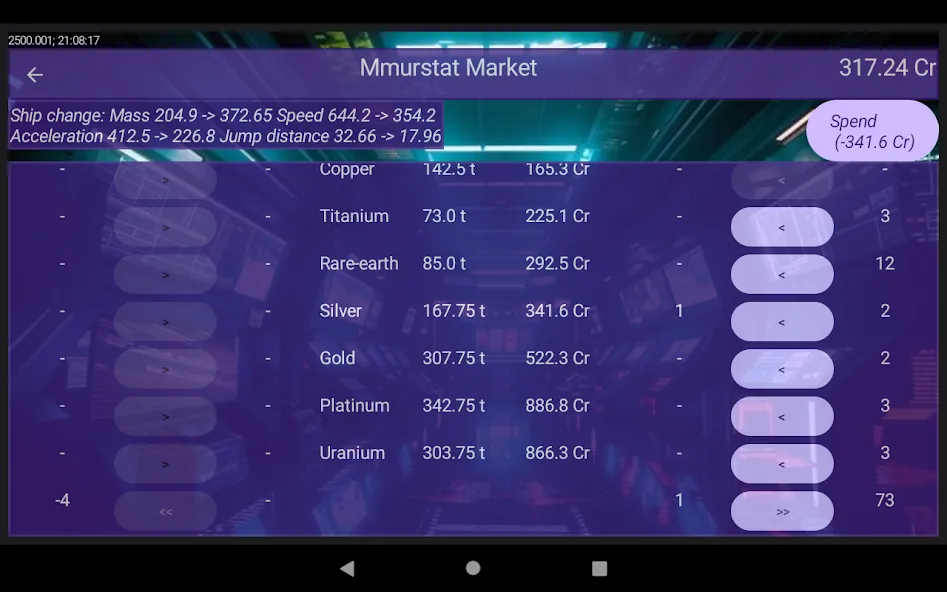
Trading is the main way to earn credits for the purchase of new equipment. To trade successfully, you need to buy the goods on the spaceport market that it sells. Then transport these goods to the system where they are bought and sell them there.
Information about which products are bought and which are sold in each system is displayed on the map. The pirates’ strength is also displayed there.
At first, you should avoid encountering pirates and not visit systems with a force of more than 100, you may not reach the spaceport.
Purchased goods can greatly slow down the ship, so heavy goods (Uranium, Platinum) must be bought with improved equipment and traded between close systems.
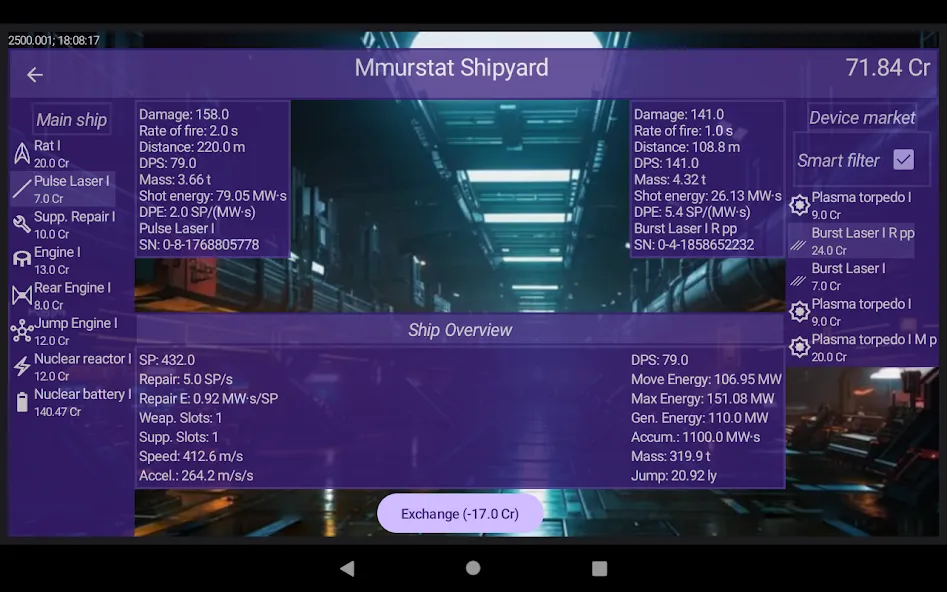
The ship’s equipment is purchased at the space shipyard.
The ship’s hull and all its equipment are divided into 4 dimensional slots I, II, III, IV, each subsequent slot is twice as large as the previous one in terms of characteristics and weight.
To purchase new equipment, select a ship slot, then select the equipment on the shipyard market and click the “Exchange” button. The price difference is shown in parentheses. The equipment is sold and bought at the same price, except for the nuclear battery, which is running out and should be constantly updated.
The activated “Smart Filter” leaves only suitable equipment by type and size for the selected ship slot from the list of the shipyard market.
The “Ship Overview” tab shows what changes will occur if the equipment is exchanged.
It is important to maintain the energy balance of the ship. The generated energy of the reactor must be at least greater than the energy of motion. During intense combat, when the maximum energy is consumed, the battery may run out. Then the energy will be used primarily for movement, and there may not be enough for repairs and shooting.
A hangar allows you to have multiple ships and switch between them. In order to buy a new ship, you need to buy a place in the hangar. Move the old ship there. Then go to the space shipyard, select an empty ship slot and buy a new hull. Then buy or remove the old equipment, if the dimensions match.
If you don’t like the new ship, you can sell it at any time by paying back all the credits.
Equipment improvement has several degrees: M - improved once, R - twice, L - three times, X - four times.
Each spaceport has a technical level that determines the initial quality of the equipment and the amount of improved equipment.
The quantity of goods on the market and, accordingly, the rate of exhaustion of the trade route also depends on the technical level.
The galaxy consists of 15x15 squares. Generated randomly. The generation core is selected at the beginning of the game.
The corner squares were attacked by aliens. The goal of the game is to clear the galaxy of aliens. For a successful sweep, you need to have the best ship (for example, Cobra IV X SSHm) and the best “X” class equipment purchased from technically advanced systems.
Similar games - Elite, Vampire survivors.
Google Play
APP STORE
Advertisement
Taptostore.com is an independent app discovery and editorial review platform. We publish reviews, comparisons, and recommendations designed to help users explore apps and make informed choices.
Download links on Taptostore.com direct users to the relevant official app store or another distribution channel designated by the developer or publisher. App downloads and installations take place through those external platforms.
Our content is developed through product research, editorial analysis, publicly available information, and, where appropriate, an assessment of the app’s features and user experience. Reviews and recommendations represent our editorial judgment at the time of publication.
The security and privacy practices of each app are determined by its developer. Before installing an app, users should review its official store listing, developer information, requested permissions, privacy policy, update history, and recent user feedback.
Taptostore.com does not control or independently certify third-party apps and cannot guarantee their security, reliability, performance, or privacy practices.
Not necessarily. Apps may be free, paid, advertising-supported, or include in-app purchases and recurring subscriptions. Pricing and availability may vary by region, device, platform, and time. Please refer to the relevant official store listing for current terms.
Availability may be affected by geographic restrictions, device compatibility, operating-system requirements, age limitations, store policies, or decisions made by the developer or publisher. These factors are outside the control of Taptostore.com.
Taptostore.com does not operate the apps featured on the website and cannot access their accounts or internal systems. Questions about login credentials, account recovery, technical issues, data deletion, or app functionality should be directed to the relevant developer through its official support channels.
Please do not send passwords, verification codes, recovery credentials, or payment information to Taptostore.com.
App-related payments, subscriptions, cancellations, and refunds are administered by the app store, developer, or payment provider responsible for the transaction. Taptostore.com does not process these transactions and cannot manage subscriptions or issue refunds.
Uninstalling an app may not cancel an active subscription. Users should manage subscriptions through the platform on which the purchase was made.
We make reasonable efforts to publish accurate and useful information. However, app features, pricing, compatibility, availability, and policies may change without notice. For the most current details, users should consult the relevant official store listing or developer documentation.
Unless expressly stated, Taptostore.com is not affiliated with, sponsored by, endorsed by, or officially connected with the developers, publishers, brands, or platforms featured on the website.
Product names, logos, brands, and trademarks belong to their respective owners and are referenced solely for identification and informational purposes.
Advertisement














