 Smart Launcher 6 ‧ Home Screen
4.6

Personalization
Ratings
Downloads
Age
Advertisement
Advertisement
Name
Category
Price
Safety
Developer
Version
PIXELFUL ICON PACK
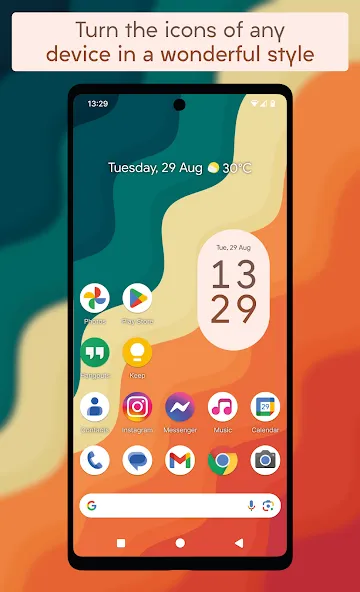
The first and only icon pack developed for transform the icons of any device, in the better style you have ever seen.
FEATURES
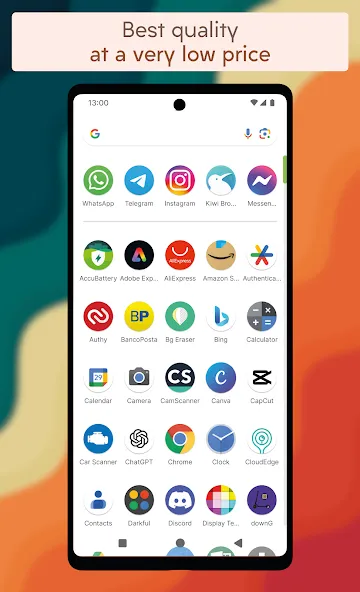
• The true first icon pack with a Pixelful look;
• Best quality at a very low price;
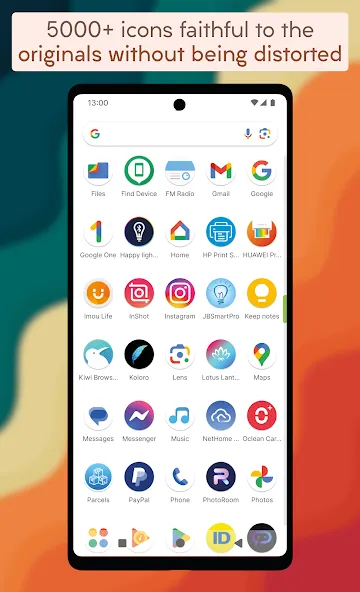
• More than 5100 icons inspired by Android 16 style;
• High resolution icons good also on 4K screens;
• The only one where the icons are not distorted but remain faithful to the originals;
• Turn every icon in rounded style thanks to icons masking for unthemed icons;
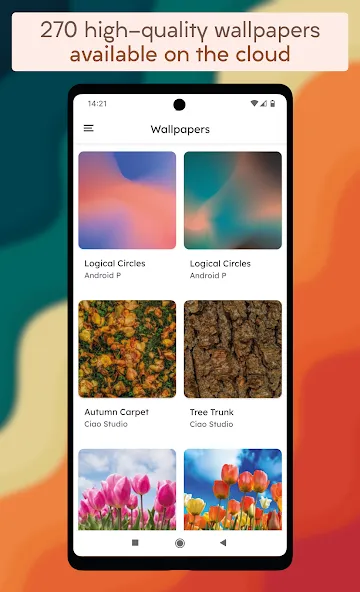
• 270 great high-quality wallpapers available on cloud;
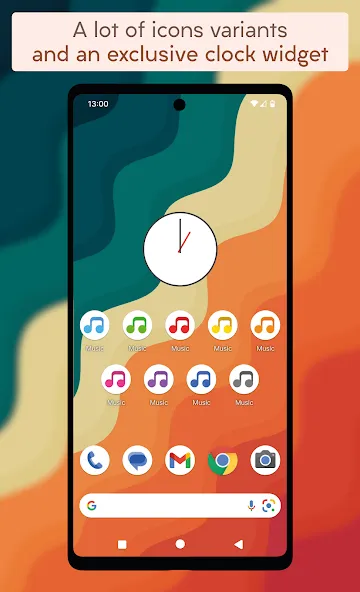
• A lot of alternative icons to choose from;
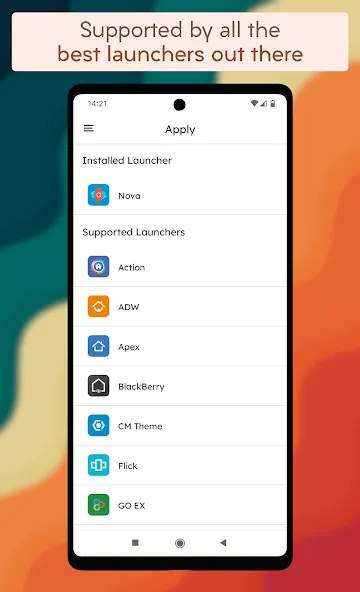
• Supported by a lot of Launchers;
• Built-in request tool for request missing icons;
• Frequently updates with new icons;
• Supported by Muzei Live Wallpapers;
• Material style exclusive clock widget;
• Dynamic calendars icon according to the day of the month (on launchers that support it).
IMPORTANT NOTE
This is an icon pack, made by Ciao Studio and not affiliated with any official product, and requires a launcher that supports icon packs. There is no possible way to support a launcher that does not support theming options. Please do not ask regarding this matter.
FREE ICONS REQUEST
• In each update, icons are updated and new ones are added, based on users requests made using the dedicated built-in tool;
• After requesting the icons, you have to be patient because a lot of them are received every day;
• Requests are analyzed and icons are added for apps that meet certain requirements such as having a good number of downloads.
COMPATIBILITY
In Darkful Icon Pack you can select the following launcher: Action, ADW, Apex, BlackBerry, CM Theme, Flick, GO EX, Holo, Holo HD, Hyperion, KISS, Kvaesitso, Lawnchair, LG Home, Lucid, Microsoft, Niagara, Nougat, Pixel, POCO, Samsung One UI, Smart, Solo, Square, ZenUI.
It can also be used in many more launchers that support icon packs but are not specified within the application.
ADVICES
To get the same style of screenshots, you have to follow these steps using Nova Launcher:
• Desktop -> Width padding -> Large
• Desktop -> Searchbar style -> Select the one in the screenshots, trasparency 20%
• Desktop -> Page indicator -> Line
• App & widget drawers -> Swipe to open -> On
• App & widget drawers -> Card background -> Off
• App & widget drawers-> Background -> White, trasparency 10%
• Dock -> Dock Background -> Rectangle, white, trasparency 60%
• Dock -> Searchbar in dock -> Below icons
• Dock -> Width padding -> Large
• Folders -> Folder background -> Select the first
Google Play
APP STORE
Advertisement
Taptostore.com is an independent app discovery and editorial review platform. We publish reviews, comparisons, and recommendations designed to help users explore apps and make informed choices.
Download links on Taptostore.com direct users to the relevant official app store or another distribution channel designated by the developer or publisher. App downloads and installations take place through those external platforms.
Our content is developed through product research, editorial analysis, publicly available information, and, where appropriate, an assessment of the app’s features and user experience. Reviews and recommendations represent our editorial judgment at the time of publication.
The security and privacy practices of each app are determined by its developer. Before installing an app, users should review its official store listing, developer information, requested permissions, privacy policy, update history, and recent user feedback.
Taptostore.com does not control or independently certify third-party apps and cannot guarantee their security, reliability, performance, or privacy practices.
Not necessarily. Apps may be free, paid, advertising-supported, or include in-app purchases and recurring subscriptions. Pricing and availability may vary by region, device, platform, and time. Please refer to the relevant official store listing for current terms.
Availability may be affected by geographic restrictions, device compatibility, operating-system requirements, age limitations, store policies, or decisions made by the developer or publisher. These factors are outside the control of Taptostore.com.
Taptostore.com does not operate the apps featured on the website and cannot access their accounts or internal systems. Questions about login credentials, account recovery, technical issues, data deletion, or app functionality should be directed to the relevant developer through its official support channels.
Please do not send passwords, verification codes, recovery credentials, or payment information to Taptostore.com.
App-related payments, subscriptions, cancellations, and refunds are administered by the app store, developer, or payment provider responsible for the transaction. Taptostore.com does not process these transactions and cannot manage subscriptions or issue refunds.
Uninstalling an app may not cancel an active subscription. Users should manage subscriptions through the platform on which the purchase was made.
We make reasonable efforts to publish accurate and useful information. However, app features, pricing, compatibility, availability, and policies may change without notice. For the most current details, users should consult the relevant official store listing or developer documentation.
Unless expressly stated, Taptostore.com is not affiliated with, sponsored by, endorsed by, or officially connected with the developers, publishers, brands, or platforms featured on the website.
Product names, logos, brands, and trademarks belong to their respective owners and are referenced solely for identification and informational purposes.
Advertisement