 Money Manager Expense & Budget
4.6

Business
Ratings
Downloads
Age
Advertisement
Advertisement
Name
Category
Price
Safety
Developer
Version
Who can use CashBooks?
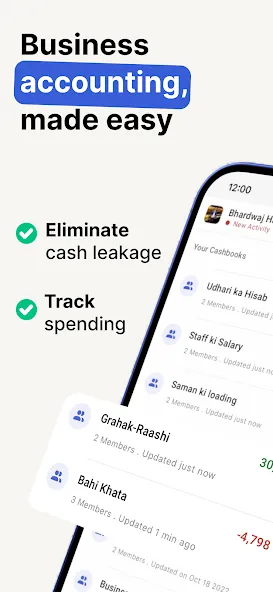
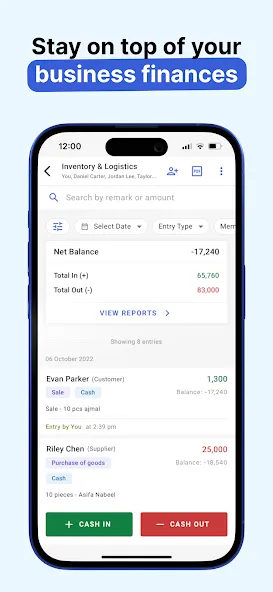
For Account Manager - Management accounting made easy, know your cash flow & work book balance. No need to calculate your daily sales cash balance manually. It will help you reconcile finance easily and maintain a record book.
📚 Bookkeeping tool - Reduces the job of a bookkeeper, no need to add transactions in excel. Simply add it in the cashbook app as your register book. For advanced work, you can always export excel or google sheets and use them in your desktop system.
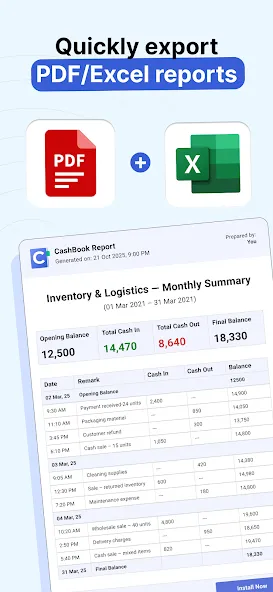
🅿️ Report generator tool - Access your books quickly in case clients want a report, you can easily share a PDF report on WhatsApp with them anywhere on the go.
For Business - Use as a cash register to track the movement of money, as a simple ledger. Export reports in Excel or PDF format. Know how much money is left. It is easier to manage an account book on CashBook compared to Pen & Paper.
🧑🤝🧑 Manage staff salary - Add a book & name it as Salary Book. Keep adding the advance of Salary you give to the employee, to know the salary balance left at the end of the month. Go to search and type the name of the staff. It will show you the salary amount given to staff and the final balance left to be paid.
💰 Manage Credit Debit of Business - Create a new book to manage your debt with suppliers. Add credit in remark of transactions purchased on credit, to know the balance at any time use search and filter.
For Individual - Use it as an expense manager & money manager app. Do financial planning & plan your monthly budget. It will help prevent excessive spend from your end. Keep a track of pocket money. Cash app is your expense diary or finance notebook.
📈 As a money control tool - It helps you keep a tap of the money you are spending and works as a budget planner.
📊 Categorize your expense - Create account books to log your different expenses. New books for home budget or office to manage the day to day expenses.
💳 Manage debt - When loaned cash money as debt by someone Cash App acts as a healthy reminder to pay off debt quickly.
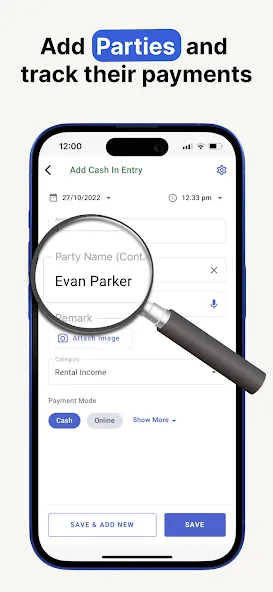
🏧 Khata App - To know how much any of your friends and family members owe you simply search their name, book of all their finances with previous entries will be available.
CashBook Features
Share Cash Book - Create as many cashbooks as you like and maintain separate records for each of your ledger accounts.
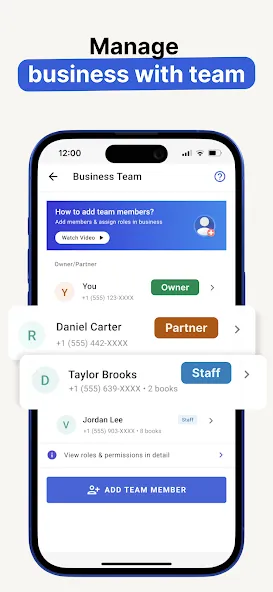
Share Cash record with team members, split your expenses wisely & make a record of recurring payments
Shared Books are the easiest way to share expenses with friends and family and stop stressing about “who owes whom”.
Generate Report - Easily generate a report and take it out in the form of Excel or google sheets & PDF.
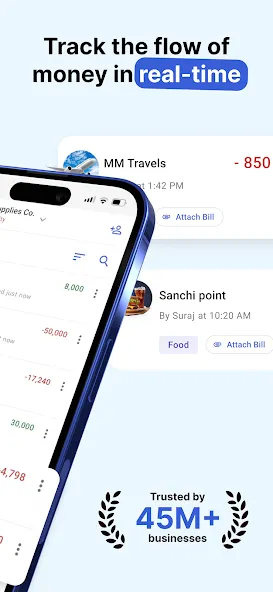
Attach Bills - Attach Bill to the book by adding bill image with the ledger entry.
Search - Find a record of all cash in and cash out transactions associated with the remark term.
Filter -Tap on the filter & choose credit or debit, cash-out or cash-in.
Use date filter toggles between a daily budget or monthly budget view
Desktop App - Now use Cash Book App on Desktop or Computer - https://web.cashbookapp.in/login
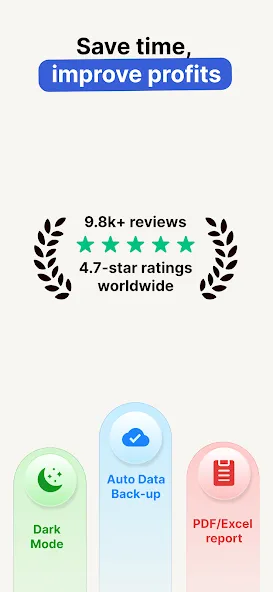
100% Auto Data Backup - All data linked to your phone number can be accessed from different devices. Now the users need not fear the loss of a record book or register book.
—
Cash Book may be misspelt as Kas Book, Kash Book, Kata Book, Cashe Book by some users.
CashBook can also be used as a ledger book, income expense manager, credit debit logger, asset debt recorder, money manager & personal passbook.
Questions about CashBook? write to us at [email protected]
Website - http://cashbook.in
Google Play
APP STORE
Advertisement
Taptostore.com is an independent app discovery and editorial review platform. We publish reviews, comparisons, and recommendations designed to help users explore apps and make informed choices.
Download links on Taptostore.com direct users to the relevant official app store or another distribution channel designated by the developer or publisher. App downloads and installations take place through those external platforms.
Our content is developed through product research, editorial analysis, publicly available information, and, where appropriate, an assessment of the app’s features and user experience. Reviews and recommendations represent our editorial judgment at the time of publication.
The security and privacy practices of each app are determined by its developer. Before installing an app, users should review its official store listing, developer information, requested permissions, privacy policy, update history, and recent user feedback.
Taptostore.com does not control or independently certify third-party apps and cannot guarantee their security, reliability, performance, or privacy practices.
Not necessarily. Apps may be free, paid, advertising-supported, or include in-app purchases and recurring subscriptions. Pricing and availability may vary by region, device, platform, and time. Please refer to the relevant official store listing for current terms.
Availability may be affected by geographic restrictions, device compatibility, operating-system requirements, age limitations, store policies, or decisions made by the developer or publisher. These factors are outside the control of Taptostore.com.
Taptostore.com does not operate the apps featured on the website and cannot access their accounts or internal systems. Questions about login credentials, account recovery, technical issues, data deletion, or app functionality should be directed to the relevant developer through its official support channels.
Please do not send passwords, verification codes, recovery credentials, or payment information to Taptostore.com.
App-related payments, subscriptions, cancellations, and refunds are administered by the app store, developer, or payment provider responsible for the transaction. Taptostore.com does not process these transactions and cannot manage subscriptions or issue refunds.
Uninstalling an app may not cancel an active subscription. Users should manage subscriptions through the platform on which the purchase was made.
We make reasonable efforts to publish accurate and useful information. However, app features, pricing, compatibility, availability, and policies may change without notice. For the most current details, users should consult the relevant official store listing or developer documentation.
Unless expressly stated, Taptostore.com is not affiliated with, sponsored by, endorsed by, or officially connected with the developers, publishers, brands, or platforms featured on the website.
Product names, logos, brands, and trademarks belong to their respective owners and are referenced solely for identification and informational purposes.
Advertisement