 Routine Planner, Habit Tracker
4.6


Productivity
Ratings
Downloads
Age
Advertisement
Advertisement
Name
Category
Price
Safety
Developer
Version
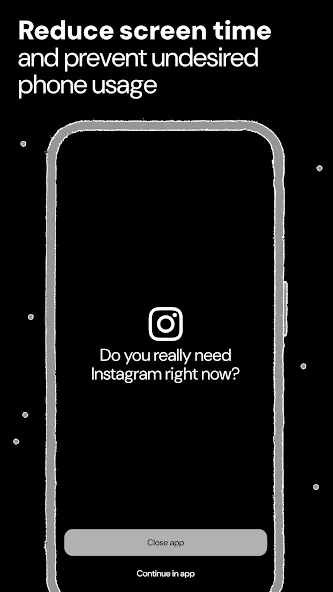
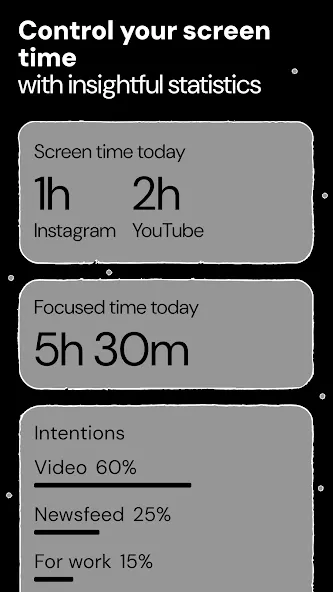
The main goal of Ascent is to build healthy phone usage habits in the long term. Ascent pauses distracting apps giving the ability to avoid procrastination loop from the start. App prevents undesired scrolling through news feeds and short videos. Instead Ascent allows to spend time on mindful working and creating.
Ascent is a powerful and intuitive app blocker that helps you stay focused and combat procrastination. With its advanced blocking and tracking features, Ascent makes it easy to take control of your time and achieve your goals.
Pause Exercise
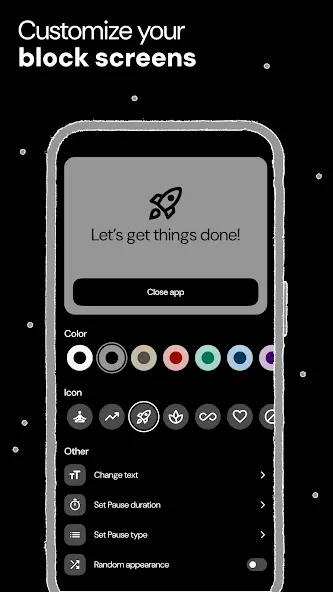
Ascent makes you take pause before opening a destructing app. Take your time to reflect on whether you really want to open it. You can choose to either close the app or continue using it. This feature helps you to avoid compulsive app opening and makes your phone usage more mindful and reasonable.
Focus Session
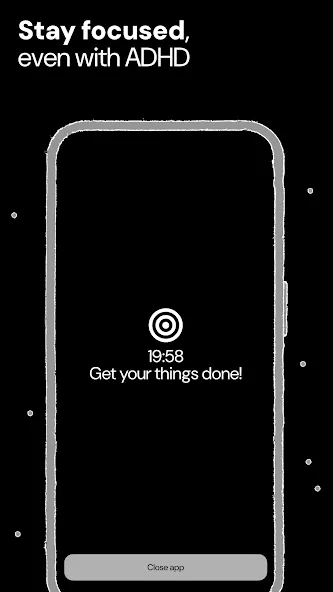
Focus Session elevates your productivity by creating a dedicated space with minimized distractions. It temporarily restricts access to specific apps, ensuring your attention stays on the task at hand. This feature helps you stay deeply engaged, promoting a state of flow and maximizing your efficiency.
App Limits
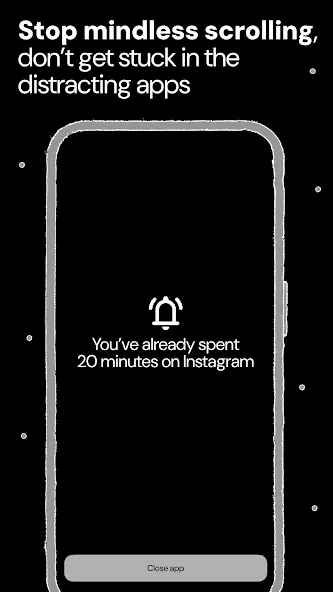
Set daily usage limits on apps and websites to automatically block them and prevent overuse.
Reminder
Reminder helps you regain control over your digital habits by guiding you away from time-consuming apps. Set reminders to activate the Pause Screen, nudging you to step back and break free from unhealthy screen time patterns, fostering a more balanced relationship with your digital environment.
Reels & Shorts Blocking
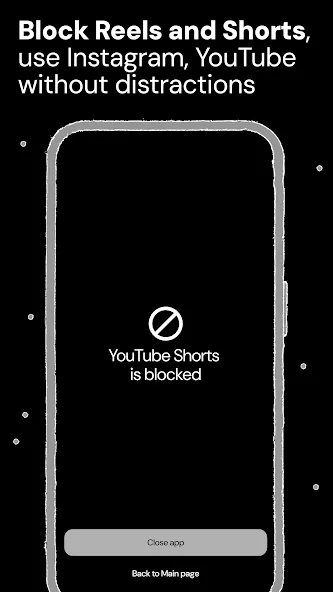
Completely block specific locations inside configured apps like Instagram Reels or YouTube Shorts to avoid distractions while using them. Using this feature, you will still be able to access the Instagram and YouTube app except the Reels and Shorts sections.
Websites Blocking
Limit websites usage by blocking specific links in your mobile browser.
Intentions
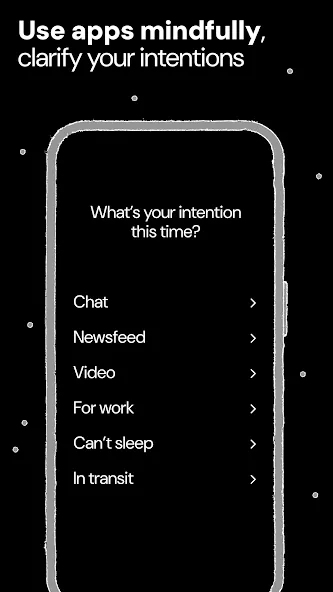
Intentions reshape your interaction with digital distractions by prompting you to pause and state your purpose before using potentially harmful apps. This feature turns impulsive screen time into a deliberate choice, helping you build a more mindful and intentional relationship with your digital habits.
Shortcuts
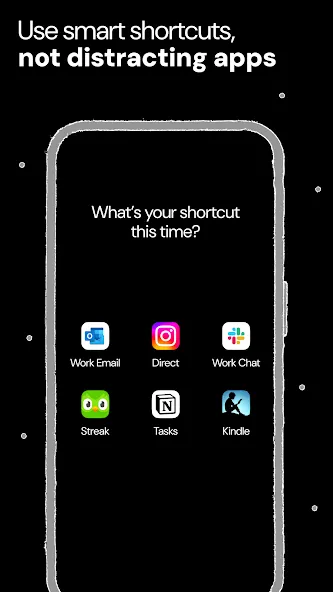
Shortcuts transform your digital habits by letting you get more done with less taps, streamlining your workflow and minimizing interruptions. Arrange essential apps and links for quick access, so you can retrieve them when needed. By keeping your focus sharp and avoiding distractions, Shortcuts help you stay productive and intentional.
Bookmarks
Bookmarks transform your screen habits by shifting your focus from algorithmic content to what truly matters. Ascent helps you save bookmarks as valuable resources, providing a mindful alternative to chaotic feeds and integrating quality knowledge into your daily routine for a more meaningful and intentional digital experience.
Ascent makes it easy to set up custom blocking schedules and stay on track. You can choose to block apps for a specific period of time or during certain times of the day, and receive notifications when your blocking schedule is about to end or when you’re approaching or exceeding your daily limits. This helps you stay aware of your habits and make positive changes to your daily routine.
Keywords: screen time, screen time control, screen time tracker, offtime, appblock, app blocker, block distractions, websites blocker, block apps/sites, enso, social media blocker, app limiter, self control, focus, stay focused, focus timer, one sec, productivity, opal, procrastination, stop scrolling, forest, pomodoro timer, cold turkey, cold turkey blocker
Accessibility Service API
This app uses the Accessibility Service API to detect and block user-selected applications. We do not collect personal information, all data stays on your phone.
Google Play
APP STORE
Advertisement
Taptostore.com is an independent app discovery and editorial review platform. We publish reviews, comparisons, and recommendations designed to help users explore apps and make informed choices.
Download links on Taptostore.com direct users to the relevant official app store or another distribution channel designated by the developer or publisher. App downloads and installations take place through those external platforms.
Our content is developed through product research, editorial analysis, publicly available information, and, where appropriate, an assessment of the app’s features and user experience. Reviews and recommendations represent our editorial judgment at the time of publication.
The security and privacy practices of each app are determined by its developer. Before installing an app, users should review its official store listing, developer information, requested permissions, privacy policy, update history, and recent user feedback.
Taptostore.com does not control or independently certify third-party apps and cannot guarantee their security, reliability, performance, or privacy practices.
Not necessarily. Apps may be free, paid, advertising-supported, or include in-app purchases and recurring subscriptions. Pricing and availability may vary by region, device, platform, and time. Please refer to the relevant official store listing for current terms.
Availability may be affected by geographic restrictions, device compatibility, operating-system requirements, age limitations, store policies, or decisions made by the developer or publisher. These factors are outside the control of Taptostore.com.
Taptostore.com does not operate the apps featured on the website and cannot access their accounts or internal systems. Questions about login credentials, account recovery, technical issues, data deletion, or app functionality should be directed to the relevant developer through its official support channels.
Please do not send passwords, verification codes, recovery credentials, or payment information to Taptostore.com.
App-related payments, subscriptions, cancellations, and refunds are administered by the app store, developer, or payment provider responsible for the transaction. Taptostore.com does not process these transactions and cannot manage subscriptions or issue refunds.
Uninstalling an app may not cancel an active subscription. Users should manage subscriptions through the platform on which the purchase was made.
We make reasonable efforts to publish accurate and useful information. However, app features, pricing, compatibility, availability, and policies may change without notice. For the most current details, users should consult the relevant official store listing or developer documentation.
Unless expressly stated, Taptostore.com is not affiliated with, sponsored by, endorsed by, or officially connected with the developers, publishers, brands, or platforms featured on the website.
Product names, logos, brands, and trademarks belong to their respective owners and are referenced solely for identification and informational purposes.
Advertisement