 Auto Clicker - Automatic tap
4.6


Tools
Ratings
Downloads
Age
Advertisement
Advertisement
Name
Category
Price
Safety
Developer
Version
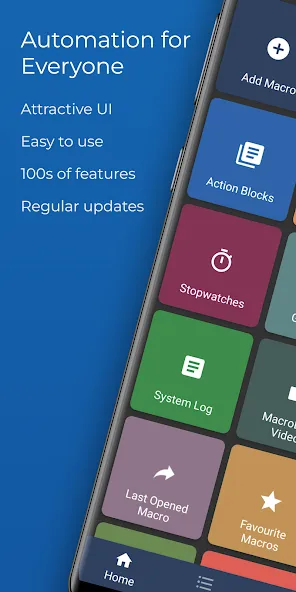
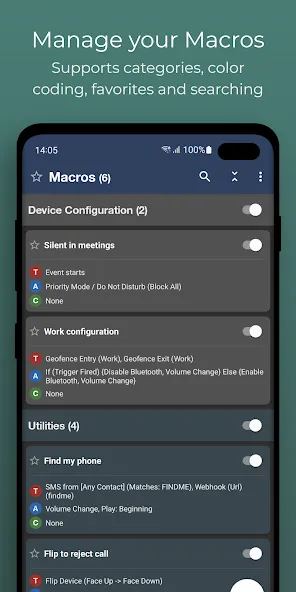
Turn your Android device into a smart assistant that works for you. MacroDroid is the easiest way to automate almost anything on your phone or tablet — no coding required, just a few taps.
What can you automate?
✦ Auto-reject calls when you’re in a meeting (synced with your calendar)
✦ Read incoming messages aloud while driving and reply hands-free
✦ Switch on Bluetooth and start your music the moment you enter the car
✦ Turn on Wi-Fi automatically when you arrive home
✦ Save battery by dimming the screen and disabling radios at night
✦ Create custom sound and notification profiles for work, sleep, or the gym
✦ Get reminded about tasks with timers, stopwatches and location alerts
✦ Keep your storage tidy by automating file copy, move and delete tasks
These are just a handful of ideas — the possibilities are virtually endless.
How it works — 3 simple steps
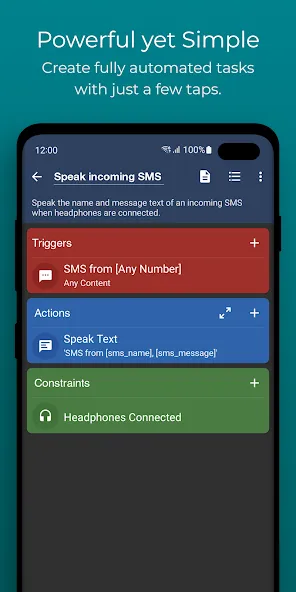
1. Pick a Trigger
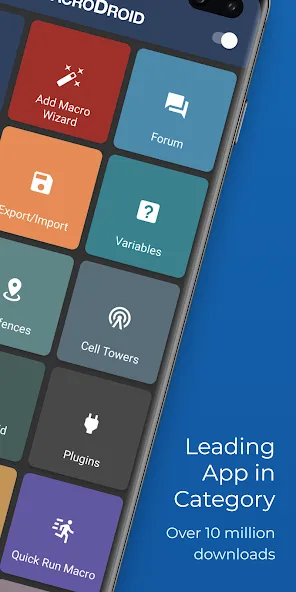
Choose what kicks off your macro. MacroDroid offers over 120 triggers, including location (GPS, cell towers, geofences), device status (battery, app launches, data usage), sensors (shake, light, proximity, fold angle), and connectivity (Bluetooth, Wi-Fi, notifications, webhooks). You can also launch macros manually with a home screen shortcut or the customisable MacroDroid sidebar.
2. Choose your Actions
Decide what happens next. Pick from over 200 actions: connect to devices, adjust volume, speak text aloud, send messages, control media, take screenshots, dim the screen, run Tasker plugins, and much more. Chain multiple actions together to build powerful workflows.
3. Add Constraints (optional)
Fine-tune when your macros run. With over 80 constraints, you can limit a macro to certain days, times, locations, or device states — for example, only connecting to office Wi-Fi during working hours.
Designed for everyone
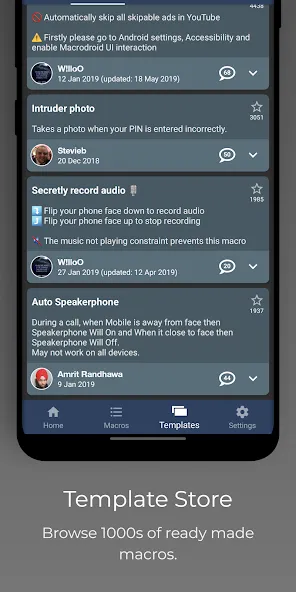
New to automation? Get started in seconds with the built-in Template store — browse hundreds of ready-made macros shared by the community, install one with a single tap, and tweak it to fit your needs. The in-app help and active user forum mean you’re never stuck for long.
Power user? Dive deeper with user-defined variables, dictionaries and arrays, intents, scripting, IF / THEN / ELSE logic, AND/OR conditions, loops and Tasker/Locale plugin support.
Free vs Pro
The free version is ad-supported and lets you create up to 5 macros. Upgrade to Pro with a small one-time payment to remove all ads and unlock unlimited macros — no subscriptions, ever.
Wear OS Companion
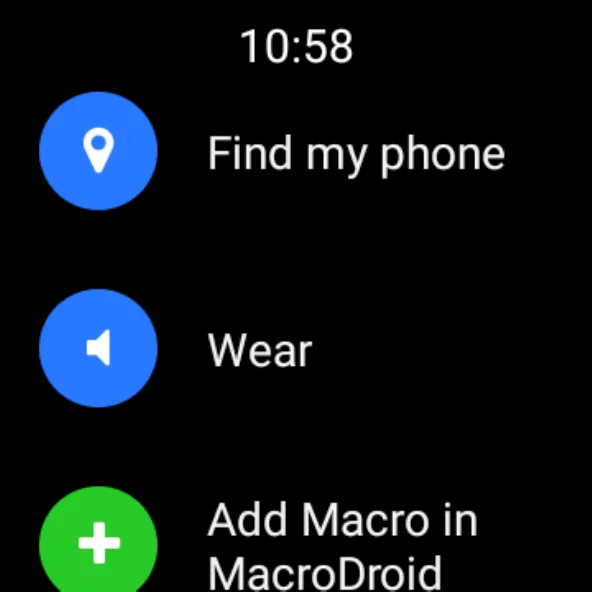
MacroDroid includes a Wear OS companion app for triggering and interacting with your macros from your wrist, including watch face complications. The phone app is required.
Accessibility Services
Some features (such as automating UI interactions) use Android’s accessibility services. This is entirely optional and at your discretion. MacroDroid never collects or logs any user data through accessibility services.
Support & Community
Join thousands of users in our active community forum at http://www.macrodroidforum.com — the best place for usage questions, feature requests and macro-sharing inspiration. To report a bug, use the in-app “Report a bug” option in the Troubleshooting section.
—
Stop doing the same things over and over. Let MacroDroid do them for you.
Google Play
APP STORE
Advertisement
Taptostore.com is an independent app discovery and editorial review platform. We publish reviews, comparisons, and recommendations designed to help users explore apps and make informed choices.
Download links on Taptostore.com direct users to the relevant official app store or another distribution channel designated by the developer or publisher. App downloads and installations take place through those external platforms.
Our content is developed through product research, editorial analysis, publicly available information, and, where appropriate, an assessment of the app’s features and user experience. Reviews and recommendations represent our editorial judgment at the time of publication.
The security and privacy practices of each app are determined by its developer. Before installing an app, users should review its official store listing, developer information, requested permissions, privacy policy, update history, and recent user feedback.
Taptostore.com does not control or independently certify third-party apps and cannot guarantee their security, reliability, performance, or privacy practices.
Not necessarily. Apps may be free, paid, advertising-supported, or include in-app purchases and recurring subscriptions. Pricing and availability may vary by region, device, platform, and time. Please refer to the relevant official store listing for current terms.
Availability may be affected by geographic restrictions, device compatibility, operating-system requirements, age limitations, store policies, or decisions made by the developer or publisher. These factors are outside the control of Taptostore.com.
Taptostore.com does not operate the apps featured on the website and cannot access their accounts or internal systems. Questions about login credentials, account recovery, technical issues, data deletion, or app functionality should be directed to the relevant developer through its official support channels.
Please do not send passwords, verification codes, recovery credentials, or payment information to Taptostore.com.
App-related payments, subscriptions, cancellations, and refunds are administered by the app store, developer, or payment provider responsible for the transaction. Taptostore.com does not process these transactions and cannot manage subscriptions or issue refunds.
Uninstalling an app may not cancel an active subscription. Users should manage subscriptions through the platform on which the purchase was made.
We make reasonable efforts to publish accurate and useful information. However, app features, pricing, compatibility, availability, and policies may change without notice. For the most current details, users should consult the relevant official store listing or developer documentation.
Unless expressly stated, Taptostore.com is not affiliated with, sponsored by, endorsed by, or officially connected with the developers, publishers, brands, or platforms featured on the website.
Product names, logos, brands, and trademarks belong to their respective owners and are referenced solely for identification and informational purposes.
Advertisement