 Photoshop Express Photo Editor
4.5


Photography
Ratings
Downloads
Age
Advertisement

Advertisement
Name
Category
Price
Safety
Developer
Version
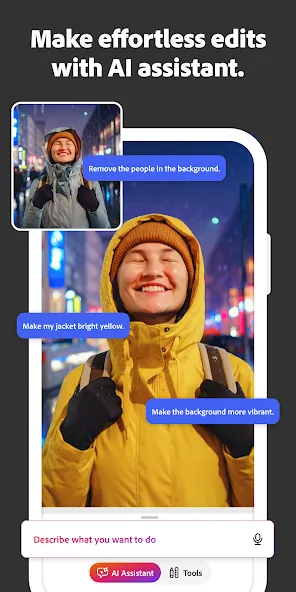
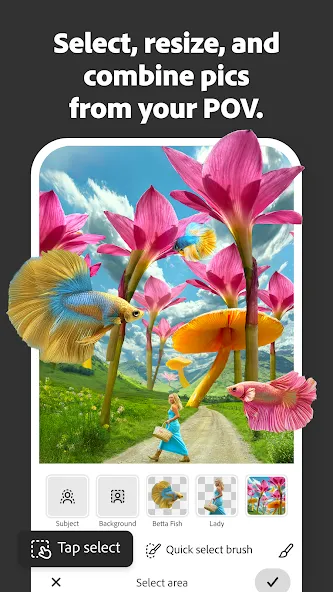
Photoshop on mobile is an image editor app with a wide selection of free photo editing tools. Whether you are just getting started or already know Photoshop, it’s easier than ever to transform a single photo or blend multiple images into a cohesive design.
What can Photoshop on mobile do?
⦁ Add new objects with AI
⦁ Blur or remove backgrounds
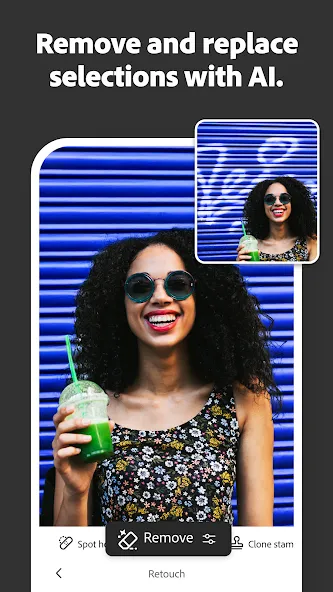
⦁ Replace backgrounds and remove unwanted objects
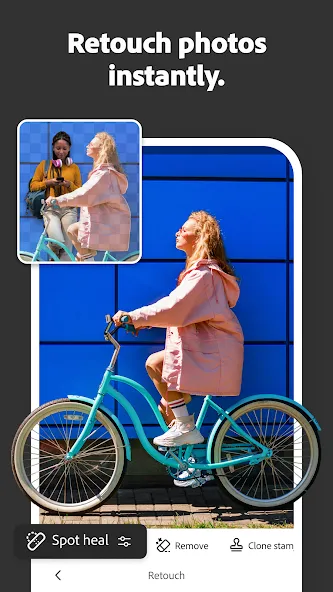
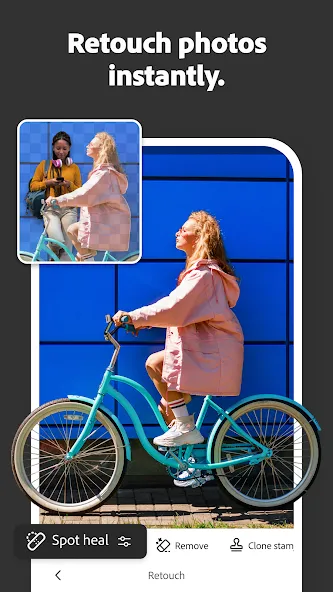
⦁ Retouch, refine, and perfect your images with targeted adjustments
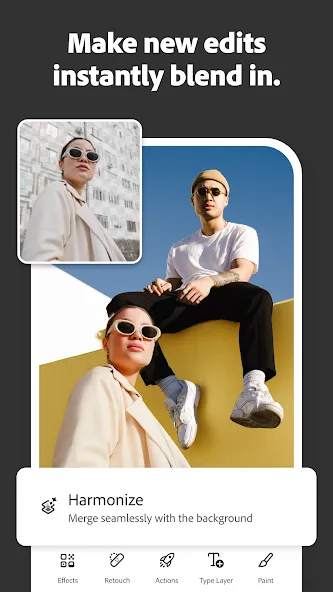
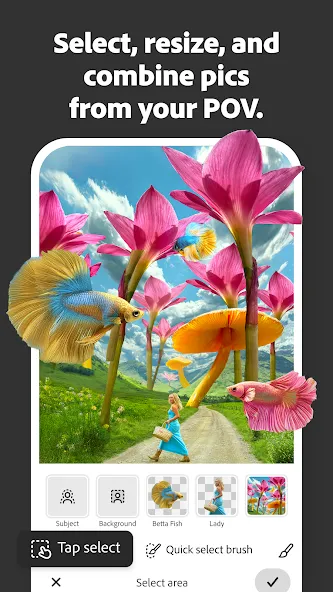
⦁ Combine multiple images to create high-quality compositions
⦁ Make collages, album cover art, perfect your passion projects, and develop unique digital art
How to remove or replace backgrounds with Photoshop?
⦁ Select the backgrounds with the Tap Select tool.
⦁ Remove backgrounds or replace them with another image, create AI-generated backgrounds with Generative Fill, or select from our large library of Adobe Stock images, textures, filters, and patterns.
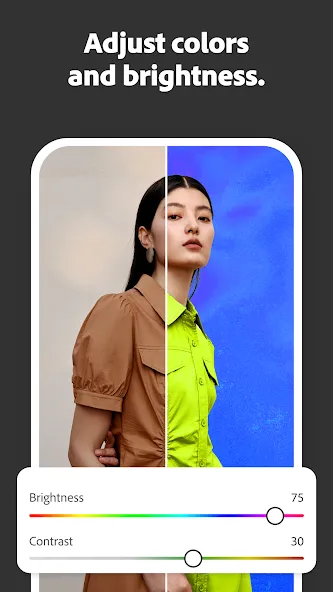
⦁ Adjust the background, brightness, effects, or vibrancy to bring your creations to life.
How to remove unwanted objects or distractions from photos with Photoshop?
⦁ To remove an unwanted object from photos is simple with our photo editor:
⦁ Brush out blemishes, spots, or small imperfections in seconds using the Spot Healing Brush.
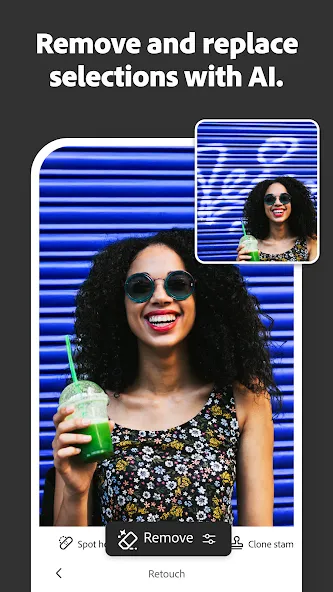
⦁ Remove objects from your images with Generative Fill image assistant.
How to personalize a photo, image or design with Photoshop?
⦁ You can personalize your photos, images, or designs with Photoshop in multiple ways:
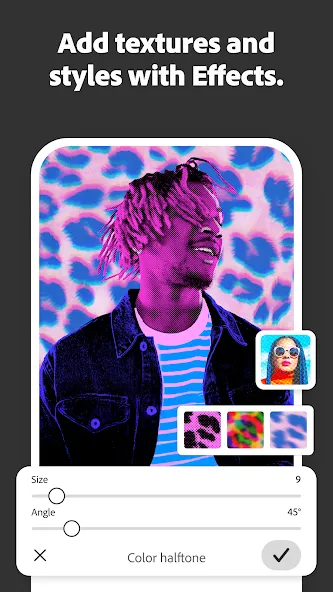
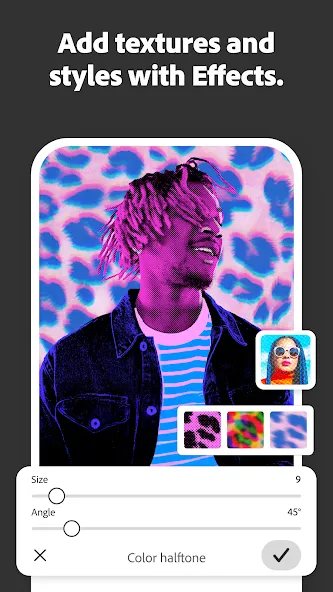
⦁ Create stunning visual images that are uniquely yours by blending photos, graphics, text, utilizing effects, and more.
⦁ Combine unique elements from your own photos with a selection of free Adobe Stock images, to create elevated images.
⦁ Retouch photos as you like, by selecting an object or person with the Tap Select tool.
⦁ Remove objects in your image or control how they come together with layers.
⦁ Easily add and remove content from your photos using simple text prompts with Generative Fill. Ideate, create new assets, and jumpstart your creativity using Generate Image.
⦁ Photoshop mobile allows you to adjust the color of anything, like your shirt, pants or shoes, using adjustment layers. Use the Tap Select and other selection tools to edit the brightness or vibrancy for a pop of color to your images.
What premium features does Photoshop on mobile have?
⦁ Upgrade to the Photoshop Mobile and Web plan for enhanced control and precision.
⦁ Easily remove entire objects just by brushing over it, and have the background filled in automatically with the Remove Tool.
⦁ Seamlessly fill selected portions of an image with content sampled from other parts of the image with Content Aware Fill.
⦁ Quickly and precisely select people and objects like plants, cars, and more with enhanced precision using Object Select.
⦁ 100 generative credits to add, expand, design or remove objects and people from your images.
⦁ Ideate, create new assets, and expand your creativity using the latest features like Generate Image.
⦁ Change unique layer interactions to control transparency, color effects, filters, and add style to your images with Advanced Blend Modes.
⦁ Quickly and easily select an object or area of your image based on similar colors and tones with the Magic Wand Tool, and retouch photos further with precise adjustments.
⦁ Export in additional file formats (PSD, TIFF, JPG, PNG) and export options for print quality and compression.
Facial retouch feature processes data on the device only. No data is stored, processed or retained by Adobe or third parties.
TERMS & CONDITIONS:
Your use of this application is governed by the Adobe General Terms of Use http://www.adobe.com/go/terms_linkfree_en and the Adobe Privacy Policy http://www.adobe.com/go/privacy_policy_linkfree_en
Do not sell or share my personal information: www.adobe.com/go/ca-rights-linkfree
Google Play
APP STORE
Advertisement
Taptostore.com is an independent app discovery and editorial review platform. We publish reviews, comparisons, and recommendations designed to help users explore apps and make informed choices.
Download links on Taptostore.com direct users to the relevant official app store or another distribution channel designated by the developer or publisher. App downloads and installations take place through those external platforms.
Our content is developed through product research, editorial analysis, publicly available information, and, where appropriate, an assessment of the app’s features and user experience. Reviews and recommendations represent our editorial judgment at the time of publication.
The security and privacy practices of each app are determined by its developer. Before installing an app, users should review its official store listing, developer information, requested permissions, privacy policy, update history, and recent user feedback.
Taptostore.com does not control or independently certify third-party apps and cannot guarantee their security, reliability, performance, or privacy practices.
Not necessarily. Apps may be free, paid, advertising-supported, or include in-app purchases and recurring subscriptions. Pricing and availability may vary by region, device, platform, and time. Please refer to the relevant official store listing for current terms.
Availability may be affected by geographic restrictions, device compatibility, operating-system requirements, age limitations, store policies, or decisions made by the developer or publisher. These factors are outside the control of Taptostore.com.
Taptostore.com does not operate the apps featured on the website and cannot access their accounts or internal systems. Questions about login credentials, account recovery, technical issues, data deletion, or app functionality should be directed to the relevant developer through its official support channels.
Please do not send passwords, verification codes, recovery credentials, or payment information to Taptostore.com.
App-related payments, subscriptions, cancellations, and refunds are administered by the app store, developer, or payment provider responsible for the transaction. Taptostore.com does not process these transactions and cannot manage subscriptions or issue refunds.
Uninstalling an app may not cancel an active subscription. Users should manage subscriptions through the platform on which the purchase was made.
We make reasonable efforts to publish accurate and useful information. However, app features, pricing, compatibility, availability, and policies may change without notice. For the most current details, users should consult the relevant official store listing or developer documentation.
Unless expressly stated, Taptostore.com is not affiliated with, sponsored by, endorsed by, or officially connected with the developers, publishers, brands, or platforms featured on the website.
Product names, logos, brands, and trademarks belong to their respective owners and are referenced solely for identification and informational purposes.
Advertisement