 PixelFlow: Intro Video maker
4.1

Video Players & Editors
Ratings
Downloads
Age
Advertisement

Advertisement
Name
Category
Price
Safety
Developer
Version
Teleprompter for Videos: BIGVU’s AI-Powered Video Maker
Enhance your video creation with BIGVU, an all-in-one app video teleprompter and captions app. AI-powered editing tools help you make professional videos effortlessly.
Elegant Teleprompter for Perfectly Delivered Scripts
- Use the floating teleprompter to seamlessly read your script while maintaining eye contact with your audience.
- Adjust the speed and size of the text in the smart prompter, ensuring you always stay on point.
- Keep your eyes on the camera by reading your script scrolling down the screen
- Create compelling video scripts effortlessly with BIGVU’s AI Magic Writer, designed to help you craft power scripts for your autocue.
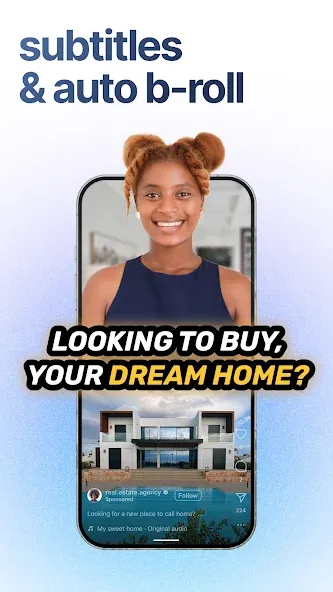
Automatic Subtitles
- Add subtitles to the lower third of your video for a professional touch.
- Customize captions with your brand colors for a cohesive look.
Seamless Video Integration:
- Automatically resize and crop your captions for optimal impact on social media platforms.
- Add your branding, logo, and background AI music with the built-in video editor.
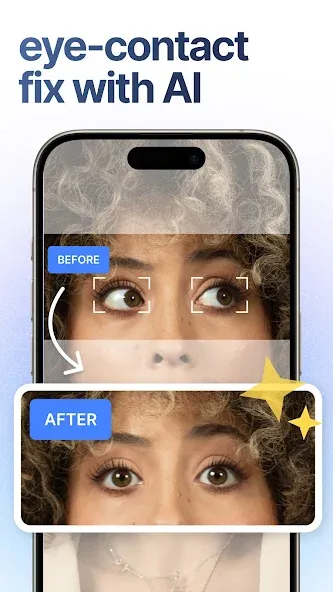
AI Eye Contact:
- Ensure seamless eye contact with your audience, enhancing trust and connection even when reading from a script.
- Automatically adjust your gaze, giving the impression of direct eye contact throughout your video.
- Perfect for presentations, tutorials, and personal messages where authenticity and connection are key.
Edit videos using the automatic transcript
- Trim and cut clips by just selecting the words
- Easily select the start and end points of your video by tapping on selected words of your video transcription
- Preview the trimmed video before finalizing the edit
- Access easy undo and redo options
- Fine-tuning controls for frame-by-frame adjustments
- Seamless integration with Descript to enhance the overall editing workflow
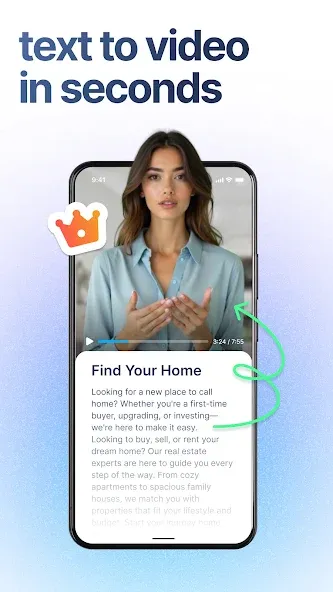
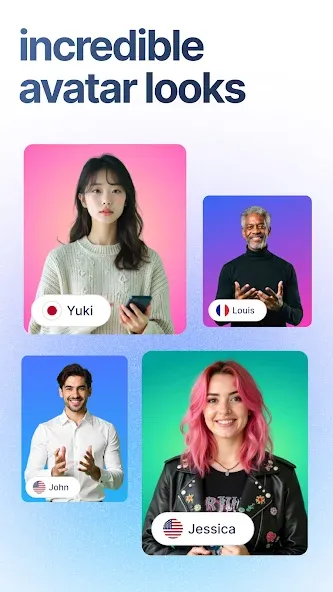
AI Photo to Video – Talking Head Without a Camera
- Turn any portrait or headshot photo into a professional talking-head video.
- No camera, no studio – upload a photo, add your voice or an AI voice, and write your script.
- Create talking photos and portrait videos, ready to post in under 60 seconds.
- Built for real estate agents, coaches, and marketers who need UGC-style video at scale.
Content Planner – Plan Your Videos Ahead
- Plan your whole video content calendar in one place with the BIGVU content planner.
- Organize ideas, scripts, and posts so you always know what to film next.
- Keep a steady flow of UGC and social content without the overwhelm.
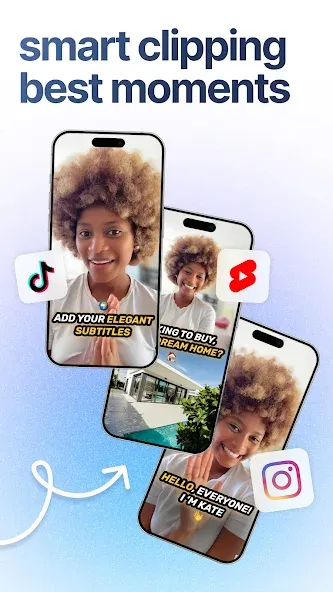
Autoshorts – Turn Long Videos into Shorts
- Turn long videos into short, shareable clips and reels in seconds with the Autoshorts agent.
- Auto-caption every short and resize for TikTok, Reels, and YouTube Shorts.
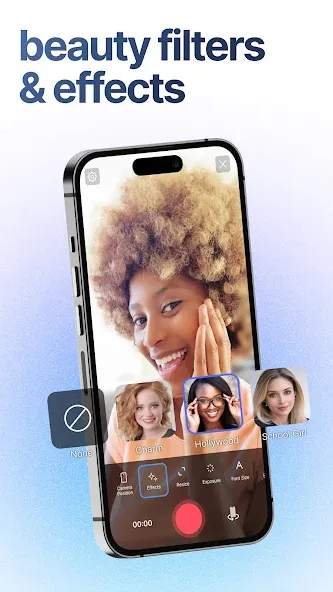
Live Beauty Camera Filters
- Enjoy advanced real-time face beautification effects including skin smoothing, skin tone enhancement, face morphing, teeth whitening, and soft lighting.
- Enhance your on-camera appearance with eye makeup.
- Add makeup filters for a polished and natural look.
- Use a variety of face filters to match the style and theme of your video, ensuring you always look your best.
BIGVU’s AI-powered captions app is your go-to solution for engaging videos that captivate your audience.
Visit our website for more information:
BIGVU Website - https://bigvu.tv/
Add Captions to Videos- https://bigvu.tv/create/auto-captions
Teleprompter App - https://bigvu.tv/create/teleprompter-app
AI Magic Writer for Video Scripts - https://bigvu.tv/create/ai-magic-writer-for-video-scripts
Training videos on how to create stunning videos with the BIGVU Teleprompter are available here: https://desk.bigvu.tv/course
Google Play
APP STORE
Advertisement
Taptostore.com is an independent app discovery and editorial review platform. We publish reviews, comparisons, and recommendations designed to help users explore apps and make informed choices.
Download links on Taptostore.com direct users to the relevant official app store or another distribution channel designated by the developer or publisher. App downloads and installations take place through those external platforms.
Our content is developed through product research, editorial analysis, publicly available information, and, where appropriate, an assessment of the app’s features and user experience. Reviews and recommendations represent our editorial judgment at the time of publication.
The security and privacy practices of each app are determined by its developer. Before installing an app, users should review its official store listing, developer information, requested permissions, privacy policy, update history, and recent user feedback.
Taptostore.com does not control or independently certify third-party apps and cannot guarantee their security, reliability, performance, or privacy practices.
Not necessarily. Apps may be free, paid, advertising-supported, or include in-app purchases and recurring subscriptions. Pricing and availability may vary by region, device, platform, and time. Please refer to the relevant official store listing for current terms.
Availability may be affected by geographic restrictions, device compatibility, operating-system requirements, age limitations, store policies, or decisions made by the developer or publisher. These factors are outside the control of Taptostore.com.
Taptostore.com does not operate the apps featured on the website and cannot access their accounts or internal systems. Questions about login credentials, account recovery, technical issues, data deletion, or app functionality should be directed to the relevant developer through its official support channels.
Please do not send passwords, verification codes, recovery credentials, or payment information to Taptostore.com.
App-related payments, subscriptions, cancellations, and refunds are administered by the app store, developer, or payment provider responsible for the transaction. Taptostore.com does not process these transactions and cannot manage subscriptions or issue refunds.
Uninstalling an app may not cancel an active subscription. Users should manage subscriptions through the platform on which the purchase was made.
We make reasonable efforts to publish accurate and useful information. However, app features, pricing, compatibility, availability, and policies may change without notice. For the most current details, users should consult the relevant official store listing or developer documentation.
Unless expressly stated, Taptostore.com is not affiliated with, sponsored by, endorsed by, or officially connected with the developers, publishers, brands, or platforms featured on the website.
Product names, logos, brands, and trademarks belong to their respective owners and are referenced solely for identification and informational purposes.
Advertisement