 Google Tasks
4.6

Productivity
Ratings
Downloads
Age
Advertisement
Advertisement
Name
Category
Price
Safety
Developer
Version
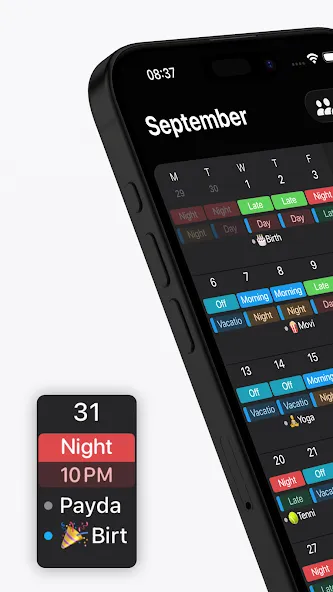
Supershift is one of the world’s most popular shift calendar apps on Android. It is built specifically for nurses, doctors, paramedics, police officers, firefighters, factory and manufacturing workers, retail staff, airport crew, and bus, train, and tram drivers.
No account required. No internet required. Open the app and start planning immediately - your schedule is yours, stored entirely on your device, and available anywhere from the ward to the cab to the factory floor.
If you are looking for an alternative to bloated shift apps that track your data or force you to log in, Supershift is the cleaner and faster.
WHY SHIFT WORKERS CHOOSE SUPERSHIFT
• Multiple shifts per day: Easily schedule early + late shifts, main + on-call, split shifts, or second jobs.
• Custom emojis & colors: Assign specific colors and icons to every shift type so you can read your month at a glance.
• Full Dark Mode: A beautiful, eye-friendly dark mode for comfortable night-shift viewing.
• No account required: Start using it in seconds.
• Works fully offline: Your schedule is always accessible, even without a cell signal or Wi-Fi.
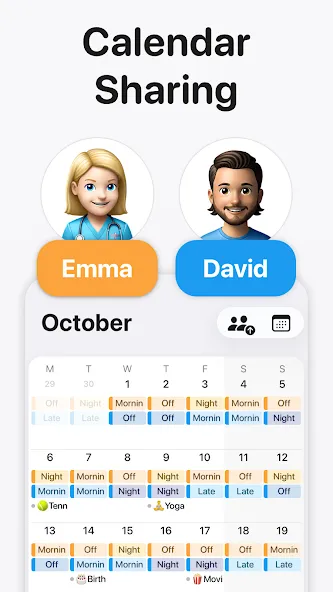
CALENDAR SHARING
Share your work schedule with family, partners, friends, or coworkers so everyone stays in sync. Coordinate shift swaps, check availability instantly, and cut out the endless back-and-forth texting.
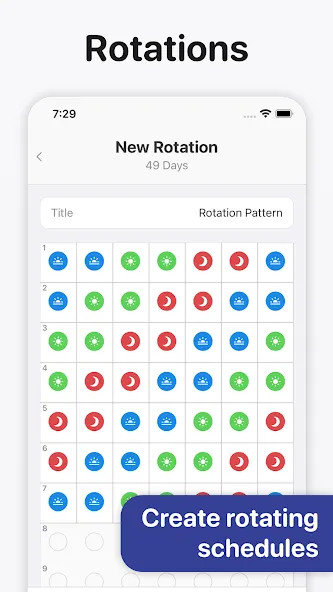
COMPLEX ROTATIONS
Define your rotation pattern once and apply it up to 2 years in advance. Supershift effortlessly handles 4-on-4-off, DuPont, Pitman, Panama, Continental, 2-2-3, and any custom rotation you throw at it.
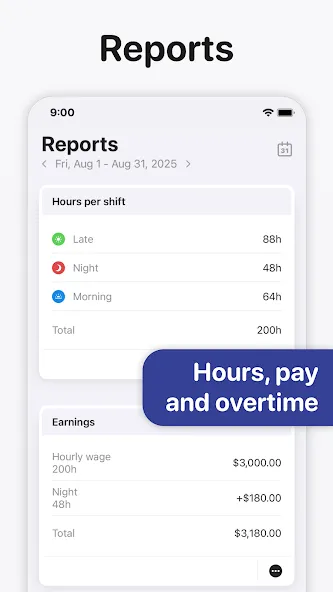
REPORTS & TRACKING
Track earnings, shift differentials, hours per shift type, overtime, and shift counts (e.g., vacation days, sick days, training days). Perfect for verifying payroll checks and simplifying tax time.
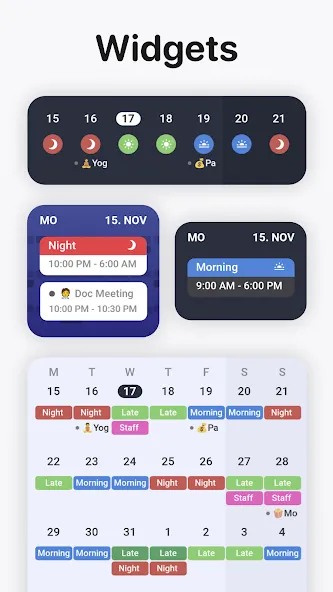
HOME SCREEN WIDGETS
Keep your schedule front and center with Day or 2-week view widgets right on your home screen and lock screen.
CLOUD SYNC
Use optional Cloud Sync to keep your devices perfectly aligned, and to instantly restore your data when you get a new device.
SUPERSHIFT PRO FEATURES
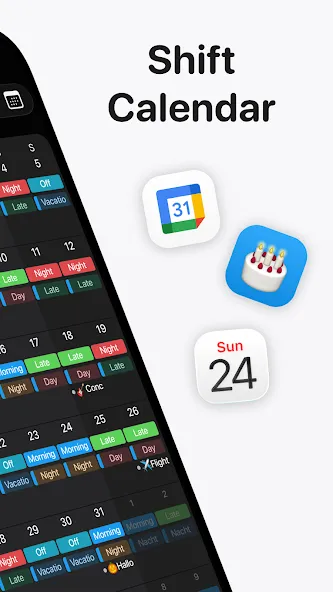
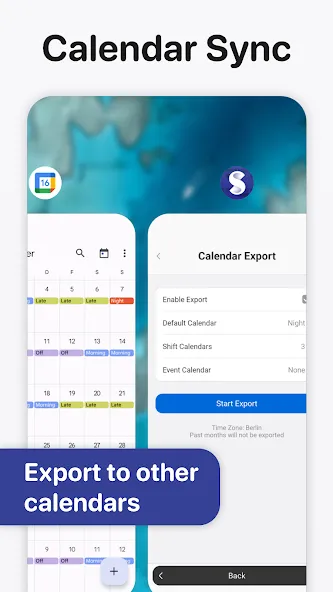
• Android Calendar Export: Push your shifts directly to Google Calendar.
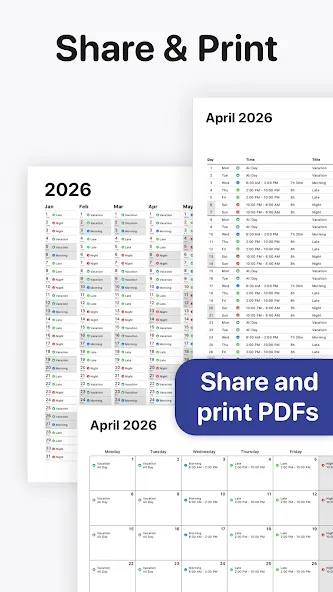
• PDF Export: Create and share a polished PDF version of your monthly calendar complete with title, times, breaks, notes, location, and total hours worked.
• External Calendar Integration: See birthdays, appointments, and personal events from your external calendars right alongside your shifts.
Privacy Policy:
https://supershift.app/privacy.html
Google Play
APP STORE
Advertisement
Taptostore.com is an independent app discovery and editorial review platform. We publish reviews, comparisons, and recommendations designed to help users explore apps and make informed choices.
Download links on Taptostore.com direct users to the relevant official app store or another distribution channel designated by the developer or publisher. App downloads and installations take place through those external platforms.
Our content is developed through product research, editorial analysis, publicly available information, and, where appropriate, an assessment of the app’s features and user experience. Reviews and recommendations represent our editorial judgment at the time of publication.
The security and privacy practices of each app are determined by its developer. Before installing an app, users should review its official store listing, developer information, requested permissions, privacy policy, update history, and recent user feedback.
Taptostore.com does not control or independently certify third-party apps and cannot guarantee their security, reliability, performance, or privacy practices.
Not necessarily. Apps may be free, paid, advertising-supported, or include in-app purchases and recurring subscriptions. Pricing and availability may vary by region, device, platform, and time. Please refer to the relevant official store listing for current terms.
Availability may be affected by geographic restrictions, device compatibility, operating-system requirements, age limitations, store policies, or decisions made by the developer or publisher. These factors are outside the control of Taptostore.com.
Taptostore.com does not operate the apps featured on the website and cannot access their accounts or internal systems. Questions about login credentials, account recovery, technical issues, data deletion, or app functionality should be directed to the relevant developer through its official support channels.
Please do not send passwords, verification codes, recovery credentials, or payment information to Taptostore.com.
App-related payments, subscriptions, cancellations, and refunds are administered by the app store, developer, or payment provider responsible for the transaction. Taptostore.com does not process these transactions and cannot manage subscriptions or issue refunds.
Uninstalling an app may not cancel an active subscription. Users should manage subscriptions through the platform on which the purchase was made.
We make reasonable efforts to publish accurate and useful information. However, app features, pricing, compatibility, availability, and policies may change without notice. For the most current details, users should consult the relevant official store listing or developer documentation.
Unless expressly stated, Taptostore.com is not affiliated with, sponsored by, endorsed by, or officially connected with the developers, publishers, brands, or platforms featured on the website.
Product names, logos, brands, and trademarks belong to their respective owners and are referenced solely for identification and informational purposes.
Advertisement