 Universal Remote for Smart TV
2.6

Parenting
Ratings
Downloads
Age
Advertisement
Advertisement
Name
Category
Price
Safety
Developer
Version
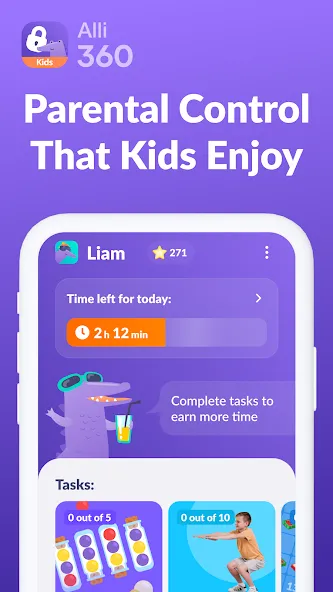
Alli360 — is a service that helps parents to set time limits for children in entertainment applications and games
The Alli360 app complements the “Kids360 for parents” app and must be installed on the device the teen is using
This app provides you with the following options:
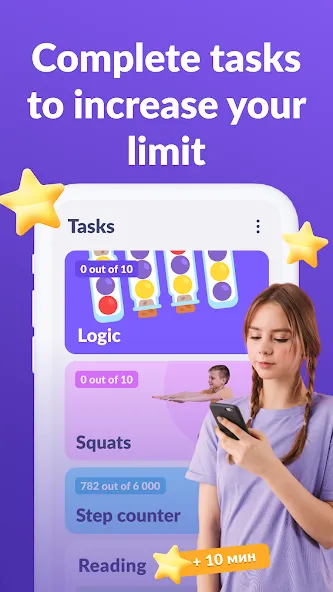
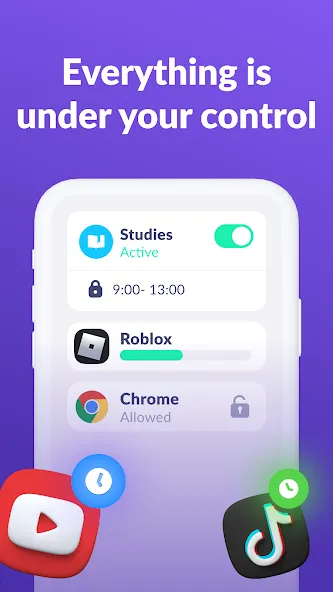
Time limit - set a time limit for specific applications and games your teens uses
Schedule - set schedules for school time and rest in the evening: games, social networks, and entertainment apps will not be available during the specified time
List of applications - select applications you want to limit or block completely
Time spent - see how much time your teen spends on their smartphone and identify their most used applications
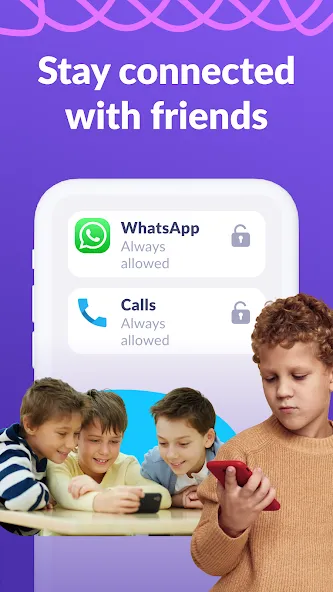
Always keep in touch - applications for calls, messages, taxis, and other non-entertainment applications will always be available and you will always be able to contact your school student.
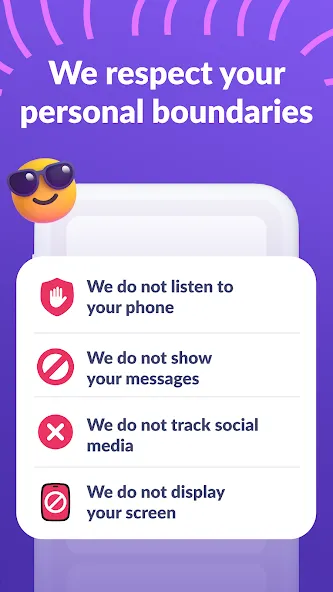
The “Kids360” app is designed for family safety and parental control. Thanks to the application tracker, you will always know how much time teen is spending on their smartphone. The app cannot be installed on the cell phone without your child’s knowledge, its use is available only with the explicit consent. Personal data is stored in strict accordance with legislation and GDPR policies.
How to start using the “Kids360” app:
1. Install the “Kids360 for parents” app on your mobile device;
2. Install the “Kids360” app on your teen’s phone and enter the link code with the parental device;
3. Allow monitoring of your teenager’s smartphone in the app.
In case of technical problems, you can always contact the 24-hour support service in the app or via the following email [email protected]
You can monitor your time on the smartphone for free after connecting second device. Time management functions in applications are available during the trial period and by purchasing a subscription.
The app asks for the following permissions:
1. Display over other apps - to block applications when time limit rules occur
2. Accessibility services - to limit time at the smartphone screen
3. Usage access - to collect statistics about the application uptime
4. Autostart - for constant operation of the application tracker on the device
5. Device admin apps - to protect against unauthorized deletion.
Google Play
APP STORE
Advertisement
Taptostore.com is an independent app discovery and editorial review platform. We publish reviews, comparisons, and recommendations designed to help users explore apps and make informed choices.
Download links on Taptostore.com direct users to the relevant official app store or another distribution channel designated by the developer or publisher. App downloads and installations take place through those external platforms.
Our content is developed through product research, editorial analysis, publicly available information, and, where appropriate, an assessment of the app’s features and user experience. Reviews and recommendations represent our editorial judgment at the time of publication.
The security and privacy practices of each app are determined by its developer. Before installing an app, users should review its official store listing, developer information, requested permissions, privacy policy, update history, and recent user feedback.
Taptostore.com does not control or independently certify third-party apps and cannot guarantee their security, reliability, performance, or privacy practices.
Not necessarily. Apps may be free, paid, advertising-supported, or include in-app purchases and recurring subscriptions. Pricing and availability may vary by region, device, platform, and time. Please refer to the relevant official store listing for current terms.
Availability may be affected by geographic restrictions, device compatibility, operating-system requirements, age limitations, store policies, or decisions made by the developer or publisher. These factors are outside the control of Taptostore.com.
Taptostore.com does not operate the apps featured on the website and cannot access their accounts or internal systems. Questions about login credentials, account recovery, technical issues, data deletion, or app functionality should be directed to the relevant developer through its official support channels.
Please do not send passwords, verification codes, recovery credentials, or payment information to Taptostore.com.
App-related payments, subscriptions, cancellations, and refunds are administered by the app store, developer, or payment provider responsible for the transaction. Taptostore.com does not process these transactions and cannot manage subscriptions or issue refunds.
Uninstalling an app may not cancel an active subscription. Users should manage subscriptions through the platform on which the purchase was made.
We make reasonable efforts to publish accurate and useful information. However, app features, pricing, compatibility, availability, and policies may change without notice. For the most current details, users should consult the relevant official store listing or developer documentation.
Unless expressly stated, Taptostore.com is not affiliated with, sponsored by, endorsed by, or officially connected with the developers, publishers, brands, or platforms featured on the website.
Product names, logos, brands, and trademarks belong to their respective owners and are referenced solely for identification and informational purposes.
Advertisement